Overseas Clean Energy Investment System Setup Guide: Registration Questionnaire + Invitation Code + Investment Password
Overseas Clean Energy Investment System Setup Guide: Registration Questionnaire + Invitation Code + Investment Password
We recently took on a project to build an overseas clean energy investment platform. The client required three core modules: a registration questionnaire, a two-level invitation code system, and a secondary investment password. It took our team about a week of debugging to get the entire system running smoothly, and we hit quite a few environment configuration issues along the way. This guide documents the full setup process for anyone building a similar overseas energy investment platform, so you can avoid the same pitfalls.
The complete source code uses a fully open-source PHP backend with an H5 responsive frontend. Both desktop and mobile experiences are smooth, making it well-suited for clean energy themed platforms targeting European, American, and Southeast Asian markets.

Core System Features (Verified Through Testing)
The overseas clean energy investment system includes a comprehensive set of functional modules. Here is what we verified after actual deployment:
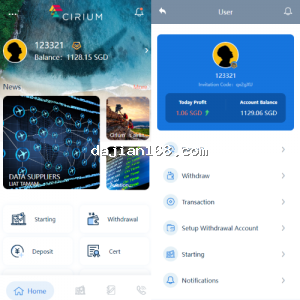
- Registration Questionnaire Module: Upon registration, users are prompted with a questionnaire covering asset background, investment experience, and risk preference. Responses are written directly into the user profile table and can be used for backend tiered operations.
- Invitation Code Registration: Mandatory invitation code registration ensures users cannot sign up without a referrer code. This effectively controls user sources and distribution hierarchy.
- Secondary Investment Password: Both trading and withdrawals require a separate fund password. Even if the login password is compromised, funds remain secure.
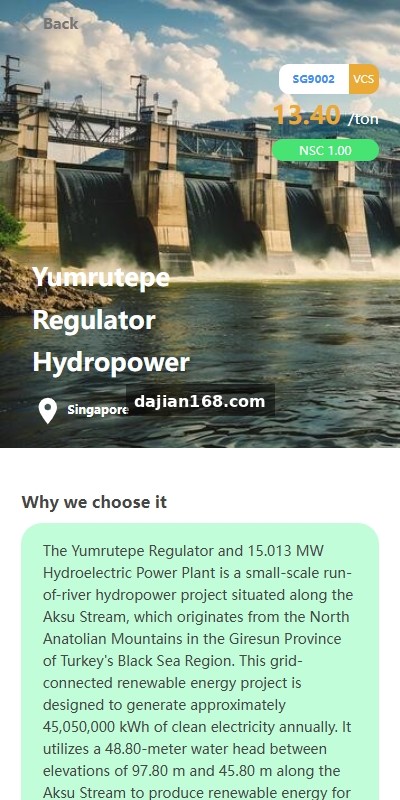
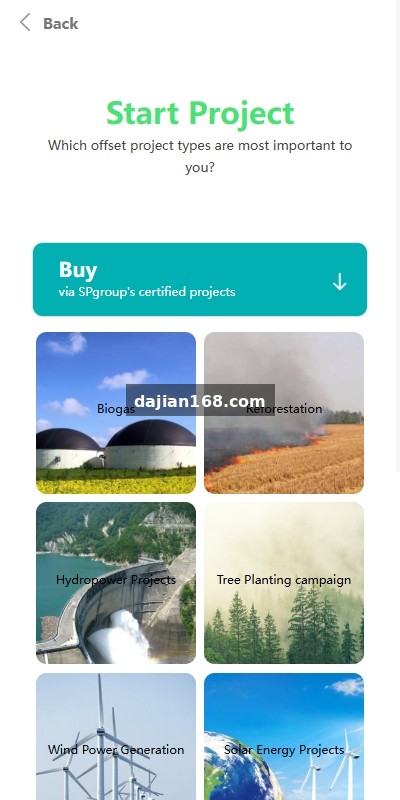
- Energy Project Investments: The backend can create different investment targets such as solar photovoltaic, wind power, and energy storage. Each target can be individually configured with cycle duration, interest rate, and minimum investment amount.
- Scheduled Profit Distribution: Automatic settlement runs via Linux crontab. At midnight daily, the system settles the previous day earnings and credits them to user accounts.
- Multi-Level Distribution Commission: A three-level direct referral commission model. Team performance can be queried with one click from the backend.
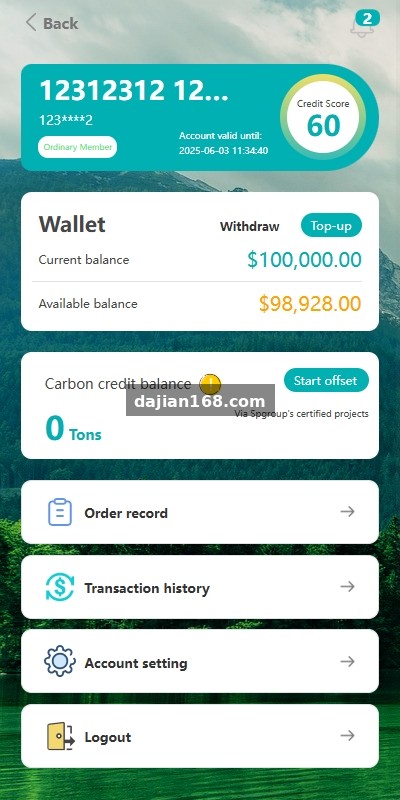
- Deposit and Withdrawal Channels: Default integration with USDT-TRC20. Can be extended to USDT-ERC20, BSC chain, and bank cards through secondary development.
- In-Platform Messaging: System notifications, profit credits, and withdrawal review statuses are all delivered via in-platform messages.
- Multi-Language Switching: Default Chinese and English bilingual support. The i18n language pack structure is clean; adding a new language only requires copying the corresponding JSON file.

Pre-Deployment Environment Checklist
This system has strict environment requirements. When we deployed on the client Vultr Los Angeles node, we almost failed because one PHP extension was missing. Here is the complete environment checklist:
- Server Configuration: Recommended 2-core 4GB RAM minimum, because the profit settlement script consumes significant CPU when processing all users.
- Operating System: CentOS 7.9 or Ubuntu 20.04 LTS (both verified).
- Web Environment: Nginx 1.18+ / PHP 7.4 / MySQL 5.7 (PHP 8.0+ requires minor function adjustments).
- Required PHP Extensions: fileinfo, bcmath, curl, gd, mbstring, openssl, redis, pdo_mysql.
- Cache Service: Redis 6.0+ for session storage and hot data caching.
- Domain Requirements: Dedicated domain plus SSL certificate required. Subdomains are possible but not recommended.
- CDN Recommendation: For overseas users, Cloudflare free tier provides immediate speed improvements.
- Email Service: Registration verification emails need SMTP. SendGrid or AWS SES are recommended.
Key Tip: The registration questionnaire fields are stored in the user_survey database table. If the client wants to modify questionnaire questions, do not edit the frontend directly. First alter the database table structure, then update the backend validation logic. Otherwise, submissions will throw a field does not exist error. We made this mistake on our first deployment.
Common Issues and Troubleshooting
Several issues came up during setup. Here are the most typical ones:
3.1 Invalid Invitation Code During Registration
This issue occurs 90% of the time because no initial administrator invitation code was created in the backend. After installation, you must log in as root, go to User Management, and generate a top-level invitation code. Otherwise, all invitation codes will fail validation during normal user registration. We initially suspected a database connection issue and spent half a day debugging before discovering this cause.
3.2 Investment Returns Not Credited
Profit settlement depends on Linux cron jobs. If you forget to configure crontab, earnings will never be distributed automatically. The correct configuration is:
0 0 * * * /usr/bin/php /www/wwwroot/yourdomain/artisan invest:settle >> /tmp/settle.log 2>&1Also, ensure the timezone in .env matches your target market (e.g., Asia/Bangkok). Otherwise, settlement times will shift by several hours.
3.3 Withdrawals Stuck at Pending Review
Withdrawal review requires manual administrator action, but often clicking Approve in the backend does nothing. This happens because the system has a secondary signature mechanism. You must enter the USDT hot wallet private key in the configuration file for automatic disbursement. If you prefer manual transfers, set auto_withdraw to false.
3.4 White Screen After Questionnaire Submission
The white screen is usually caused by insufficient PHP memory. If the questionnaire has many fields, increase memory_limit in php.ini to 256M or above, then restart php-fpm. I recommend setting it directly to 512M to avoid issues when adding more questions later.
Customization and Extension Modules
The base version is fully functional, but clients often request customizations during actual operations. Here are extensions we have implemented with good results:
- Multi-Chain Wallet Integration: The original version only supports TRC20. Can be extended to ERC20, BSC, Polygon, and more.
- KYC Identity Verification: Integrate Sumsub or Jumio verification APIs to meet European and American compliance requirements.
- Risk Questionnaire Weighted Scoring: Automatically assign risk level tags based on questionnaire answers and limit investment amounts accordingly.
- Mobile App Development: Based on existing APIs, a native app using uniapp or React Native can be quickly built.
- Telegram Bot Integration: Profit notifications and customer service can be handled via a TG Bot, which overseas users accept readily.
- Multi-Currency Settlement: Beyond USDT, add EUR and GBP display with automatic exchange rate conversion.
Frequently Asked Questions
Q1: Is the source code completely open-source? Are there any encrypted files?
The PHP backend and H5 frontend are completely open-source. There is no ionCube or Zend encryption. All code can be edited directly, making secondary development very convenient.
Q2: Can this be deployed on domestic servers, or must it be on overseas servers?
Technically it can run on domestic servers, but for overseas users, Los Angeles, Singapore, or Frankfurt nodes offer significantly better access speeds. Additionally, cryptocurrency-related businesses carry compliance risks on domestic servers, so overseas hosting is not recommended.
Q3: Can the registration questionnaire mix mandatory and optional questions?
Yes. The questionnaire field table has an is_required field: 0 means optional, 1 means mandatory. The frontend automatically renders red star indicators and submission validation based on this field.
Q4: How many concurrent users can a single server handle?
A 2-core 4GB configuration can comfortably support 500 to 800 simultaneous online users. Beyond 1000 users, upgrade to 4-core 8GB and enable Redis clustering. The bottleneck is usually database connections; you can increase MySQL max_connections accordingly.
Important Notice: This article provides technical reference for system deployment only. Overseas investment businesses involve local financial regulatory compliance. Please ensure you comply with target market regulations (such as U.S. SEC, EU MiCA, etc.) and complete necessary financial licensing or compliance filings before launching operations. Do not use this for any illegal purposes.
Keywords: #CleanEnergyInvestment #OverseasInvestmentPlatform #InvestmentQuestionnaireSystem #InvitationCodePlatform #EnergySourceCode
-
 Alipay QR Code Scan
-
 WeChat Scan Pay