Building a Multi-Language Live Chat System: Instant Messaging and WebSocket Architecture
Building a Multi-Language Live Chat System: Instant Messaging and WebSocket Architecture
Disclaimer: This article is for technical education and demonstration only. It is not professional or financial advice. Any real-world deployment must comply with applicable laws and regulations.
I recently helped a friend who runs an independent cross-border e-commerce store deploy a lightweight live chat system. Previously, his site relied on a third-party SaaS plugin. Not only did it cost a hefty monthly subscription fee, but its overseas nodes frequently glitched, leaving customer inquiries stuck on a loading screen. To permanently fix the loading speed and customization bottlenecks, I tracked down this clean instant messaging source code and spent an afternoon setting it up on a cloud server in the same region as his storefront. The entire platform skips redundant user registration systems and focuses on instant, click-to-chat functionality. It fits international landing pages and vertical content distribution sites like a glove. Below is my complete deployment log along with a few troubleshooting notes from my custom development work.
Hands-On Testing: Core Features and Interaction Logic
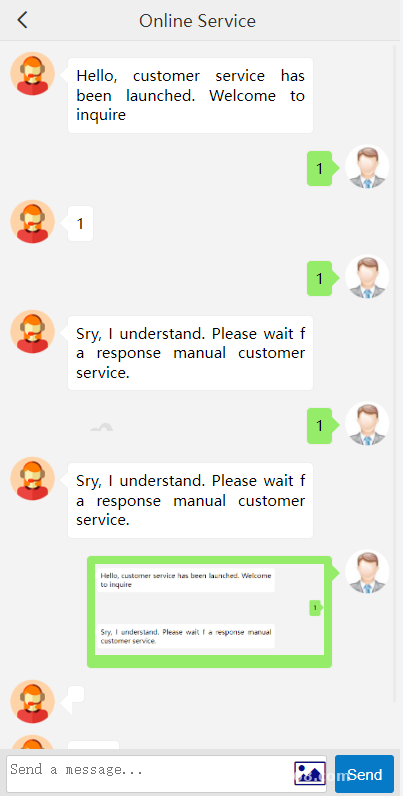
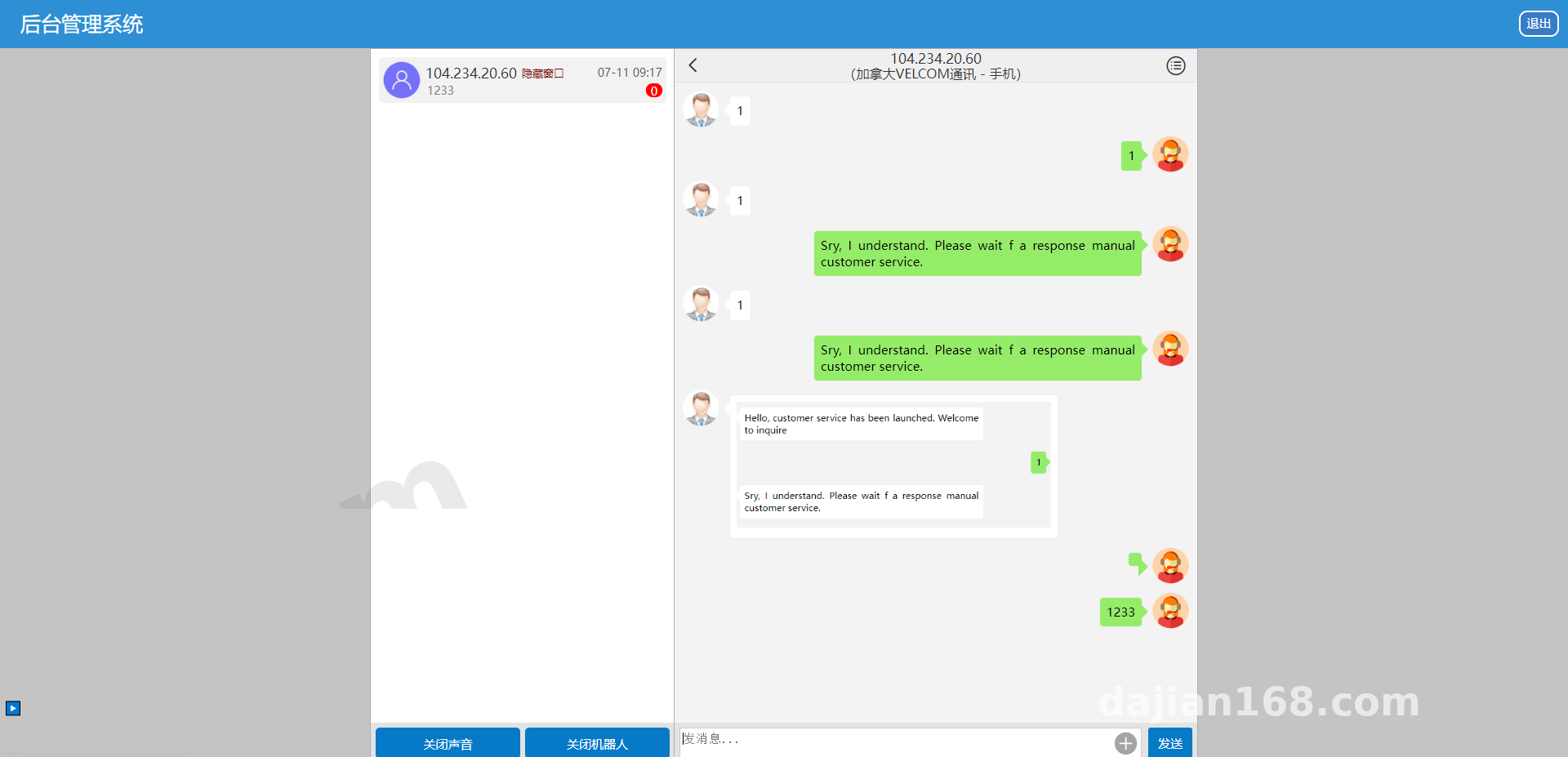
After unpacking the source code archive, I inspected the directory structure and found it remarkably clean. Under the hood, the system runs on a classic N-to-1 session architecture, meaning multiple frontend visitors can connect simultaneously while all messages route into a single admin dashboard for centralized responses.
1. Registration-Free IP Session Identification
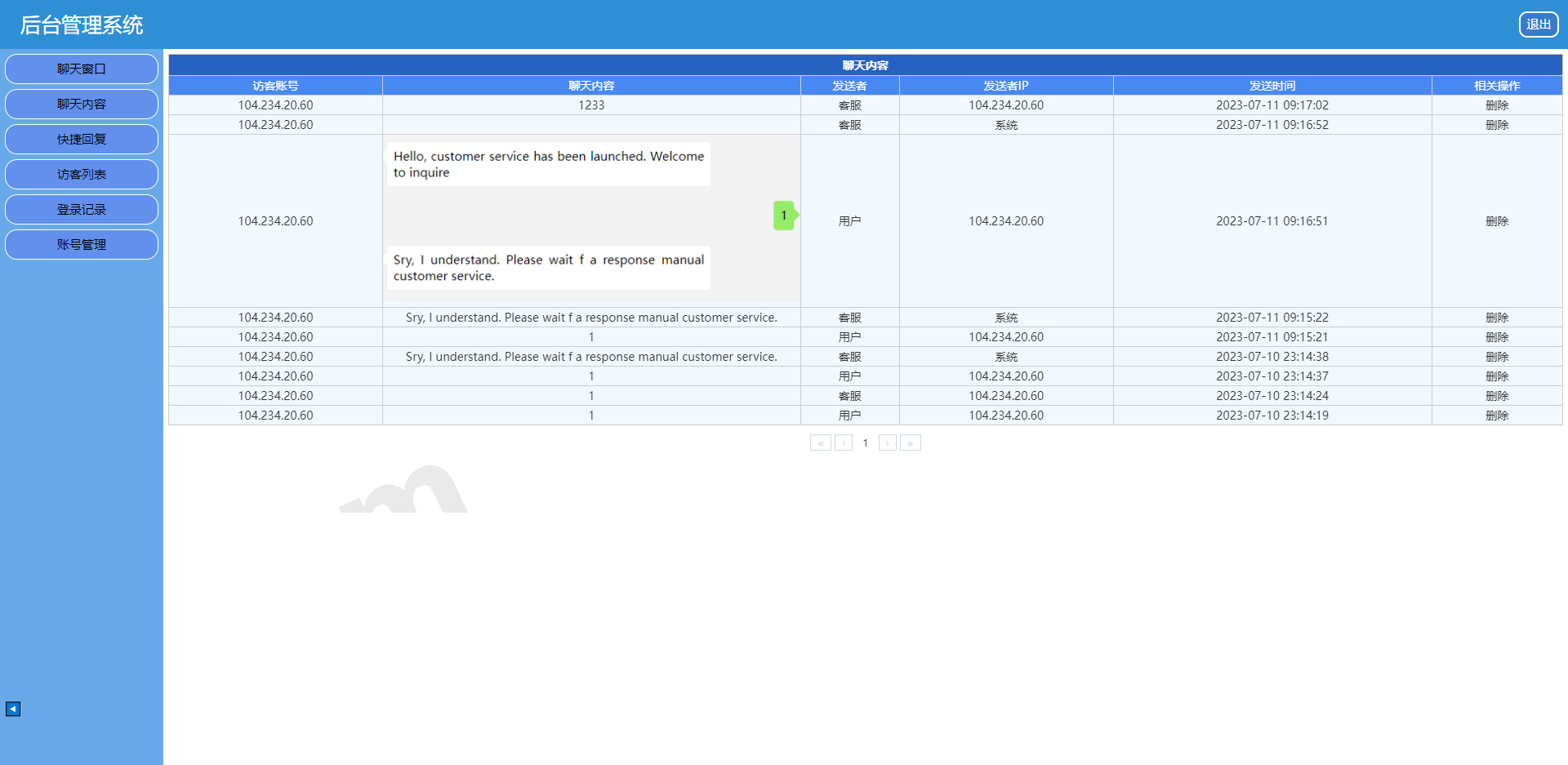
The cleverest part of this system is how it ditches tedious login steps. Frontend visitors simply click the chat box and start typing. Behind the scenes, the backend captures the client’s real IP address—paired with browser fingerprint caching—to automatically generate a unique Session ID. I tested this locally using three different proxy nodes, and the dashboard immediately separated them into three independent chat channels. Chat histories also reconnect automatically based on the IP, making the experience very smooth for mobile visitors.
2. Minimalist Rich Media Transmission and Status Monitoring
To keep transfer speeds high and the server secure, frontend-to-backend communication is strictly limited to plain text and images. During testing, the image-sending workflow felt great: once a user selects a photo from their gallery or local drive, they don’t even need to hit a confirm button. The frontend JavaScript immediately triggers an asynchronous upload API and pushes the image straight into the chat stream. Furthermore, the backend WebSocket heartbeat detection is finely tuned. From the admin panel, agents can see in real time whether a visitor is “Online,” “Offline,” or has “Minimized/Hidden the Window.” There is even an independent toggle for new message alert sounds in the dashboard, which comes in handy when muting notifications during late-night shifts.
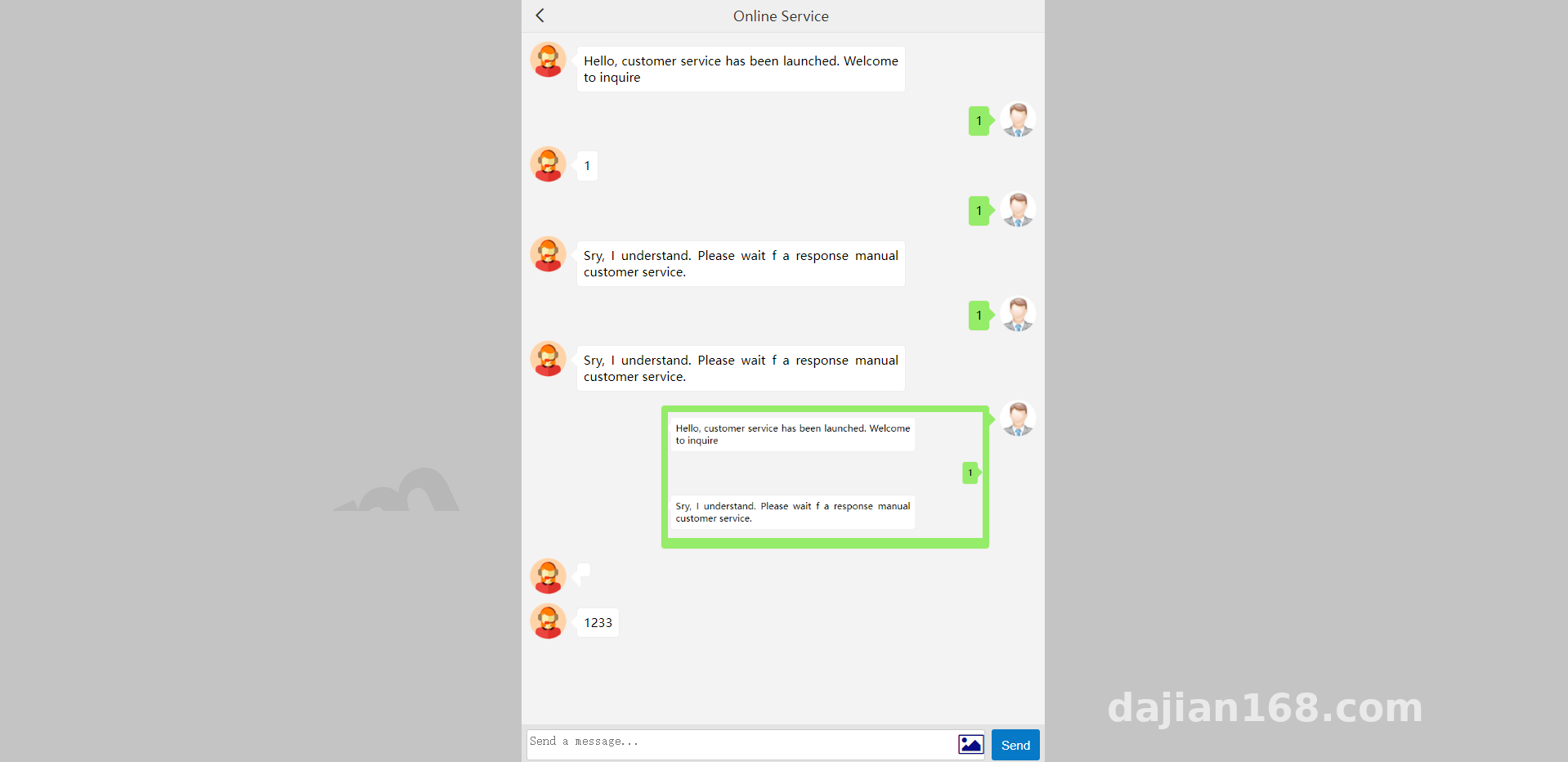
3. Smart Bot and Hardcoded Announcement Design
To keep the footprint light, the developer didn’t cram every single configuration into the database. For instance, the welcome announcement that pops up when a visitor first opens the window, as well as the keyword triggers for the auto-reply bot mode, are written directly into static configuration files. The admin panel simply provides a boolean toggle button to turn the bot on or off. When support agents clock out and enable the bot, the system fires back instant replies based on preset keyword logic, and switching back to manual mode allows human agents to take over seamlessly.
Webmaster Pro-Tip: Because this system relies on IP addresses to distinguish visitors, putting an overseas CDN like Cloudflare in front of your domain—or using an Nginx reverse proxy—requires an extra step. You must enable
real_ip_header CF-Connecting-IPorX-Forwarded-Forpassthrough in your server config. Otherwise, the backend will read every visitor as the exact same CDN node IP, causing everyone’s chats to merge into a single thread!
Server Environment and Deployment Essentials
This codebase consumes very little hardware power. I used a 1-core, 2GB RAM lightweight application server running Ubuntu 20.04, and memory usage stayed below 30% under load. Here are the exact environment specs:
- Web Server: Nginx 1.20 (enabling Gzip compression is highly recommended to speed up frontend static asset loading)
- Runtime Environment: PHP 7.4 + Workerman extension (remember to open
php.iniand remove functions likepcntl_forkandpcntl_waitfrom the disabled list) - Database: MySQL 5.7 (primarily stores chat logs and IP mapping tables; the character set must be configured to
utf8mb4, otherwise emojis sent by overseas customers will throw database errors)
To deploy, upload the code to your web root directory, import the SQL database file, and update the database connection credentials inside the configuration folder. The most critical step is logging into your SSH terminal, navigating to the source code root directory, and running the daemon startup command. Once it spins up, make sure to open the corresponding persistent connection port in both your cloud provider’s security group and your server firewall panel. If your frontend webpage uses HTTPS, you will also need to configure a WSS reverse proxy snippet inside Nginx to forward encrypted WebSocket requests to the local port; skipping this will trigger Mixed Content blocking errors in the browser console.
Multi-Language Adaptation and Custom Development Tips
Since my friend targets Southeast Asian, European, and North American markets, I made a few tweaks to the frontend UI. The default interface is super clean with very few text labels, so I extracted the hardcoded prompts from the frontend templates into JSON language packs. Using the browser’s navigator.language property, the interface now automatically switches between English, Spanish, and Thai. As for the hardcoded welcome announcements and auto-reply scripts, they sit inside array variables within the core controller. Anyone with basic coding skills can locate and edit them directly. They also support basic HTML hyperlink tags, which is super practical for directing traffic to social media profiles or linking out to FAQ pages.
Frequently Asked Questions
Q: Why does the interface freeze after selecting an image on the frontend without sending it automatically?
A: Nine times out of ten, this comes down to directory permissions or upload size limits. First, check if the public/uploads folder inside your source directory has full 755 write permissions. Second, modern smartphone photos easily exceed 5MB, so you should bump both Nginx’s client_max_body_size and PHP’s upload_max_filesize up to around 20MB.
Q: I enabled sound alerts in the admin panel, so why is there no sound when a customer sends a message?
A: Modern browsers—especially Chrome and Safari—enforce strict autoplay security policies. After logging into the backend dashboard, the admin must click anywhere on the blank area of the page at least once. This user interaction activates the browser’s AudioContext, allowing subsequent notification chimes to play normally.
Q: Will the database slow down once chat logs pile up, and how can I optimize it?
A: Because images are saved as local disk paths and the database only stores plain text and URL strings, it can easily handle hundreds of thousands of rows without breaking a sweat. However, if you receive a massive volume of images daily, I recommend writing a quick integration for Alibaba Cloud OSS or AWS S3 object storage, and adding a cron job in the backend to automatically purge inactive IP session data older than 30 days every week.
Disclaimer: The source code and deployment tutorials discussed in this article are strictly for technical education, legitimate enterprise customer service, and communication system development. Users must comply with all local laws and regulations.
Disclaimer: This article is for technical education and demonstration only. It is not professional or financial advice. Any real-world deployment must comply with applicable laws and regulations.
#Live Chat System #Instant Messaging #Source Code Deployment #WebSocket #Multi-Language Website
-
 Alipay QR Code Scan
-
 WeChat Scan Pay