Overseas Micro Trading System Setup Guide: Cryptocurrency Forex Multi-Language Micro Platform PC and UniApp Source Code Deployment
Overseas Micro Trading System Setup Guide: Cryptocurrency Forex Multi-Language Micro Platform PC and UniApp Source Code Deployment
Last month I helped a client targeting the Southeast Asian market deploy a micro trading system. The requirements included support for both cryptocurrency and forex, PC and mobile platforms, and multi-language capability. It took about a week of work. I am documenting the process here for anyone with similar needs.
1. System Features and Tech Stack Overview
This new micro platform system is significantly better than older versions. The biggest highlight is the inclusion of a PC client. Mobile uses UniApp, PC uses VUE, providing a unified user experience. Some data interfaces are paid APIs, and the system also includes a YuE Bao (money market) feature, which is a clever design.
- Trading Products: Supports cryptocurrency (BTC/ETH/USDT etc.) and forex (EUR/USD, GBP/USD and other major pairs)
- Multi-Platform Coverage: PC VUE web version + mobile UniApp (H5/mini-program/APP)
- Multi-Language Switching: Admin panel can configure language packs, supporting Chinese, English, Thai, Vietnamese and more
- YuE Bao Feature: User idle funds can be automatically transferred to wealth management, earning daily interest, increasing user retention
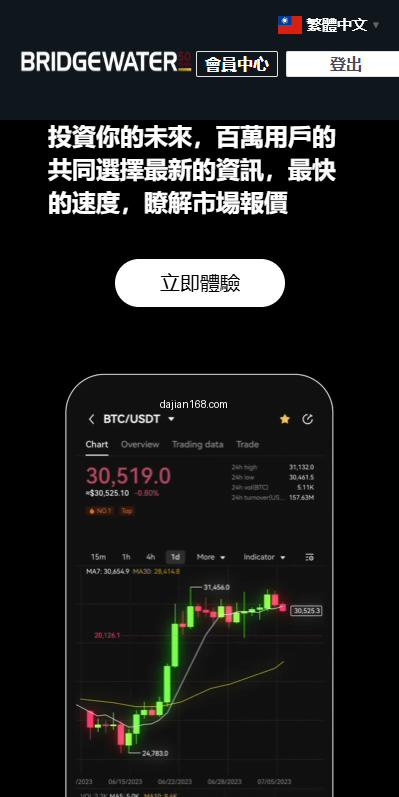
- Real-Time Quotes: Integrates third-party paid data APIs, with K-line charts, depth charts, and latest trades refreshing in real-time
- Risk Control System: Take-profit/stop-loss, position limits, abnormal trading monitoring, and liquidation mechanism
The backend stack is primarily PHP + MySQL + Redis + WebSocket. Quote data is fetched via paid APIs, cached locally in Redis, and pushed to the frontend via polling or WebSocket. Order matching is handled by PHP, which is sufficient for simple scenarios, but high concurrency may require a message queue.
2. Pre-Deployment Environment Checklist
Before deploying this system, get the infrastructure ready first. The first time my client deployed, the MySQL version was too low, causing some SQL statements to fail. It was resolved after upgrading.
- Server specs: 4 cores 8GB minimum, recommend 8 cores 16GB (trading peaks are performance-sensitive)
- OS: CentOS 7.6+ / Ubuntu 20.04+
- PHP 7.4+ (recommend 8.0, but test compatibility first)
- MySQL 5.7+ (utf8mb4 charset for multi-language content)
- Redis 5.0+ (quote data cache, user sessions)
- Nginx 1.18+ (SSL, reverse proxy, static assets)
- SSL certificate (HTTPS is mandatory for trading sites)
- Paid data API account (quote APIs, billed monthly or by usage)
Data APIs are one of the core costs of this system. Common quote data providers include CoinAPI, CryptoCompare, and ForexFeed. I recommend buying a trial package first to test latency and data quality. My client’s API has about 300ms latency, which is barely sufficient for micro trading, but may not be enough for second-level trading.
3. Source Code Deployment and Pitfalls
Deployment breaks into three parts: backend API, PC frontend, and mobile frontend. Each has pitfalls. Here are the key ones.
3.1 Backend API Configuration
The backend is written in PHP. Config files are typically in /config/database.php and /config/api.php. Update database connections in database.php, and fill in the paid API key and secret in api.php. The most commonly missed item is Redis configuration, which defaults to 127.0.0.1:6379. If Redis has a password or is on a separate server, update accordingly.
Another pitfall: the YuE Bao interest calculation logic uses cron jobs, running every minute by default. If the server timezone is wrong, interest calculation timing will be messed up. I recommend using UTC for storage and converting to user timezone on the frontend.
3.2 PC VUE Compilation Issues
The PC frontend uses VUE 2.x. Before building, change the API base URL. In .env.production, set VUE_APP_BASE_API to your domain. If the API is cross-origin, configure CORS headers in Nginx, or allow cross-origin on the backend. The first time I compiled, the page was blank. Investigation showed the publicPath was set to relative. Switching to absolute path fixed it.
3.3 Mobile UniApp Packaging
UniApp packaging is straightforward with HBuilderX. But pay attention to the AppID and domain settings in manifest.json. For H5 builds, use hash routing mode. History mode requires backend rewrite rules. For APP packaging, you need to apply for push and payment SDKs from each manufacturer. For overseas Google Play and App Store deployment, compliance with local financial regulations is required.
4. Operations Configuration and Data API Optimization
Getting the system running is just the first step. Operational configuration is even more critical. Here are the points my client and I adjusted repeatedly.
Trading Fees: Both opening and closing positions charge fees, typically 0.1% to 0.3%. Too high drives users away, too low makes the platform unprofitable. I recommend A/B testing different rates for user retention.
Leverage: For cryptocurrency, 5-50x is recommended. For forex, 50-200x. Higher leverage means faster liquidation for users and greater platform risk. I recommend defaulting to low leverage for beginners, with high leverage available upon request for experienced traders.
Quote Data Caching: Paid APIs bill by call volume. Without caching, costs are high. I recommend caching 1-5 second quote snapshots in Redis, with frontend polling intervals at 3 seconds or more. K-line data can be cached longer: 1-minute K-lines for 5 minutes, 5-minute K-lines for 30 minutes.
YuE Bao Interest Rate: Daily rates of 0.05% to 0.1% are common. This rate directly affects user fund retention, but cannot be too high or the platform loses money. I recommend adjusting dynamically based on actual trading fee income.
Core Notice: Micro trading / micro platform systems involve financial derivatives, which are regulated in many countries and regions. Before deployment, confirm compliance requirements for your target market. I recommend consulting local lawyers or financial license advisors. Technology is just the foundation, compliance is the lifeline.
5. FAQ
Q1: Does this system support fiat currency deposits and withdrawals?
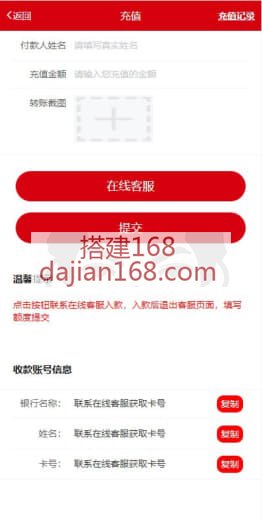
The source code does not include a payment gateway, so you need to integrate one yourself. Common overseas options include PayPal, Stripe, and cryptocurrency payments (USDT-TRC20). My client used USDT payments through a third-party payment platform, with about 1% fees.
Q2: How is multi-language configured?
The admin panel has a language pack management module, with Chinese and English by default. Adding a new language requires translating all frontend terms, about 2000+ items. I recommend using ChatGPT for batch translation, with human review of key terms.
Q3: What if the data API goes down?
Paid APIs have single-point-of-failure risk. I recommend dual-supplier backup, automatically switching to the backup API when the primary fails. Cache the most recent 5 minutes of quotes in Redis, and use cached data during the switchover.
Q4: Can more trading products be supported?
Yes, the backend has a product management module. Adding new cryptocurrencies or currency pairs only requires filling in trading codes, minimum tick sizes, and leverage limits. But too many products affects page loading speed. I recommend keeping PC to 20 or fewer, and mobile to 10 or fewer.
Q5: How much server bandwidth is needed?
WebSocket quote push does not consume much bandwidth. The main consumer is K-line chart data. About 1000 concurrent users need 5-10Mbps. For larger user bases, use a CDN for static assets and K-line data acceleration.
Source Reference
This content is based on the demo system at yanshigw.top/18498.html, reorganized and rewritten for reference purposes.
#OverseasMicroTrading #CryptocurrencyForex #MultiLanguageMicroPlatform #PCMicroPlatform #YuEBaoFeature
-
 Alipay QR Code Scan
-
 WeChat Scan Pay