Baimeng Hashrate Miner Simulation System Setup: Backend Demo Contract Configuration and K-Line Market API Integration
Baimeng Hashrate Miner Simulation System Setup: Backend Demo Contract Configuration and K-Line Market API Integration
Disclaimer: This article is for technical education and demonstration only. It is not professional or financial advice. Any real-world deployment must comply with applicable laws and regulations.
\n
Last month I helped a friend who runs a digital-asset demo platform deploy a Baimeng Hashrate Miner Simulation System. The source code centers on hashrate plans, demo contracts, and market-data display — useful for building a financial-literacy demo site. I spent about two days getting it running, so I’m writing up the workflow and the pitfalls I hit for anyone building something similar.
\n
Feature Walkthrough
\n
After unpacking the source, the first thing I checked was whether permissions and feature modules were separated. In practice the modules fall into three areas: hashrate plans, simulated earnings, and referral points.
\n
1. Hashrate Plans and Distributed-Computing Demo
\n
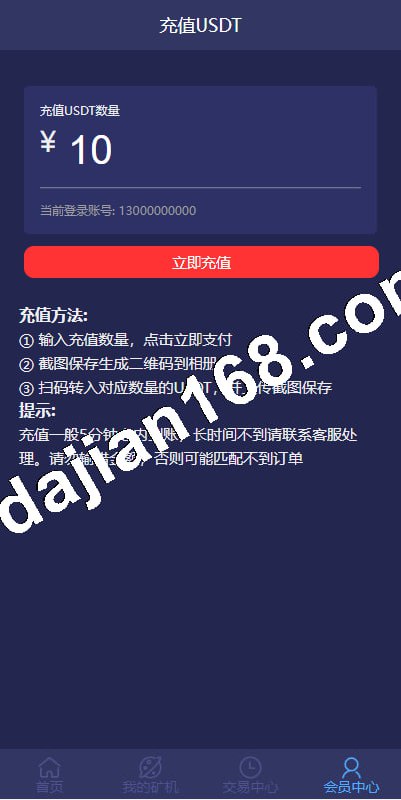
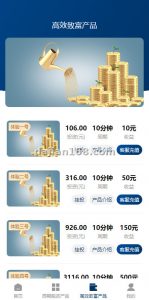
The admin panel lets you customize the miner name, hashrate value, cycle length, and daily output ratio. For testing I created a “Blockchain Hashrate Experience Plan,” set the hashrate to 100 MH/s, the cycle to 30 days, and let the daily output follow the backend formula. After a front-end user purchases it, the position list shows the active plan, cumulative simulated output, and remaining days. One detail: the default returns are simulated data. For a live demo, set the return formula to a demonstration curve you define rather than pulling real external market returns, so users do not mistake the numbers for real-world financial outcomes.
\n
2. Automated Simulated-Earnings Settlement
\n
The system runs a settlement task at midnight every day and automatically credits the day’s simulated earnings to the user account. Daily and total returns can be expanded in the asset center. I manually advanced the server clock to the next day to verify the script fired. It runs via crontab by default, so remember to check the server timezone when deploying. My first server still had the default timezone, and settlement ran eight hours late.
\n
3. Referrals and Points System
\n
Each user gets a unique invite code. When an invited friend registers and buys a hashrate plan, the referrer receives bonus points. Points also come from daily check-ins and identity verification. Points can be redeemed in the platform store for perks such as fee offsets or platform souvenirs. Keep in mind: the point system is a closed loop inside the platform. Do not link it directly to fiat currency, or you may cross regulatory lines.
\n
Deployment Checklist
\n
The source is a classic PHP + MySQL stack. Deployment is straightforward, but a few spots can trip you up.
\n
1. Environment Setup
\n
I used Nginx 1.20, PHP 7.4, and MySQL 5.7. Some paths in the source are hard-coded, such as the public and runtime directories. After uploading, check that the PHP extensions fileinfo, openssl, and mbstring are enabled; that uploads and runtime have 755 permissions; and that rewrite rules are in place. If the front page is blank, it is usually because runtime lacks write permission or the ThinkPHP routes have not taken effect.
\n
2. Market Data API Integration
\n
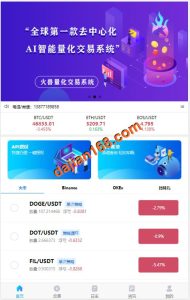
The homepage has a market simulation module; the candlestick chart pulls from a third-party market data source. I entered the major digital-asset price API endpoint in the admin panel, and after refreshing the K-line chart rendered correctly. The amplitude follows the market feed, which is useful for teaching demos. Note: this interface is for display only and must not be used for real trade matching. I recommend limiting requests to once every five seconds; higher frequencies can get throttled by the data provider.
\n
3. Admin Hardening
\n
Change the default admin path; do not leave the default URL. The first thing I did after deployment was rename the admin entry and add an IP whitelist. The source also ships with some common vulnerability patches, but I added another layer: a dedicated database account, disabled error display, and turned off ThinkPHP debug mode. If you see the default ThinkPHP error page in logs, disable APP_DEBUG immediately.
\n
\n
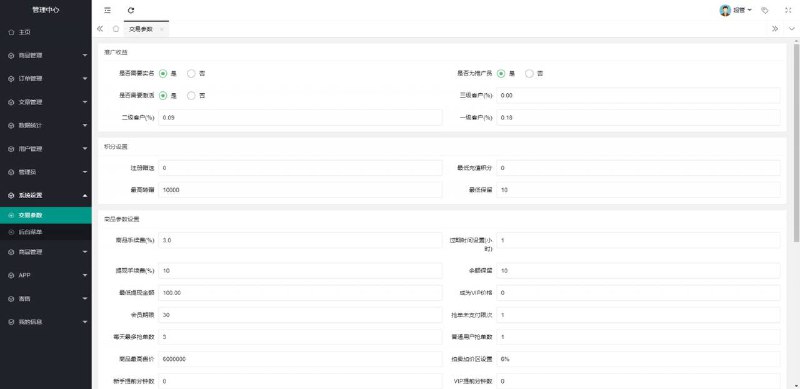
Highlight: The backend is highly configurable. Hashrate plans, contract cycles, return rates, check-in points, and invite rewards can all be set visually. Beginners can usually get a working demo site up within an hour once the database and rewrite rules are sorted.
\n
\n
Who It Is For
\n
This system fits two scenarios. First, a digital-asset simulation teaching platform for demonstrating hashrate, earnings curves, and price fluctuations. Second, a financial-literacy site that uses points and daily check-ins to keep users engaged. I do not recommend using it for real-money trading; all money-related features are strictly for simulated demonstration.
\n
FAQ
\n
Q: The K-line chart does not show after deployment.
\nA: First check whether the market data API endpoint in the admin panel is correct, then confirm that your server can reach the endpoint. If it uses HTTPS, verify that PHP’s curl CA bundle is valid. I once saw the default interface point to an overseas address that timed out from a domestic server; switching to a lower-latency endpoint fixed it.
\n
Q: The auto-settlement did not run; how do I troubleshoot?
\nA: First check whether the crontab job exists, then look at the task script log. Many beginners forget to add the Linux cron job, or the php binary path is wrong. Also verify that the MySQL timezone matches the server timezone, or settlement times will be off.
\n
Q: Can points be exchanged directly for cash?
\nA: No. Points in this source can only be used for internal platform benefits, such as fee offsets or virtual goods. When going live, you must comply with applicable laws and regulations and avoid any prohibited uses; never tie the point system directly to fiat currency.
\n
Q: After configuring a custom demo contract in the admin panel, front-end earnings do not show.
\nA: Check whether the contract has an effective date and whether the order status after purchase is “Active.” For test data you can manually set the order status to active, and confirm that the settlement script has run at least once.
\n
Disclaimer
\n
This build log is for technical education and system-deployment reference only. All funds, returns, and market data shown are simulated for demonstration purposes and do not constitute financial guidance. Deploy and use any source code in compliance with applicable laws and regulations; do not use it for unlawful purposes.
Disclaimer: This article is for technical education and demonstration only. It is not professional or financial advice. Any real-world deployment must comply with applicable laws and regulations.
#Hashrate Simulation #Demo Contract Configuration #K-Line Market API Integration #System Deployment #Source Code Setup
-
 Alipay QR Code Scan
-
 WeChat Scan Pay