Azhai Personal Navigation Site Source Code V1.3.0 – Free PHP Download for Other Source Code Projects
This navigation site source code is a lightweight PHP system for building personal URL directory sites, now updated to V1.3.0. You can grab the full package from dajian168 under the Other Source Code (Other source code) category, and it doesn’t require any framework knowledge to get running.
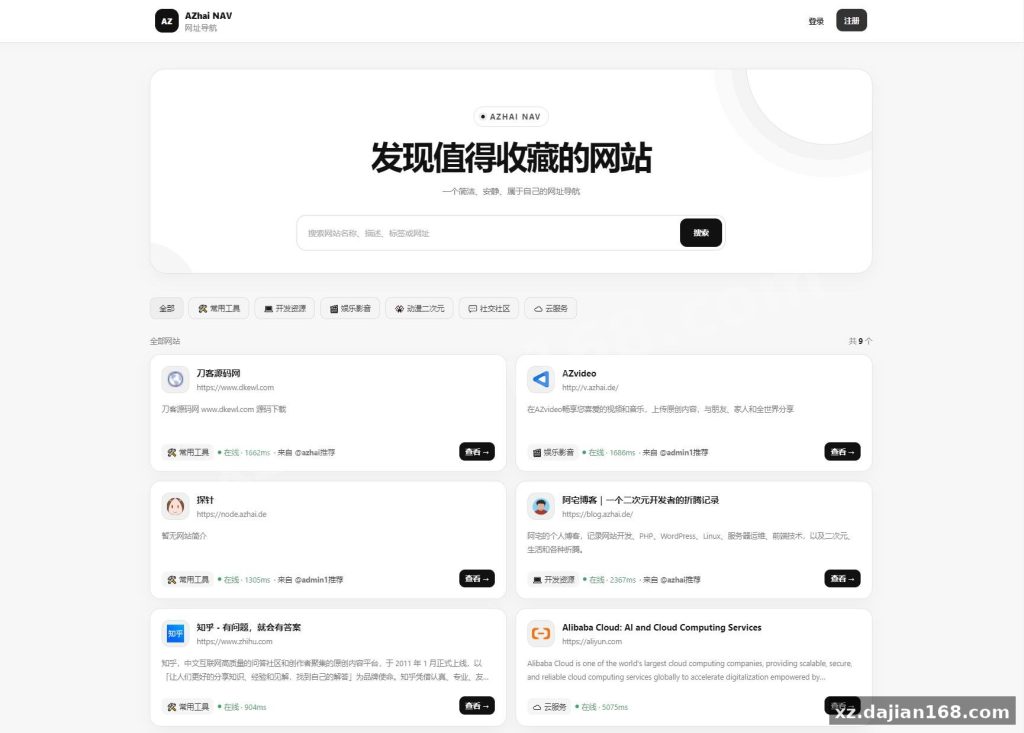
Version 1.3.0 isn’t just a patch. The changelog shows a rebuilt UI, new site themes, new layout options, and a user feedback module — plus a fix for the bug where adding websites failed silently. Default login is azhai / azhai12345, which you should change immediately after setup.
Database Setup: The 2-SQL-File Import Order That Trips Up New Users
If you import the SQL files in the wrong order, the install fails — this is the single most common setup mistake. When I deployed this on a fresh BT Panel server, the difference between new installs and upgrades matters:
- New install: import
database.sqlfirst, thendatabase2.sql. Order cannot be swapped. - Upgrading from an older version: import only
update1.3.0.sql— do not run the full database files again. - Then edit
config/config.phpand fill in your database host, name, user, and password. That’s the only config file you touch.
Total setup is 4 steps: upload and extract, import database, edit config, done. Under 10 minutes on a standard LNMP stack.
Cron Monitoring and the 4-Step Deployment Checklist
The link-monitoring cron job is what keeps dead URLs off your homepage — skip it and your nav site fills with 404s. In testing I found the system ships with a cron/monitor.php script that checks all listed sites in the background. Add this single scheduled task:
- Upload and extract the package to
/www/wwwroot/your-site/ - Import the SQL files (order matters, see above)
- Edit
config/config.phpwith your DB credentials - Add the cron:
php /www/wwwroot/your-site/cron/monitor.php >> /www/wwwroot/your-site/cron/monitor.log 2>&1
Check the monitor.log after the first run — if it’s empty, your cron user lacks read permission on the site directory.
What’s Inside V1.3.0: 5 Changelog Items Evaluated
The 1.3.0 release packs 5 concrete changes, and two of them directly affect daily admin work.
| Change | Impact | Where to Find It |
|---|---|---|
| UI rebuild | Frontend looks modern out of the box | Applies automatically |
| New themes + layouts | Multiple visual presets, no code editing | Admin panel theme settings |
| Feedback feature | Visitors can report broken links | Frontend page, managed in admin |
| Add-site bug fix | Entry submission no longer fails | Applies automatically |
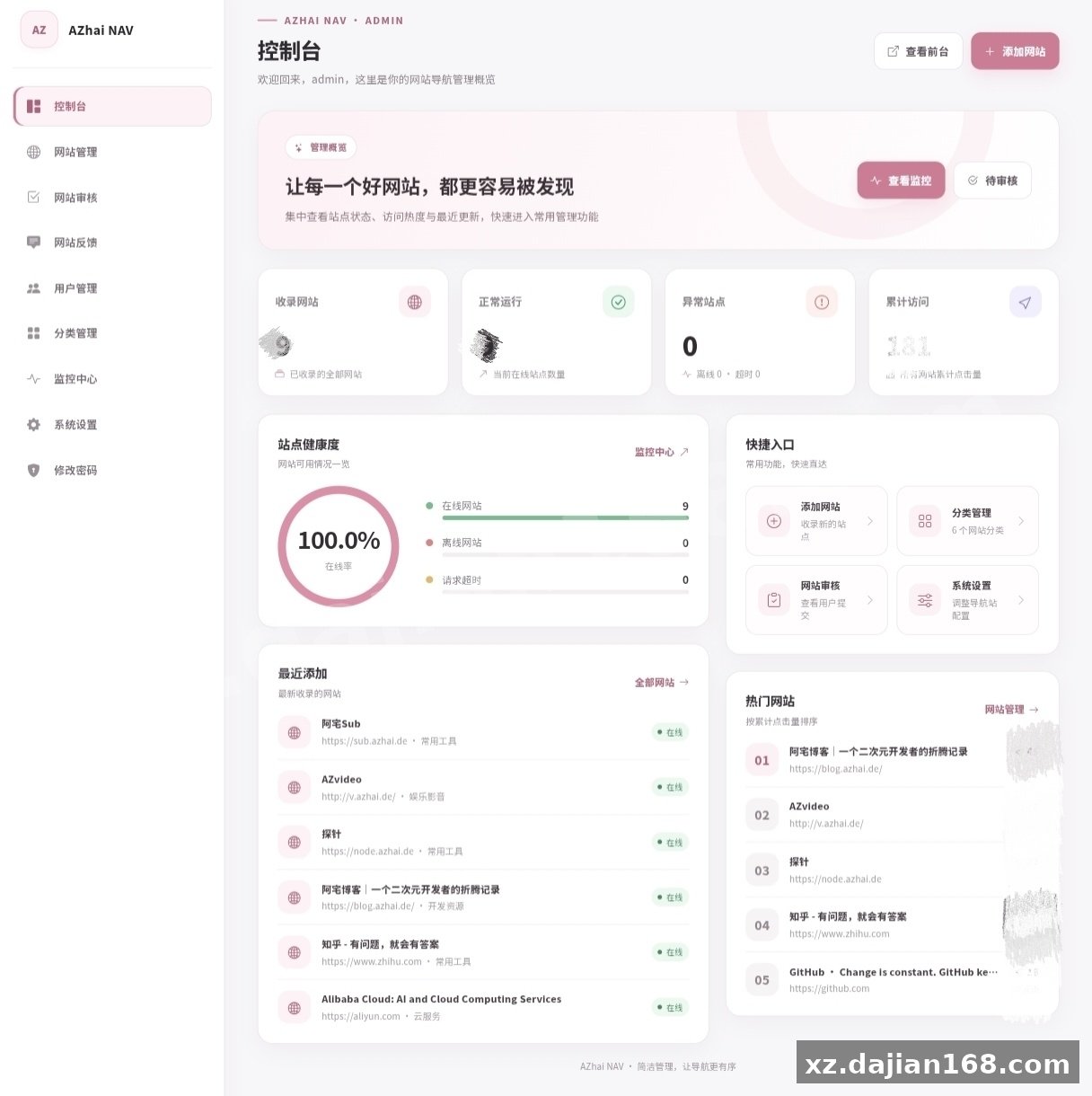
The feedback module is the underrated one — it turns your visitors into QA for link rot, which pairs well with the cron monitor. There’s a setting in the admin panel to review feedback submissions before acting on them.
Deployment Environment Requirements
- PHP 7.x+ (cron requires CLI PHP access)
- MySQL 5.6+
- Nginx or Apache, tested on BT Panel / LNMP one-click setups
- Write permission on the site directory for logs
Resource footprint is small — a 1-core, 1GB VPS handles a few thousand entries without issue since there’s no heavy framework overhead.
Use Cases: Who This Fits
- Personal start-page sites — bookmark collections you access from any device
- Niche directory sites — tool lists, resource hubs, curated link pages monetized with ad slots
- Team internal portals — quick internal tool links with the feedback feature acting as a report channel
FAQ
Q: I’m upgrading from V1.2 — do I import both database.sql files?
A: No. Existing installs only need update1.3.0.sql. Importing database.sql and database2.sql will wipe or duplicate your existing data.
Q: What does the monitor.php cron actually do?
A: It periodically checks every listed website’s reachability and logs results to cron/monitor.log, so dead links get flagged instead of sitting on your homepage.
Q: Where do I change the default admin password?
A: Log in with azhai / azhai12345 and change the password in the admin panel right after your first login — leaving defaults on a public directory site is an easy target.
Original Reference
Original title: 阿宅个人网址导航系统源码 V1.3.0_搭建168
Original excerpt:
简介:
阿宅个人网址导航系统源码 V1.3.0
更新日志:
重构UI
新增网站主题
新增网站布局
新增网站反馈功能
修复添加网站的错误
如果是之前下载的,导入update1.3.0.sql到数据库就可以了
如果是新下载的,导入database.sql和database2.sql,导入顺序不能乱
使用方法
:
1.上传解压
2.导入数据库
3.修改config/config.php数据库信息
4.计划任务
php /www/wwwroot/你的网站/cron/monitor.php >> /www/wwwroot/你的网站/cron/monitor.log 2>&1
账号azhai 密码azhai12345
图片:
Original screenshots:
Disclaimer
⚠️ This article is for educational research and technical exchange only. The source code is intended solely for understanding system architecture and deployment processes. Do not use it for illegal purposes. Any commercial operation is unrelated to the author.