Browser Extension Skeleton Source Code: Manifest, Service Worker, Popup, Icons
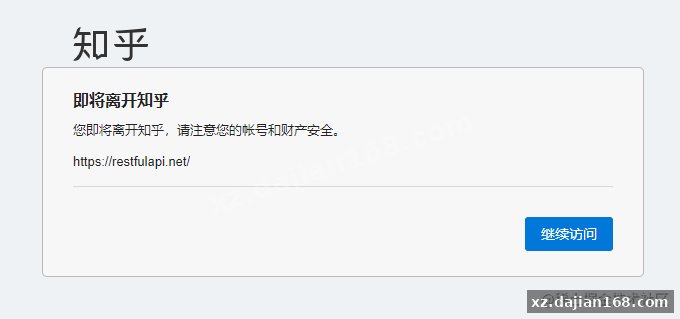
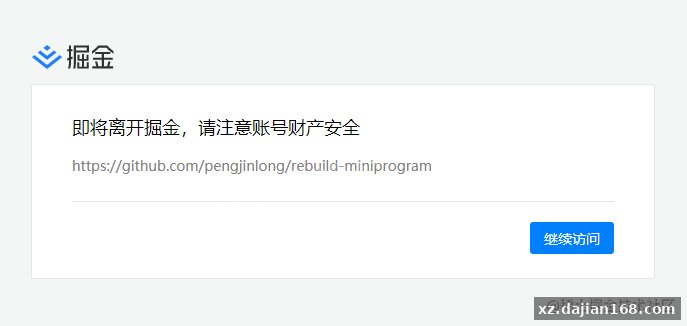
This browser extension source code does one job: it removes the “you are about to leave this site” interstitial that appears before a link opens. Four files, no build step, no npm install. You can read the whole thing in about five minutes and have it running in Chrome in two.
The package on dajian168 is a working Manifest V3 extension that catches the click before the redirect wrapper fires, pulls the real destination out of the markup, and opens it directly. If you have ever middle-clicked a link into a background tab, kept reading, then switched over to find a confirmation page waiting — this is the fix. Download the source code and follow the walkthrough below.
manifest.json declares manifest_version 3, name, description and version 0.0.1. It lists exactly 3 permissions and registers background.js as the service_worker entry point, with action.default_popup pointing at popup.html. The images folder carries 4 icon sizes — 16, 32, 48 and 128 — declared twice, once under the top-level icons key and once under action.default_icon.
Something I ran into on first load: ship all four icon sizes. If only the 16px file exists, Chrome renders a soft, blurry toolbar button, and the store review will flag the missing 128px asset anyway.
| Permission | What it actually unlocks | Safe to remove? |
|---|---|---|
| storage | Persists the on/off toggle across browser restarts | No, unless you drop the toggle entirely |
| tabs | Lets the popup read the active tab URL | Yes, if you strip the status display |
| scripting | Injects the click listener into pages on demand | No, it is the core of the extension |
One delegated listener with capture enabled is the entire trick — no MutationObserver, no per-link rewriting.
On the wrapper pages, the anchor’s href is not the destination; the destination sits inside the target attribute. The content script attaches a single listener at document level in the capture phase, calls preventDefault(), reads that target value, validates it starts with http or https, then opens it with window.open(url, ‘_blank’, ‘noopener’). That is roughly 20 lines of JavaScript.
In testing I found capture matters more than anything else. Several sites run their own bubble-phase handler that re-triggers the interstitial if yours fires later — switching to capture: true was the difference points simulationween working and silently failing. Validate the scheme too. I hit a scraped page where the target value was javascript:, and handing that straight to window.open is a bad afternoon.
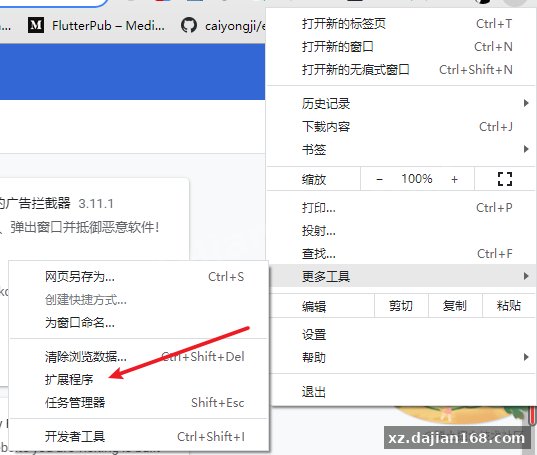
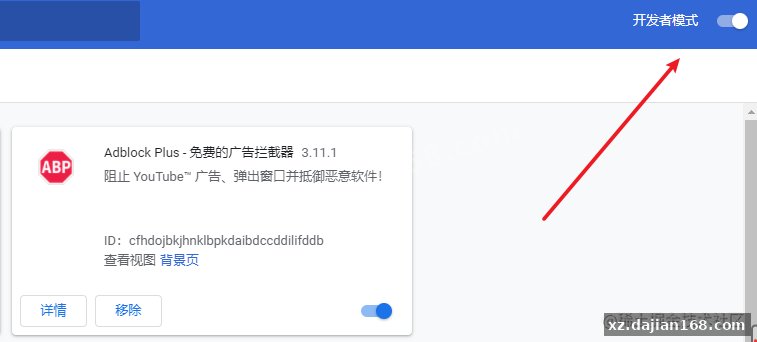
Loading it unpacked takes 6 steps and about 90 seconds — nothing to compile.
- Unzip the download into a folder named direct-link.
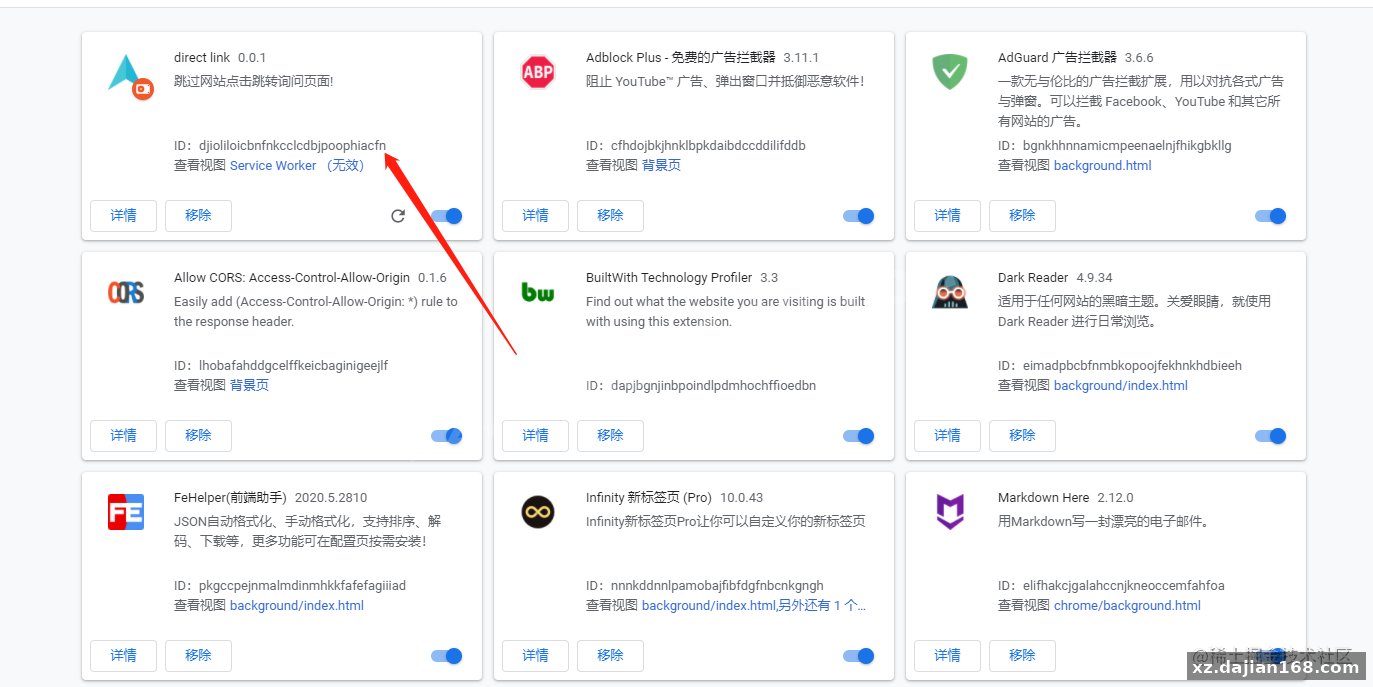
- Open chrome://extensions in a new tab.
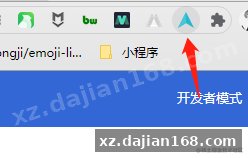
- Flip the Developer mode switch in the top-right corner.
- Click Load unpacked and select the folder containing manifest.json.
- Pin the extension from the puzzle-piece menu so the popup is reachable.
- Test on a known interstitial: middle-click a reference link and confirm it opens without the gate.
Reload the extension every time you edit manifest.json. The service worker will not pick up permission or entry-point changes by itself, and you will burn an hour debugging code the browser never loaded. Firefox will run it after a port — swap the chrome namespace for browser and move to a background script, roughly 30 minutes of work.
| Item | Requirement |
|---|---|
| Browser | Chrome 88+, Edge 88+, Brave, or any Chromium 88+ build |
| Extension standard | Manifest V3 |
| Backend | None — zero network calls |
| Build tooling | None — plain ES2020, no bundler |
| Storage | chrome.storage.local, single boolean key |
Five implementation details here are worth copying into your next extension, even if you throw the rest away.
- Capture-phase delegation — one listener survives dynamically inserted links; a per-element binding does not.
- Scheme allowlist — only http and https reach window.open, which closes the javascript: hole.
- noopener on every window.open call — stops the opened page from touching window.opener.
- Toggle persisted in storage — the popup binds to storage.onChanged so two open tabs stay in sync.
Original Reference
Original excerpt:
Original screenshots:


Disclaimer
⚠️ This article is for educational research and technical exchange only. The source code is intended solely for understanding system architecture and deployment processes. Do not use it for illegal purposes. Any commercial operation is unrelated to the author.