🖼 January 11, 2026 Tutorial on Manual Drawing for Douyin Trending Topics:
2026.01.11 Manual Lottery Drawing Tutorial for Douyin Hot Topics:
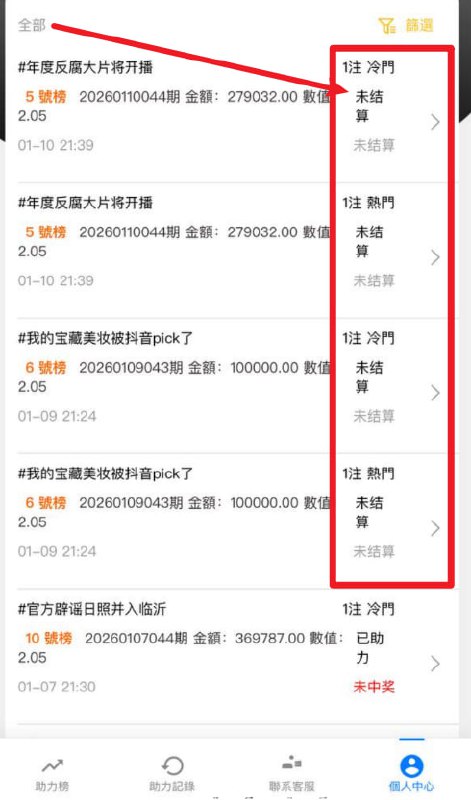
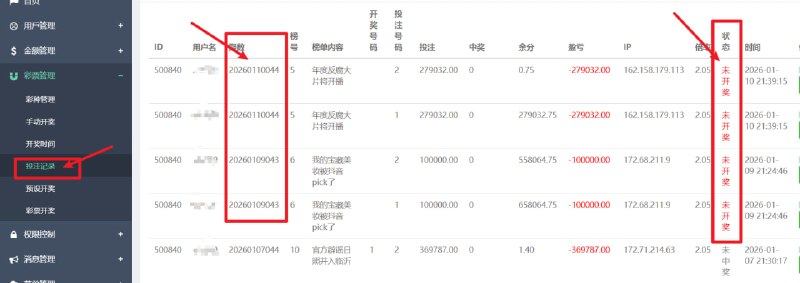
1. Log into the backend and find betting records. Look for orders with status “Pending Draw”, and record the undrawn draw numbers, for example “20260110044”
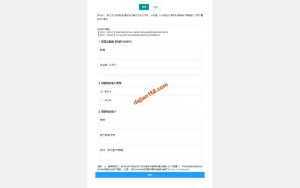
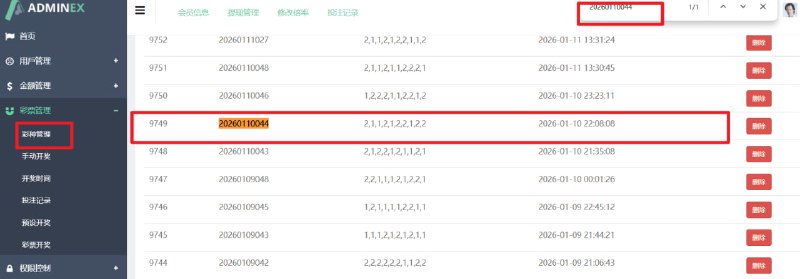
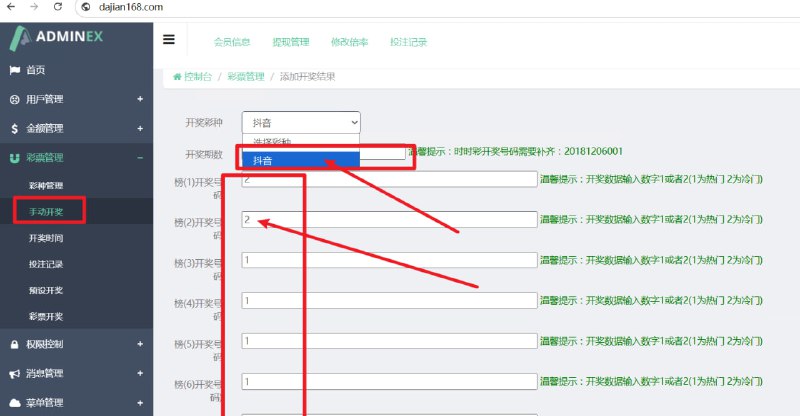
2. Go to Lottery Management – Draw History – check if there is a draw number for this period. If not, proceed to step 3. If yes, proceed directly to step 4.
3. Manual draw: enter the draw number “20260110044”, enter the draw result “1” or “2”, and click Confirm.
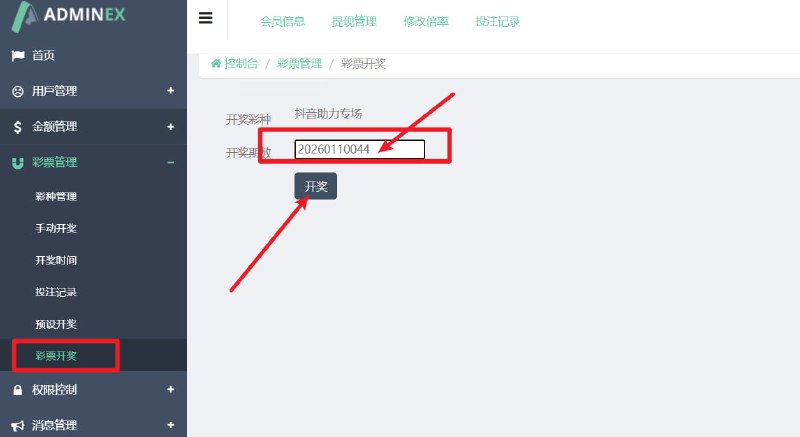
4. Click Lottery Draw, enter the draw number “20260110044”, click Draw — this will settle the customer’s order.
#DouyinHotTopic #DouyinTrending #Douyin #DouyinHotTopicBetting #DouyinTutorial
Support
-
 Alipay QR Code Scan
-
 WeChat Scan Pay