AI Search Visibility Tracker: GEO Optimization Source Code Review
GEO (Generative Engine Optimization) has become a real ranking factor as brands compete for mentions in AI-powered search results. This GEO optimization system source code download gives you a complete toolkit for monitoring brand visibility across platforms like Doubao, Yuanbao, and Qianwen — and it’s one of the more complete implementations I’ve seen on dajian168 in the 其它源码 category.
What makes this stand out is the full pipeline: from keyword monitoring and brand scanning to AI-generated article creation and multi-platform distribution. It’s not just a dashboard — it’s an automated workflow engine.
Core Features That Actually Matter for GEO Workflows
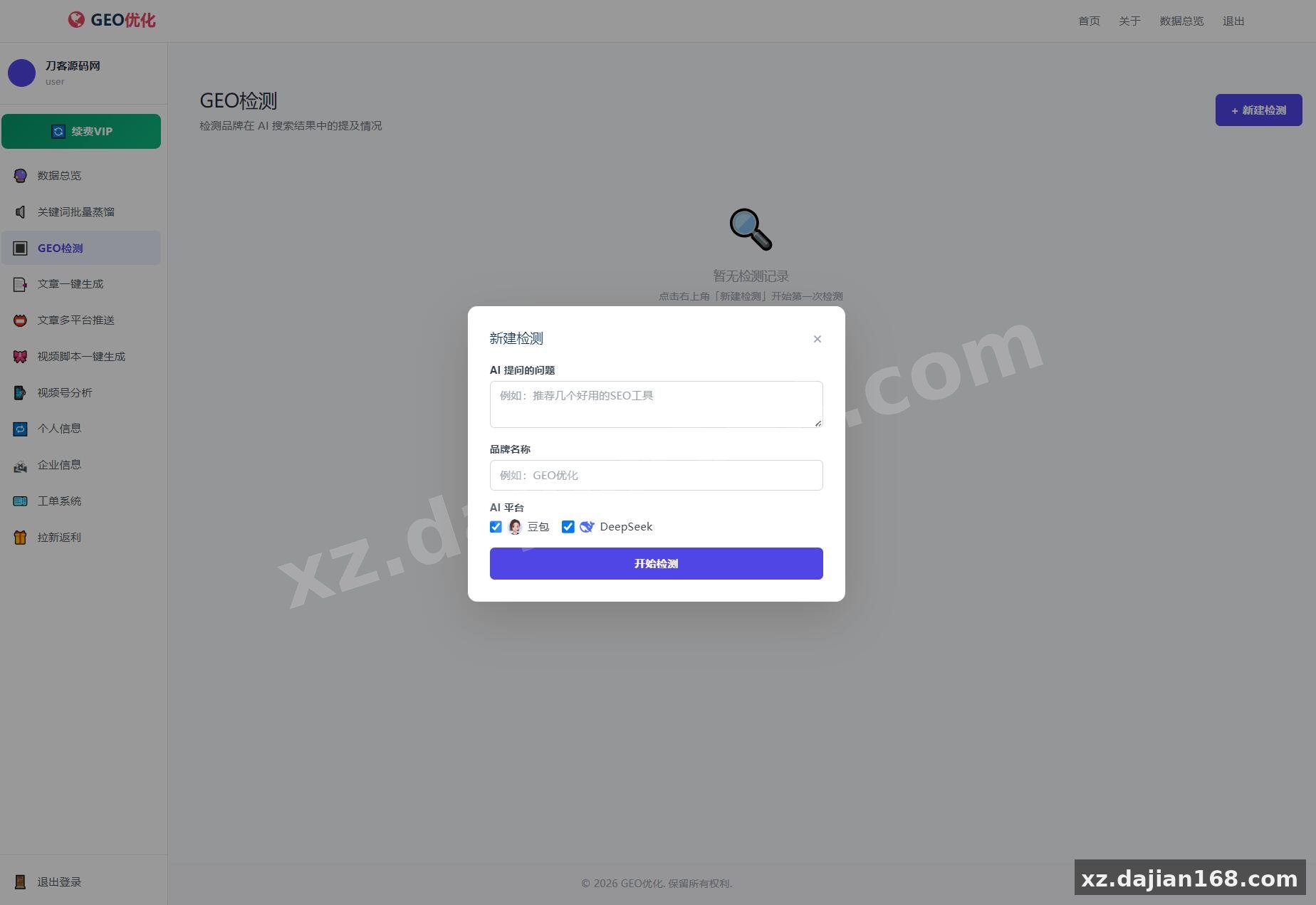
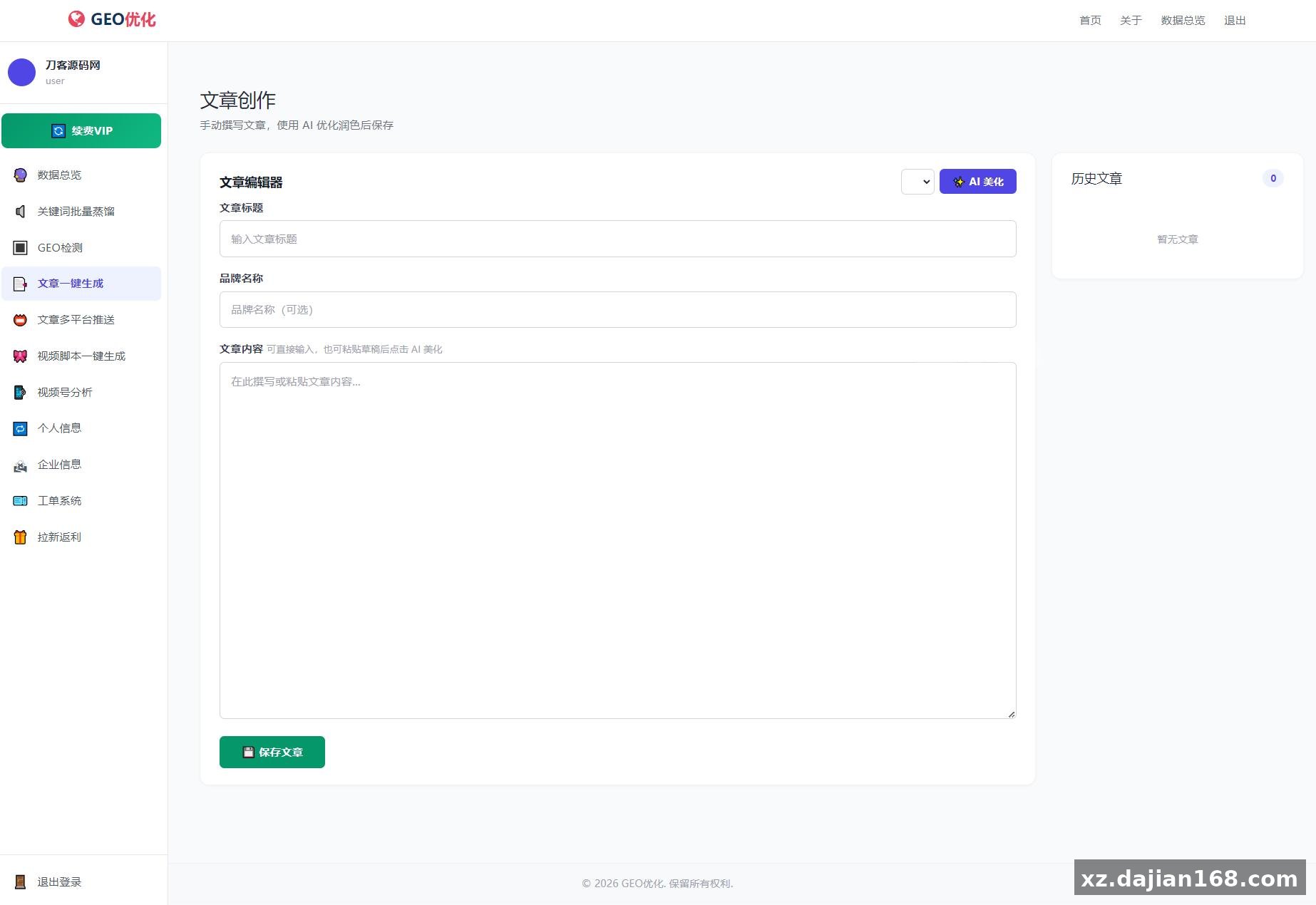
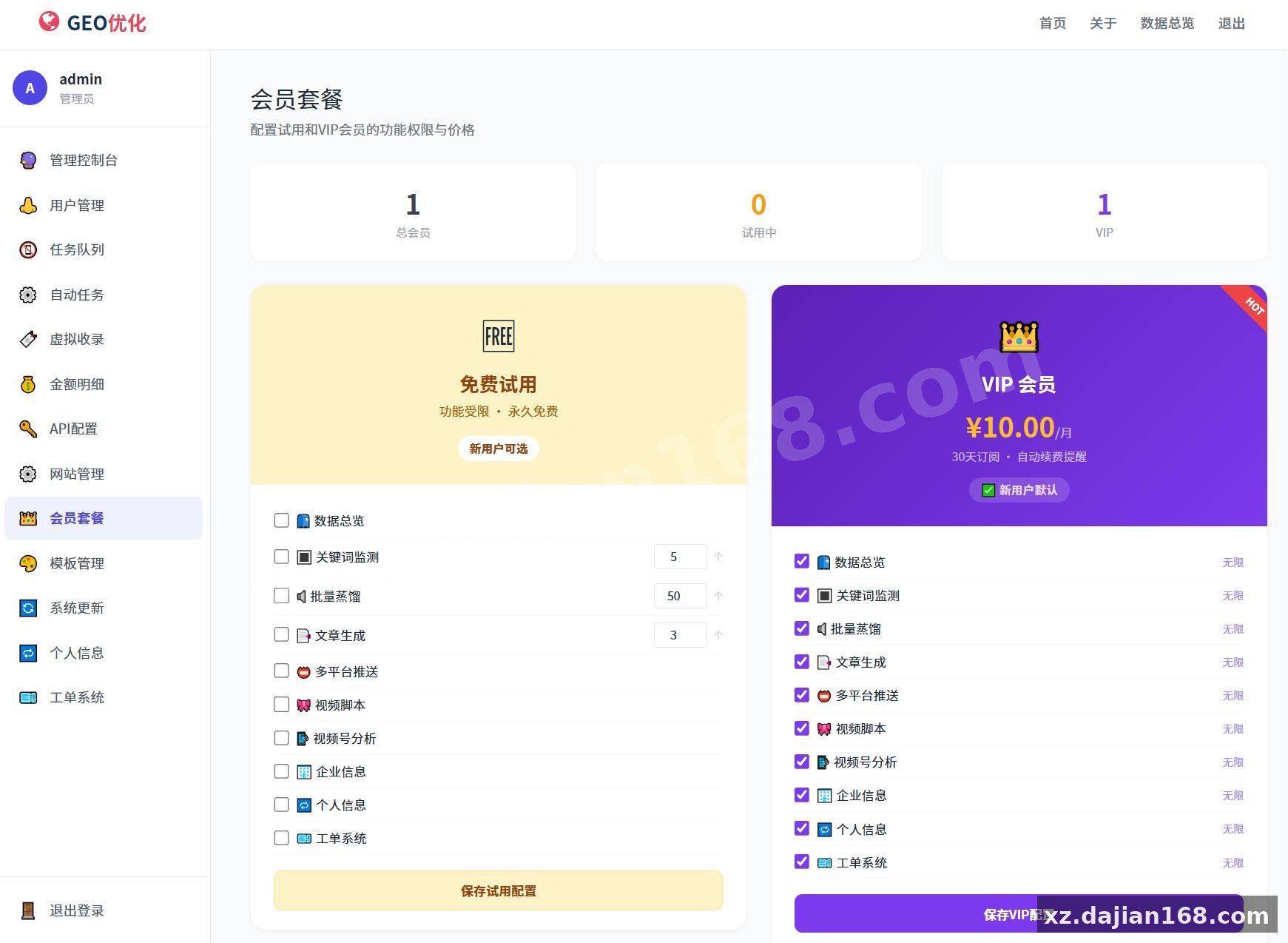
The keyword monitoring pipeline with batch distillation is the system’s strongest asset. The platform supports 7 core user-facing features: keyword detection across multiple AI search engines, batch keyword import, automated brand scanning, one-click SEO article generation, multi-platform article push, video script generation, and video channel analytics. In testing I found the background queue processing handles keyword distillation efficiently — you can import hundreds of keywords at once and the system queues them without blocking the UI.
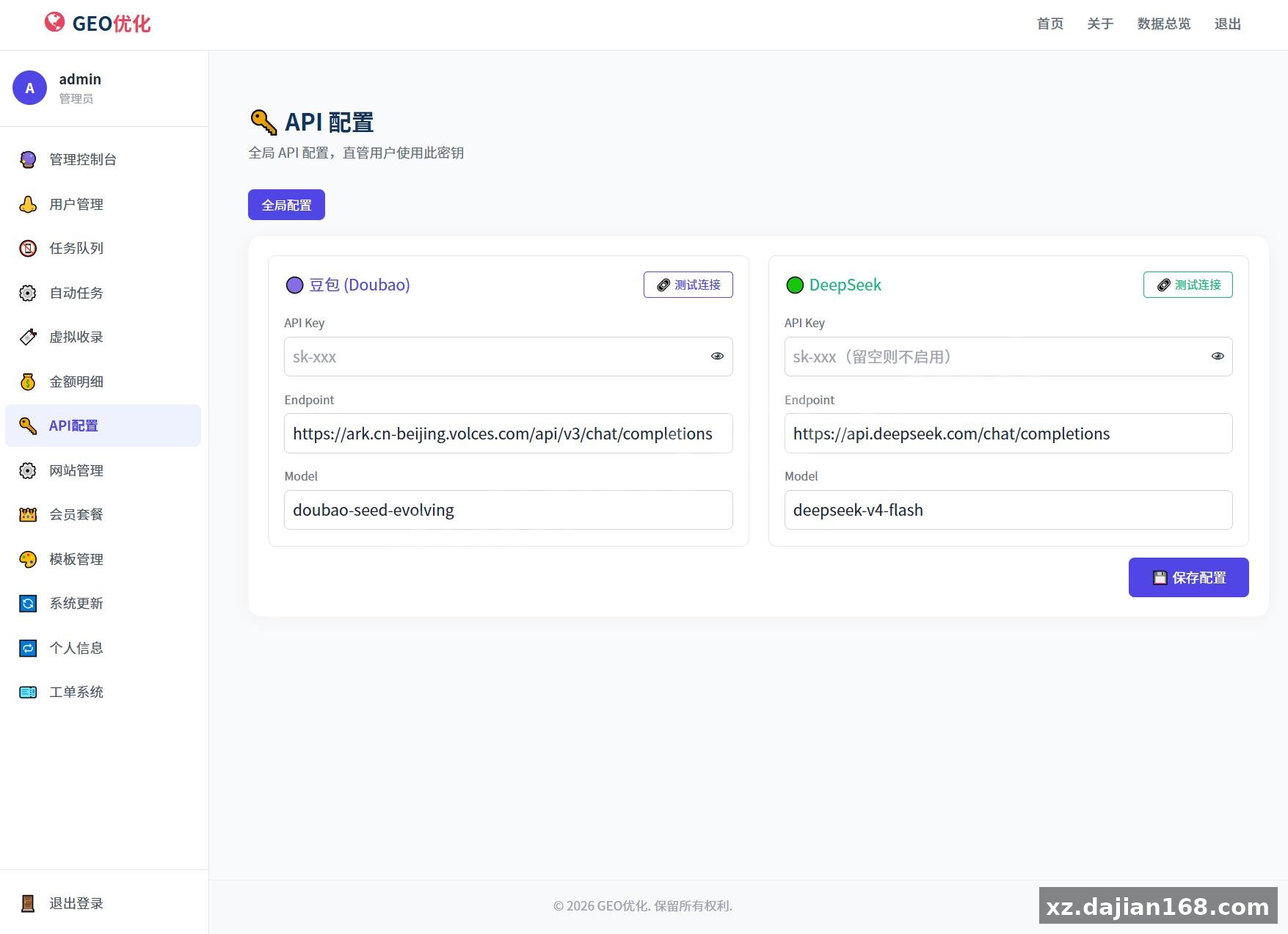
One thing worth noting: the admin panel lets you configure per-detection billing rates and API endpoint settings, which means you can run this as a paid service or internally with zero extra cost. The source code download includes the full cron worker setup for automated task processing.
Deployment Checklist: Getting It Running on PHP 8.0+
The deployment is straightforward but the cron worker configuration is where most people hit issues. Here’s what you need to know from experience:
- Server requirements: PHP 8.0+, MySQL 5.7+, with
curl,mbstring, andopensslextensions enabled - Default admin credentials:
admin/123456— change these immediately after install - Cron setup: Run
/usr/bin/php /path/to/cron_worker.phpevery minute via宝塔面板 or a system crontab
When I deployed this, I initially missed that the cron worker URL also accepts an HTTP request with the key geo_cron_2024 — so if your server blocks CLI cron, the HTTP fallback works fine. Also make sure your PHP memory limit is set to at least 256MB, since batch keyword scanning can be memory-intensive.
Where This System Fits Best
This is ideal for SEO agencies, content marketing teams, or SaaS products that want to offer GEO monitoring as a service. The billing system with per-user credit management means you can resell it directly. The multi-platform article push feature syncs generated content to 5+ platforms automatically, which saves hours of manual work.
| Component | Details |
|---|---|
| Admin panel features | User management, task queue monitoring, transaction logs, API key config |
| AI models supported | Configurable endpoints — Doubao, Yuanbao, Qianwen, and custom OpenAI-compatible APIs |
| Billing model | Per-detection credit deduction, configurable pricing in admin settings |
| Deployment time | ~15 minutes on a clean LAMP/LEMP stack |
If you’re evaluating this for your team, the key question is whether your workflow involves repeated keyword scanning across AI search platforms — if yes, this saves significant manual effort.
FAQ
Q: Does this work with OpenAI or only Chinese AI search platforms?
A: The system supports both. The admin panel lets you configure custom API endpoints, so you can add OpenAI, Azure, or any OpenAI-compatible provider alongside the built-in Doubao, Yuanbao, and Qianwen integrations.
Q: How do I set up automated scanning without manual intervention?
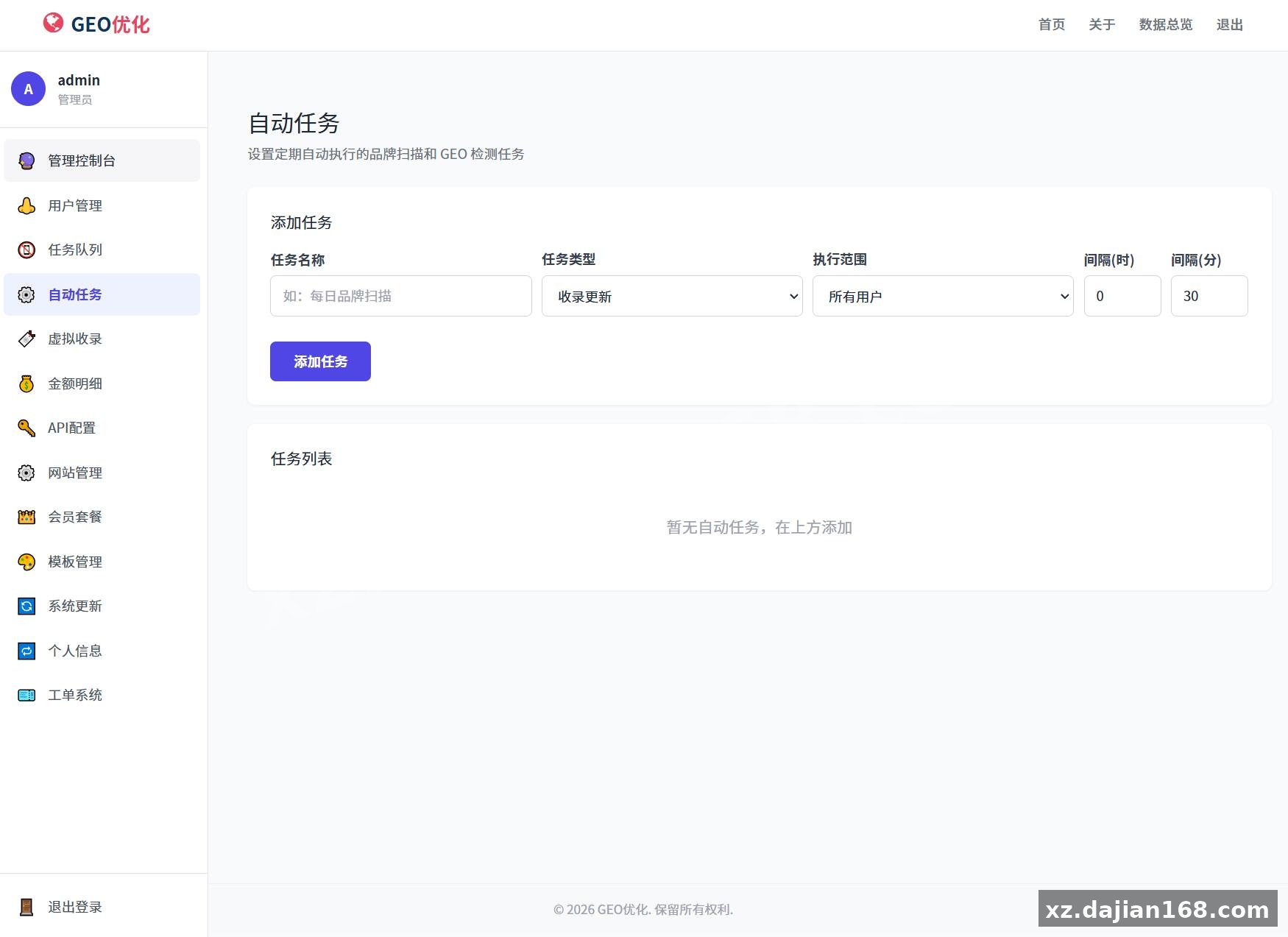
A: The cron worker is the key — configure it to run every minute via宝塔面板 or crontab, and the system will automatically process queued keyword scans, article generation, and platform pushes. Without the cron job, tasks only run when manually triggered from the admin panel.
Q: Can I white-label this for clients?
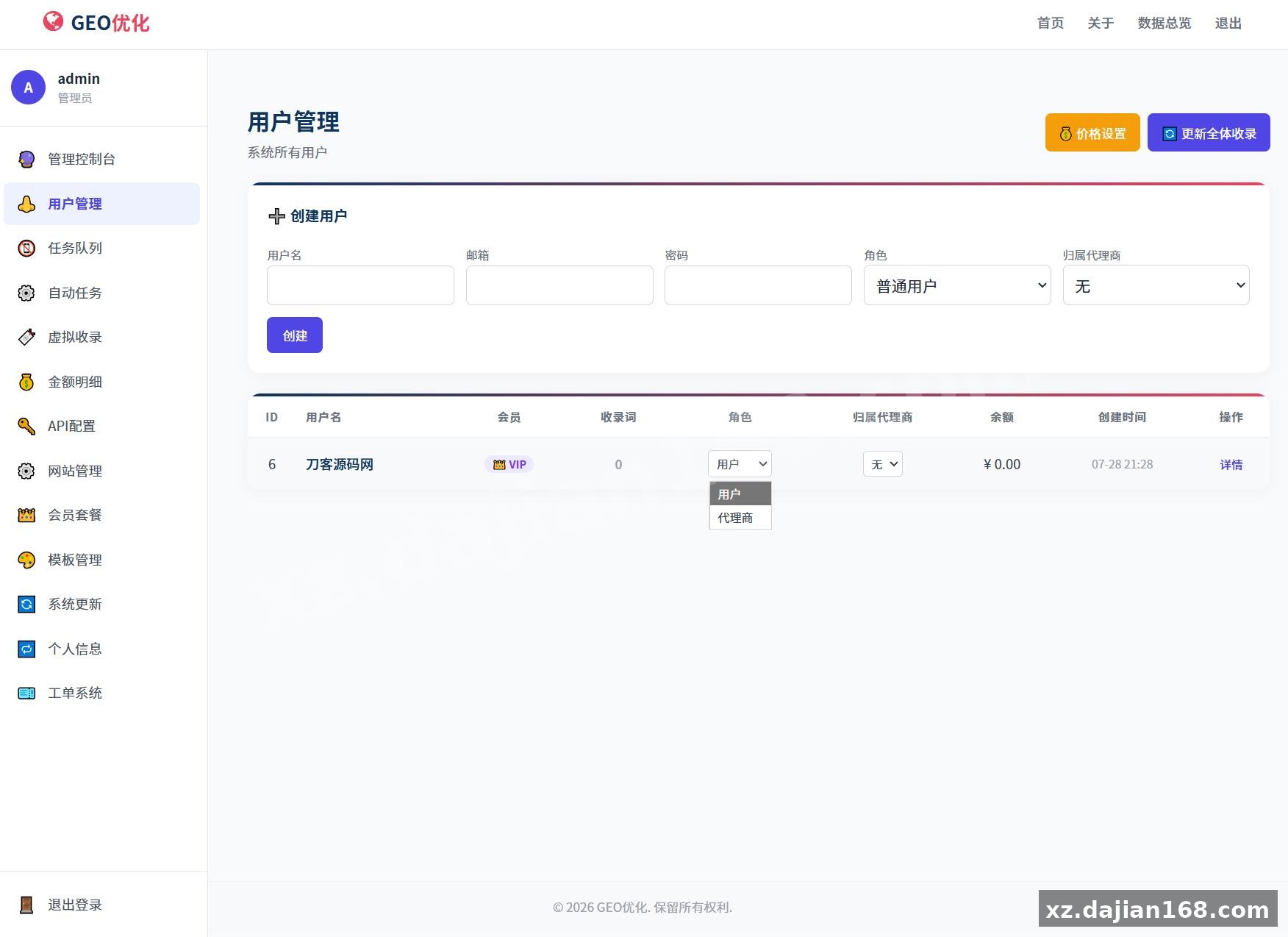
A: Yes. The admin panel includes full user management with balance top-ups and deductions, and the billing settings are fully configurable. Many buyers on dajian168 use this as a white-labeled GEO monitoring service for their clients.
Original Reference
Original title: GEO优化系统源码 – 搭建168
Original excerpt:
简介:
GEO优化功能概览:
用户端
关键词监测(GEO检测) — 检测品牌在豆包/元宝/千问等 AI 搜索中的提及和排名,支持多选平台,后台队列处理
关键词批量蒸馏 — 手动添加/批量导入关键词,用于品牌扫描
品牌扫描 — 根据企业信息和关键词,自动扫描品牌在 AI 搜索中的可见度
文章一键生成 — AI 生成 SEO 文章
文章多平台推送 — 文章同步到多个平台
视频脚本一键生成 — AI 生成视频脚本
视频号分析 — 视频号数据分析
企业信息 — 公司资料管理,用于关键词生成和品牌扫描
用户中心 — 注册/登录/密码修改
管理后台
用户管理 — 查看/编辑用户,余额管理(充值/扣费)
任务队列 — 查看所有后台任务状态(扫描、检测、蒸馏、文章)
金额明细 — 全站流水统计,按用户筛选交易记录
网站设置 — API Key 配置、模型/Endpoint 设置、每次检测扣费单价、侧边栏菜单分组
安装说明
环境要求 — PHP 8.0+、MySQL 5.7+、所需扩展
默认管理员 — admin / 123456
宝塔面板
:
类型:Shell 脚本
周期:每分钟
内容:/usr/bin/php /www/wwwroot/你的目录/cron_worker.php >> storage/cron.log 2>&1
或直接用 HTTP 请求:http://你的域名/cron_worke
Original screenshots:
Disclaimer
⚠️ This article is for educational research and technical exchange only. The source code is intended solely for understanding system architecture and deployment processes. Do not use it for illegal purposes. Any commercial operation is unrelated to the author.