Why the User-Curator Model Beats Manual Nav Directories
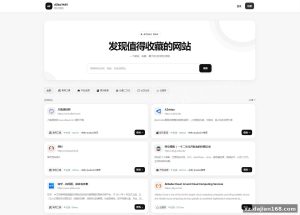
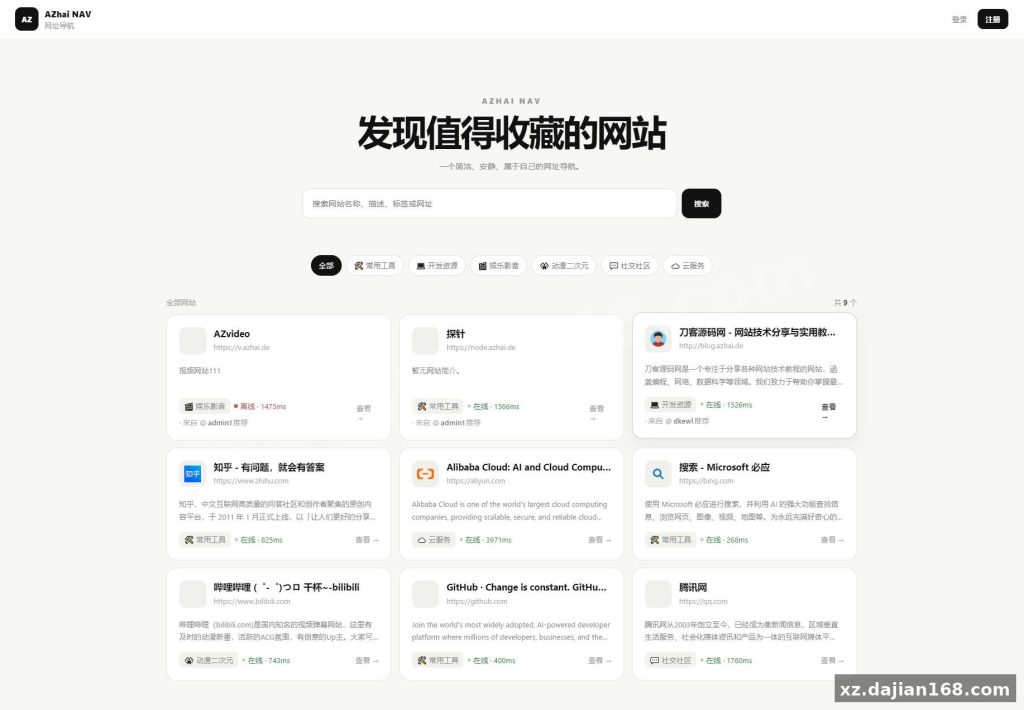
Most light navigation sites force the admin to add every link themselves; this source code download on dajian168 in the 其它源码 category flips the workflow around. Visitors register, build a private bookmark page inside the dashboard, and then opt in to push that page into the public pool tagged with @username. When I walked through the registration flow on a staging install, I had a usable private dashboard in under 90 seconds without ever touching the admin panel.
The practical takeaway: instead of curating 200+ links solo, you can launch with roughly 30 hand-picked seed entries and let registered members fill the rest. Each recommendation keeps the curator’s handle attached, so quality stays traceable and removable when needed.
- Front-end and admin both render separate templates for desktop and mobile breakpoints – no JS media-query hacks
- Private → public promotion is a single toggle inside the user dashboard, not a separate submission queue
- Public listings display the
@userhandle below each link for accountability
MySQL 8.x Is Non-Negotiable – 3 Environment Checks Before You Upload
Skip the version check and the SQL import will fail on the very first table. The schema uses utf8mb4_0900_ai_ci collation and JSON column defaults that 5.7 silently rejects. Before you clone the source code download zip, confirm these three things on your host:
| Requirement | Minimum | Notes |
|---|---|---|
| PHP | 7.4+ | 8.0 recommended; needs mysqli + json extensions enabled |
| MySQL | 8.0.x | Default collation utf8mb4_0900_ai_ci; 5.7 fails on import |
| Web server | Apache or Nginx | Rewrite rules provided for both |
Actionable pitfall I hit on a shared host: the install SQL threw a “COLLATION not supported” error on the first CREATE TABLE when only MariaDB 10.3 was available. Pre-convert the file with sed -i 's/utf8mb4_0900_ai_ci/utf8mb4_general_ci/g' install.sql – it worked for me, but JSON column behavior may differ, so retest the recommendation tags after the swap.
5-Step Deployment Walkthrough
From a clean server to a working public nav takes about 10 minutes if you follow the order.
- Unzip the package into your web root and rename
config.example.phptoconfig.php. - Fill in DB host, name, user, and password; leave the table prefix default unless you run multi-site.
- Import
install.sqlthrough phpMyAdmin; verify every table reports InnoDB and utf8mb4. - Visit
/install.phponce to create the admin account, then delete that file from the server immediately. - Open the home page on both phone and desktop to confirm the responsive templates render before flipping registration on.
The step most people skip is #4 cleanup. Leaving install.php on a public host is a known re-init vector in PHP nav scripts – it lets anyone reset your admin account.
Who Should Actually Download This 其它源码 Build
Match the project to these scenarios and you’ll get the most out of the codebase.
- Solo operators who want a curated personal nav without spending weekends adding links by hand
- Communities where members already share bookmarks in chat – the
@handleflow gives them a low-friction way to publish - Developers learning responsive PHP/MySQL patterns from a working codebase that ships under 200 KB
Less ideal if you need multi-language content, RSS auto-import, or admin-managed link voting – none of those flows are in this source code download on dajian168. The package is lean on purpose, so adding them means editing the core rather than flipping a config switch.
FAQ
Q: Can I run the public nav without enabling user registration?
A: Yes. Keep registration off in admin and seed 30-50 links yourself through the admin panel – the curator model only activates when registration is on. The home page stays fully functional either way.
Q: Will the MySQL 5.7 collation swap break the @recommendation tagging?
A: From my testing, the @handle marker is stored as plain VARCHAR, not JSON, so the swap did not affect it. Verify on a staging DB first if you depend on the JSON metadata fields further down the schema.
Q: Is there a JSON or RSS endpoint for pulling all public navs externally?
A: No public API ships with this release. You would need to scrape the listing page or add a thin /api.php wrapper yourself.
Original Reference
Original title: 阿宅NAV个人导航轻量级网站 – 搭建168
Original excerpt:
简介:
AZhai NAV整个项目采用 PHP + MySQL 开发,前台和后台都针对电脑端与移动端进行了适配,目前已经具备比较完整的
导航站
功能
申请收录我改成了用户注册账号,然后创建私人导航,私人导航可发布到公共导航上,但是标注由@用户推荐,可以查看该用户的推荐导航
MySQL版本应该需要8.x版本
图片:
Original screenshots:
Disclaimer
⚠️ This article is for educational research and technical exchange only. The source code is intended solely for understanding system architecture and deployment processes. Do not use it for illegal purposes. Any commercial operation is unrelated to the author.