Video Content Management System Deployment: MacCMS Customization and Membership Payment Module Setup
Video Content Management System Deployment: MacCMS Customization and Membership Payment Module Setup
Disclaimer: This article is for technical education and demonstration only. It is not professional or financial advice. Any real-world deployment must comply with applicable laws and regulations.
Recently helped an online education client deploy a video content management system based on MacCMS with deep customization. The client needed tiered membership viewing, self-service card code recharge, credit-based payments, and the ability to package into dual-platform apps. After a few days of tinkering, everything is finally running smoothly. Here’s a record of the testing process and lessons learned from the pitfalls.
Core System Functionality Testing
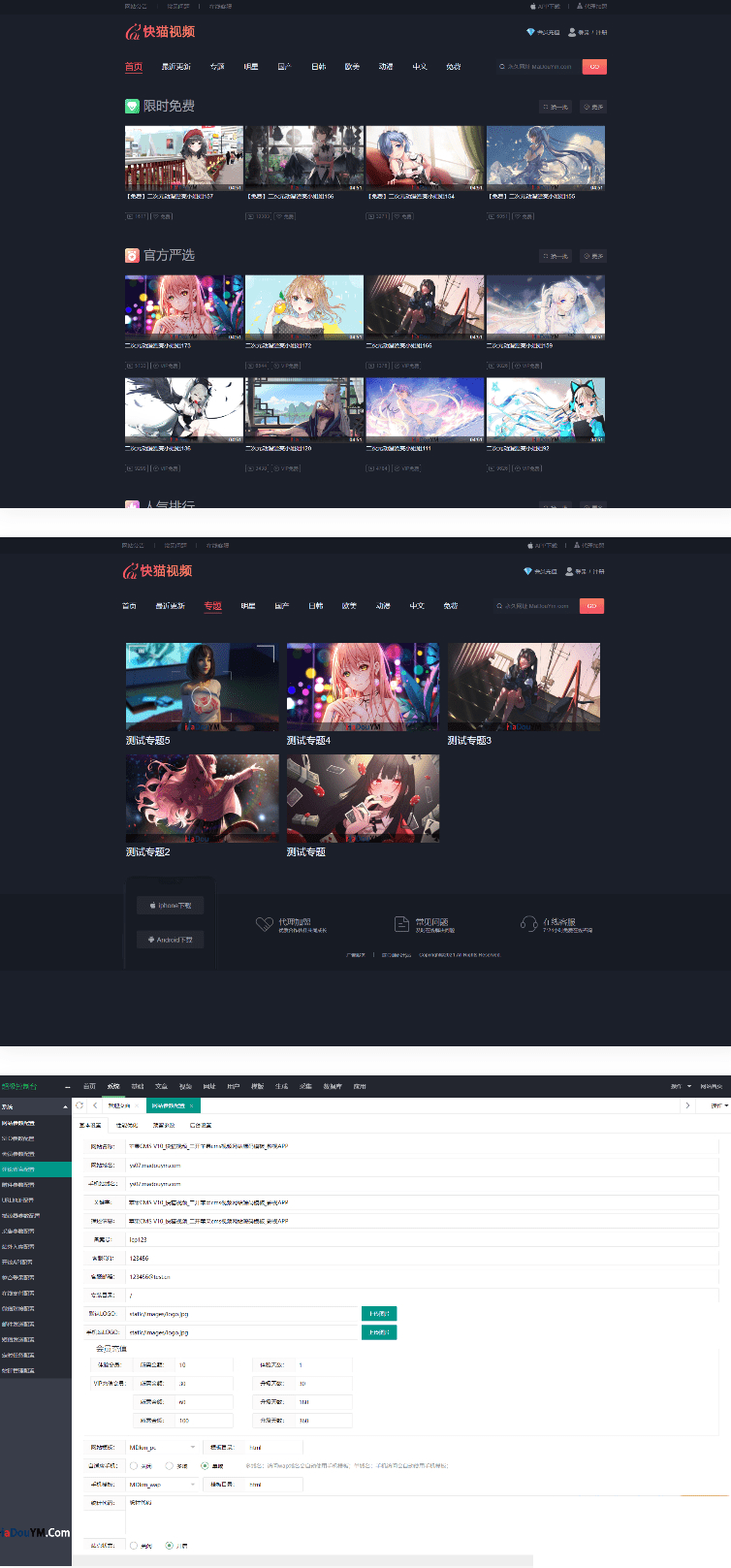
The biggest highlight of this system is the detailed membership structure. The backend allows you to set custom parameters directly, corresponding to the frontend membership upgrade page, so you can adjust prices and permissions without modifying code. Video modules, instructor management, category sections, and favorites are all standard features. I focused on testing these modules:
Tiered Membership and Permission Control
The system divides users into three tiers: unregistered visitors, regular registered members, and VIP members. Each tier sees different prompts on the playback interface. Unregistered users get a popup guiding them to register when playing, regular members are prompted to upgrade to VIP for paid content, and VIP members play directly without interruption. This logic is implemented on the frontend using layer popups, which look much better than native alerts.
One practical feature is the ability to designate all videos under a specific category as a free zone. For example, if the client wants to set some public courses as free previews, they just check a box in the backend without having to configure each video individually. VIP videos, free videos, and credit-based videos all have independent indicators on the list page, making it easy for users to distinguish at a glance.
Card Code Recharge and Unattended Operation
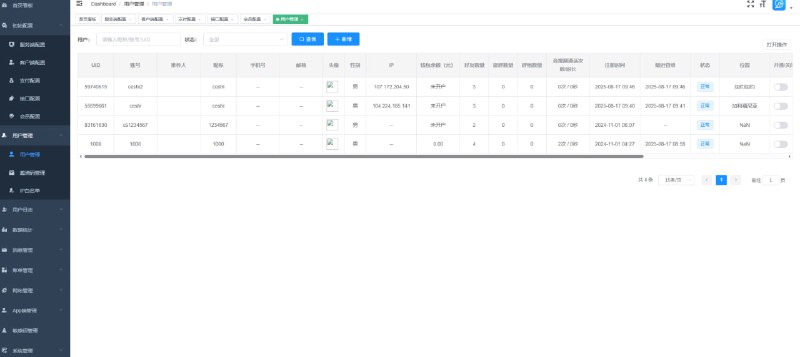
The client particularly cared about unattended operation, so the card code system was essential. This system comes with a complete card code payment framework. The backend generates card codes in batches, users enter the card number to automatically recharge their account, and no manual review is needed. The original version required entering both card number and card password, but after customization we simplified it to just the card number, lowering the operation threshold for users.
Deployment Process and Technical Key Points
Environment Setup and Template Installation
The server uses the BT-Panel with PHP 7.4 and MySQL 5.7 combination. After installing the MacCMS core, upload the template files to the template directory and switch themes in the backend. This template has a responsive design for PC and mobile, automatically switching layout when accessed from mobile devices without needing separate domain configuration.
The backend has a dedicated theme settings entry where you can upload the website logo, set brand colors, and adjust ad placements. Aside from the logo and custom ads, the interface is basically ready to use out of the box. Just connect the collection interface and you can populate content.
Video Player Ad Module Configuration
The customized version enhanced ad control capabilities. I tested these positions:
- Splash Ad: Displayed when the app opens, backend can control on/off and display duration, supports image and video formats
- Pre-roll Ad: Inserted before video playback, supports MP4 and M3U8 formats, can set skip time
- Pause Ad: Displayed in the center of the player when the user pauses, clicking can jump to a specified link
- Top-right Watermark: Fixed display in the top-right corner of the player, usually for brand logo or anti-piracy identification
These ad placements are all configured through the backend visual interface, no need to modify player code. Clients can flexibly adjust according to operational strategy, for example turning off all ads for VIP members while keeping pre-roll ads for free users.
Highlight Tip: The player ad module supports differentiated display by membership level, allowing you to set different ad strategies for different user groups, ensuring user experience while achieving traffic monetization.
APP Packaging and Adaptation
The template supports packaging into Android and iOS dual-platform apps. For Android, HBuilder or APICloud packaging is more convenient. Configure the website URL as the app homepage, then add native functions like splash ads and push notifications. iOS requires enterprise signing or App Store submission, with stricter review, so it’s recommended to prepare content compliance documentation in advance.
Mobile adaptation is well done. The player automatically switches to portrait mode, the list page uses card-style layout, and the operation fluency is not much different from native apps.
Target Audience and Application Scenarios
This system is quite suitable for small to medium-sized content creators or educational institutions. If you have your own video courses or training materials and want to build a membership payment platform, this solution offers good value. The core advantage is that the membership system and payment modules are already built, no need to develop from scratch, and the deployment cycle can go live in about 3 to 5 days.
Additionally, the card code recharge model is particularly suitable for scenarios where you don’t want to integrate third-party payment interfaces, such as certain regulatory-sensitive areas or overseas markets. Users purchase card codes offline and recharge online, avoiding payment channel risks. Of course, this must be used in compliance with local laws and regulations.
Common Questions
Q: How do you connect collection interfaces? Does the system come with resource sites?
A: MacCMS itself supports mainstream resource site collection interfaces, such as M3U8 and JSON formats. Add the resource site address in the backend collection module and set up scheduled tasks for automatic collection updates. The system doesn’t come with resources, you need to find public collection sources yourself or upload original content.
Q: How many denominations does the card code system support? Can you set discounts?
A: The backend allows custom card code denominations and validity periods, for example 30 yuan for 1 month VIP, 88 yuan for 3 months. The discount feature requires customization, the original version doesn’t support coupons or promo codes, but you can indirectly achieve this by adjusting card code denominations.
Q: What qualifications are needed for APP packaging? Can individuals do it?
A: Android packaging has a low threshold, individual developers can handle it. iOS requires an Apple Developer account (individual 99 USD per year, enterprise 299 USD per year). If content involves education, healthcare, or other fields, you also need to provide relevant qualification certificates. If just testing, you can use enterprise signing or TestFlight beta testing.
Q: Are server configuration requirements high? How much concurrent traffic can it handle?
A: Initially a 2-core 4GB server is sufficient, bandwidth recommended starting at 5Mbps. Video files should be stored in object storage (such as Alibaba Cloud OSS or Qiniu Cloud) and use CDN acceleration, so the server only runs code logic with minimal pressure. Concurrent capacity mainly depends on video playback bandwidth consumption. With proper CDN configuration, a few hundred online users should be fine.
Q: Are ongoing maintenance costs high? Do you need a professional technical team?
A: Daily maintenance mainly involves content updates and user management, no technical background required. If you want deep customization or to integrate third-party APIs, you’ll need some PHP and frontend knowledge. The system is based on MacCMS with rich community resources, so you can basically find solutions to any problems you encounter.
Summary and Recommendations
Overall deployment shows this system has quite complete functionality, with membership system, payment modules, and ad placements all done in considerable detail. If you plan to do video content monetization and don’t want to spend tens of thousands on custom development, this solution is worth considering.
A few pitfall reminders: first, the server must be configured with CDN, otherwise bandwidth won’t keep up; second, back up generated card codes to prevent database failure and loss; third, test the payment process thoroughly before app packaging to avoid recharge delays after going live. Finally, emphasis on operating any system in compliance with laws and regulations, and prohibition of any illegal or non-compliant uses.
Disclaimer: This article is for technical education and demonstration only. It is not professional or financial advice. Any real-world deployment must comply with applicable laws and regulations.
#MacCMS #Video Management System #Membership Payment #Website Deployment #Source Code Setup
-
 Alipay QR Code Scan
-
 WeChat Scan Pay