H5 Casual Arcade Game Source Code Deployment Notes: PHP Version Setup Guide
H5 Casual Arcade Game Source Code Deployment Notes: PHP Version Setup Guide
Disclaimer: This article is for technical education and demonstration only. It is not professional or financial advice. Any real-world deployment must comply with applicable laws and regulations.
Last month I helped a client deploy a PHP-based H5 casual arcade game source code package with a colorful fishing-themed interface. The client’s requirements were simple: it had to run, the admin panel had to work, and it had to open straight on mobile browsers. It took me two days and I hit a few snags along the way. I’m writing down the whole process here as a reference for anyone thinking about building an H5 game demo platform.
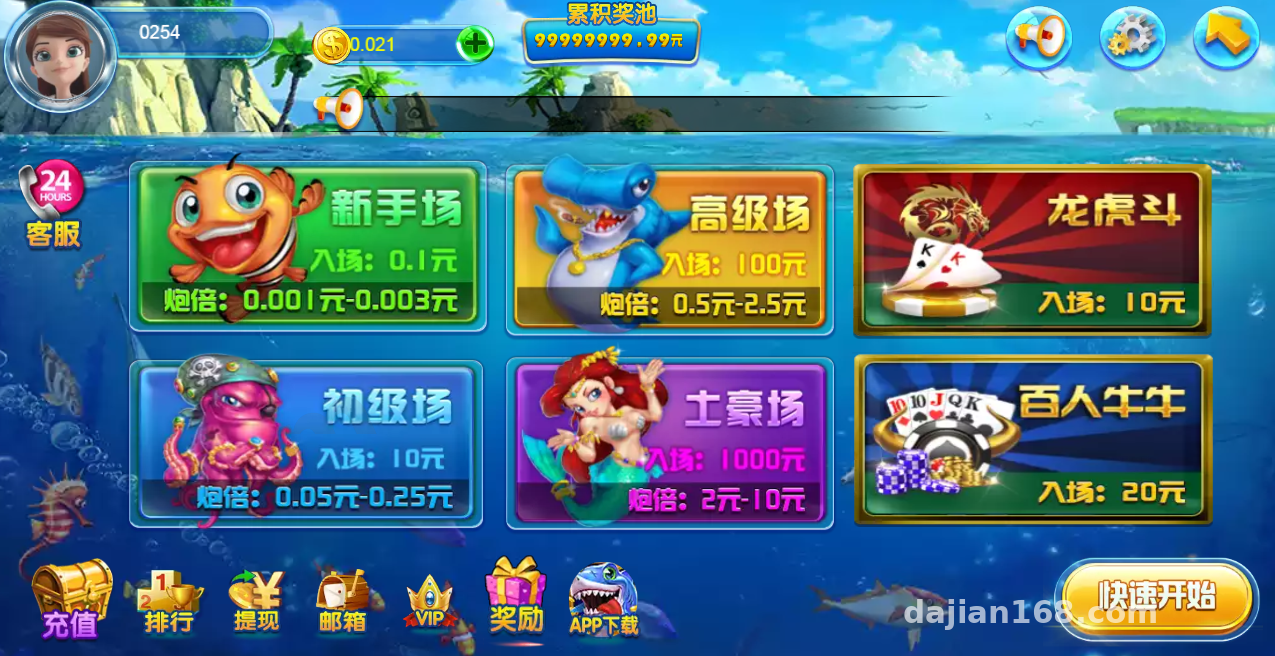
Hands-On Review of the Source Code
The package uses a standard PHP + MySQL architecture with an H5 frontend, so players don’t need to download anything — they just open a browser and jump straight into the game. That’s a genuine advantage. For H5 game source code deployment projects these days, a download-free experience is basically the baseline, and promotion costs are far lower than for a native app.
Frontend Performance
The frontend is pure H5 with Canvas rendering, and the animations are quite polished — the fish school movement and cannon effects run smoothly. I tested it on a mid-range Redmi phone and the frame rate held steady; on lower-end devices, dialing back a few effect parameters keeps things playable. The responsive layout is solid too, with no broken elements when switching between portrait and landscape.
Admin Panel
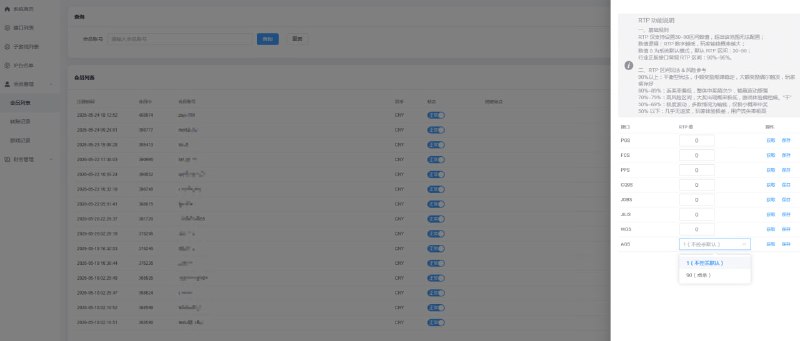
The admin panel is where this package’s real value lies. After logging in, you get modules for player management, game data reports, probability parameter configuration, and room management. A few I used heavily:
First, the probability parameter configuration — hit rates and difficulty coefficients are all adjustable from the backend, which works well for compliant probability simulation demos. Second, the data reports — daily, weekly, and monthly stats on active users and session time, enough for a basic operations dashboard. Third, the account system — it supports registration and guest mode, and hooking up third-party login is straightforward.
Note: This source code is suitable for use as an arcade game demo platform or as a technical learning project for probability simulation. After deployment, always comply with applicable laws and regulations, and do not use it for any unlawful purpose.
Deployment Key Points and Pitfalls I Hit
Environment Requirements
The recommended environment is PHP 7.2+, MySQL 5.6+, and either Nginx or Apache. I used the aaPanel (BaoTa) control panel with PHP 7.3, and installed the fileinfo and redis extensions — skip these and some admin features will throw errors. I’d suggest at least 2GB of RAM; the game room logic eats more memory than you’d expect.
Installation Process
Upload the source code to your web root, import the database file, update the database connection details in the config, then run the install script. Sounds simple, but I stumbled on two things. One: I hadn’t set up the URL rewrite rules, so every admin page returned a 404 — adding the rules fixed it instantly. Two: I started on PHP 8.0 and got a white screen because some legacy functions aren’t compatible; dropping back to 7.3 solved it. So before deploying any PHP game source code, confirm version compatibility first — it’ll save you real time.
Interfaces and Custom Development
For the payment interface, the code reserves a standard gateway integration point — for demo purposes, just connect a sandbox environment. The code structure is reasonably clean with controllers and views separated. If you want to reskin it or swap in new theme assets, you can just replace the images and sound files in the frontend resources directory. Adding multi-language support is also light work: the language packs are standalone files, so copy one, translate it, and you’re done.
Who Is This For
Honestly, this isn’t for total beginners. You need basic Linux skills and the ability to read PHP error logs. It suits three types of people: developers who want to learn H5 game architecture — this codebase makes decent study material; operations teams running a compliant casual game demo platform — the admin features are sufficient; and freelance webmasters who can use it as a foundation for custom builds when a client asks for a game-style demo site.
FAQ
Q: Can I deploy this without server admin experience?
A: You should at least know your way around aaPanel (BaoTa). The install itself isn’t hard, but if you get stuck on rewrite rules or extension configuration with no one to help, it gets painful fast.
Q: Do I need to build a separate app for mobile?
A: No. The H5 pages open directly in a browser. If you want it to look like an app, wrapping it in a WebView shell takes about an hour.
Q: How hard is customization?
A: Changing the UI and swapping assets is easy; changing game logic depends on your PHP skills. The code comments are mediocre, so get it running locally first before touching any core business logic.
Q: How much concurrency can it handle?
A: I load-tested on a 2-core 4GB machine and a few hundred concurrent users were fine. Beyond that, add Redis caching and a dedicated database server.
Overall, this H5 game source code package is fairly complete — if deployment goes smoothly, you can be live in half a day. One thing to remember: technology itself is neutral. Use it in compliance with the law, follow all applicable regulations, and never put it to any unlawful purpose.
Disclaimer: This article is for technical education and demonstration only. It is not professional or financial advice. Any real-world deployment must comply with applicable laws and regulations.
#H5 Games #PHP Source Code #Source Code Deployment #Setup Notes #Arcade Games
-
 Alipay QR Code Scan
-
 WeChat Scan Pay