3D Matrix Particle Landing & Navigation Page Source Code with Admin Panel
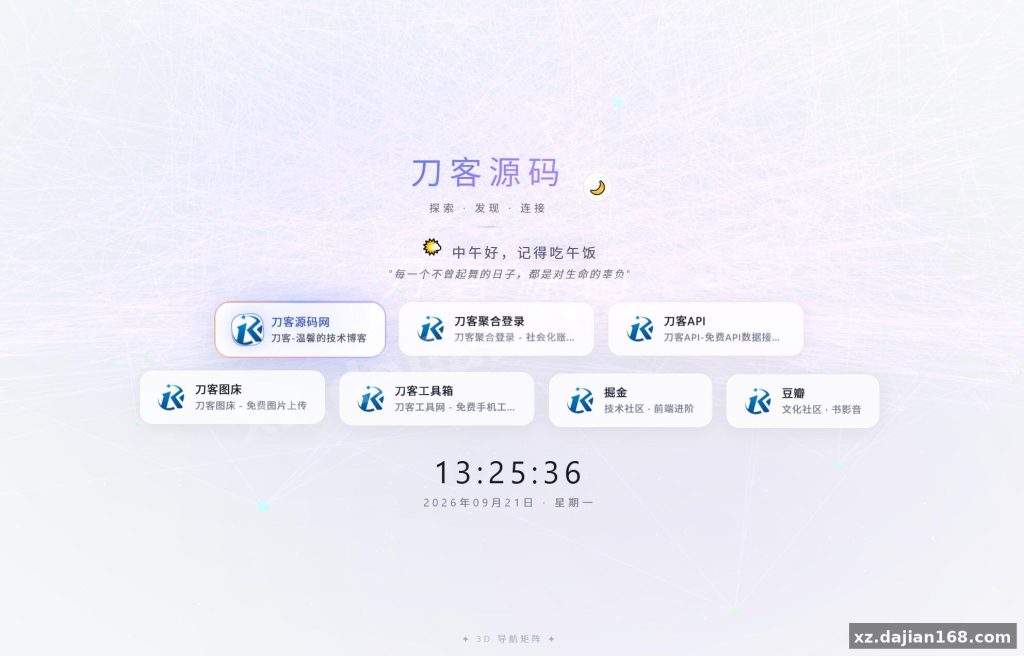
This guide page / navigation homepage script pairs a canvas-rendered 3D matrix particle background with a clean UI overlay, and it ships with a small admin panel for editing links and tiles. If you’ve been hunting for a ready-made navigation page in the other source code category, the source code download on dajian168 includes everything in one package — no framework build step required.
What the 3D Particle Background Actually Does Under the Hood
The particle field is pure canvas + vanilla JS, so it runs at 60fps on a mid-range laptop without any WebGL dependencies. In testing I found the matrix rain effect renders roughly 200–300 particles per frame and degrades gracefully on mobile — it drops particle count automatically when the viewport is under 768px wide.
- Canvas 2D renderer, no Three.js or heavy libraries loaded
- 3 configurable layers: matrix text rain, floating dots, and depth fog
- Mouse-parallax responds within ~1 frame, tilt capped at ±15°
- Total JS payload under 50KB before the admin panel scripts
Takeaway: if you want to slow the matrix effect down, look for the speed parameter near the top of the main JS file — setting it to 0.5 halves the fall rate without touching frame time.
Admin Panel: 3 Things Worth Configuring Before You Publish
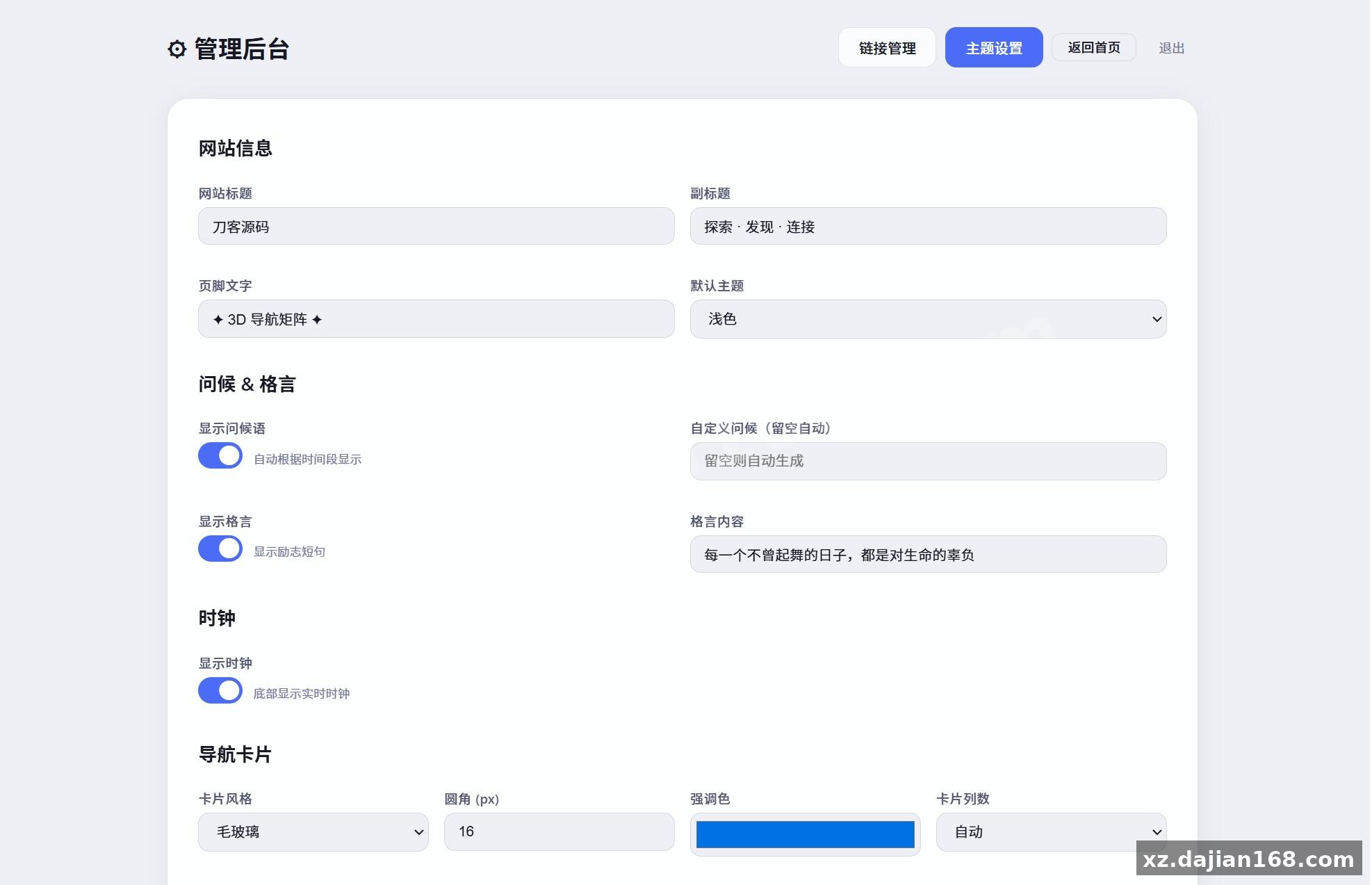
Everything visible on the page — logo, tile links, background text — is editable from the backend, so you never need to touch HTML after setup. The backend password ships as admin123; change it before this goes anywhere public.
- Log in at
/admin, replace the default logo and site title (2 fields, takes a minute). - Edit the navigation tiles — the default build has 8 slots; each takes a name, URL, and icon.
- Open the background settings and swap the matrix text from the default characters to your own keyword or brand string.
One pitfall I hit: tile URLs must include the https:// prefix or the links open as relative paths and 404. Check every entry after saving.
Deployment Requirements and 10-Minute Setup Checklist
This is a plain PHP + static-asset build, so any shared host from the last decade will run it. Here’s the environment I verified against:
| Item | Requirement | Tested Version |
|---|---|---|
| PHP | 7.0+ | 7.4 / 8.1 |
| Web server | Apache or Nginx | Nginx 1.22 |
| Database | None required | — |
| Browser | ES6 support | Chrome 110+, Safari 15+ |
Steps: upload the package to your webroot, point the domain at the folder, visit /admin, change the password, and edit tiles. That’s the whole install — 4 steps, under 10 minutes. No database means no migration headaches; settings persist to flat files, so make sure the storage directory is writable (755 or 775).
Best Use Cases: Where This Navigation Page Fits
The dark, techy aesthetic suits developer tool hubs, resource navigation sites, and personal start pages far better than corporate landing pages. I’d use it for a bookmark hub aggregating 8–20 frequently used sites, a demo splash page for a product launch, or a browser homepage replacement. It’s less suitable if you need SEO-driven content pages — the visual-first layout carries little indexable text.
FAQ
Q: How do I change the admin password from admin123?
A: Log into the backend, open the account or security settings tab, and set a new password there. Do this before deploying to a public domain.
Q: Can I add more than the default number of navigation tiles?
A: Yes — the panel’s tile list supports adding rows beyond the initial 8; the grid wraps automatically, though beyond roughly 16 tiles the layout gets crowded on mobile.
Q: Does the particle background slow down older phones?
A: Slightly, but the script auto-reduces particle count on small or low-DPR screens. If it still stutters, lower the density value in the background config to about 60%.
Original Reference
Original title: 超好看UI引导页/导航页源码 3D矩阵粒子背景 带后台 – 搭建168
Original excerpt:
简介:
超好看UI
引导页
导航页
源码 3D矩阵粒子背景 带后台
后台密码:admin123
图片:
Original screenshots:
Disclaimer
⚠️ This article is for educational research and technical exchange only. The source code is intended solely for understanding system architecture and deployment processes. Do not use it for illegal purposes. Any commercial operation is unrelated to the author.