2026 Edition Short Video Watermark Removal Mini-Program Source Code (PHP + WeChat, Other Source Code)
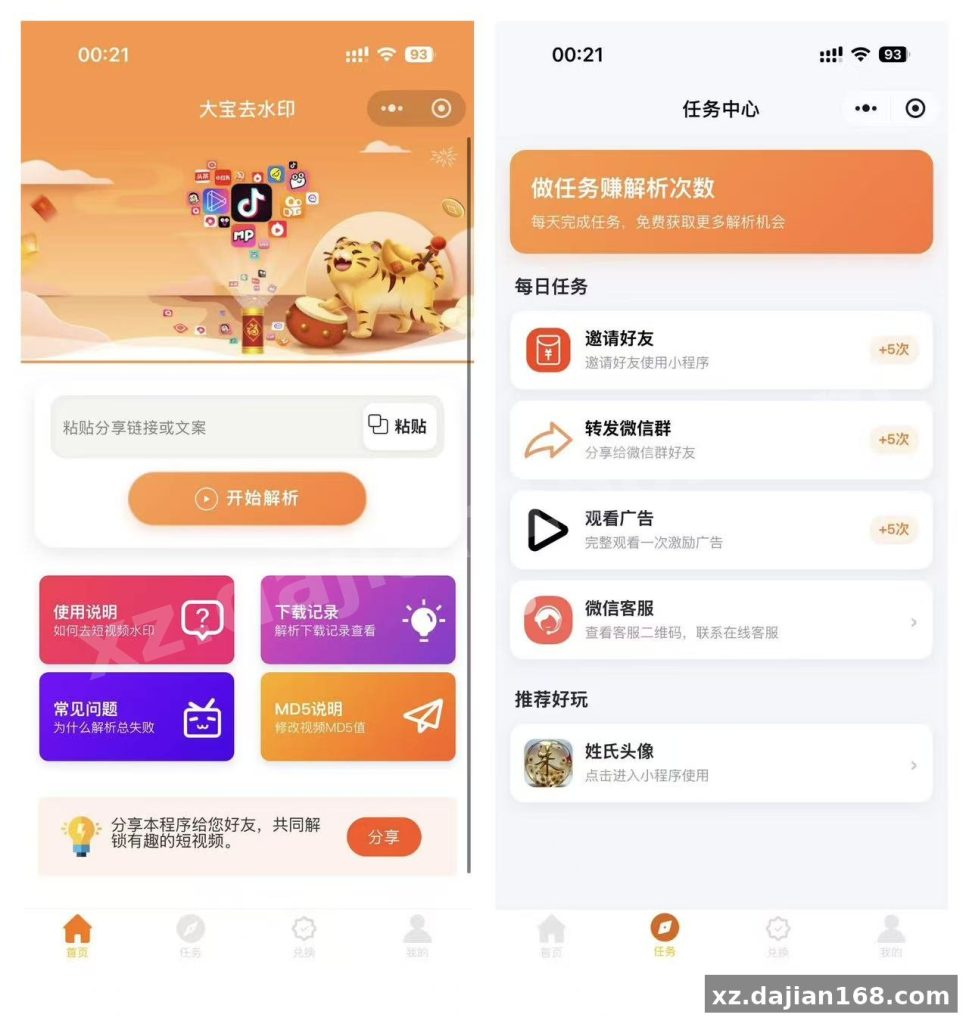
This package contains the 2026 updated build of a watermark removal mini-program that parses both Douyin-style short video links and WeChat Video Channel links. It is a full PHP backend plus a WeChat mini-program frontend, available for source code download on dajian168 under our Other Source Code category. The whole thing is surprisingly lean — one PHP 7.4 site, one MySQL 5.7 database, and a parsing API key.
When I deployed this on a Baota (BT Panel) test server, the backend took under 15 minutes from upload to a working admin panel at /admin. Default credentials are admin / 123456 with security code 123456 — change all three before going live.
Deployment: 5 Steps to a Working Backend
A ICP-registered domain with SSL is mandatory — WeChat will reject unencrypted request domains.
- Create a PHP site in Baota, select PHP 7.4.
- Upload the archive and extract it into the site root.
- Edit
ludeqi.config.phpwith your database name, user, and password. - Import the provided SQL file, then visit
yourdomain.com/admin. - In the admin panel, open Interface Configuration and fill in your mini-program APPID and AppSecret, then apply for the parsing API key.
Actionable takeaway: test one Douyin link and one Video Channel link immediately after setup. If Douyin parses but Video Channel fails, the issue is almost always the API key tier, not your server — I hit this exact split during testing.
Mini-Program Frontend: 3 Config Points That Trip People Up
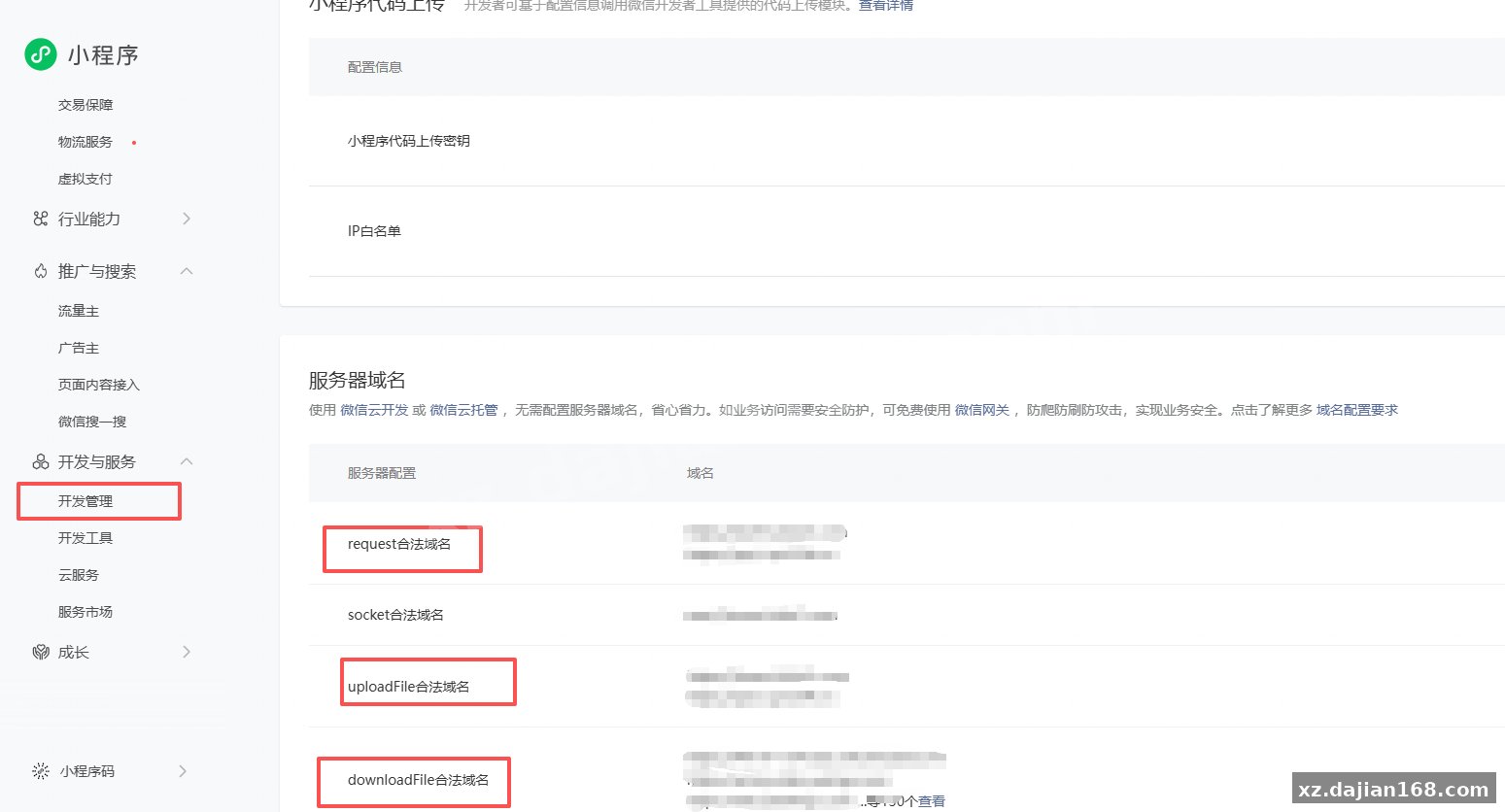
The frontend fails silently if the request domain is not whitelisted in the WeChat console.
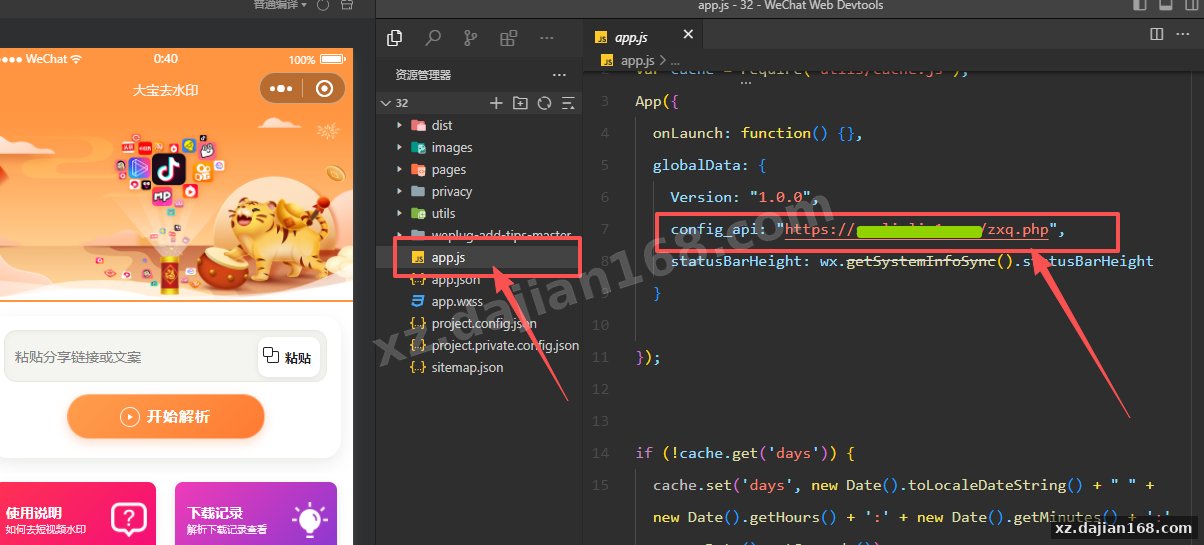
- Import the frontend folder into WeChat DevTools (stable 1.06+ recommended).
- Replace the hardcoded backend domain in the config file with your own.
- Add your domain under “Legal Domains” in the mini-program management console before uploading.
In my run, the preview worked in DevTools but crashed on a real device until the domain whitelist was updated — a 10-minute fix that’s easy to miss. Budget roughly 2–3 days total if you also need the mini-program reviewed by WeChat.
Technical Specs at a Glance
| Item | Requirement |
|---|---|
| Backend language | PHP 7.4 |
| Database | MySQL 5.7 |
| Frontend | WeChat mini-program (native) |
| Domain | Registered + SSL certificate required |
| Admin panel | /admin, default account admin |
Use Cases and Who This Fits
Best for small tool-site operators and traffic funnels, not for commercial resale of parsed content.
- Standalone utility mini-program with ad monetization slots.
- Companion feature inside an existing content or download site.
- Learning project for studying link-parsing + mini-program architecture.
Judging criterion: if you can maintain an API key subscription and pass WeChat review, this is a low-cost, single-server project. If you expect zero ongoing API costs, reconsider — parsing endpoints rotate frequently.
FAQ
Q: Does it support WeChat Video Channel links, or only Douyin?
A: Both. The 2026 version parses short video links and Video Channel links through the same configured API key in the admin backend.
Q: Why does my mini-program fail on a real phone but work in DevTools?
A: Your backend domain is likely not added to the legal request domain list in the WeChat mini-program console. Add it, then re-upload.
Q: Can I run it without an SSL certificate?
A: No. WeChat requires HTTPS request domains, so a registered domain with SSL is a hard prerequisite. Get the full package via the source code download page on dajian168.
Original Reference
Original title: 2026最新版短视频去水印+视频号去水印小程序版本源码_其他源码_搭建168
Original excerpt:
简介:
2026最新版短视频去水印+视频号去水印小程序版本源码
图片:
安装教程:
环境:PHP7.4+MySQL5.7域名:必须备案,申请SSL证书
1、在宝塔上PHP项目中添加站点,php选择7.4
2、上传去水印源码,解压源码到站点根目录
3、把ludeqi.config.php修改成你的数据库信息
4、导入数据库信息,访问:你的域名/admin 就是管理后台 账号admin 密码123456安全码 123456
5、管理后台、接口配置设置小程序的APPID、AppSecret 参数!!然后申请解析接口的秘钥!
小程序安装教程
微信开发者工具导入小程序前端源码,如图
把这个位置的域名修改成自己的然后点击上传,微信小程序开发管理记得添加自己的域名为合法域名,如图
Original screenshots:
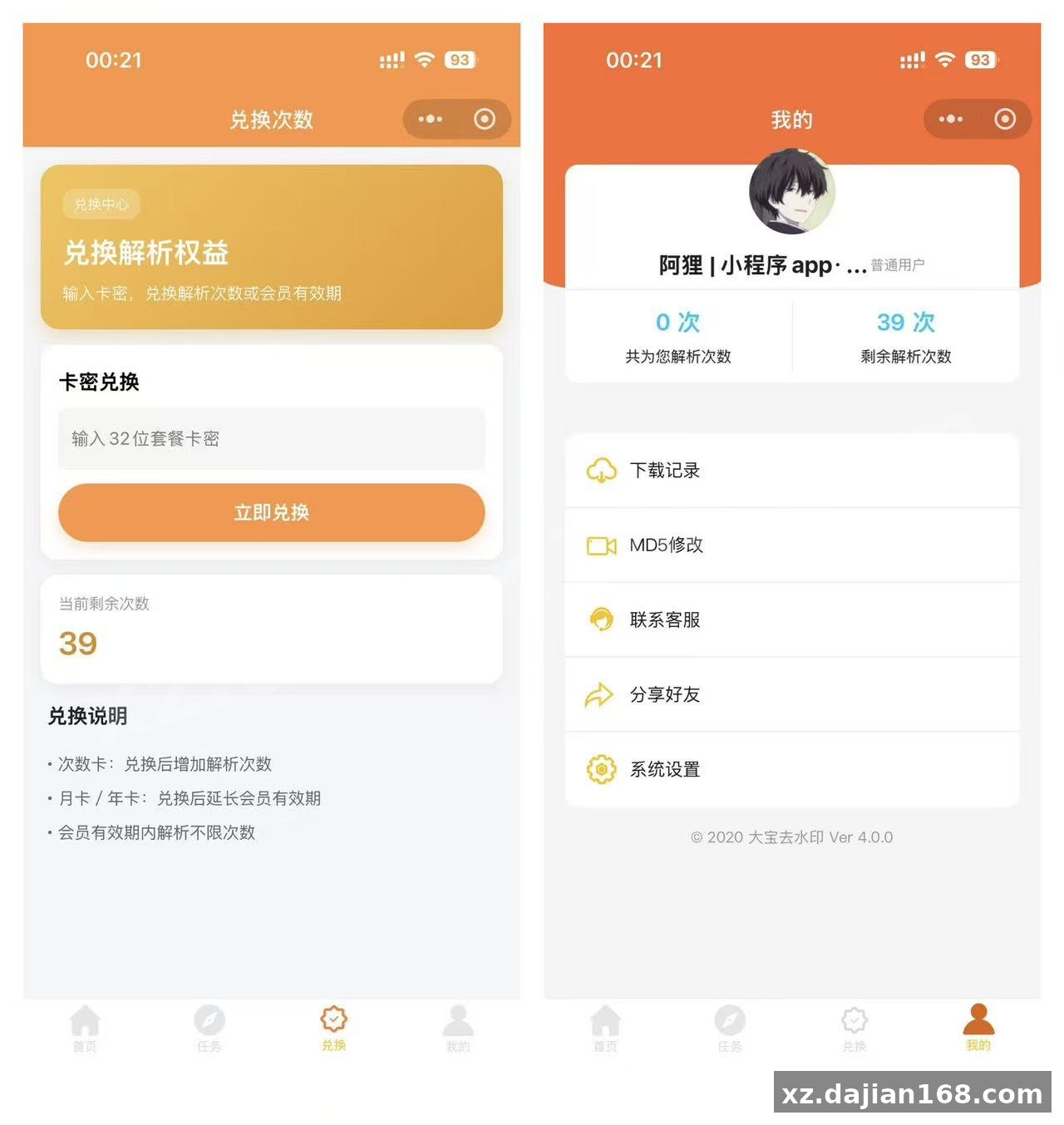
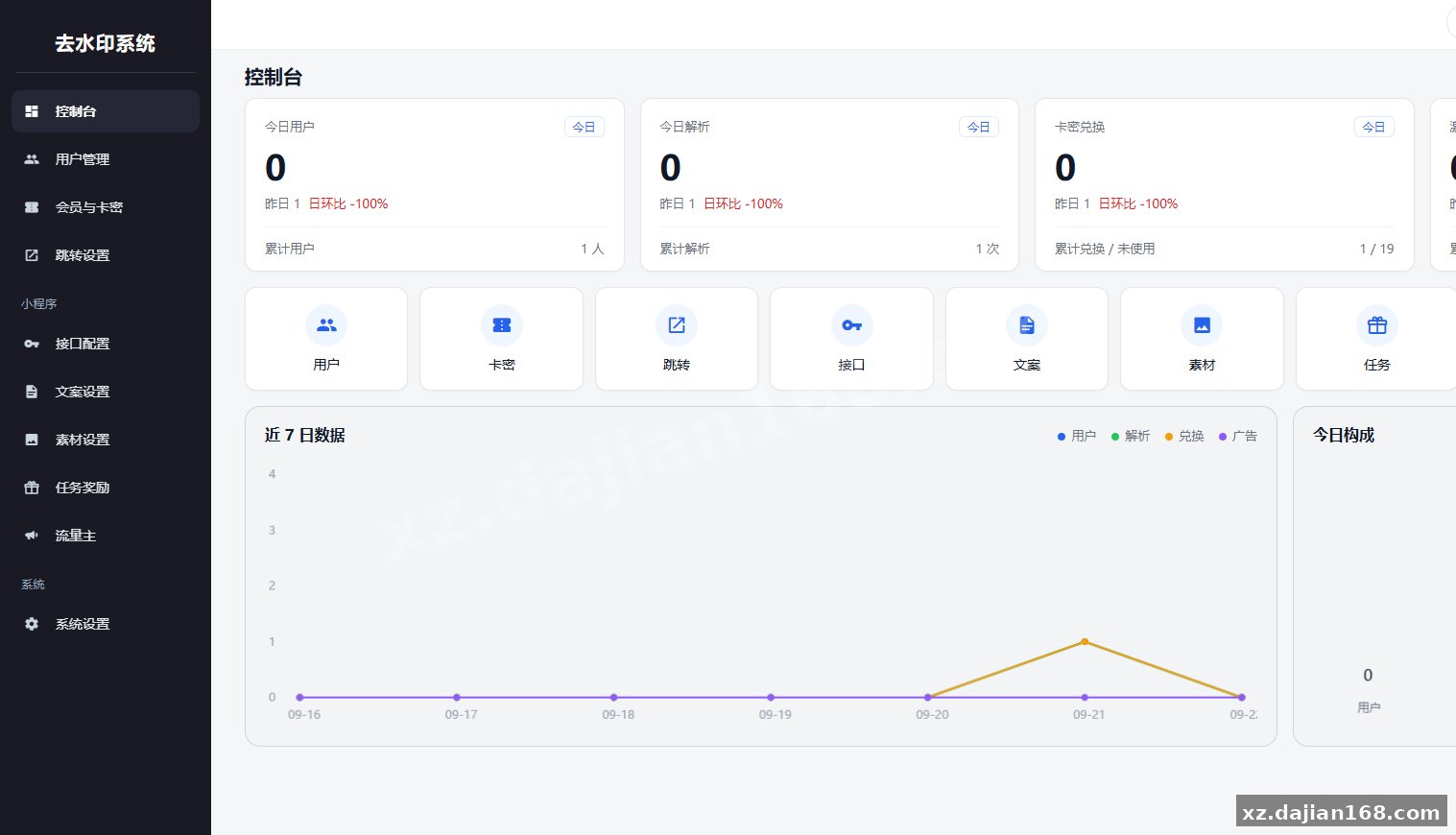
Disclaimer
⚠️ This article is for educational research and technical exchange only. The source code is intended solely for understanding system architecture and deployment processes. Do not use it for illegal purposes. Any commercial operation is unrelated to the author.