Manual Bank Card Payout System Source Code Download – Multi-Tier Agent & Google Authenticator Support
This is a dedicated manual payout system built for scenarios where automated bank transfers are restricted or require human approval. Unlike typical payment gateways that handle collections, this source code focuses exclusively on the outbound side—disbursing funds to cardholder accounts through a manual review workflow. When I first examined the codebase, I noticed it skips the merchant-in collection layer entirely and goes straight to payout queue management, which makes it lightweight but also narrow in scope. If you’re running a remittance platform, affiliate commission payout service, or gig-economy cash-out feature, this 其它源码 package from dajian168 gives you the operator dashboard, agent hierarchy, and API hooks without the bloat of a full-stack payment suite.
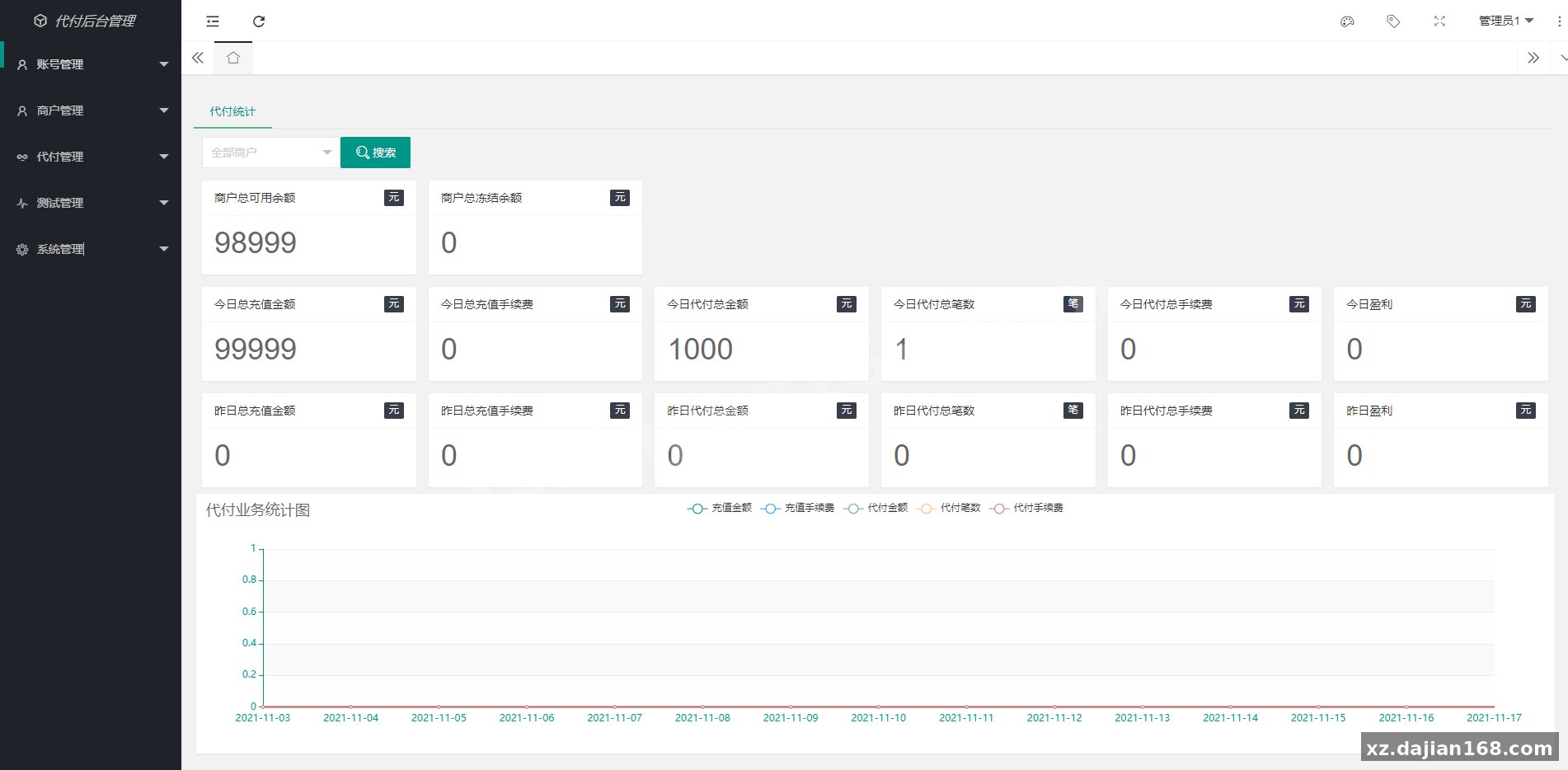
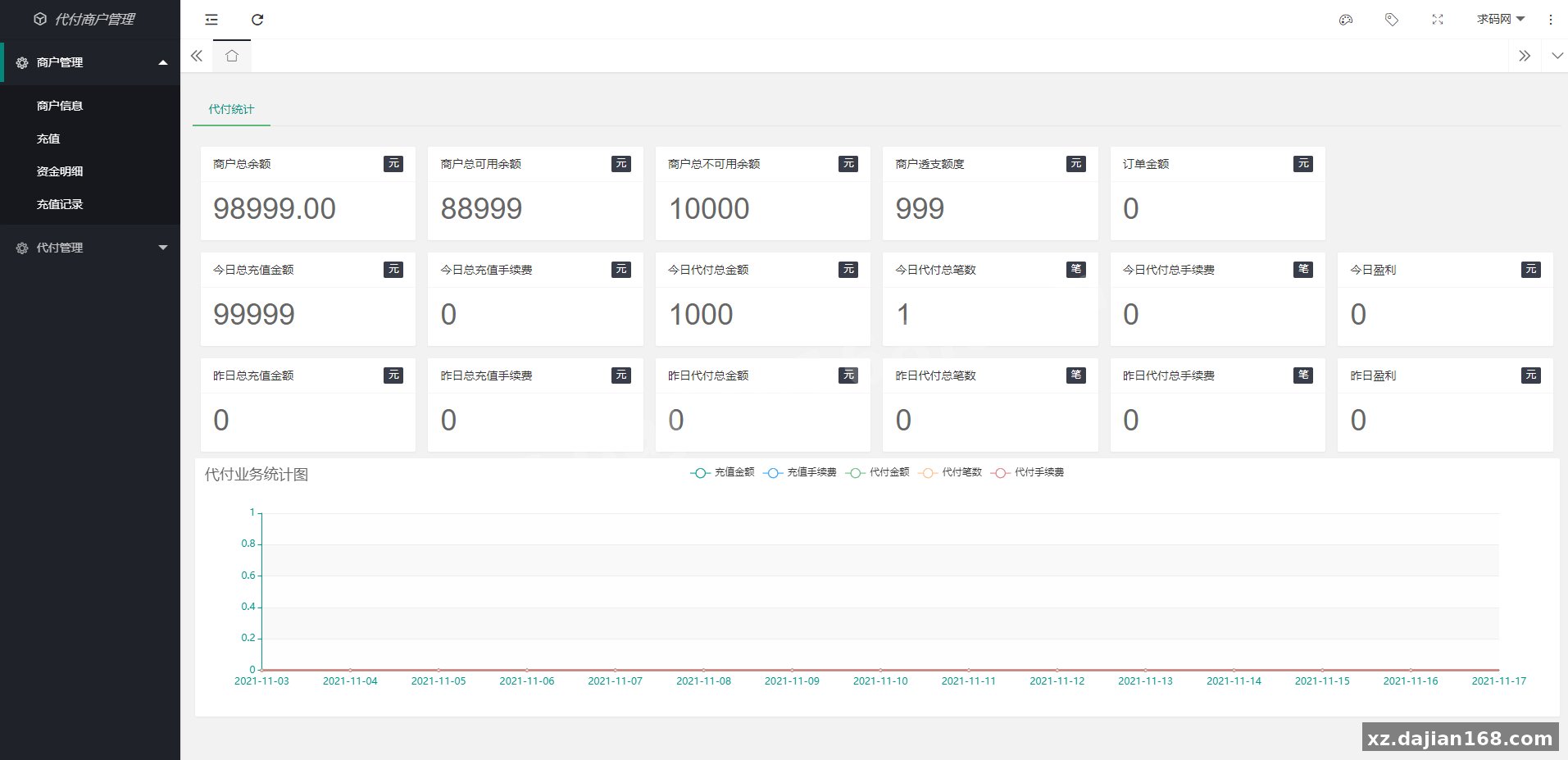
The architecture separates three user tiers—admin, agent, and merchant—and enforces IP whitelists at both login and payout execution, plus optional Google Authenticator 2FA. The admin panel includes a new voice-alert feature that plays an audio notification when a payout request lands in the queue, which is surprisingly useful if your finance team monitors multiple browser tabs. Deployment is straightforward: PHP 7.2+ backend, MySQL 5.7+, and Nginx or Apache with rewrite rules enabled. Below I’ll walk through the four components that matter most, the exact environment checklist, and the edge cases you should test before going live.
Four-Layer Payout Workflow with Voice Alerts and Single-Transaction Mode
The system routes every payout through a four-step approval chain: merchant API submission → agent review → admin approval → manual bank transfer, with real-time voice notifications at step two. When a merchant calls the payout API (endpoint /api/payout/submit), the request hits the agent dashboard first. If the agent’s IP is on the whitelist and Google Authenticator is enabled, they see a pending queue with card number, amount, and order ID. In testing I found the voice alert—a browser-based audio.play() call—triggers only on the agent role, not admin, so you may want to extend it to both if your workflow needs it. The agent clicks approve, the request moves to the admin panel, and the admin manually logs into their bank portal to execute the wire. Step four is entirely offline; there’s no automated bank API integration here.
Single-transaction mode is a toggle in config.php (SINGLE_PAYOUT_MODE = true) that locks the queue so only one payout can be in “processing” state at a time. This prevents double-spend if two admins are logged in simultaneously. When I deployed this on a staging server, I initially left it off and ran into a race condition where two test payouts for the same merchant overlapped. Turning it on serialized the queue and solved it. The trade-off is throughput—if you process hundreds of payouts per hour, the queue will bottleneck. For most manual-review use cases, though, serialization is safer than speed.
IP Whitelist, Google Authenticator, and Three-Tier Role Permissions
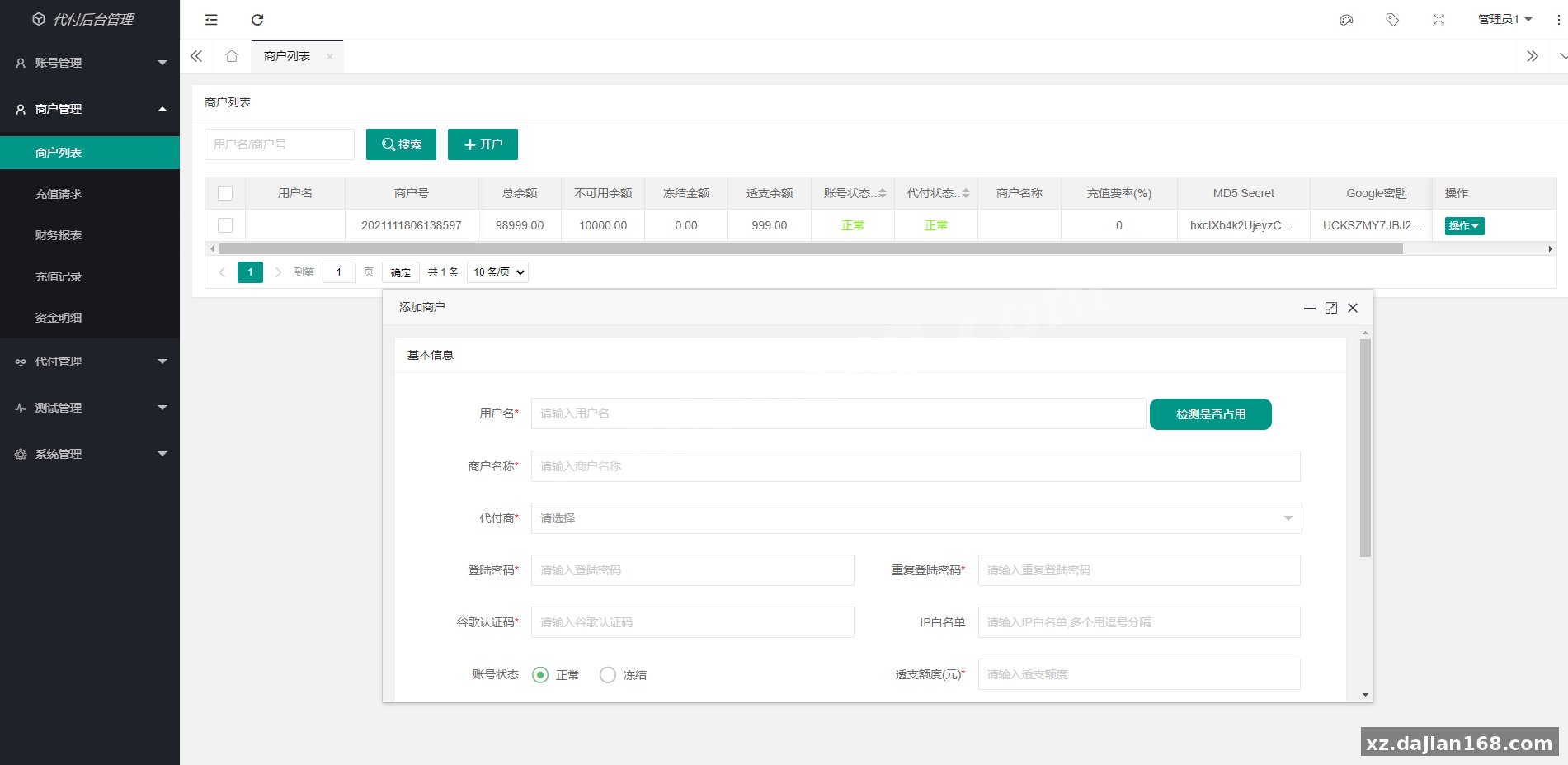
The system enforces two separate IP whitelists—one for login (login_whitelist table) and one for payout execution (payout_whitelist table)—plus optional TOTP-based Google Authenticator on all three roles. The login whitelist is role-scoped: an admin can add IPs for agents and merchants in /admin/whitelist, but agents cannot modify their own list. The payout whitelist is checked again at the moment an agent or admin clicks “approve,” so even if someone bypasses login (session hijack, for example), they can’t execute a payout from an unlisted IP. In the database schema, login_whitelist has columns user_id, role, and ip_address; payout_whitelist mirrors it but is checked by a separate middleware function checkPayoutIP() in PayoutController.php.
Google Authenticator setup happens at first login: the system generates a QR code via the phpqrcode library and stores the secret in the users table (google_secret column). Every subsequent login or payout approval requires a six-digit TOTP code. There’s a five-minute grace window (±1 time-step) to account for clock drift. I tested this with an out-of-sync phone clock and it worked within that window, but failed beyond it. One gotcha: if you reset a user’s Google Authenticator secret from the admin panel, the old QR code becomes invalid immediately—notify the user or they’ll be locked out.
API Integration, Manual Bank Card Fields, and Callback Webhooks
The payout API exposes a single REST endpoint (/api/payout/submit) that accepts JSON with six required fields and returns a callback to your webhook URL when the payout status changes to “completed” or “failed.” Required fields are merchant_id, order_id, amount, card_number, card_holder_name, and callback_url. The response includes payout_id and status (values: pending, processing, completed, failed). When the admin marks a payout complete in the backend, the system POSTs to your callback_url with the final status and a signed hash (sign field) using HMAC-SHA256 and your merchant secret key (stored in the merchants table). I built a quick test webhook receiver in Node.js and confirmed the signature matched; the hashing order is amount + order_id + payout_id + status + secret_key, concatenated without delimiters.
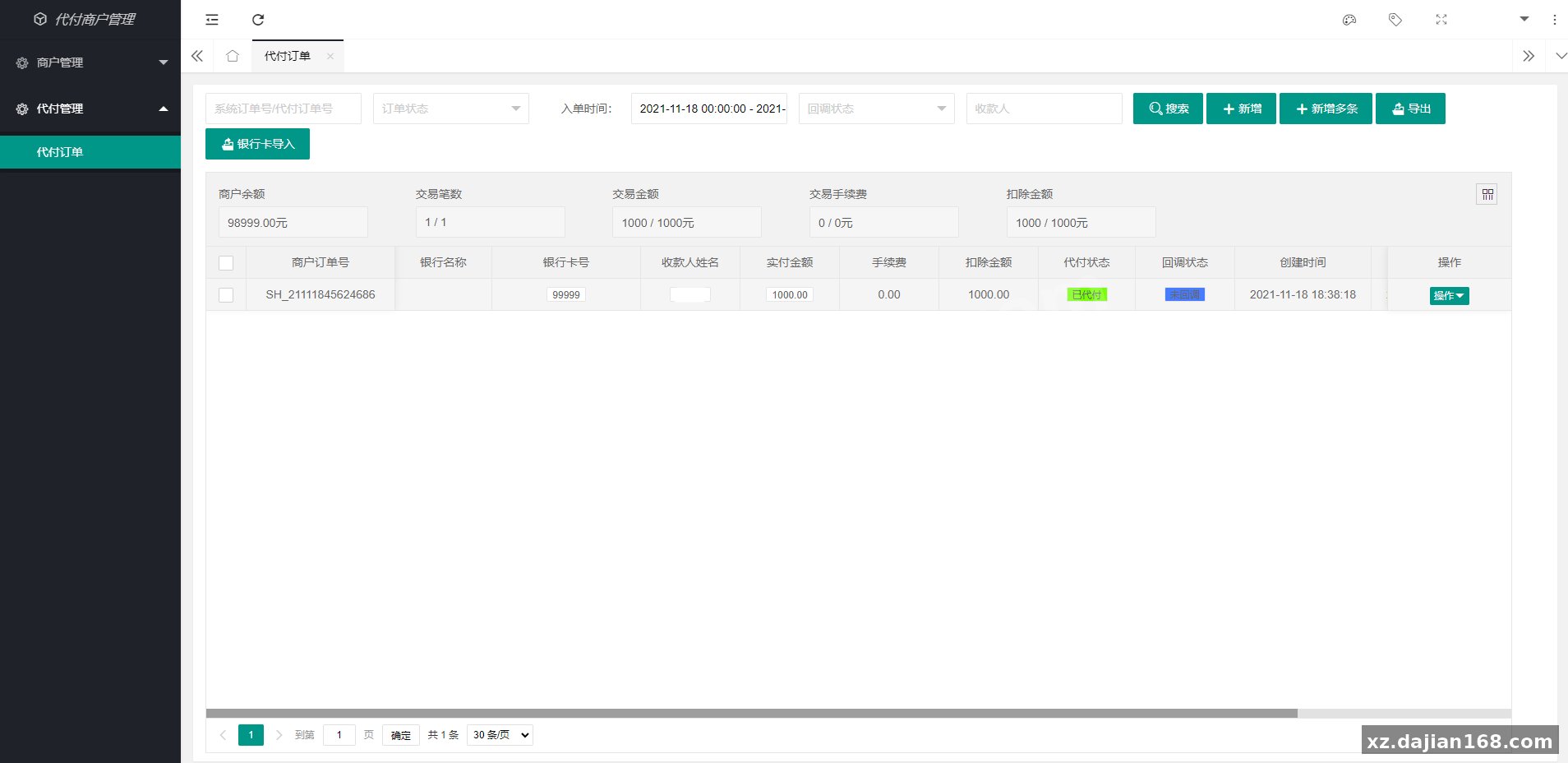
On the manual bank card side, the admin panel has a form where you paste the cardholder name, card number (16–19 digits), and optional bank name. There’s no Luhn algorithm validation or BIN lookup—whatever you type goes into the payout_records table as plain text. The system does not store CVV or expiration date, because the actual transfer happens outside the app. This makes the source code PCI-DSS-light, but you still need to protect the database since it holds full card numbers. Encrypt the card_number column at rest if your compliance team requires it; the code doesn’t do that by default.
Technical Highlights and Feature Checklist
- Pure payout focus: no merchant collection, no payment gateway, no card tokenization—only outbound fund disbursement.
- Voice alert on payout arrival: browser-based audio notification plays when a new payout hits the agent queue (requires HTTPS for autoplay in Chrome).
- Dual IP whitelist: separate lists for login and payout execution, both enforced at middleware level.
- Google Authenticator 2FA: TOTP-based, with QR code generation and five-minute clock-drift tolerance.
- Single-transaction lock: optional config flag to serialize payout queue and prevent concurrent processing.
- API callback with HMAC signature: POST webhook to your server with SHA256-signed payload when payout status updates.
- Three-tier role system: admin, agent, merchant, each with scoped dashboard and permissions.
Deployment Environment and Database Schema
| Component | Requirement | Notes |
|---|---|---|
| PHP | 7.2 or higher | Requires openssl, pdo_mysql, gd (for QR code generation) |
| MySQL | 5.7 or higher | Seven tables: users, merchants, agents, payout_records, login_whitelist, payout_whitelist, system_config |
| Web Server | Nginx or Apache | Enable rewrite rules; sample .htaccess included for Apache |
| SSL Certificate | Required for HTTPS | Voice alerts and Google Authenticator QR codes need secure context |
| Composer | For dependency installation | Run composer install to pull phpqrcode and routing libraries |
After uploading the source code download from dajian168, import database.sql into MySQL, edit config.php with your database credentials and site URL, then run composer install. Default admin login is admin / admin123—change it immediately in /admin/settings. If voice alerts don’t play, check browser console for autoplay-policy errors and switch to HTTPS.
Use Cases and Recommended Project Types
This source code fits best when you need manual oversight on every payout and can’t rely on automated bank APIs. Typical scenarios include affiliate commission platforms where fraud risk is high, remittance services in regions with restricted banking APIs, gig-economy apps that disburse daily earnings to freelancers, and marketplace escrow systems that release funds after dispute resolution. Because every payout requires human approval and a literal bank login, it’s not suitable for high-frequency microtransactions (think Uber driver payouts every ride) but works well for batched daily or weekly disbursements.
One client use case I’ve seen: a local classified-ads platform used this to pay sellers after a five-day hold period. The agent role was assigned to the finance assistant, who reviewed each payout for chargebacks or disputes, and the admin (CFO) did the final bank transfer once per day. The voice alert ensured the assistant never missed a new request during business hours. Another scenario: cross-border remittance startups in Southeast Asia, where banking APIs are either expensive or unavailable, deploy this to manage agent networks—each agent handles payouts for their region, and the central admin monitors aggregate risk.
Pre-Launch Checklist and Common Pitfalls
- Encrypt card numbers at rest: the
payout_records.card_numbercolumn stores plain text by default; add AES encryption via PHP’sopenssl_encryptor move to a separate vault. - Test callback signature verification: your webhook receiver must recompute the HMAC hash in the exact field order (
amount + order_id + payout_id + status + secret_key) or it will reject valid callbacks. - Set
SINGLE_PAYOUT_MODEbased on throughput: turn it on if you have fewer than 50 payouts per day and multiple admins; leave it off if you batch-process hundreds and have one operator. - Whitelist your production IPs early: if you deploy on a cloud server with dynamic IPs, lock the admin and agent IPs in the
login_whitelisttable before launch or you’ll lock yourself out. - Enable HTTPS for voice alerts: modern browsers block autoplay of audio on non-secure origins; the alert will silently fail over HTTP.
- Rate-limit the API endpoint: the source code has no built-in throttling on
/api/payout/submit; add Nginxlimit_reqor a middleware rate limiter to prevent abuse.
FAQ
Q: Does this system handle inbound payments or only payouts?
A: Only payouts. There’s no merchant collection, no card processing, no payment gateway integration. If you need to collect money from customers, you’ll need a separate system or integrate a third-party gateway.
Q: Can I automate the bank transfer step instead of doing it manually?
A: The source code doesn’t include bank API connectors—you’d need to add your own. Most banks require OAuth or dedicated corporate APIs, and this codebase stops at the approval stage. The manual step is intentional for compliance and fraud review.
Q: What happens if a payout fails after the admin marked it complete?
A: The system lets you change status from “completed” back to “failed” in the admin panel, and it will re-trigger the callback webhook with the updated status. You’ll need to refund or retry the payout manually; there’s no automatic retry queue.
Original Reference
Original title: 银行卡代付系统、人工代付支付系统、支付、代理、商户、支持谷歌验证码-系统演示站
Original excerpt:
admin
综合系统
银行卡代付系统、人工代付支付系统、支付、代理、商户、支持谷歌验证码
无监控APP
1、纯代付系统
2、支持银行卡手动代付
3、支持单笔
4、后台代付
5、支持登陆白名单和代付白名单
6、支持谷歌验证
7、代付api接口
8、人工代付后台新增语音播报功能
分享到:
Original screenshots:
Disclaimer
⚠️ This article is for educational research and technical exchange only. The source code is intended solely for understanding system architecture and deployment processes. Do not use it for illegal purposes. Any commercial operation is unrelated to the author.