Building a Multi-Channel Payment Gateway System: A Hands-On Recap of Aggregated Checkout API Integration
Building a Multi-Channel Payment Gateway System: A Hands-On Recap of Aggregated Checkout API Integration
Disclaimer: This article is for technical education and demonstration only. It is not professional or financial advice. Any real-world deployment must comply with applicable laws and regulations.
I recently helped a client running a task distribution platform deploy an aggregated checkout system, using that comprehensive admin suite advertised as “channel adapter version 6.1”. After two days of tinkering and hitting plenty of pitfalls, I’m writing this down while it’s still fresh, hoping to save others some time. To be clear upfront: this article only covers technical deployment and sandbox testing, and all APIs run in a test environment.
How to Set Up the Environment: LNMP + PHP 7.4 Pitfalls
The client’s server is a 2-core, 4GB lightweight cloud instance running CentOS 7.9, with LNMP installed via the BT panel. The system requires PHP 7.2 or higher, so I went straight to 7.4 — and immediately hit the first pitfall: the admin login page went blank, with the error log showing Call to undefined function bcadd(). The bcmath extension wasn’t installed. After installing the extension, remember to restart php-fpm, not just reload it. I only reloaded, and stared at a blank screen for ten minutes before figuring it out.
The second pitfall is URL rewriting. This program uses a ThinkPHP core, so Nginx must be configured with the thinkphp rewrite rules, otherwise everything except the homepage returns 404. Selecting the TP framework rules in the BT panel works, but note that if the admin panel lives in a subdirectory, the rules need a rewrite condition for that subdirectory. I skipped that at first, and all the admin panel styles broke.
Channel Configuration: What to Do When Credentials Don’t Match
This version doesn’t ship with an auto-fetch tool, so credentials have to be captured manually. The process: log into the corresponding platform’s web interface, open DevTools (F12), copy the key fields from the cookies, and paste them into the channel configuration in the admin panel. There’s a detail here that trips up a lot of people:
Credential Expiry Is Shorter Than You’d Expect
In my testing, the credentials for one channel expired after about 3-5 days. The symptom: after placing an order on the frontend, it stays stuck on “processing”, and the logs show channel response timeout. My fix was to add a daily inspection script in the admin panel that uses curl to send a health-check request with the credentials, and emails me if the response isn’t 200. The script is barely a dozen lines — way better than getting a midnight phone call from the client.
Callback URLs Must Be Publicly Accessible HTTPS
During local testing, callbacks never arrived. Packet capture revealed that the provider’s callbacks only work on port 443 with a valid certificate. I used an intranet tunneling tool for temporary mapping. For production, remember to force HTTPS in the BT panel, otherwise the asynchronous notification signature verification keeps failing and orders stay stuck in pending.

Sandbox Testing and Customization Notes
Before going live, I ran the entire flow in the sandbox. I set all amounts to a 0.01-0.5 test range, capped the daily limit at 10 units in the backend risk-control parameters, and ran over 200 simulated transactions to verify reconciliation. One error worth noting: sign verify failed. After digging for ages, it turned out there was an extra line break in the key configuration — a quick trim fixed it. You’d never guess this kind of issue without reading the source code.
For customization, the client wanted multi-language switching (Chinese and English for overseas demos). The language packs live in the application/lang directory, and templates use {:lang()} tags for replacement — took about two hours. I also added CSV export to the merchant reconciliation report in the backend, modifying the statistics controller in the admin module. The logic isn’t complicated, but the field mapping needs careful attention.
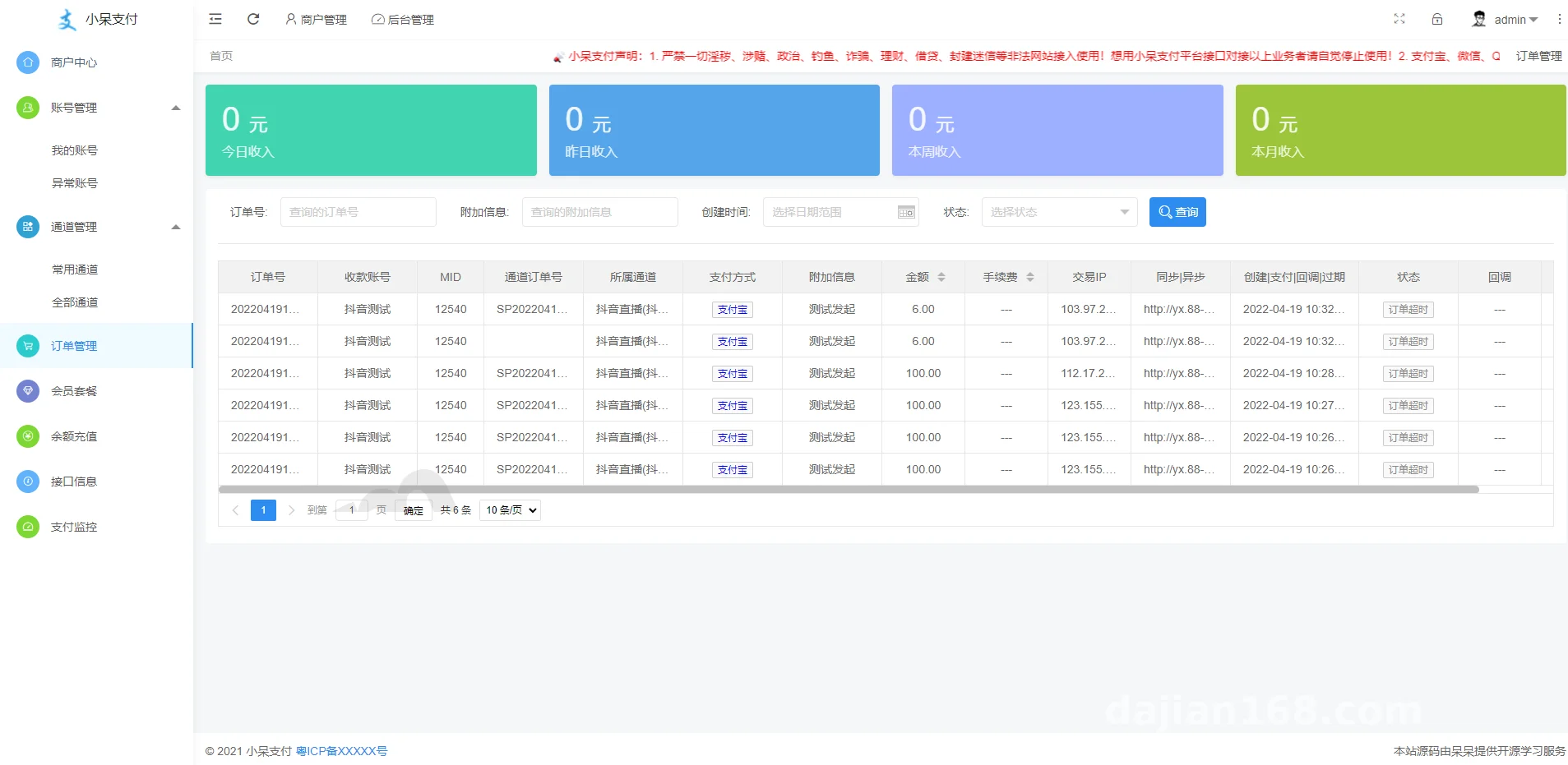
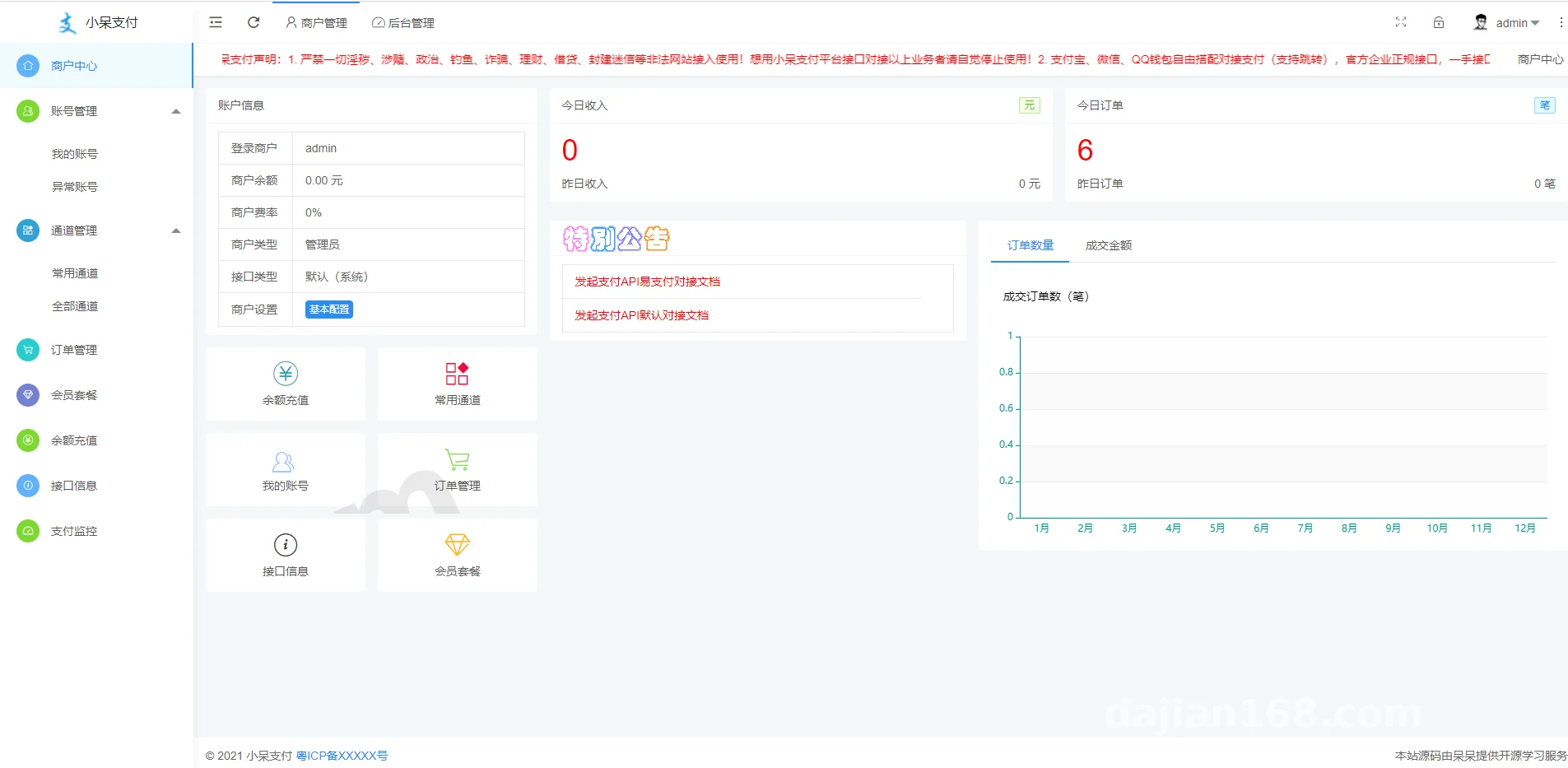
Highlight: The channel adapter layer in this system is a standalone module. Adding a new payment API only requires writing one adapter class plus configuration entries, without touching the core order flow. It’s more customization-friendly than expected. I’d recommend reading through the
extend/channeldirectory before making changes.
Performance and Stability Notes
I load-tested with ab: at 200 concurrent requests, the order API averaged 380ms response time, with the bottleneck in database writes to the orders table. Adding a composite index on the order number brought it down to around 150ms. For scheduled tasks, I’d suggest running the reconciliation script at 3 AM to avoid peak hours. The whole deployment, from a clean environment to a working sandbox, took me about 9 hours — half of that spent wrestling with certificates and callbacks.
FAQ
Q: The admin login captcha isn’t displaying?
A: Nine times out of ten it’s the GD library or a session path without write permissions. Check that the runtime directory has 755 permissions, and confirm PHP has the gd extension installed.
Q: The channel is configured but orders report “channel under maintenance”?
A: First check whether the channel switch is enabled in the backend, then whether the credentials have expired, and finally that the merchant rate parameters bound to the channel aren’t empty. Checking all three usually pinpoints the issue.
Q: Can I integrate a custom payment API?
A: Yes. Write a new channel file following the adapter class conventions, and it will be auto-detected in the backend channel management. Run signature verification in the test environment before going to production.
Q: Should data be cleaned up periodically?
A: The order log table grows fast. I set up 90-day retention with automatic archiving for my client, otherwise queries six months later will be painfully slow.
One final note: this system is intended solely for payment API technical learning and sandbox demonstration. Deployment and use must comply with applicable laws and regulations, and any unlawful use is prohibited.
Disclaimer: This article is for technical education and demonstration only. It is not professional or financial advice. Any real-world deployment must comply with applicable laws and regulations.
#payment system #source code deployment #pitfall recap #PHP deployment #API integration
-
 Alipay QR Code Scan
-
 WeChat Scan Pay