2026 Latest Tutorial: Complete Guide to Buying USDT in Mainland China from Scratch (OKX + Binance)
📅 Update Time: April 2026 | 👤 Suitable For: Complete Beginners | 📱 Support: Android & Apple Devices
📌 What is USDT? Why Buy It?
USDT (Tether) is a stablecoin pegged 1:1 to the US Dollar, 1 USDT ≈ 1 USD. It’s the “admission ticket” to the cryptocurrency world. Many people use it to:
💱 Exchange for other cryptocurrencies (Bitcoin, Ethereum, etc.)
💰 Cross-border transfers with extremely low fees
📈 Participate in various DeFi financial products
🛡️ Hedge against exchange rate risk and hold USD assets
⚠️ Must Read Before Purchasing
**Required Materials**
| Item | Description |
|——|————-|
| 📇 ID Card | Chinese mainland resident ID (front and back) |
| 📱 Phone Number | Chinese mainland phone number for receiving verification codes |
| 💳 Payment Method | Bank card / Alipay / WeChat (choose one) |
| ⏱️ Estimated Time | First operation takes about 20-30 minutes |
| 💵 Minimum Amount | Starting from approximately 100 RMB |
🏆 Plan A: Buy USDT on OKX Exchange
OKX is one of the world’s top three exchanges, most user-friendly for Chinese users, with a clean interface – perfect for beginners!
**Step 1: Download OKX App** 📲
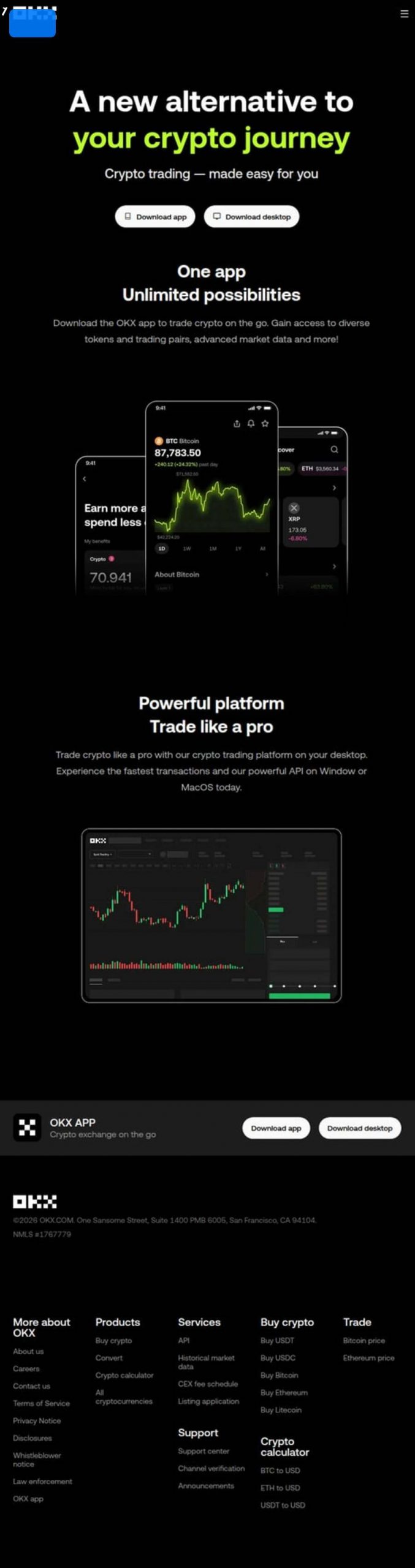
📱 OKX Official Download Page
📱 Android Devices
– Open your phone browser and visit OKX官网: www.okx.com
– Click the “下载App” (Download App) button at the top of the page
– Select “Android下载” (Android Download) to download the APK installation package
– If your phone prompts “禁止安装未知来源” (Prohibit installing unknown sources):
→ Go to Settings → Security → Allow installation from unknown sources
– Once installed, open the app
🍎 Apple Devices (iPhone / iPad)
– The China App Store doesn’t have it directly searchable. You need to switch to a Hong Kong or US region Apple ID
– Switching method: App Store → Top right avatar → Scroll to bottom → Log out → Log in with HK/US Apple ID
– Search for “OKX”, look for the red logo, developer is “OKX Technology Company”
– Click “Get” to install
💡 Don’t have an HK Apple ID? You can use the web version (www.okx.com) as a complete alternative to the app.
**Step 2: Register OKX Account** 📝
– Open the app or visit www.okx.com, click “注册” (Register)
– Select “手机号注册” (Phone number registration)
– Select Country/Region: “中国大陆 +86” (China Mainland)
– Enter your phone number
– Click “获取验证码” (Get verification code) and enter the 6-digit SMS code you received
– Set a login password (recommended 8+ characters, letters + numbers + symbols)
– Check “同意服务条款” (Agree to Terms of Service), click “注册” (Register)
– ✅ Registration successful!
**Step 3: Complete Identity Verification (KYC)** 🪪
⚠️ You must complete identity verification to buy/sell USDT! This is a compliance requirement – please proceed with confidence.
– After logging in, click the “头像图标” (Avatar icon) in the top left
– Select “身份认证” (Identity Verification)
– Select verification level:
– Basic Verification: Enter name + ID number (lower limits)
– Advanced Verification (Recommended): Upload ID photo + face recognition (higher limits)
– Follow the prompts to upload:
– ID front side (the side with photo)
– ID back side (the side with the national emblem)
– Complete face recognition (keep lighting adequate, face the camera directly)
– Submit for review – usually auto-approved within minutes
– ✅ After verification passes, you can buy crypto!
**Step 4: Buy USDT** 💰
OKX offers two buying methods. C2C trading is recommended for beginners:
💳 Method A: C2C Buy (Person-to-Person, most commonly used)
– Click “买币” (Buy Crypto) at the bottom menu
– Select “C2C买币” (C2C Buy)
– Confirm the top tab is “买入” (Buy)
– Select currency “USDT”
– Enter purchase amount (e.g., 500 RMB)
– System displays multiple seller ads – choose one with:
– ✅ Success rate 95%+
– ✅ High transaction volume (more = more reliable)
– ✅ “认证商家” (Verified merchant) badge preferred
– Click “购买” (Buy), select payment method (bank card/Alipay/WeChat)
– Click “确认购买” (Confirm Purchase), page shows seller’s payment info
– ⚠️ Transfer the amount shown on the page to the seller using your chosen payment method
– After transfer completes, return to app and click “我已付款” (I have paid)
– Wait for seller to confirm receipt (usually 5-15 minutes)
– 🎉 USDT automatically arrives in your OKX account!
⚡ Method B: Quick Buy (Faster, suitable for smaller amounts)
– Click “买币” (Buy Crypto) → “快捷买币” (Quick Buy)
– Select “USDT”, enter amount
– Select payment method (supports bank card)
– Follow the guide to complete payment – USDT arrives instantly
**Step 5: Check Your USDT Balance** 👀
– Click “资产” (Assets) at the bottom
– Select “资金账户” (Fiat Account)
– Find “USDT” to see your balance
– 🎉 Congratulations! You now successfully own USDT!
🥈 Plan B: Buy USDT on Binance Exchange
Binance is the world’s largest cryptocurrency exchange, with excellent trading depth and liquidity.
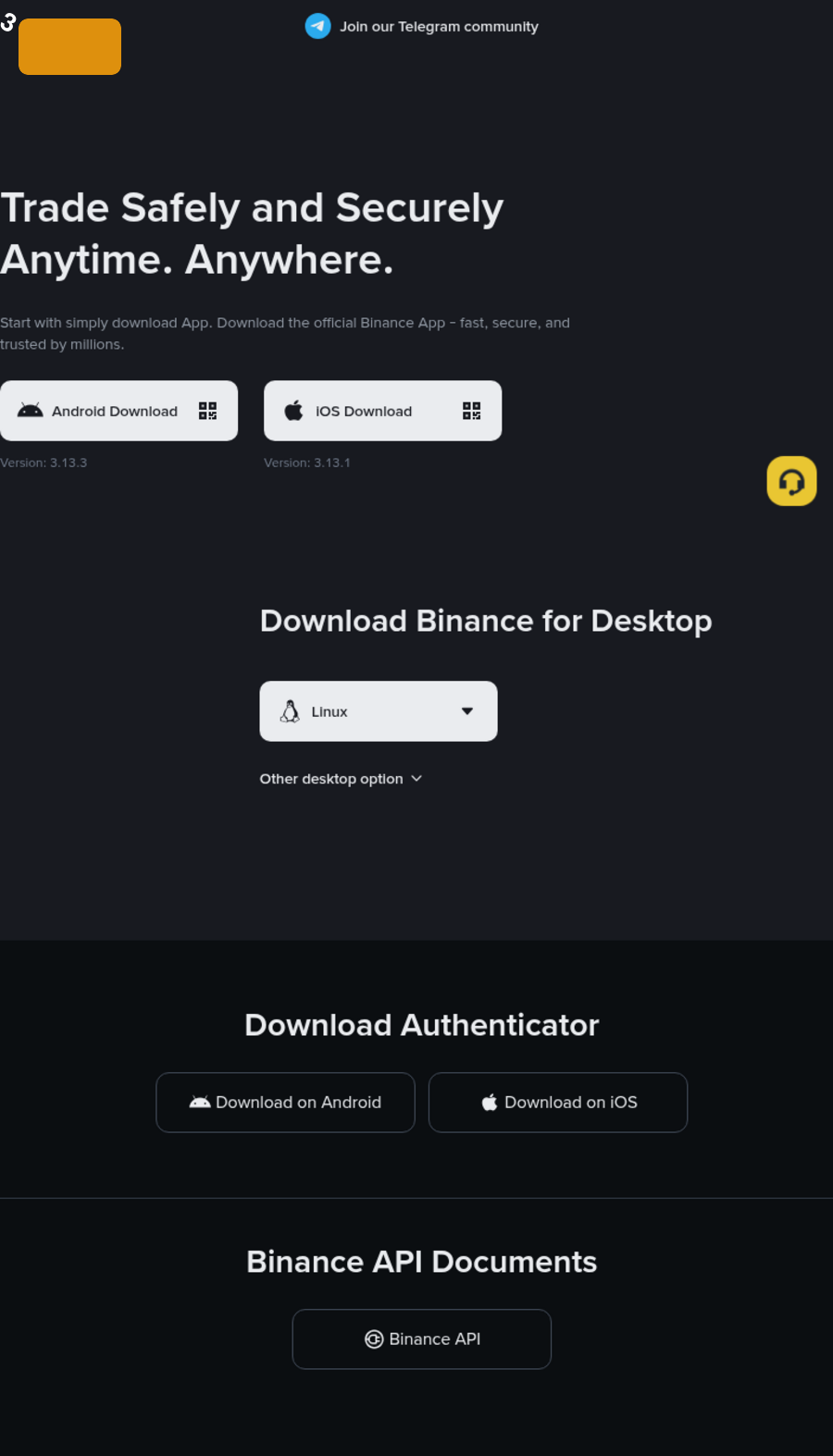
📱 Binance Official Download Page
**Step 1: Download Binance App** 📲
📱 Android Devices
– Visit Binance官网: www.binance.com
– Click “下载App” (Download App) → “Android”
– Download the APK file, allow installation from unknown sources, then install
🍎 Apple Devices
– Switch to Hong Kong/US Apple ID (same method as OKX tutorial)
– Search “Binance” in App Store
– Look for the yellow logo, click Get to install
**Step 2: Register Binance Account** 📝
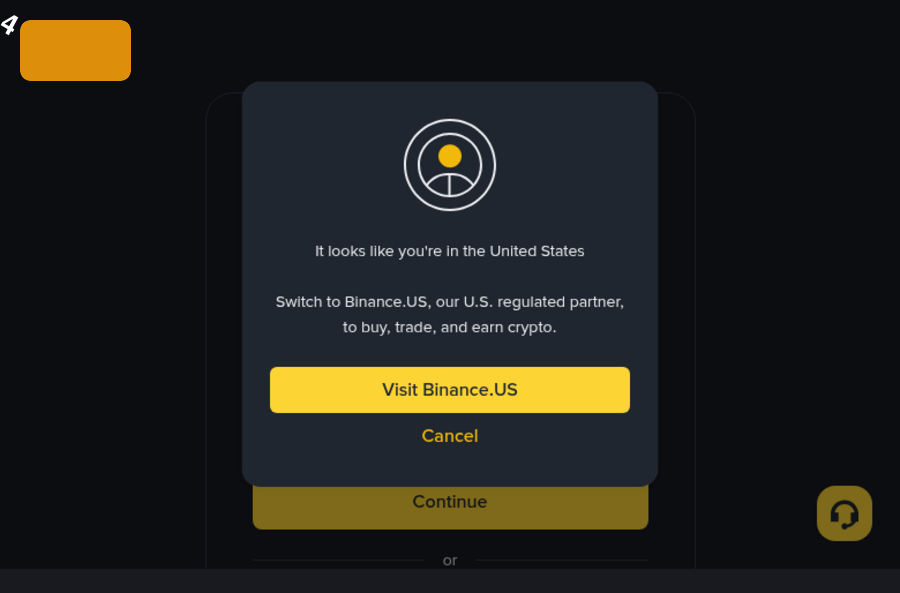
📝 Binance Registration Page
– Open the app or visit www.binance.com, click “注册” (Register)
– Select “手机号注册” (Phone number registration)
– Select country “China +86”, enter phone number
– Get and enter SMS verification code
– Set login password (8+ characters, including uppercase + lowercase letters + numbers)
– Complete puzzle verification, click “创建账户” (Create Account)
– ✅ Registration complete!
**Step 3: Identity Verification (KYC)** 🪪
– After logging in, click “用户头像” (User avatar) in top right
– Select “身份认证” (Identity Verification) → “开始认证” (Start Verification)
– Select country “China”, ID type “身份证” (ID Card)
– Enter real name and ID number
– Upload ID front photo
– Upload ID back photo
– Complete face recognition verification
– Submit for review, wait for approval (about 10 minutes – 24 hours)
– ✅ After verification passes, you can trade!
**Step 4: Buy USDT** 💰
💳 Method A: C2C Trading Buy (Recommended)
– After login, click top menu “买币” (Buy Crypto) → “C2C交易” (C2C Trading)
– Confirm tab is “买入” (Buy)
– Select currency “USDT”
– Enter purchase amount (RMB)
– Filter quality sellers:
– ✅ Select “商家认证” (Merchant verified) sellers
– ✅ Completion rate 95%+
– ✅ Prioritize high trading volume
– Click “购买USDT” (Buy USDT)
– Select payment method (bank card/Alipay/WeChat)
– Click “确认下单” (Confirm Order)
– Follow page instructions, transfer to seller using specified method
– After transfer completes, click “已转账,通知卖家” (Transferred, notify seller)
– Wait for seller to release coins (usually 5-15 minutes)
– 🎉 USDT arrives!
⚡ Method B: Quick Buy
– Click “买币” (Buy Crypto) → “快捷买币” (Quick Buy)
– Select “USDT”, enter amount
– Select bank card payment
– Follow the guide to complete – USDT arrives quickly
**Step 5: Check USDT Balance** 👀
– Click “用户中心” (User Center) in top right
– Select “我的钱包” (My Wallet) → “现货账户” (Spot Account)
– Find “USDT” to view balance
🔐 Security Settings (Must Do After Buying!)
**1️⃣ Enable Google Authenticator (2FA)**
– Download the “Google Authenticator” app
– Bind Google Authenticator in exchange “安全设置” (Security Settings)
– Every login/withdrawal requires entering a 6-digit dynamic code
– ✅ Greatly improves account security!
**2️⃣ Set Fund Password**
– Go to “安全设置” (Security Settings) → “资金密码” (Fund Password)
– Set a 6-digit password different from your login password
– Required for every buy/sell operation to prevent accidental misuse
**3️⃣ Bind Phone and Email**
– Bind both phone number and email in “安全设置” (Security Settings)
– Dual verification makes account more secure
– You can also recover password via email if forgotten
❓ Common Questions for Beginners
**Q1: What’s the minimum amount to buy USDT?**
A: C2C trading usually starts from 100 RMB, quick buy may be lower. Beginners should start with a small amount to test the waters.
**Q2: What are the fees?**
A: C2C buy platform doesn’t charge fees, but the seller’s quote already includes a spread of about 0.1%-0.5%. Quick buy has slightly higher fees.
**Q3: Will my card be frozen?**
A: There’s some risk with C2C trading. Recommendations: ① Choose high-reputation verified merchants; ② Don’t make large amounts and quick in-and-out; ③ Don’t write crypto-related words in transfer notes.
**Q4: Which is better for beginners, OKX or Binance?**
A: Both are globally top exchanges. OKX has more friendly Chinese interface and faster customer service – recommended for beginners; Binance has larger trading volume and better liquidity. You can register for both and see which one feels better to use.
**Q5: Is identity verification safe?**
A: Both OKX and Binance are compliant exchanges. Identity verification is a legal requirement. Information is encrypted – please proceed with confidence.
**Q6: What can I do with USDT after buying?**
A: You can hold it directly (equivalent to holding USD), or use it to buy Bitcoin, Ethereum and other cryptocurrencies, or participate in financial products to earn returns.
📋 Complete Process Summary
| Step | Operation | Estimated Time |
|——|———–|—————–|
| 1️⃣ | Download OKX/Binance App (or open website) | 2 minutes |
| 2️⃣ | Register account with phone number | 3 minutes |
| 3️⃣ | Complete identity verification (ID + face) | 5-10 minutes |
| 4️⃣ | C2C buy (select seller → transfer → wait for release) | 10-15 minutes |
| 5️⃣ | Check USDT balance | 1 minute |
| 6️⃣ | Enable 2FA + set fund password | 5 minutes |
🎉 Final Words
Congratulations! After reading this tutorial, you’ve mastered the complete method for purchasing USDT in Mainland China. Remember these key points:
✅ Only use official channels to download apps – beware of phishing sites
✅ Choose high-reputation verified merchants for C2C trading
✅ Must enable 2FA dual verification to protect your account
✅ Start with small amounts, get familiar with operations before increasing
✅ Cryptocurrency has risks – invest cautiously
If you have any questions, feel free to leave a comment! 💬
If this tutorial helped you, please share it with friends who need it! 🙏
-
 Alipay QR Code Scan
-
 WeChat Scan Pay