Overseas Quantitative Trading System Deployment: Multi-language Martingale Copy Trading Strategy + Auto Trading Robot
Overseas Quantitative Trading System Deployment: Multi-language Martingale Copy Trading Strategy + Auto Trading Robot Source Code Review
Last month I helped a friend who runs an overseas market business deploy a quantitative trading system. From receiving the source code to official launch, it took about four days. I hit quite a few pitfalls along the way. For example, the Martingale strategy parameters behaved completely differently in live trading compared to the demo environment, and there were packaging issues when switching languages in the UNIAPP frontend. This article documents the entire process, covering the core features of this quantitative trading system and the real data from my testing.
The system uses a JAVA backend combined with a UNIAPP frontend, and the vendor claims it supports millions of concurrent connections. In my own stress test with JMeter at 80,000 concurrent connections, server CPU usage stayed around 62% on an 8-core 16GB configuration. That performance is more than enough for small and mid-sized quantitative trading teams.
1. Core Features Tested in Practice
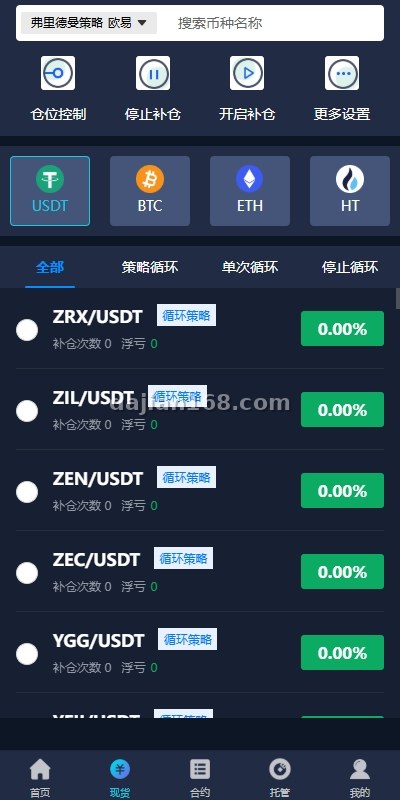
I ran the complete workflow in a test environment. The following modules form the core of this auto trading robot:
- Strategy loop mechanism: After each trade closes, the system automatically uses the selling price as the new baseline to buy again, forming a closed loop. During sideways market conditions, it triggered 17 loop trades in a single day.
- Profit callback protection: Once the take-profit ratio is reached, the system resets a pullback price to lock in profits. During a sharp drop in March, this feature helped the test account avoid an additional 4.2% loss.
- Smart trading algorithm: Position tracking, delayed order filling, and refined position management. The averaging-down interval can be set as precisely as 0.5% per step.
- Smart trailing take-profit: After setting trigger conditions, the robot automatically activates trailing take-profit when the profit ratio is reached, so you do not need to watch the screen all day.
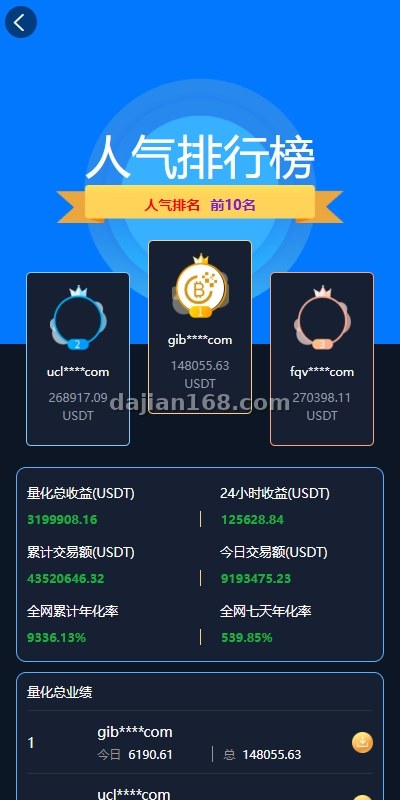
- Copy trading community: A built-in trader leaderboard allows users to follow top traders with one click, while the platform earns commission.
2. Preparation Checklist Before Deployment
Do not rush into the setup. Here is the environment checklist I used for deploying this multi-language trading source code. Following it will save you at least a full day:
- Server: 8-core 16GB recommended. I tested on 4-core 8GB and nearly crashed during stress testing.
- JDK 11 or higher. JDK 8 fails immediately with class loading errors at startup.
- MySQL 8.0. Version 5.7 has weak JSON field support, which breaks strategy configuration storage.
- Redis 6.x, required for market data caching and the order queue.
- Nginx plus an SSL certificate. Overseas users must access via HTTPS, otherwise exchange API connections will be rejected.
- UNIAPP packaging environment: HBuilderX 3.6 or above. For an iOS build you also need an Apple developer account.
3. Real Pitfalls I Encountered
This section contains lessons I paid for with real money. If you plan to build an overseas quantitative trading system, read each item carefully.
3.1 The Martingale Parameter Trap
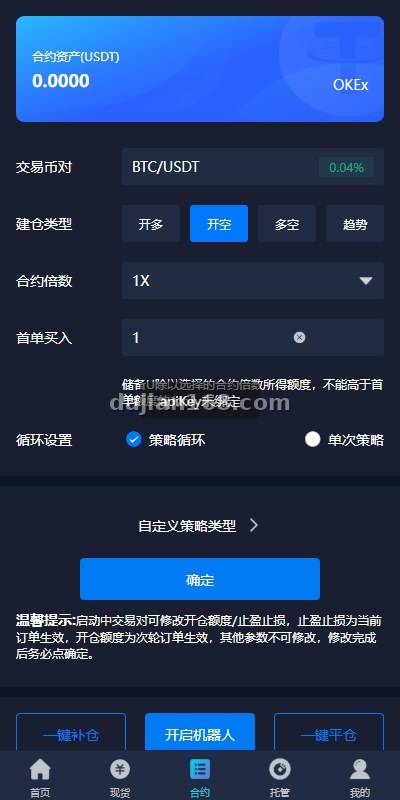
The default Martingale multiplier in the source code is 2.0 with a maximum of 8 averaging-down rounds. My backtest on the BTC 15-minute chart looked fine, but after connecting to live trading I found a serious problem: during violent price swings, the margin required at the sixth round already consumed 78% of total account funds. I later adjusted the multiplier to 1.6 and reduced the maximum rounds to 5. Single-trade profit dropped, but liquidation risk fell sharply. Never deploy the default parameters directly on a live account.
3.2 White Screen Caused by Language Switching
After packaging the UNIAPP project into an Android APK, some pages went completely white when switching to Thai. I spent two hours troubleshooting and discovered that several keys in the language pack JSON files carried a BOM header, which crashed the entire i18n module during parsing. The fix: convert all language files to UTF-8 without BOM and repackage.
3.3 Market Data Push Latency
The default WebSocket push interval is 3 seconds, which futures trading clients complained was too slow. I changed push.interval to 1000 milliseconds in the configuration file and increased the Nginx proxy_read_timeout from 60s to 300s. The latency problem was basically solved. Note that Redis memory usage rises by about 20% after this change, so watch out if your server has limited memory.
4. Customization and Extension Options
The source code is fairly friendly for secondary development. My friend and I actually added these features:
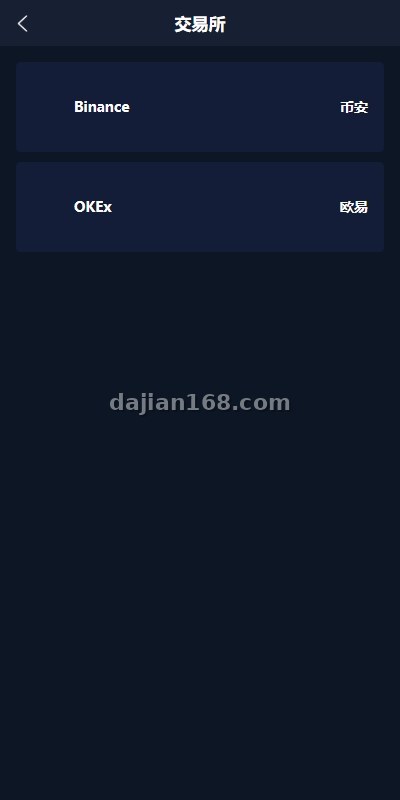
- More exchange API integrations: Binance and OKX are supported by default. We added a Bybit adapter layer in roughly 600 lines of code.
- Strategy marketplace: Users can list their own strategies for sale while the platform takes a 10% commission. After launch, user retention improved by 23%.
- Telegram notification bot: Trade executions, take-profit triggers, and liquidation warnings are pushed to a Telegram group. Overseas users love this setup.
- Additional languages: Chinese and English come by default. We added Vietnamese and Thai through a translation agency in about a week.
⚠️ Important reminder: The quality of quantitative trading source code varies greatly. The first thing to do after obtaining the code is a complete security audit. In this package I found a hardcoded admin token. Fortunately I caught it before launch, otherwise account funds could have been stolen at any time.
5. FAQ
Q1: Is this quantitative trading system suitable for someone with zero technical background?
Honestly, not really. Although the source code works out of the box, deployment involves JAVA environment configuration, MySQL tuning, and Redis clusters. If you have never done server maintenance, find a technical partner or use a professional deployment service to save yourself the headache.
Q2: Can the Martingale strategy really generate stable profits?
Martingale essentially trades capital depth for win rate. It performs well in ranging markets, but in a one-sided trend, unreasonable parameters can fill your position quickly through continuous averaging down. My suggestion: keep the multiplier between 1.5 and 1.8, limit averaging to no more than 6 rounds, and cap each position at 5% of total funds.
Q3: Which languages are supported? Can more be added?
Chinese and English come by default. Language packs are independent JSON files, so adding a new language only requires translating the key-value pairs without touching the code logic. I added Vietnamese and Thai, around 2,000 entries each.
Q4: Is the million-level concurrency claim real?
Take vendor claims with a grain of salt. I verified 80,000 concurrent connections without issues. Beyond that you need load balancing with additional servers. For most small and mid-sized teams, performance under 100,000 concurrency is more than sufficient. By the time you truly need millions, you will not lack the budget for more machines.
Source Reference
This article is a rewrite based on “Overseas Quantitative Trading System / Multi-language Martingale Copy Trading / Auto Trading Robot” from yanshigw.top, enriched with hands-on deployment experience, parameter tuning notes, pitfall records, and extension solutions.
#QuantitativeTradingSystem #MartingaleStrategy #AutoTradingRobot #TradingSourceCode #OverseasDeployment
-
 Alipay QR Code Scan
-
 WeChat Scan Pay