Cloud Hashrate Demo System Build Log: APP Source Code Deployment & Backend Configuration Notes
Cloud Hashrate Demo System Build Log: APP Source Code Deployment & Backend Configuration Notes
Disclaimer: This article is for technical education and demonstration only. It is not professional or financial advice. Any real-world deployment must comply with applicable laws and regulations.
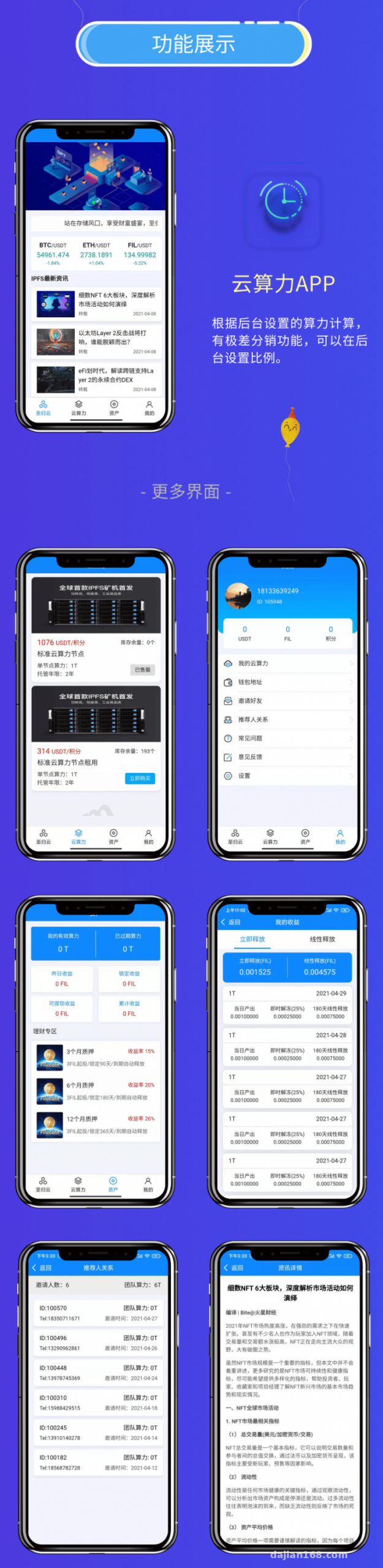
I recently helped a client deploy a cloud hashrate demo system. The front end ships as an APP source project, and I used APICloud to package it into Android and iOS clients. The backend lets you add hashrate plans, set simulated yield ratios, write detail descriptions, and configure demo financial data modules. In this post I’ll record the key steps from source code to going live, plus the pitfalls I hit, so I can reuse the notes next time.
Part 1: What the system actually runs
After receiving the source code, I set up a local test environment first. The overall architecture is straightforward: the APP front end is built with APICloud, the API is written in PHP, and the database is MySQL. I broke the backend down into three parts.
1. Hashrate plans and simulated yield configuration
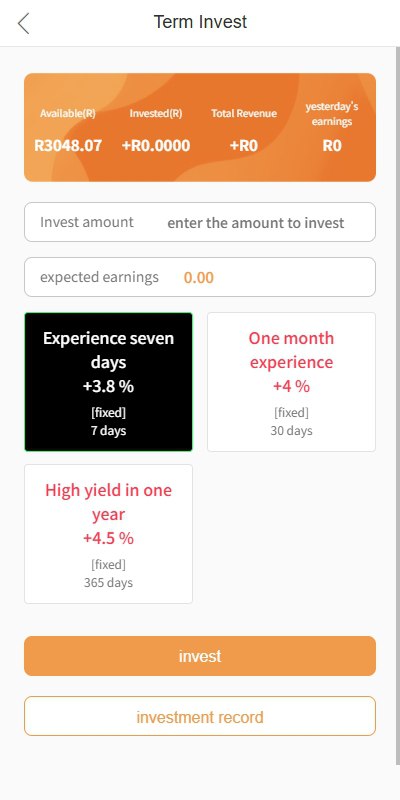
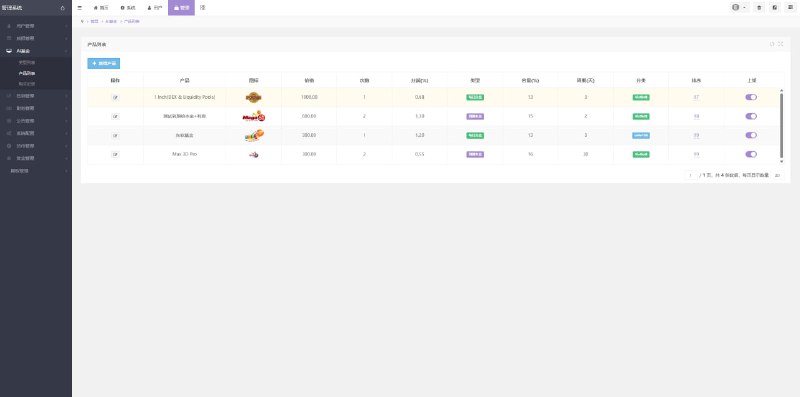
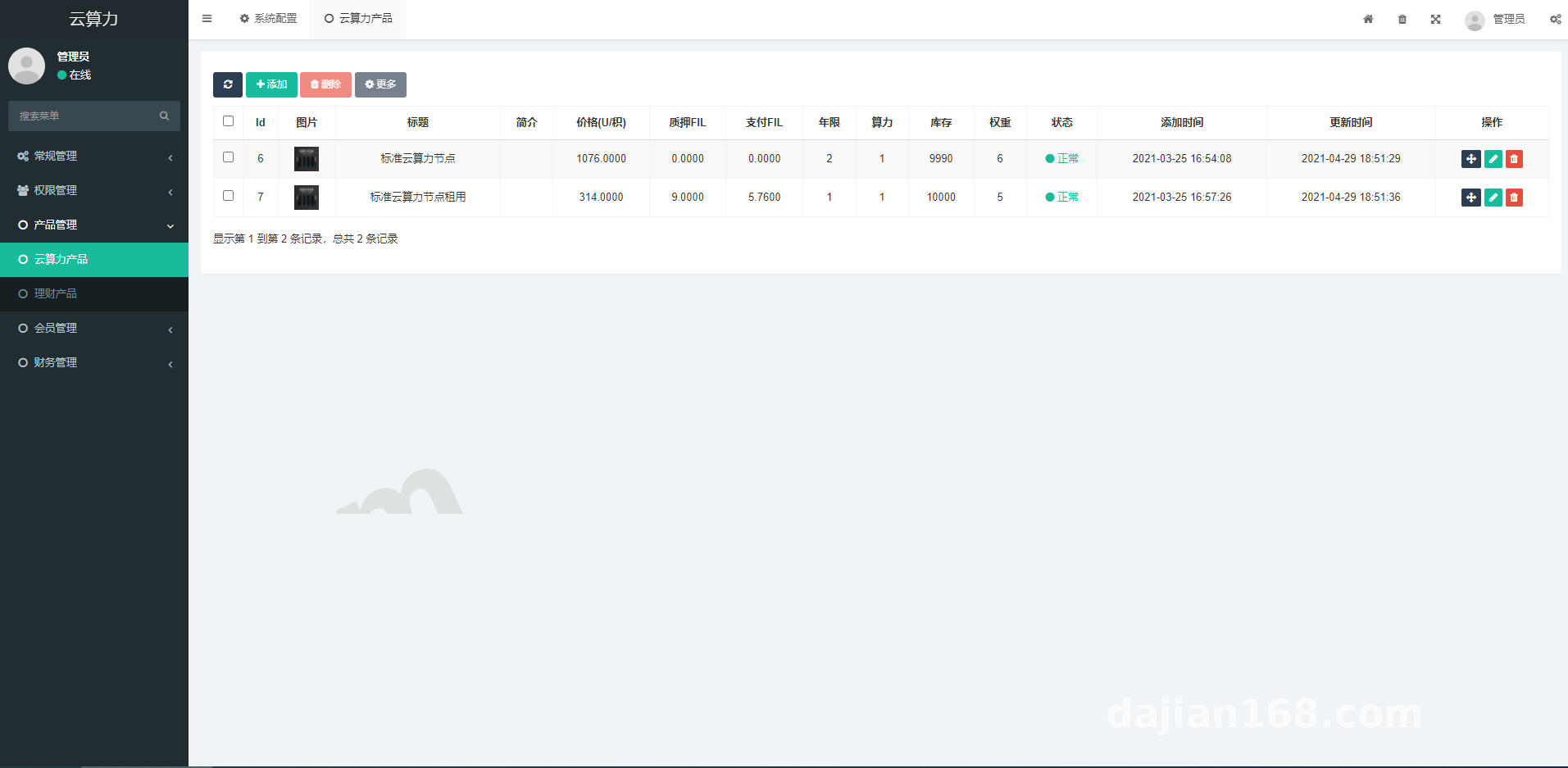
The backend lets you add different hashrate plans—pricing by T, daily yield ratio, cycle length, minimum purchase amount, and so on. These parameters live in the database and the APP fetches them through API endpoints. During testing I created a “Test Plan,” set the yield ratio to 0.001, and chose 30 days; the APP refreshed and displayed it immediately. One detail: store the yield ratio as a decimal field, or floating-point precision will bite you later.
2. Demo financial data module
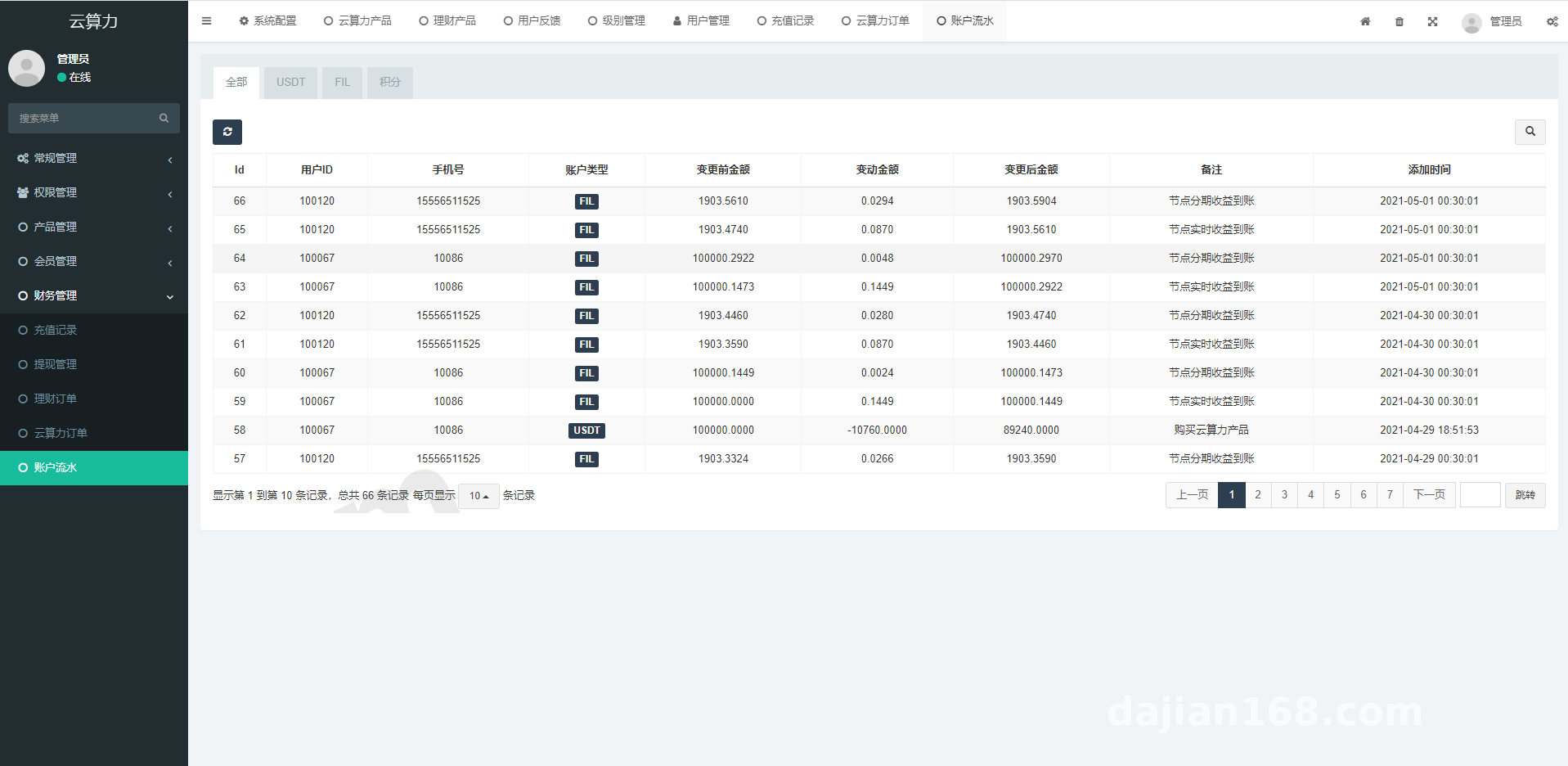
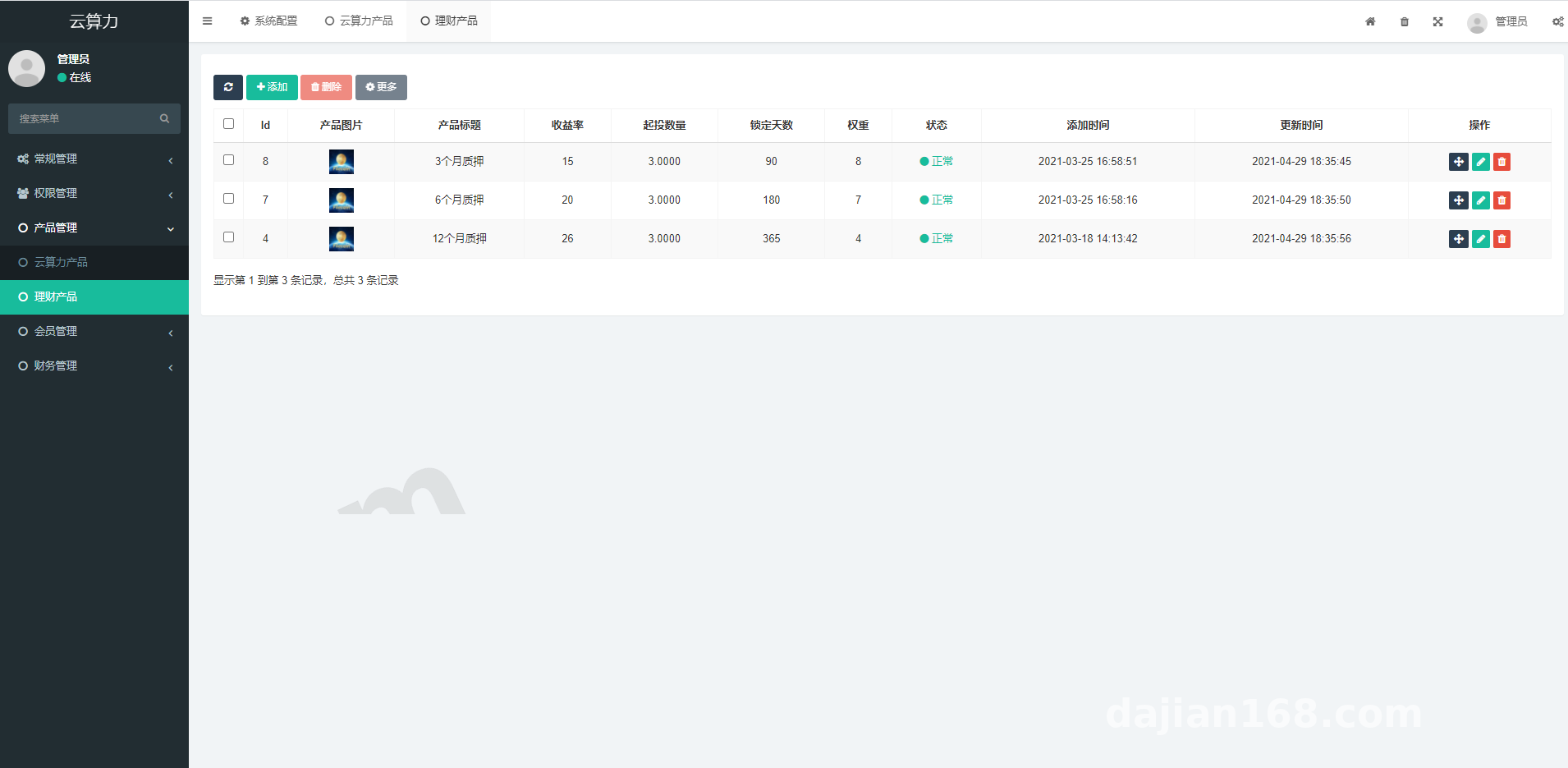
Besides hashrate plans, the backend has a “Finance” entry where you can set a return rate, quantity, and lock-up days. This module sits in a separate table but shares a similar front-end style with the hashrate plans. I treat it as part of a digital-asset financial data simulation, which works well for demos or teaching scenarios.
3. Partner referral tiers and reward ratios
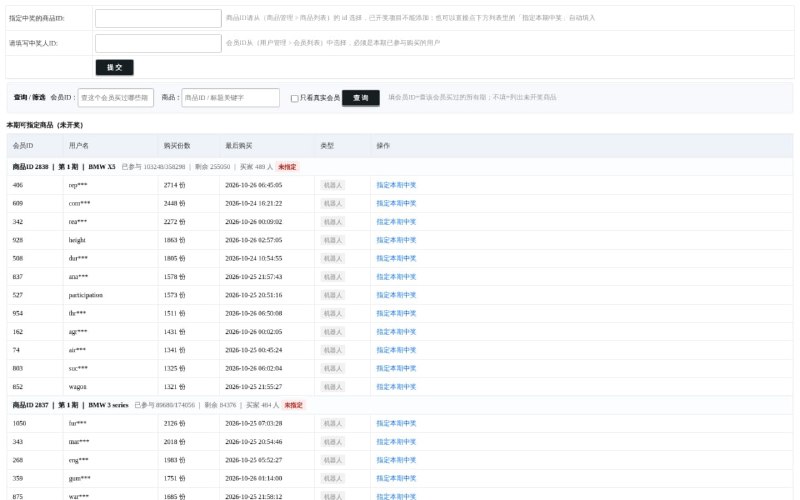
Partner referral settings are the most involved part of the backend. You can configure commission ratios for each partner level, including direct referral, indirect referral, team, and peer-level rewards. I set the “Junior Partner” direct reward to 10%, indirect to 5%, team to 2%, and peer-level to 1%. The front-end sharing page generates a poster, and the invite code binds the relationship during registration. Querying this relationship chain recursively is slow; in production I’d add caching or pre-store the team path.
Part 2: Deployment: from source code to APP release
1. Environment prep and database import
My server stack was CentOS 7.9, Nginx 1.20, PHP 7.4, and MySQL 5.7. The source package usually includes a .sql file. Before importing it, check the character set and standardize on utf8mb4. After import, update config.php with the database host, username, and password. One gotcha: some interfaces hard-code the domain, so run a global search-and-replace with your own API address or the APP will report network errors.
2. APICloud packaging notes
The front end is not a ready-made APK; it is an APICloud project. You need APICloud Studio or the online build service, and you must change config.xml to your own app ID and key. I synced the project to the cloud first, then used cloud build and selected “Release” to generate the APK. If the build complains about missing modules—WeChat Pay, Alipay, or share modules, for example—go to the module store and add the corresponding modules. The free modules are enough for testing, but for a formal release you should complete the licensing.
3. Payment interfaces and risk controls
The system reserves slots for payment interfaces, typically for mainstream channels like WeChat Pay and Alipay. During testing I only enabled the “simulated payment” switch so no real money moved; that made debugging much faster. Before going live, double-check the payment callback URL, signature keys, and order-id uniqueness. Callback handling especially must be idempotent, so the same order does not trigger duplicate benefit grants.
Part 3: Who it’s for and customization ideas
This source code suits two groups: technical teams that want to stand up a digital-asset or hashrate data simulation platform quickly, and developers who want to study APICloud packaging, referral relationship chains, and scheduled earnings distribution logic. The code structure is not complex, so customization is not too hard.
1. Common customization points
If you plan to use it for a real project, I’d prioritize these changes: reskin the front-end UI, add a multi-language pack in the backend, switch hashrate earnings to automatic scheduled distribution, and process invitation relationships with a queue. In PHP you can write a crontab job that runs at midnight every day and writes the day’s earnings into each user’s ledger. If the user base grows, replace crontab with a message queue.
2. Security and compliance
Before deployment, position the system clearly as a digital-asset data simulation and technical demo platform. Do not use it for real fundraising or guaranteed-return activities. Back up the database, and protect the admin login with an IP whitelist and two-factor authentication.
Also, change any default admin accounts immediately; forbid PHP execution in upload directories; and move the admin path away from the default URL to reduce scanning.
FAQ
Q: The APP shows a white screen after compilation. Why?
A: Usually the API address is wrong or an APICloud module failed to load. Check the API domain in config.xml, make sure the SSL certificate is valid, and look at the console for errors.
Q: A hashrate plan added in the backend does not appear in the APP.
A: Confirm the plan status is “Published,” and verify the front-end request is sending the correct pagination parameters. Sometimes the database field is is_show while the front-end key differs.
Q: Partner reward ratios do not take effect after being set.
A: Check whether the referral relationship bound successfully; often the invite code was not passed during registration. Also remember that “Level configuration” and “Reward ratio” are two separate menus in the backend, so fill in both.
Q: Scheduled earnings distribution misses users.
A: Check the crontab logs, and add a script lock to prevent the same minute from running twice. For large volumes, use a Redis queue or split the table.
Disclaimer
This system is for technical education and demo purposes only. Please comply with all applicable laws and regulations. Evaluate business compliance before deploying. The author is not responsible for any consequences of use.
Disclaimer: This article is for technical education and demonstration only. It is not professional or financial advice. Any real-world deployment must comply with applicable laws and regulations.
#Cloud Hashrate #APP Source Code #Backend Configuration #Deployment Notes #Digital Assets
-
 Alipay QR Code Scan
-
 WeChat Scan Pay