Multi-Task Distribution System Source Code Deployment: Complete Guide with Vue Frontend + ThinkPHP Backend + Queue Control
Multi-Task Distribution System Source Code Deployment: Complete Guide with Vue Frontend + ThinkPHP Backend + Queue Control
Disclaimer: This article is for technical education and demonstration only. It is not professional or financial advice. Any real-world deployment must comply with applicable laws and regulations.
Recently helped a client deploy a task distribution management system. The frontend uses Vue with a refactored UI, and the backend is a fully open-source ThinkPHP framework. The client primarily uses it for task scheduling and queue control. After testing, I found the task chain logic in this source code quite solid, so I’m sharing the complete setup process.
Source Code Architecture and Technical Stack Analysis
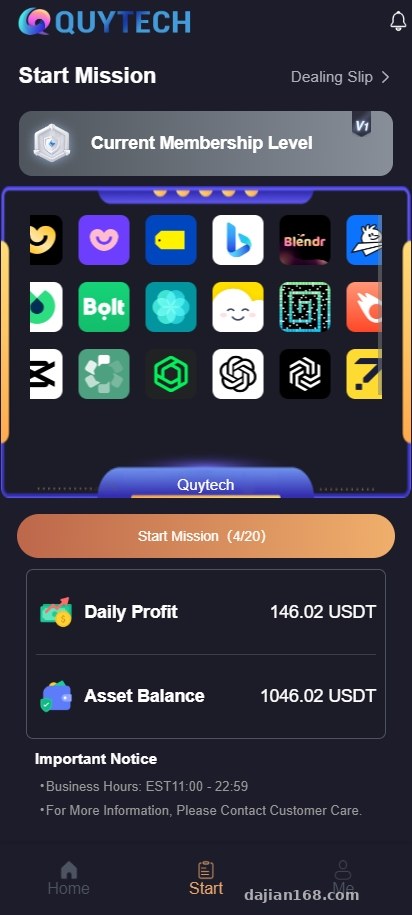
First looked at the directory structure after getting the source code. The frontend is an independent Vue project, likely using Vue3 + Vite stack, with UI components that look like a customized version of Element Plus. The backend uses ThinkPHP 6.0, with all the expected directories: application, public, vendor.
Frontend Components
The Vue code quality is decent, with components split fairly cleanly. Task lists, queue monitoring, and data statistics are all independent components, so modifications won’t affect each other. It defaults to single language, but the language packages are already extracted. If you want multi-language support, just add configurations in the i18n folder without changing business code.
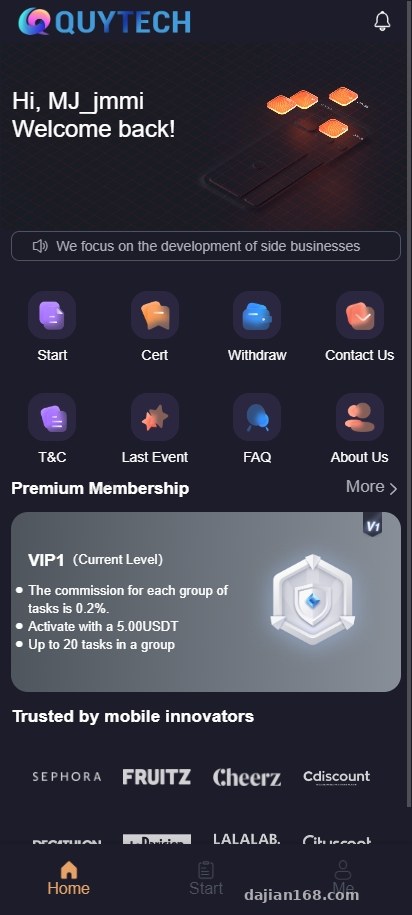
I ran it locally and it took 5 minutes for npm install to finish dependencies. npm run dev started without errors. The interface is quite modern, with comfortable dark theme colors.
Backend Features
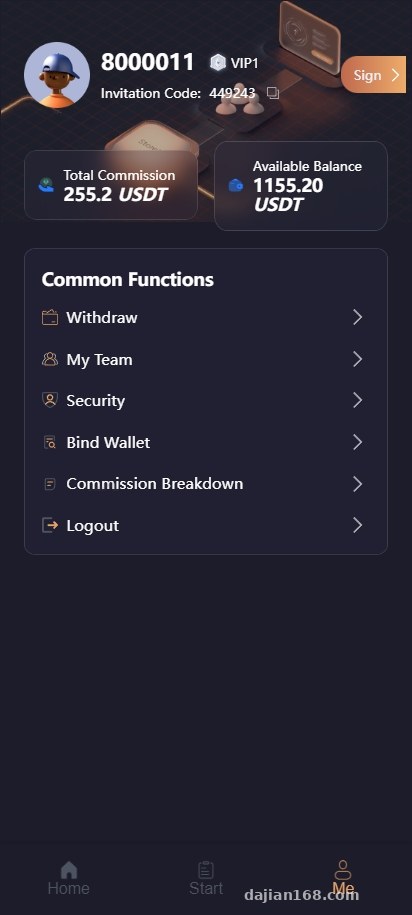
The core of the ThinkPHP side is the task scheduling module, with well-structured database table design. Let me highlight a few key features:
- Task Chain Queue: You can set task A to automatically trigger task B after completion, supporting multi-level dependency relationships. I tested a 3-layer task chain and the execution order worked correctly.
- Queue Control: Uses TP’s built-in queue driver, configurable with Redis or database queue. I prefer Redis, just change config/queue.php connection to ‘redis’.
- Task Status Management: Has all the statuses like pending, executing, completed, failed. You can manually retry failed tasks from the backend.
- Permission System: Built on RBAC, roles, menus, and permissions can all be configured in the backend without code changes.
Server Environment Deployment Key Points
For this deployment I used BT-Panel with CentOS 7.6. The environment requirements are actually not high, PHP 7.2 or above works, I installed PHP 7.4.
Environment Setup
First get the basic environment ready: Nginx 1.20, MySQL 5.7, PHP 7.4, Redis 6.0. Remember to enable PHP extensions like fileinfo, opcache, redis – just check and install them in the BT-Panel software store.
Create a new database with utf8mb4 character set. Import the sql file from the source code package, which includes table structure and initial data. The default admin account is admin with password admin888.
Backend Configuration
Upload the backend code to the website root directory and focus on changing these configuration files:
database.php: Change database connection info – hostname, database, username, password to your own.
queue.php: I changed to Redis queue, set connection to ‘redis’, then configure Redis server address in redis.php.
app.php: Change app_debug to false to disable debug mode. Set url_route_must to true for forced routing.
Use the official TP rewrite rules – just select the ThinkPHP template in BT-Panel. Set the running directory to the public folder.
Frontend Build and Upload
In the frontend project, first change the .env.production file, set VUE_APP_API_URL to the actual backend domain. Then npm run build to package, the generated dist folder contains the static files.
I deployed frontend and backend separately – created a new site for the frontend and uploaded the files from dist. You can also put frontend files in the backend public directory, depends on your preference.
Highlight feature: The task chain queue control is very practical. For example, you can set up automatic assignment of initial tasks after user registration completion, then trigger the next task after that. This kind of sequential logic is especially useful in task distribution scenarios.
Secondary Development and Multi-Language Expansion
The advantage of fully open-source code is you can modify whatever you want. I added a feature for the client – email notifications after task completion. Added email sending logic in TP’s task processing class using TP’s built-in email class, done in about ten lines of code.
Multi-Language Implementation
Frontend multi-language isn’t complicated – the Vue project already has vue-i18n integrated, just defaults to one language package. Steps I took to add English language pack:
1. Copy zh-CN.js in src/locales folder and rename to en-US.js
2. Translate Chinese fields to English (can use GPT for batch translation)
3. Add en-US reference in main.js i18n configuration
4. Add a language switcher component to the frontend, calling i18n’s locale switching method
Backend language packs are in application/lang directory, same structure – copy, change, translate. API return messages wrapped with lang() function will automatically return corresponding text based on request header language.
Who Should Use This
This source code is suitable for these types of needs:
- Platforms requiring task scheduling and distribution management
- Systems wanting automated task chain workflows
- Webmasters with secondary development capabilities wanting to customize features on open-source foundations
- Projects needing multi-language support for international markets
Not suitable for: Complete beginners who don’t know PHP and Vue, or those who just want a ready-made system without modifying code. This source code is more oriented toward technical demonstration and secondary development foundation, not a turnkey SAAS product ready for commercial use.
Common Questions
Q: What if queue tasks won’t execute?
A: First check if Redis service is running and if the php think queue:listen command is running in the background. I usually use supervisor to guard the queue process to prevent interruption. In BT-Panel you can add a Shell script in scheduled tasks to check every minute if the queue process exists.
Q: How to solve cross-origin issues when accessing API after frontend build?
A: Add cross-origin headers in backend Nginx configuration, or handle in TP middleware. I prefer configuring in Nginx, adding add_header Access-Control-Allow-Origin * and such. If frontend and backend are on the same domain, just use reverse proxy to forward API requests – no cross-origin issue.
Q: How many layers does the task chain support at most?
A: There’s no layer limit in the code, theoretically unlimited nesting. But in practice I recommend no more than 5 layers – too complex makes troubleshooting difficult. I tested a 7-layer task chain, execution was fine, just viewing the execution flow in the backend was a bit confusing.
Q: Does it support scheduled tasks?
A: Yes, TP framework has built-in scheduled task functionality. Create task classes in the command directory, register commands in config/console.php, then execute php think plus command name at scheduled intervals in server crontab or BT-Panel scheduled tasks. The source code already has several example scheduled tasks you can modify.
Deployment Summary and Precautions
The entire system setup took about 2 hours, with most time spent on frontend dependency installation and configuration adjustments. Source code quality is above average, with all core features present, but lacks detailed documentation – you need to read through the code to understand the logic.
A few points to note: Queue must have a daemon process configured, otherwise tasks stop when the server restarts; remember to increase Redis memory, default configuration might not be enough for high task volume; when building frontend, add NODE_OPTIONS with –max_old_space_size=4096 to avoid memory overflow.
This source code is suitable for webmasters with some technical foundation doing secondary development. If you have clear requirements and can modify code, this base framework can save a lot of development time. But if you’re a complete beginner or want a fully foolproof system, I’d recommend looking for mature commercial products instead.
Disclaimer: This article is for technical education and learning purposes only. Please comply with laws and regulations and do not use for any illegal purposes.
Disclaimer: This article is for technical education and demonstration only. It is not professional or financial advice. Any real-world deployment must comply with applicable laws and regulations.
#Task System #Vue Development #ThinkPHP #Queue Management #Source Code Deployment
-
 Alipay QR Code Scan
-
 WeChat Scan Pay