Smart Customer Service Ticketing System Setup: Auto-Assignment Bot Development Notes
Smart Customer Service Ticketing System Setup: Auto-Assignment Bot Development Notes
Disclaimer: This article is for technical education and demonstration only. It is not professional or financial advice. Any real-world deployment must comply with applicable laws and regulations.
Recently deployed a smart customer service ticketing system for a cross-border e-commerce client, built on the Core v6.0 framework with an auto-assignment bot and USDT digital currency top-up channel. Testing shows the system runs stably. The client’s old system had frequent queue control issues and low manual assignment efficiency. After this upgrade, the workflow is basically automated. This article documents core features and pitfalls encountered, suitable for teams needing to build customer service systems.
Core System Features Testing
The biggest highlight of this system is the auto-assignment bot. After users submit tickets, they are automatically distributed to corresponding customer service groups based on preset rules. I tested several scenarios:
Auto-Assignment Logic
The backend allows setting assignment rules, supporting automatic distribution by customer service online status, ticket type, and priority. For example, technical tickets go directly to the technical group, while after-sales complaints go to the dedicated complaint handling group. The system monitors customer service workload in real time to avoid excessive ticket accumulation for any one person. Testing showed assignment response time within 2 seconds, much faster than manual distribution.
Multi-Payment Channel Integration
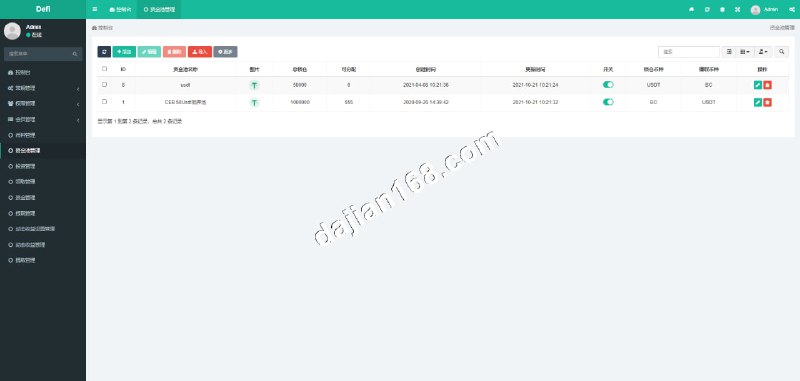
This version added a USDT digital currency top-up interface integrated with the TRC20 network. The client does cross-border business, and many overseas users prefer paying with cryptocurrency. Configuration requires filling in API keys and wallet addresses in the backend. Arrival notifications use a callback mechanism. During testing, remember to verify with a test network first to avoid issues with real funds.
Ticket Status Management
Tickets have a complete lifecycle: pending, in progress, awaiting confirmation, completed, closed. Each status transition has log records for later traceability. The backend allows manual ticket status adjustments and can set timeout auto-close rules. I configured 48-hour auto-close for unanswered tickets for the client, reducing manual cleanup workload for customer service.
Practical Tip: During deployment, recommend testing auto-assignment rules with small traffic first, observing for a week before full rollout. I encountered situations where unreasonable rule settings caused excessive pressure on certain customer service groups, which was resolved by timely weight configuration adjustments.
Deployment Environment and Configuration Points
Server Requirements
Recommended configuration starts at 4 cores and 8GB RAM, with MySQL 5.7 or higher for the database. If concurrent load is high, suggest adding Redis for caching. Ticket list refresh frequency is high, and without caching, database pressure becomes noticeable. For this deployment, I used Alibaba Cloud ECS with Ubuntu 20.04 system and PHP 7.4 environment, running stably overall.
Key Configuration Items
Several parameters in config.php need attention: auto-assignment switch, bot response interval, payment interface callback address. Especially the callback address must be configured as a publicly accessible HTTPS address, otherwise payment notifications won’t be received. During my first deployment, I used an internal IP, and test payments never arrived. It took extensive troubleshooting to discover this issue.
Secondary Development Suggestions
The source code structure is clear with MVC architecture. Customizing features isn’t too complex. The client requested adding a ticket export function, which I implemented directly in the controller layer with an Excel export method calling the PHPExcel library. The frontend uses Vue, making interface modifications convenient. Style files are all in the assets directory.
Suitable Business Scenarios
This system is suitable for teams with high customer service ticket volumes, especially cross-border e-commerce, SaaS providers, and online education platforms. Consider deployment if your business has these characteristics:
- Daily ticket volume exceeds 100, with low manual assignment efficiency
- Multiple customer service groups requiring automatic distribution by business type
- Need to support cryptocurrency payments for overseas users
- Clear requirements for ticket processing timeliness with data statistics and analysis needs
My client previously used the open-source osTicket, which had adequate functionality but weak automation, requiring manual intervention for many processes. After switching to this system, customer service team efficiency improved by at least 30%, especially during night shifts where the auto-assignment bot can handle workload equivalent to half a person.
Common Questions
Q: Will the auto-assignment bot cause uneven distribution?
A: The system has a load balancing mechanism that monitors pending ticket counts for each customer service agent in real time. If someone has too many accumulated tickets, new tickets prioritize others. The backend allows setting maximum concurrent processing volume for each agent. Once the threshold is exceeded, no new tickets are assigned. During testing, I intentionally took one agent offline, and the system immediately transferred tickets to other online agents.
Q: Is USDT payment interface integration complex?
A: Not too complex, mainly configuring API keys and wallet addresses. The system supports both TRC20 and ERC20 networks. I used TRC20 for lower transaction fees. Note that the callback address must use HTTPS, otherwise the payment platform won’t push notifications. Recommend running through the process on a test network first, then switching to mainnet after confirming everything works.
Q: Can the source code be secondarily developed?
A: Absolutely, the code structure is very clear. I added ticket priority tags, custom fields, and export reports for the client. None of these modifications were difficult. The frontend is written in Vue, so if you’re familiar with this framework, interface modifications are quick. The database table design is also well-structured, and extending fields won’t affect existing logic.
Deployment Summary
This smart customer service ticketing system has good overall completion. Core features like auto-assignment bot, multi-payment channels, and ticket lifecycle management are all practical. During deployment, mainly focus on server configuration, callback address setup, and assignment rule optimization. If you’re also looking for customer service system solutions, reference this article to avoid some pitfalls.
Final reminder: thoroughly test any system before going live, especially payment-related features. Better to spend extra time testing than rush to launch. I spent three full days testing various edge cases for this deployment. Though slower, it runs very stably post-launch, and the client is satisfied.
Disclaimer: This article is for technical education only. Please comply with laws and regulations and prohibit any illegal use.
Disclaimer: This article is for technical education and demonstration only. It is not professional or financial advice. Any real-world deployment must comply with applicable laws and regulations.
#Smart Customer Service #Ticketing System #Auto Assignment #Payment Interface #System Deployment
-
 Alipay QR Code Scan
-
 WeChat Scan Pay