Wanghu Glory Micro-Star Board Game Simulation Full Source Code Deployment Guide: Dynamic Lobby + Inventory Percentage Control Tested
Wanghu Glory Micro-Star Board Game Simulation Full Source Code Deployment Guide: Dynamic Lobby + Inventory Percentage Control Tested
Disclaimer: This article is for technical education and demonstration only. It is not professional or financial advice. Any real-world deployment must comply with applicable laws and regulations.
I recently helped a client deploy a Wanghu Glory Micro-Star board game simulation demo platform. The whole thing, from the lobby to the sub-games, loads dynamically, and the admin backend includes inventory percentage control. It took me two evenings to get everything running, so I’m writing down the process to save anyone who wants to build this demo environment some troubleshooting time.
Bottom line up front: the source code structure is a bit dated but very complete — a C++ server, client resources, and an admin backend, the classic three-piece set. The secondary development traces are obvious, and the modularization is decent. With the right environment, it’s not hard to run. The hard part is all the small configuration details, which I’ll go through one by one below.
Feature Testing: What This Demo Platform Actually Has
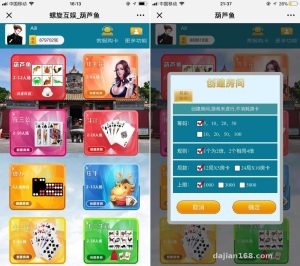
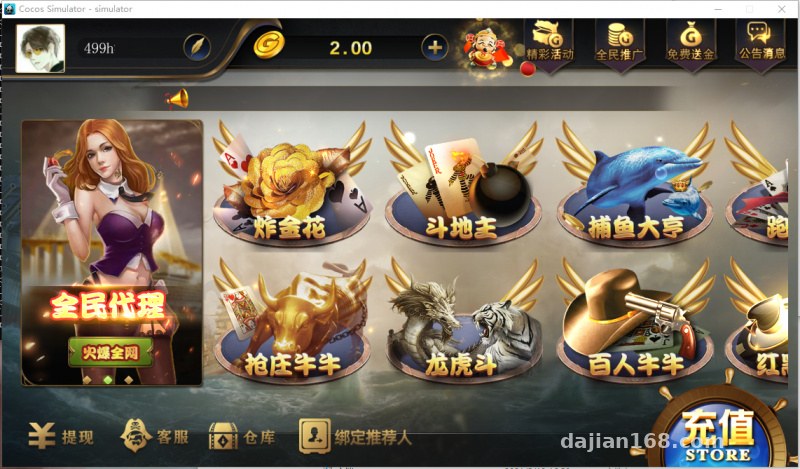
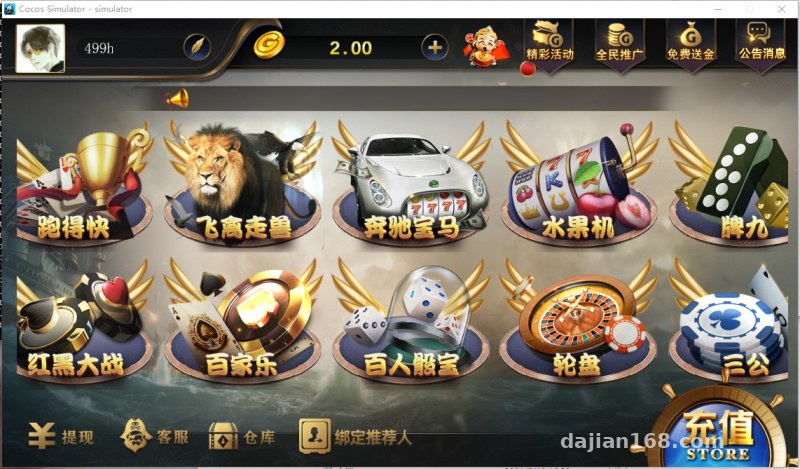
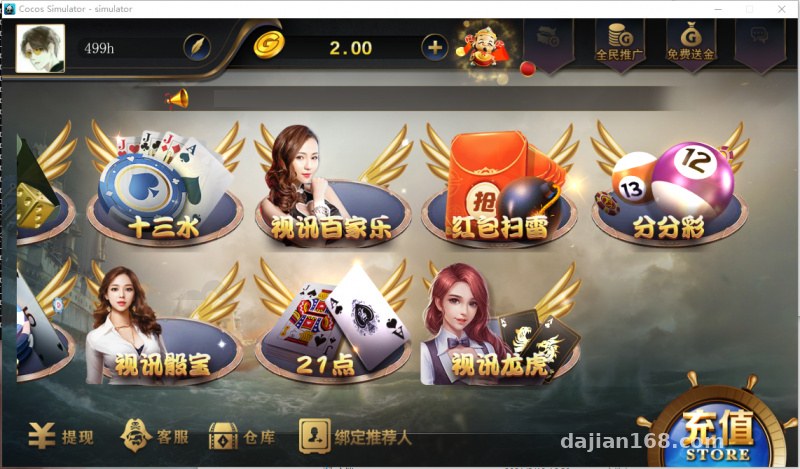
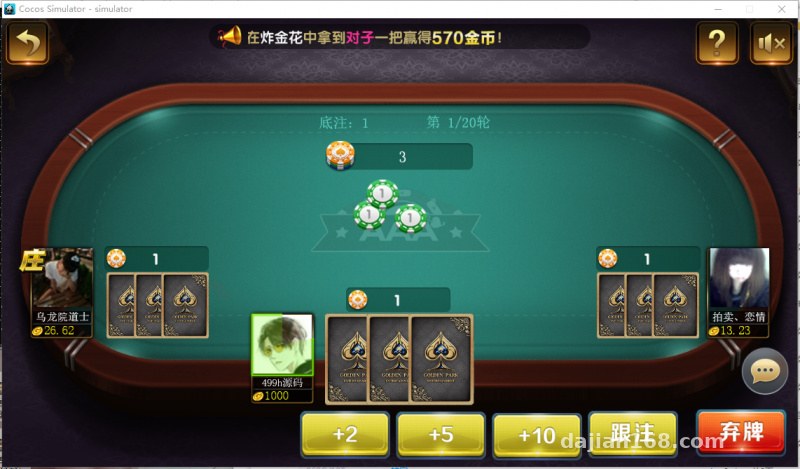
It includes quite a few simulation modules: card game demos like Golden Flower, card simulation simulation, card simulation, Pai Gow, Sam Gong, and Thirteen Water, plus random-number demo modules such as Fishing Tycoon, fruit machine, roulette, car racing, animal racing, Sic Bo, Dragon Tiger, and red packet minesweeper, along with several live-video-style demo scenes like video Dragon Tiger, video Sic Bo, and video Baccarat. In short, it’s a collection of probability simulations and random-number demos, well suited for technical showcases and algorithm research.
Fully Dynamic Lobby Sub-Games
This is the part I’m most satisfied with. The lobby isn’t hardcoded — the sub-game list is delivered through an API. Add a module in the backend, refresh the lobby, and it appears, no client recompile needed. In my test, adding a new card simulation module took about five minutes from backend configuration to lobby display, with icon upload, sorting, and on/off switches all controllable. For secondary development, this design saves a ton of grunt work.
Inventory Percentage Control
Each simulation module in the backend has its own independent inventory parameters, letting you set the return curve by percentage for demonstrating probability distribution adjustments. This feature is essentially parameterized control of random-number demos, and it’s very intuitive for algorithm showcases — change one value and the distribution of the front-end simulation results changes immediately. Note that each module’s parameters are isolated; changing A doesn’t affect B, which is a clean design.
Deployment Essentials: Environment and Pitfall Log
Environment Preparation
For the server, I recommend Windows Server 2012 R2 or above. For the database, use SQL Server 2008 R2 or 2012 — don’t use newer versions, as the ODBC drivers have compatibility issues. I got stuck for half an hour on my first attempt with constant driver mismatch errors when connecting to the database. Install all the VC++ 2010/2013 runtime components; if even one is missing, the server won’t start and won’t report an error, which is really annoying.
Configuration Workflow
The general order: restore the database → configure the data source → update the database connection in the server config → start the service engine → configure the lobby address → bind the backend. Change the backend’s default port, and rename the admin directory while you’re at it. Even though the demo environment doesn’t involve money, good security habits matter. Don’t leave localhost in the database connection string — it will fail to connect in multi-machine deployments.
Payment Interface and Multi-Language
This is purely a demo system with no real payment interface. The backend reserves interface templates, so when doing secondary development to integrate third parties, just follow the templates. For multi-language, the client resources include a language pack directory; replacing the text resources can produce an English interface. I tried switching between Chinese and English — some buttons are still hardcoded, so full internationalization requires another layer of UI resource changes.
Secondary Development Experience
Secondary development difficulty is moderate. The server modules are organized by game, with each simulation module as an independent project. Adding a new game mode means copying a project, modifying the logic, and registering it with the lobby. The client resources come with packing tools — unpack, edit images, repack — a mature workflow. A pitfall I hit: module IDs in the registration table must be unique. Duplicate IDs cause a white screen when the lobby loads, and it took me a long time to discover I’d forgotten to change the ID when copying the project.
Highlight tip: the dynamic lobby and inventory percentage control are the core value of this source code. They’re extremely intuitive for probability algorithm demos and teaching displays. I recommend exploring each module’s parameters in the backend after deployment before showing it to others.
Who It’s For
Suitable for technical teams doing random-number algorithm demos, probability simulation teaching, or board game product prototype showcases, and also good for developers taking secondary development projects to practice on. Not suitable for anyone planning to run it directly in production for real business — this is positioned as a demo and research system.
FAQ
Q: What server specs are needed?
A: For a single-machine demo, 4 cores and 8GB RAM is enough, handling up to 30 concurrent users without issue. For more users, split the database onto its own machine — separating the service engine and the database is much more stable.
Q: Can I remove sub-games myself?
A: Yes, just disable or delete them directly in the backend module list. The lobby loads dynamically, so the client doesn’t need touching. I suggest keeping a few core modules for the demo — having everything on looks cluttered.
Q: Can I set this up without source code experience?
A: Following the documentation, it should basically run, but issues like the server not starting or the database not connecting still require some troubleshooting ability. I recommend practicing once on a local virtual machine before using a real server.
Q: The inventory percentage change didn’t take effect?
A: Ninety percent of the time it’s because the corresponding service module wasn’t restarted. After changing parameters, you need to restart that module’s engine process to load the new config — remember to check in the backend that the module status turns green.
Disclaimer: This article is a technical deployment note only. The related source code is for learning, research, and technical demonstration purposes only. Users must comply with applicable laws and regulations, and any unlawful use is prohibited.
Disclaimer: This article is for technical education and demonstration only. It is not professional or financial advice. Any real-world deployment must comply with applicable laws and regulations.
#Source Code Deployment #Wanghu Glory #Deployment Notes #Secondary Development #Simulation Demo
-
 Alipay QR Code Scan
-
 WeChat Scan Pay