Fishing Arcade Demo System Setup Log: Cocos Frontend + Admin Panel Deployment Notes
Fishing Arcade Demo System Setup Log: Cocos Frontend + Admin Panel Deployment Notes
Disclaimer: This article is for technical education and demonstration only. It is not professional or financial advice. Any real-world deployment must comply with applicable laws and regulations.
I recently helped a client who needed a game demo deploy a single-game fishing arcade demo system. The frontend is built with the Cocos engine, and the UI is genuinely well polished. After two-plus days of tinkering, I’m writing down the process and the pitfalls I ran into, as a reference for anyone else planning a similar arcade-style demo project.
Hands-On Review: What This System Actually Offers
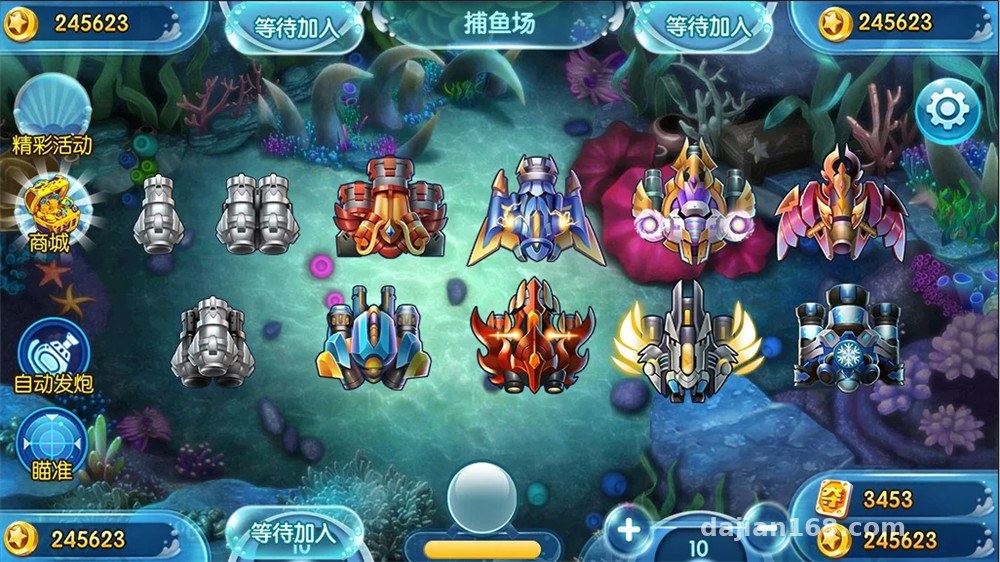
Short version: the completeness exceeded my expectations. The single-game fishing gameplay is a full closed loop — turret switching, bullet firing, fish swimming paths, hit detection, and coin settlement are all there. The H5 build packaged from Cocos runs smoothly in mobile browsers, holding a stable frame rate around 60fps.
Frontend Performance
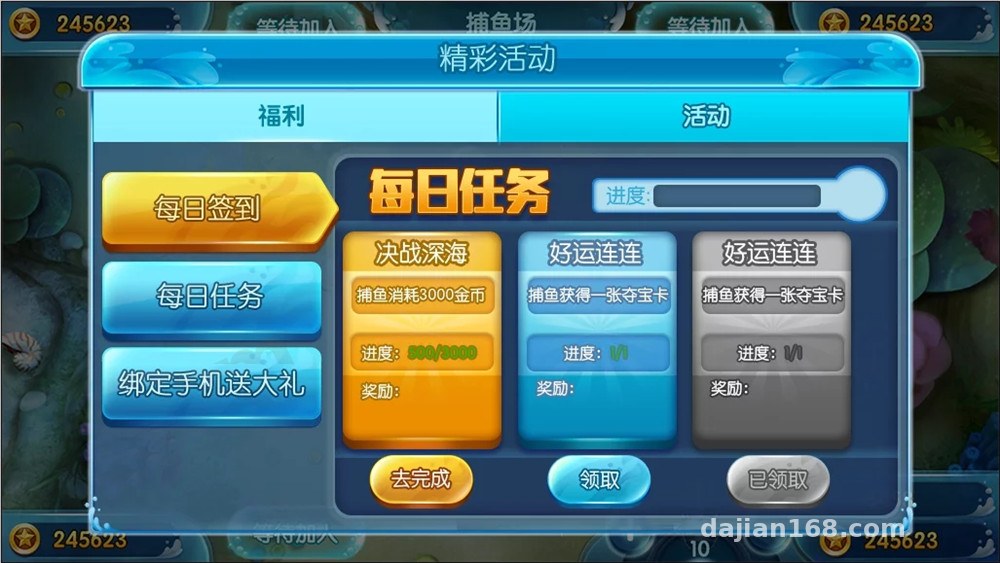
The UI is built in layers, scene transitions have animation, and the turret upgrade effects aren’t just thrown together. Assets are packed into atlases; initial load took about 3 seconds, and after adding a CDN it dropped to just over 1 second. If you want to customize it, the atlas and config file structure is fairly clear. Parameters like turret multipliers and fish spawn rates are adjustable from the admin panel — no code changes needed.

Admin Panel
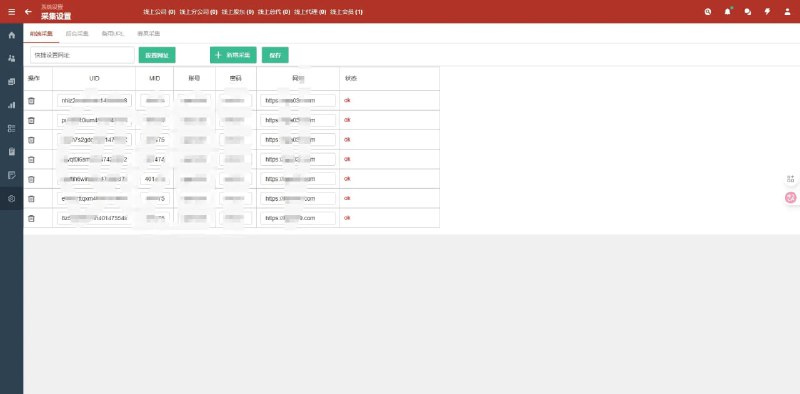
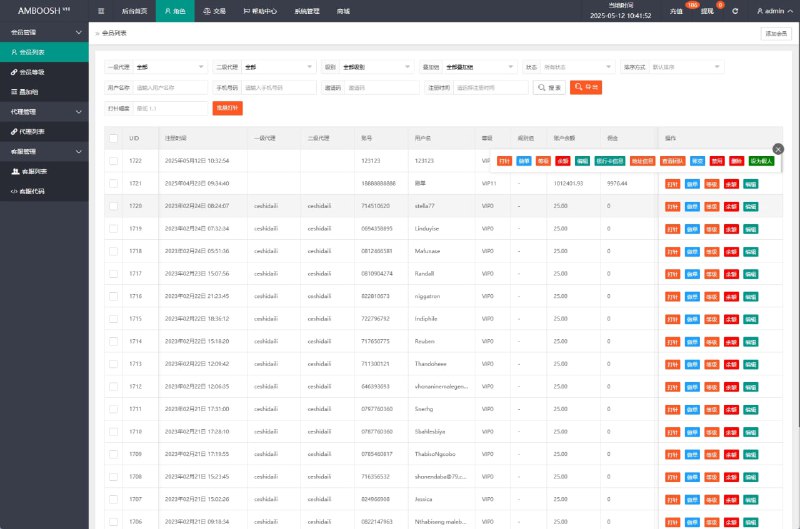
The backend is written in PHP and includes:
– User management: registration, bans, coin adjustments
– Parameter configuration: turret multipliers, fish appearance rates, hit-rate demo parameters
– Data reporting: daily active users, coin flow (simulated values) reports
– Announcement and support entry configuration
The probability simulation part is fairly detailed — you can set separate random-number demo curves per fish species, which makes it very convenient to observe value changes during testing.
Deployment Essentials: Don’t Skip These Steps
Environment Prep
I used a 2-core 4GB server with CentOS 7.9, Nginx + PHP 7.4 + MySQL 5.7. The frontend H5 package just goes straight into the Nginx site directory — but make sure MIME types are configured correctly, otherwise Cocos’s wasm resources will fail to load. That pitfall cost me half an hour, and the error message wasn’t obvious at all.
Database Import
The source code ships with a complete SQL file. After importing, remember to update the database connection info in the backend config. One hidden detail: the default admin path is not /admin — check the documentation. The first thing to do after deployment is change the default account credentials and the admin path.
Frontend Customization Tips
If you want to reskin it, focus on the atlases and localization files under the resources directory. Multi-language support is built in — the Chinese/English switch config lives in the i18n folder, and adding a language is just copying and translating a JSON file. The client wanted the UI’s primary color changed to a blue palette; adjusting the atlases plus a few interface parameters took half a day.
Tip: after modifying Cocos source code, always rebuild using the bundled build script. Editing the published output directly means it gets overwritten on the next build — don’t ask me how I know.
Who This Is For
This system suits three groups of people: frontend developers who want to build arcade-style H5 demo projects — the Cocos code structure is clean and it works well as a learning template; game numerical designers — the admin panel’s probability simulation and value reports can be used directly to run test data; and full-stack beginners who want a complete front-and-back project to practice on — deployment difficulty is moderate, a good exercise in Nginx configuration and database maintenance.
FAQ
Q: What’s the minimum server spec?
A: 1 core / 2GB will run it, but it lags when many people are in the demo at once. I’d recommend at least 2 cores / 4GB, 5M bandwidth minimum, and serving frontend assets via CDN for better stability.
Q: Does it support mini-program clients?
A: The source is mainly the H5 version. The Cocos engine itself supports exporting WeChat mini-games, but you’d need to handle login and payment API integration yourself — roughly two to three days of extra work.
Q: Can I freely change the numerical parameters in the admin panel?
A: Yes. Probability and multiplier settings are all visually configurable in the panel and take effect immediately. However, it should only be used for technical demos and numerical testing. All use must comply with applicable laws and regulations; any unlawful use is prohibited.
Q: The game won’t open after deployment — what now?
A: Nine times out of ten it’s a resource path or MIME configuration issue. Check the browser console for errors first, verify Nginx’s wasm and JSON type mappings, then confirm the database connection is working.
Overall, the code quality is above average for its category. The documentation is thin, but the code comments are sufficient. If you run into deployment issues, feel free to discuss in the comments — I’ll reply when I see them.
Disclaimer: This article is for technical education and demonstration only. It is not professional or financial advice. Any real-world deployment must comply with applicable laws and regulations.
#Cocos #Source Code Setup #H5 Games #Deployment Notes #Game Development
-
 Alipay QR Code Scan
-
 WeChat Scan Pay