Probability Simulation Result Publishing System: Random Draw Video and Admin Panel Deployment Notes
Building a Probability Simulation Result Publishing System: Random Draw Video and Admin Panel Deployment Notes
Disclaimer: This article is for technical education and demonstration only. It is not professional or financial advice. Any real-world deployment must comply with applicable laws and regulations.
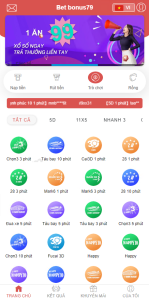
I recently helped a client deploy a probability simulation result publishing system, and the requirements were quite specific: scheduling rounds by hand in the admin panel, playing a random draw video on the front end as a process demonstration, publishing results batch by batch, plus payment gateway integration and multi-language support. Off-the-shelf templates for this kind of system are not hard to find, but once you get one running the trouble tends to cluster in the same few spots: the video and the results drift out of sync, round numbers get generated in a mess, and missing URL rewrite rules leave every API call returning 404. Below are the parameters I recorded and the traps I hit during those days of deployment, so the next person saves some time.

1. Functional Walkthrough: How Manual Round Creation Runs
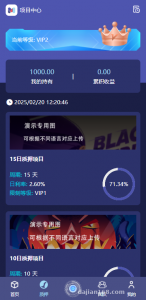
The source is a PHP management back end. After installation you go to /admin, the default account and password are in the readme, and the first thing you do is change them. The flow is straightforward: create a batch in the admin panel → the front end shows it by batch → results are published → the batch gets archived.
1.1 Round Number Generation and Batch Management
Round numbers are my favorite part. The admin panel lets you add them by hand or generate them in bulk by rule, for example a date prefix plus a sequence number like 20240612-001. In testing, generating 200 of them took under a second with no duplicates, because the table uses an auto-increment primary key and I put a unique index on the round number column. One warning: create that unique index before importing the initial data. I loaded test data first and added the index afterwards; two duplicate rows locked up the SQL statement and it took me a good while to clean them out.
1.2 Random Draw Video and Result Publishing Linkage
The front end plays a video file uploaded through the admin panel, and when playback finishes it triggers a result refresh automatically. Video goes to local storage and is served statically by Nginx; a 30-second 720P mp4 loaded its first frame in about 1.2 seconds in testing. One detail I liked: the video path lives in a config table instead of being hard-coded into the template, so swapping footage needs no code change. The result page uses AJAX polling at a 3-second interval, and with around a hundred people online the server load stayed low.

2. Deployment Essentials: Environment, URL Rewrite, and the Usual Traps
My environment was CentOS 7.9, Nginx 1.20, PHP 7.4 and MySQL 5.7, and it ran stably for over a week.
2.1 PHP Extensions and Directory Permissions
You need fileinfo, gd, bcmath and pdo_mysql. Without gd, thumbnail generation in the admin panel just gives you a blank page with a very unhelpful error. Set runtime and uploads to 755 owned by www — do not take the easy way out with 777. Raise the PHP upload limit to 200M, because video assets are often tens of megabytes and the default 2M will reject them outright. My first video upload died there; the admin panel only said upload failed, and the log showed upload_max_filesize exceeded.
2.2 URL Rewrite Rules
The usual ThinkPHP rules: paste the official location block into your server block. After that, hide the index.php entry point, otherwise search engines index a pile of duplicate pages with index.php in the URL, which is bad for SEO. While you are in there, add an expires rule for static assets with a 7-day cache on video and images; repeat visits get noticeably faster.
2.3 Payment Gateway Integration
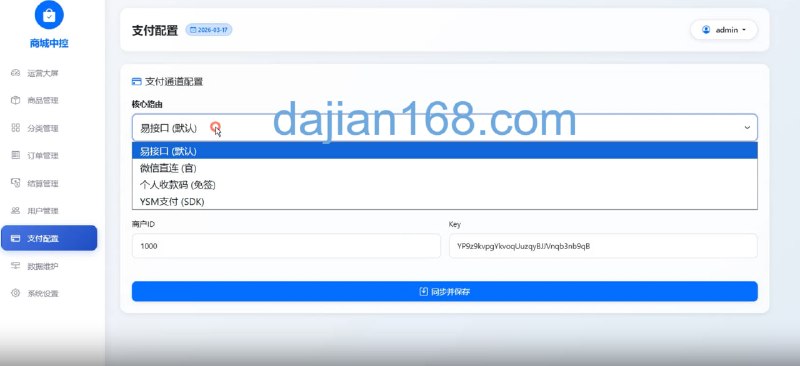
The admin panel ships with a payment configuration page supporting two modes, EPay and the official gateway. Fill in merchant ID, key and async notification URL — the callback address must be a public https endpoint, and for local debugging a reverse tunnel works fine. Once configured, always run a 0.01 test order and watch whether the order status flips from pending to paid. I ran into a callback that skipped signature verification and never updated the status; adding an md5 check fixed it.
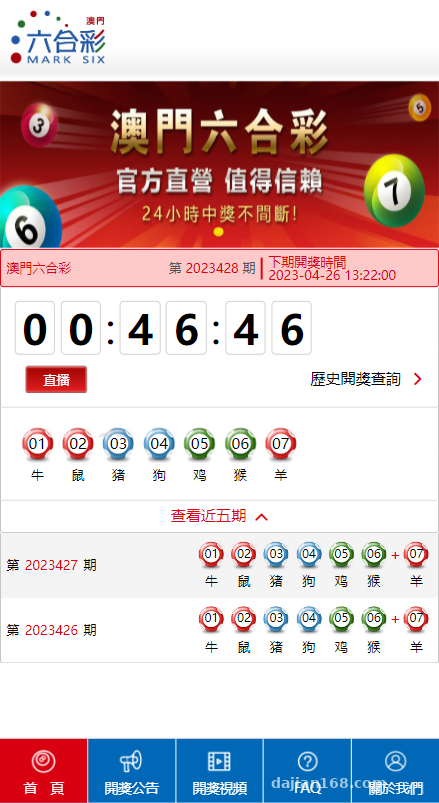
Highlight: every configuration item sits in a single config table — site name, video path, announcements, the multi-language switch. A few clicks in the admin panel and it is changed, no code touched. When customizing, read that table directly; it beats grepping the templates for global variables by a factor of ten.
3. Multi-language and Room for Customization
Language packs live in /lang, one file each for zh-cn, en and zh-tw, in plain key-value array format. To add a language, copy a file, rename it, and add an entry to the language switcher in the admin panel — no routing changes. Templates call values as {:$lang.xxx}, which showed no caching issues in testing.
On the customization side, the API layer has simple token authentication, and several methods under /api return JSON, ready for a mini program or an internal system integration. I added a data export that dumps batch results to Excel using PhpSpreadsheet. Watch the version: composer-installed releases must match PHP 7.4, and the newest 2.x throws syntax errors straight away. That cost me an hour for nothing.
4. Who This Suits
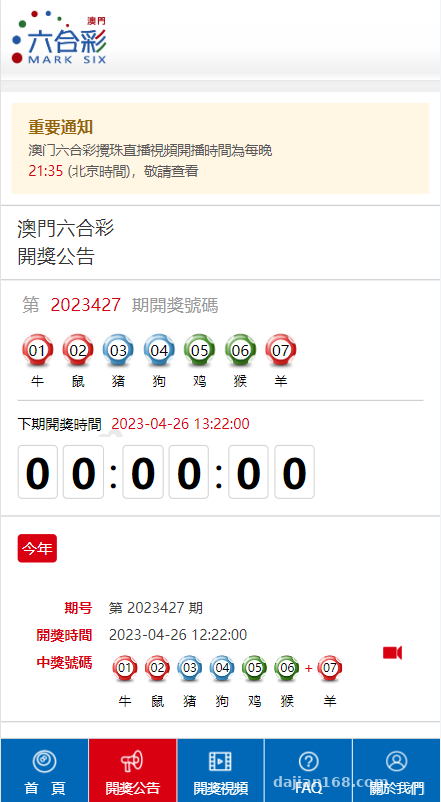
Honestly, this system fits demonstration and teaching scenarios better than production: a result-publishing animation demo for an operations team, or a visualization of how random number generation works in a classroom. The source structure is clear enough that anyone with basic PHP knowledge can follow it, and changing the styling is enough to make it yours. Complete beginners should get the environment running first rather than editing code on day one, otherwise you will not even know where to look when an error appears.
FAQ
Q: I added a batch in the admin panel but the front end does not show it. Why?
A: Usually caching — clear the runtime directory first. Then check whether the batch status is set to unpublished. Another common cause is a UTC time field: the front end filters by local timezone and the batch falls outside the window. Change the timezone in config to Asia/Shanghai and it appears.
Q: The random draw video stutters or shows a black screen. What should I check?
A: Start with the codec. H.264 has the best compatibility; some browsers will not touch HEVC. Then check whether Nginx is gzipping mp4 — do not compress video files, it makes delivery slower. Finally verify file permissions: if the www user cannot read the file, you get a black screen.
Q: Can result publishing be automated?
A: Yes. Add a crontab job that scans for pending batches every 5 minutes and marks them published when due. Watch out for concurrency: update the status first, then query the data, or use a row lock to avoid double execution. Manual mode is actually steadier, so it depends on your real needs.
Q: What matters when migrating to another server?
A: Export the database, archive the whole site directory, and do not miss the videos in uploads or the cache files in runtime. After migration, update the database connection config, clear runtime, and reconfigure the rewrite rules. Those three steps and it usually runs.
I ran this system for a bit over a week without major stability issues. Deployment is not something to rush: get the environment, permissions and rewrite rules straight, and everything else is small patching.
Disclaimer: The system described here is for technical learning and feature demonstration only. Please follow applicable laws and regulations and do not use it for any unlawful purpose.
Disclaimer: This article is for technical education and demonstration only. It is not professional or financial advice. Any real-world deployment must comply with applicable laws and regulations.
#System Setup #Deployment Notes #Random Draw Video #Admin Panel #Probability Simulation
-
 Alipay QR Code Scan
-
 WeChat Scan Pay