Facebook Embedded No-Login Ad Delivery System | Fully Open-Source Solution with Java Backend and Vue Frontend
Facebook Embedded Login-Free Advertising System | Fully Open-Source Solution with a Java Backend and Vue Frontend
Honestly, when I first got my hands on the source code for this system, I spent the better half of the night just figuring out the overall architecture. It is completely different from the flashy rebranded projects on the market. Automatic Facebook account identification combined with a login-free experience really impressed me. I decided to share the complete deployment process and break down the core features so that anyone who needs it has a useful reference.

1. System Architecture and Core Features
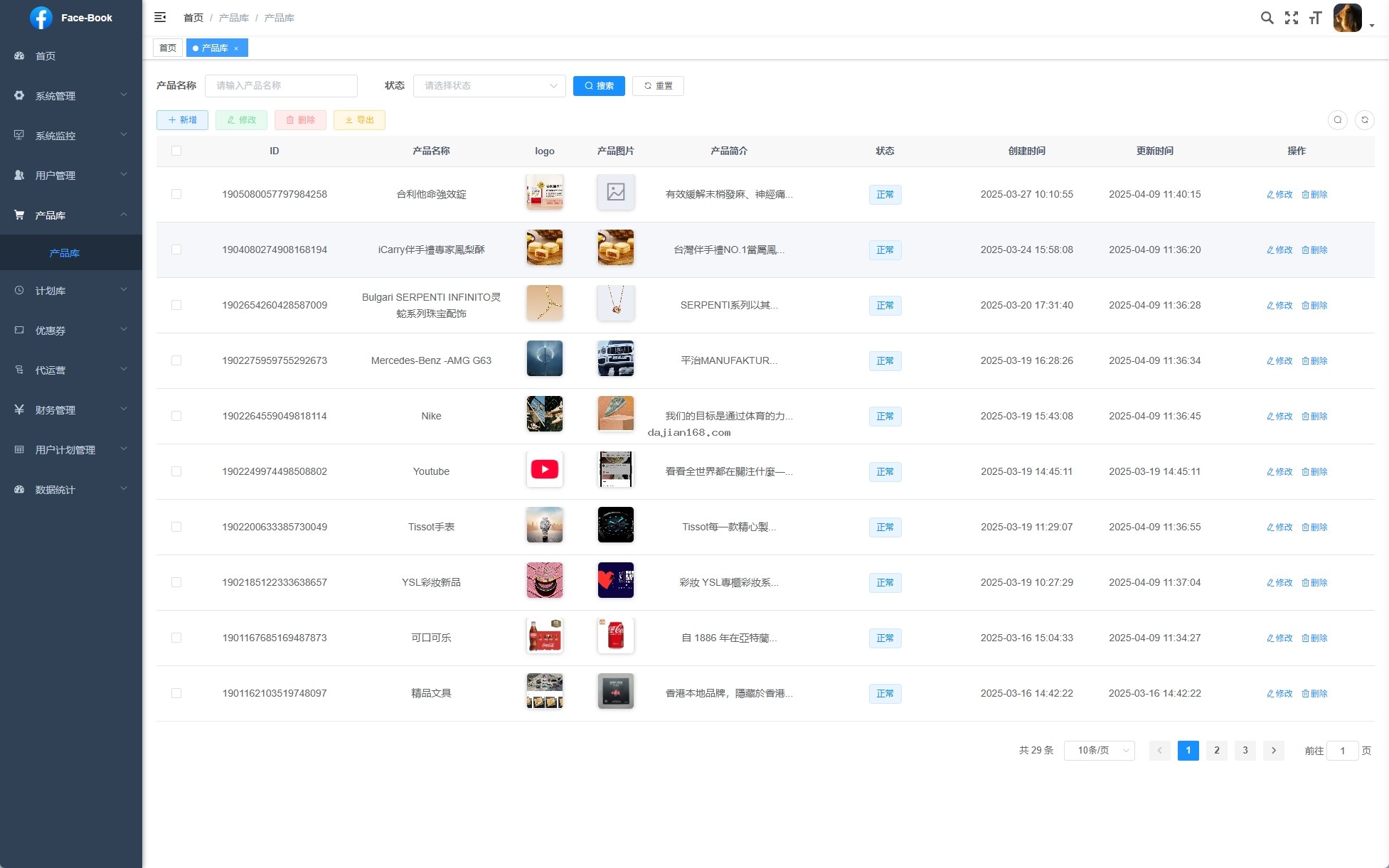
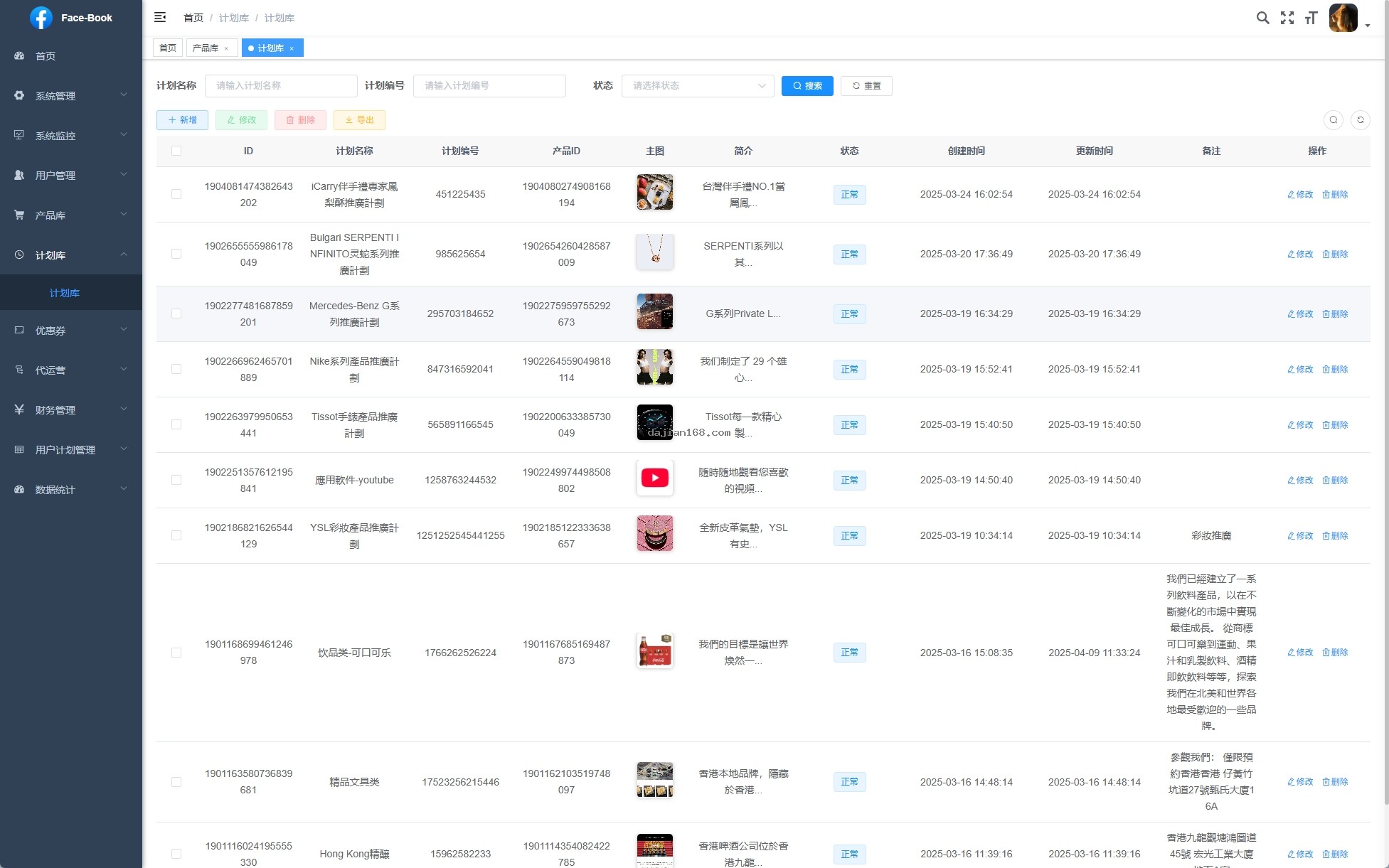
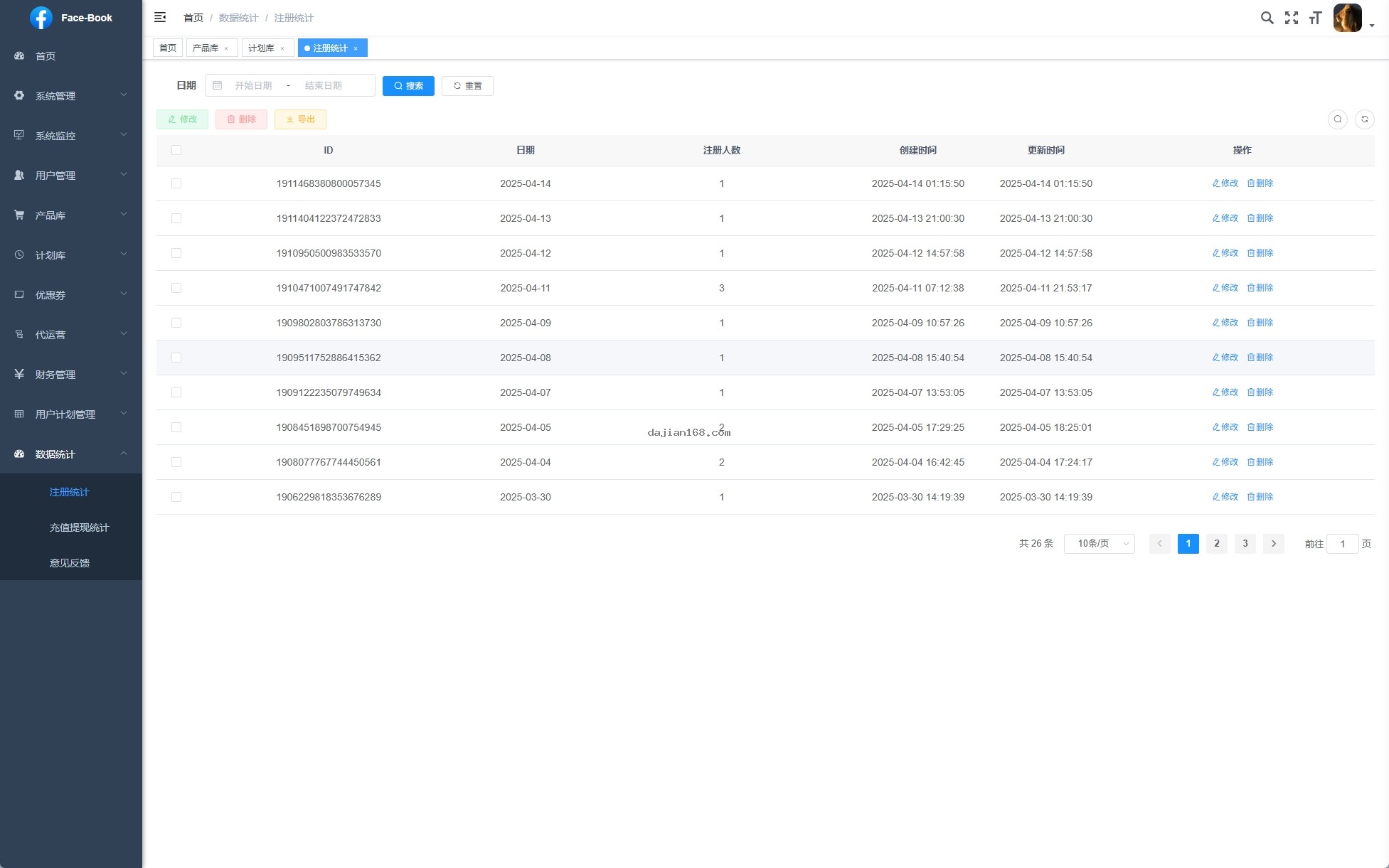
This Facebook embedded login-free advertising system uses the industry’s mainstream decoupled front-end and back-end architecture. The back end is powered by Java, while the front end is developed with Vue. The complete source code is available for further development. The system focuses on two core modules: advertising and campaign management. They are seamlessly integrated, allowing users to monitor campaign performance directly while managing advertising campaigns, with virtually no latency in data synchronization.
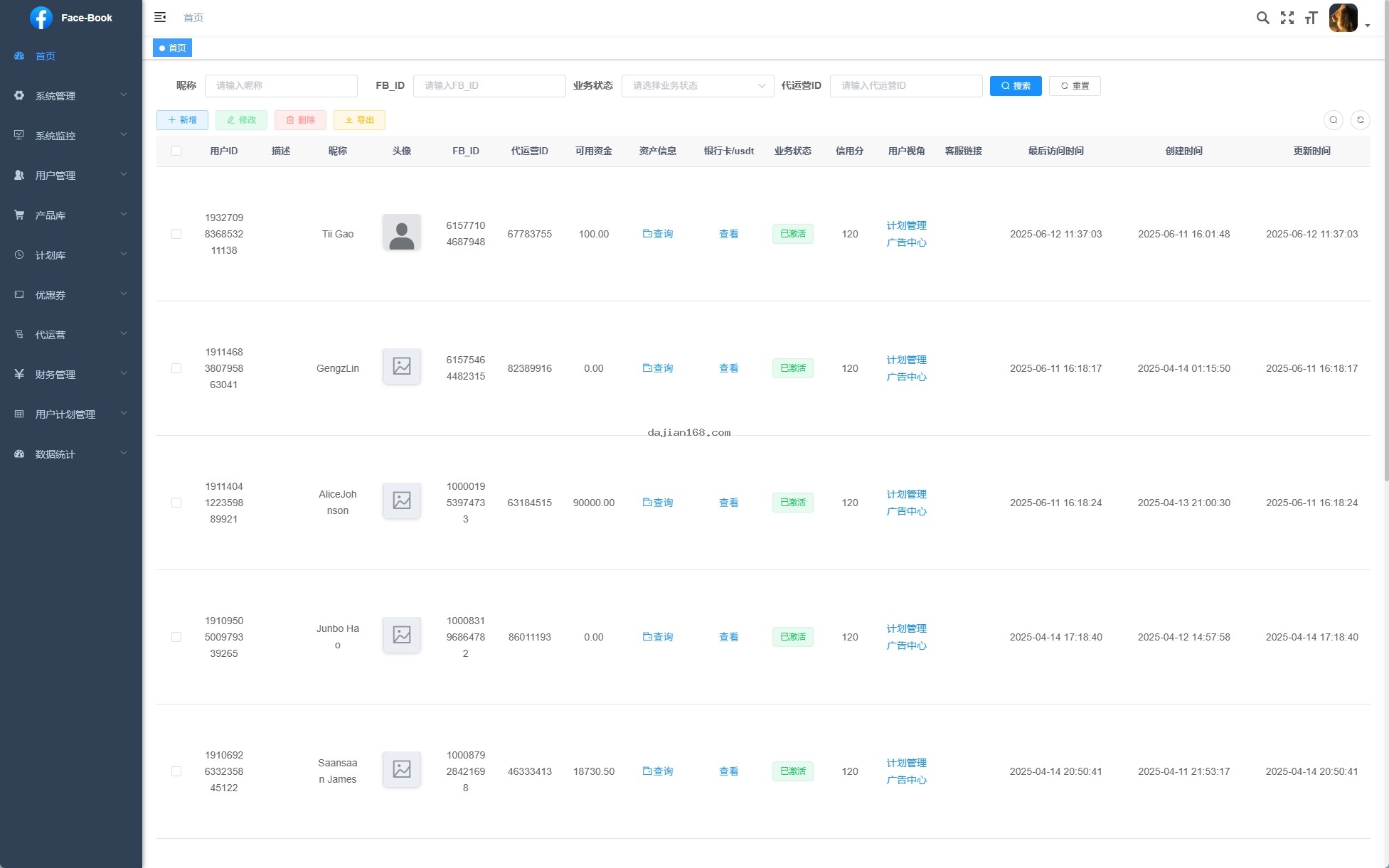
- Advertising Center and Campaign Management System: Deeply integrated and covering the entire workflow of ad creation, delivery, monitoring, and optimization, with support for multidimensional targeting strategies based on geography, time, user profiles, and more
- Login-Free Experience: Uses innovative technology to identify Facebook accounts automatically, allowing users to access the system without logging in again, significantly lowering the barrier to entry and improving user retention
- Cross-Platform Support: Includes mobile applications for iOS and Android as well as a web version, enabling unified management across all platforms through a single back end with real-time data synchronization
- Flexible Embedded Link Replacement: Embedded links can be replaced with any application, making it easy to create a dedicated app with custom redirect logic and parameter passing
- Advertising Campaign Management: Allows advertisers to create multiple campaign plans, view campaign performance reports in real time, and take advantage of A/B testing and intelligent optimization recommendations
2. Deployment Preparation and Environment Requirements
- Server configuration: Minimum of 2 CPU cores and 4 GB of RAM; 4 cores and 8 GB are recommended; CentOS 7.x or Ubuntu 20.04
- Java environment: JDK 1.8+ installed and JAVA_HOME configured
- Maven or Gradle build tool
- MySQL 5.7+ database environment
- Node.js 14+ and npm (for building the Vue front-end project)
- Nginx reverse proxy configuration
- Facebook developer account and App Key configuration
- SSL certificate (a free Let’s Encrypt certificate is recommended)
3. Common Issues and Solutions
1. Automatic Facebook Account Identification Fails
If you encounter problems with account identification, first check whether the application permissions on the Facebook Developer Platform have been fully configured, particularly whether the user_friends and email permissions have been requested. Next, make sure the OAuth callback URL is correct and matches the actual deployment domain.
2. Advertising Campaigns Cannot Be Synchronized
When the Advertising Center and Campaign Management modules fail to synchronize, the issue is usually related to API configuration. Go to System Admin – Ad Management – API Configuration and check whether the App ID and App Secret are correct. Also confirm that the server clock is synchronized with Beijing time, as a time-zone discrepancy can cause signature verification to fail.
3. The Login-Free Feature Stops Working
The login-free feature relies on browser cookies and local storage. If users clear their cache, their login state will be lost. In production, it is recommended to configure a Redis cluster to maintain session state and prevent session inconsistencies in distributed deployments.
4. Mobile Compatibility
If the layout is misaligned on iOS, check whether incompatible CSS flexbox syntax is being used. On Android, using the X5 engine is recommended for better WebView compatibility.
4. Secondary Development and Customization Guide
The Vue front-end code has a clear structure and a high degree of componentization, making it well suited to customized development. The advertising component is located in the /src/components/ad/ directory, while the campaign management component is located in /src/views/plan/. New functional modules can be added or existing ones modified according to actual business requirements. The Java back end uses the Spring Boot framework and follows RESTful API design conventions. It includes comprehensive API documentation, and secondary development documentation is provided along with the source code.
Replacing embedded links is the most common customization requirement. You only need to enter the target application’s URL address and any required parameters under System Admin – App Management – Embedded Settings to switch between applications with one click. The system supports encrypted parameter transmission to ensure data security.
💡 Important Notice: Before deploying this system, make sure that you have the legal qualifications to run advertising campaigns and permission to use Facebook advertising accounts. Unauthorized bulk advertising may violate Facebook platform policies and result in the account being banned. This system is provided solely as a technical architecture reference and must be used in compliance with local laws and platform rules.
5. Frequently Asked Questions (FAQ)
Q1: How many concurrent users can the system support online at the same time?
A1: With a 4-core, 8 GB server configuration, a single node can support approximately 500–800 concurrent connections. For higher concurrency, a clustered deployment with Nginx load balancing and Redis session sharing is recommended, which can theoretically scale linearly to tens of thousands of concurrent connections.
Q2: Is the passwordless login feature secure?
A2: The system uses a dual-verification mechanism combining JWT tokens with device fingerprints, and the entire user identification process is encrypted in transit. Compared with traditional username-and-password login, passwordless login is actually more resistant to brute-force attacks because attackers cannot obtain static credentials.
Q3: Can advertising data reports be exported?
A3: Yes. The system includes a built-in data export feature that supports Excel and CSV formats. Reports include key metrics such as impressions, click-through rate, conversion rate, and ROI. Custom time ranges and dimension filters are supported.
Q4: Are there any restrictions on using the source code?
A4: The source code is fully open source and may be used commercially, but it may not be used for illegal purposes. It is recommended to consult a professional legal advisor before deployment to ensure that the business model complies with local laws and regulations.
Q5: Does the system support multiple languages?
A5: The current version primarily targets the Chinese market, with most interface text hard-coded. Multilingual support requires additional development of the frontend internationalization (i18n) configuration.
#FacebookEmbeddedSystem #AdCampaignSystem #PasswordlessLoginSystem #JAVADevelopment #CrossPlatformSupport
⚠️ Compliance Notice: This content is provided solely for technical exchange and learning purposes. Do not use it for any illegal activities or unauthorized commercial promotion. When using this system, strictly comply with Facebook’s platform policies, relevant Chinese laws and regulations, and all other applicable regional regulations.
-
 Alipay QR Code Scan
-
 WeChat Scan Pay