The user wants me to translate a Chinese text to English. The text is “Clash Meta for Android客户端使用教程”.
Let me break it down:
– Clash Meta – a proper name (software)
– for Android – English
– 客户端 – client
– 使用教程 – user guide/tutorial
So the translation would be:
“Clash Meta for Android Client User Guide”
or more naturally:
“Clash Meta for Android: User Guide”
or
“Clash Meta for Android Tutorial”
I think the most accurate and natural translation would be:
“Clash Meta for Android Client User Guide” or “Clash Meta for Android Usage Tutorial”
Let me go with “Clash Meta for Android Client User Guide” as it’s clear and accurate.
Clash Meta for Android Client User Guide
The text is a tutorial for setting up Clash Meta for Android client. I’ll translate all the Chinese text to English while preserving the HTML structure and image placeholders.
Clash Meta for Android Client Tutorial
Client Tutorial
1. After downloading and installing
Text Tutorial:
1. Make sure Clash Meta for Android is downloaded and installed on your phone.
2. Open this site in your phone browser (Chrome, Edge, Firefox, etc. are recommended. Domestic browsers may block this site)
3. Select “Dashboard” or “My Subscription” in the website backend:

4. Click “One-Click Subscription” -> “Import to Clash Meta for Android:
Click to import to Clash Meta
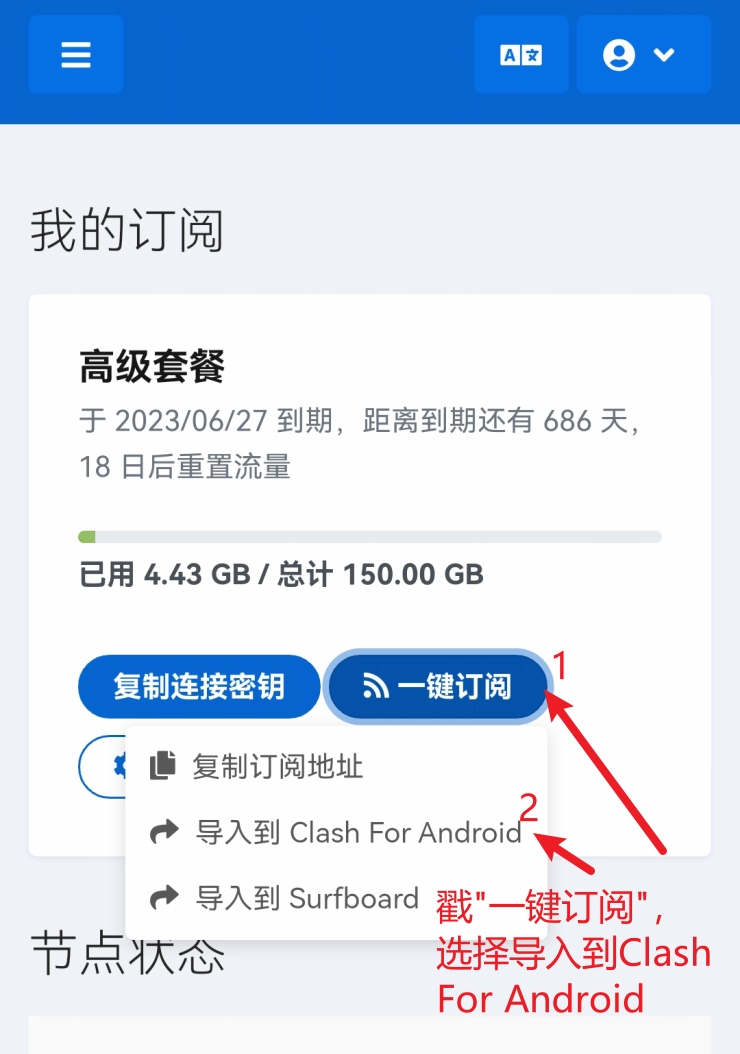
Note: If clicking to import Clash doesn’t work, you can use the manual subscription address paste method:
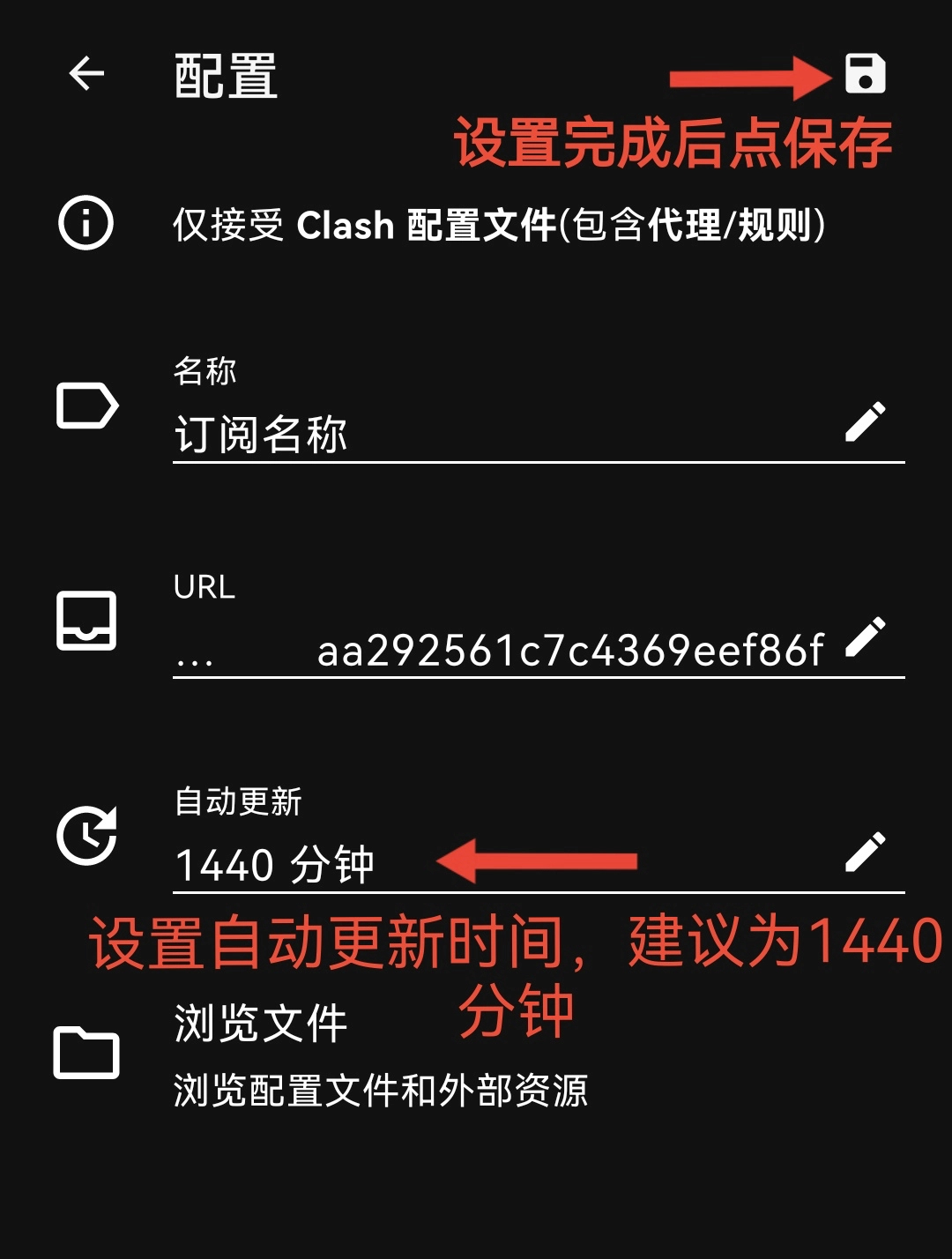
Click “Copy Subscription Address” in the website panel, open Clash, click “Profiles” -> “+” in the upper right corner -> “URL” -> click “URL” -> paste and confirm -> click the “Save” icon in the upper right corner.
5. Under normal circumstances, the Clash client interface will pop up. Click the upper right corner to download the configuration and set the auto-update time:
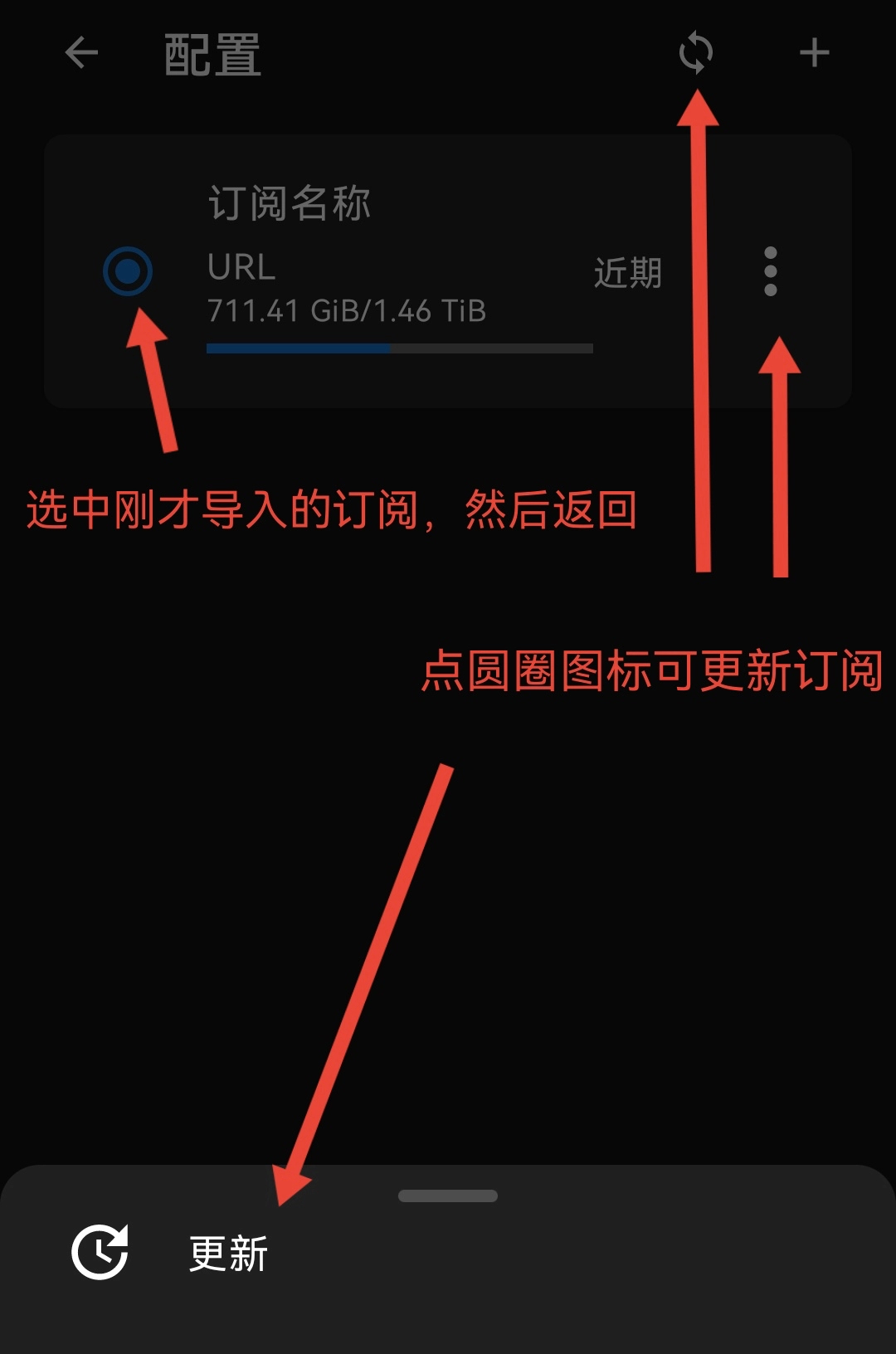
6. After successful download, it will automatically jump to the configuration selection interface. Select the current configuration:
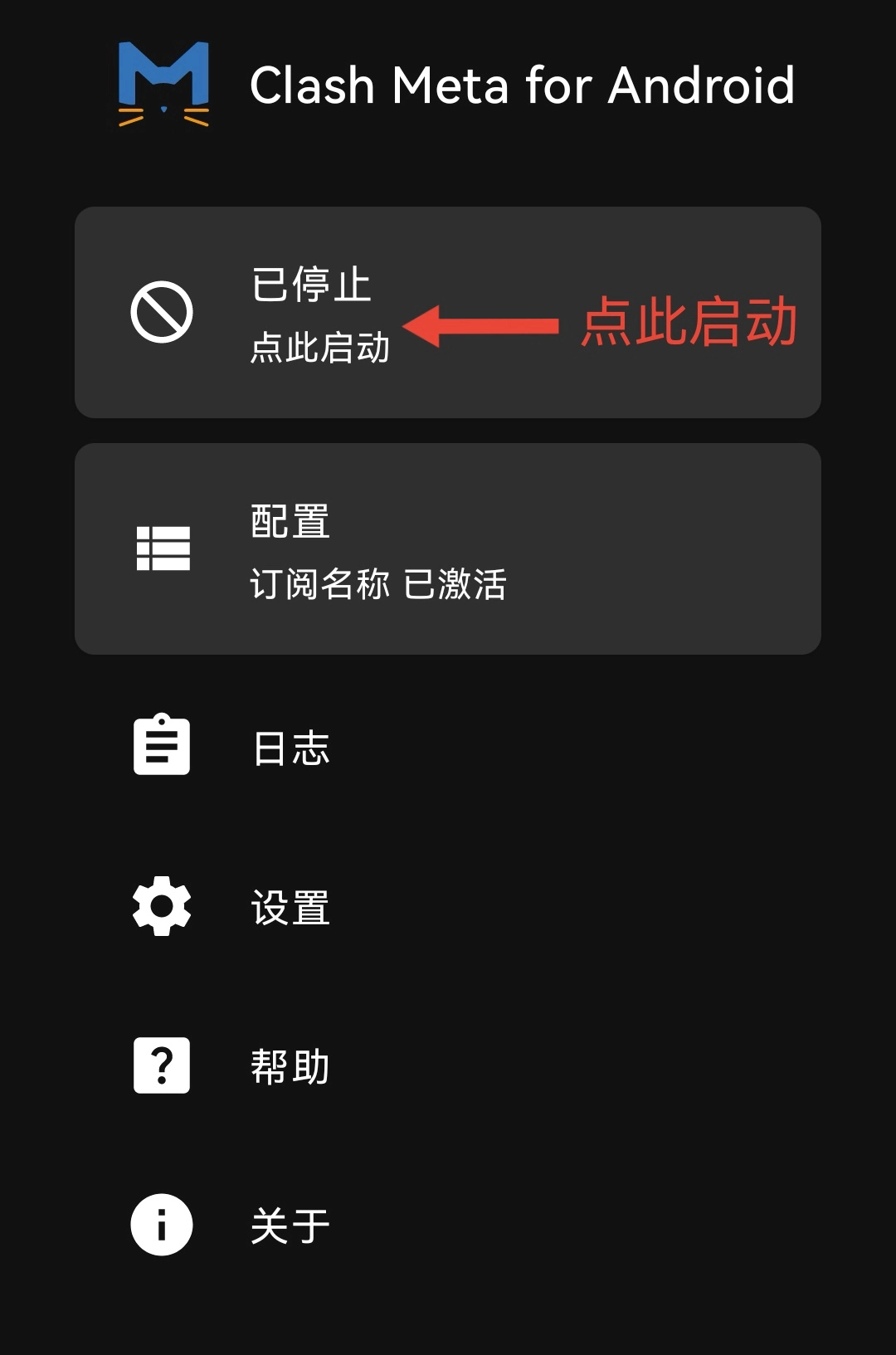
7. Return to the main interface and click “Start”:
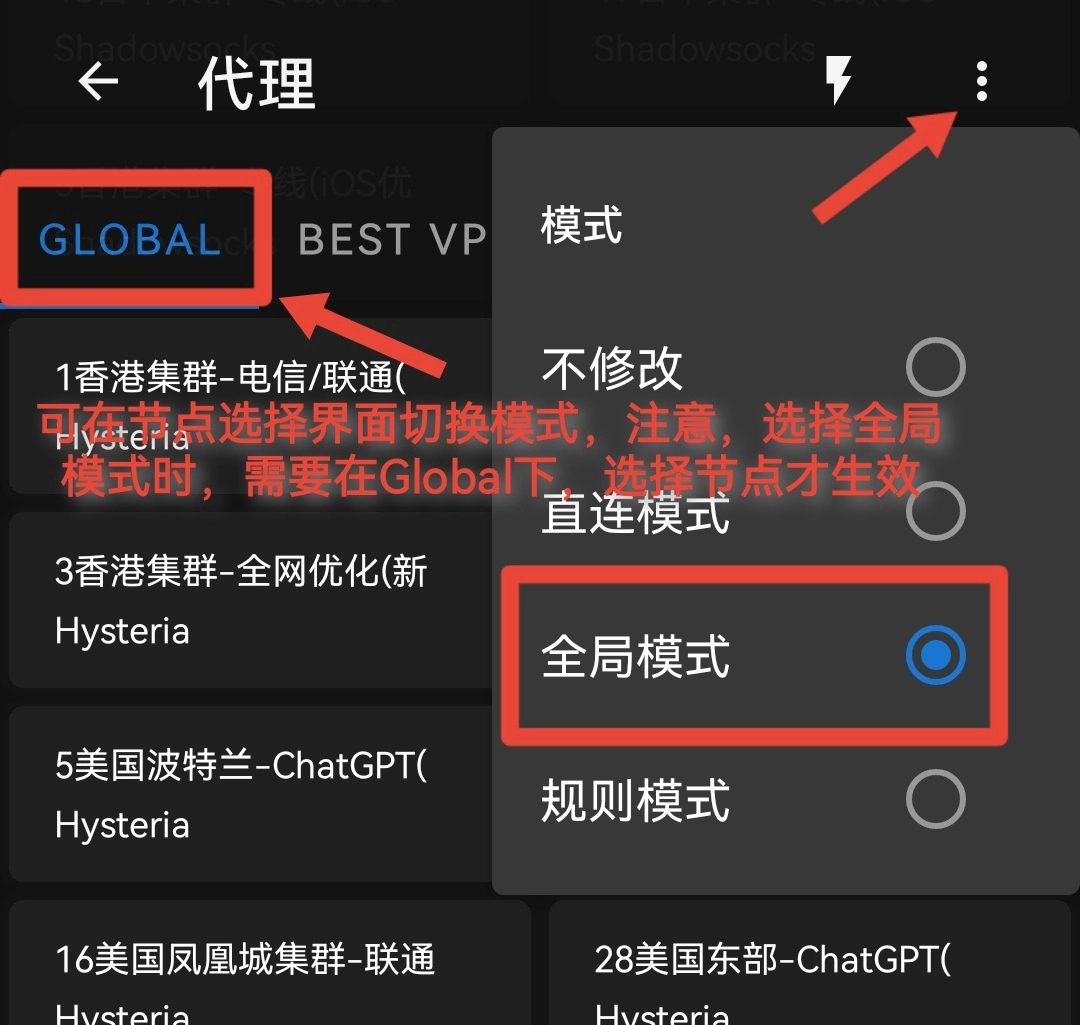
8. On the node selection page, switch between different nodes and switch proxy modes: (It is recommended to select “Auto Optimal” line)
-
 Alipay QR Code Scan
-
 WeChat Scan Pay