Cross-Border E-Commerce System Setup Guide: Multi-Language Store + Payment + Logistics Integration
Cross-Border E-Commerce System Setup Guide: Multi-Language Store + Payment + Logistics Integration
Disclaimer: This article is for technical education and demonstration only. It is not professional or financial advice. Any real-world deployment must comply with applicable laws and regulations.
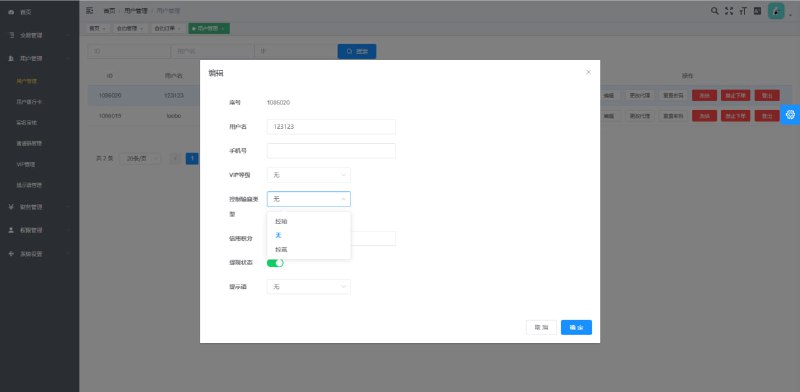
Recently helped a friend in the cross-border business deploy an e-commerce system. He was originally using a modified open-source store with limited functionality and wanted to add multi-language switching and loyalty points marketing modules. After searching around, he got hold of this source code. The overall architecture is front-end and back-end separation, with independent interfaces for mobile and desktop. The admin panel allows pre-configured promotional rules and inventory quantities, and can integrate third-party payment and logistics APIs. I tested the entire deployment process myself and documented it for anyone who needs it.

Functionality Testing: Product Management to Payment Integration
Product and Inventory Configuration
The admin panel supports batch product import, with each SKU individually configurable for inventory quantity, price range, and promotional periods. The system supports a “scheduled result announcement” feature, which is essentially timed release of promotional activities or inventory alerts, suitable for flash sales or member-exclusive deals. During testing, I found you can pre-configure promotional plans for the next three days, which automatically activate at the scheduled time, saving considerable manual work.
Multi-Language and Multi-Currency
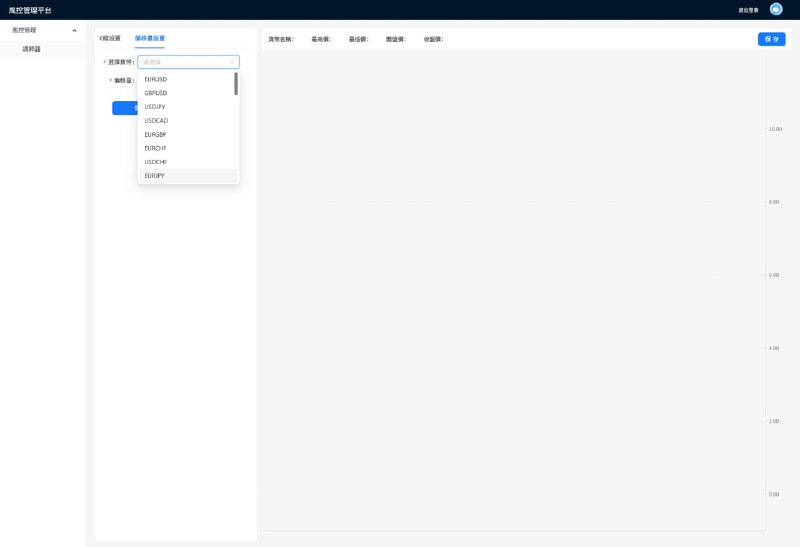
Frontend language packs are stored in JSON files, with Chinese and English supported by default. To add other languages, just copy a file and modify the translations. The admin panel allows exchange rate configuration, and prices automatically convert when users switch languages. I tried adding Japanese and Korean language packs, and after modifying the config files and restarting the service, they took effect immediately without touching the code.

Payment and Logistics Integration
The system provides configuration options for common payment interfaces, supporting Alipay, WeChat Pay, PayPal, Stripe, and others. The logistics interface is also modularly designed, allowing integration with SF Express, EMS, or third-party overseas logistics APIs. When I tested Stripe integration, I simply filled in the API key and callback URL in the admin panel, and the frontend payment flow worked immediately. The entire process took less than ten minutes.
Highlight: The admin panel has a “task distribution” module that can push different promotional tasks or loyalty reward rules to different user groups, suitable for member referral programs or distribution systems. During testing, I set up a three-tier distribution commission structure, and the admin panel showed real-time commission data for each tier.
Deployment Key Points and Troubleshooting
Environment Requirements
The server side uses PHP 7.4 + MySQL 5.7, and the frontend is static files packaged with Vue 2.x. I ran it on an Alibaba Cloud lightweight server with 2 cores and 4GB RAM, which was sufficient. In the Nginx configuration, make sure to set the frontend routing to history mode, otherwise refreshing pages will result in 404 errors. When importing the SQL database file, remember to change the table prefix to avoid conflicts with existing projects.

Customization and Security Hardening
The source code isn’t obfuscated, making customization very convenient. I modified the admin login logic for the client, adding SMS verification and IP whitelisting. Pay attention to signature verification in the payment callback section. The original code has relatively simple verification logic, so I recommend referring to the official SDK for stricter implementation. Also, the file upload function has no default extension restrictions, so remember to add whitelist filtering.
Frontend Adaptation
The mobile side uses the Vant component library, while the desktop uses Element UI. Both interfaces share the same API. During testing, I found that mobile payment redirects had compatibility issues in iOS Safari. I later solved this by adding scrollBehavior to the router configuration. For the desktop admin panel, tables can lag with large datasets, so I recommend enabling pagination or virtual scrolling.
Who Should Use This
This system is suitable for teams wanting to build independent storefronts or test cross-border business workflows. If you need to quickly set up an e-commerce platform supporting multi-language, multiple payment gateways, and loyalty marketing, this source code can save significant development time. The code structure is reasonably clear, and anyone with basic PHP and Vue knowledge can modify it. However, note that the source code is just a framework. Specific business logic and compliance requirements need to be adjusted according to your actual situation.
Frequently Asked Questions
Q: Which payment interfaces are supported?
A: The admin panel has pre-configured options for mainstream interfaces like Alipay, WeChat Pay, PayPal, and Stripe. Just fill in the merchant ID and API key to use them. If you need to integrate other payment channels, you can write adapter code based on existing interfaces.
Q: How do I add language packs?
A: Frontend language packs are in the src/lang directory. Copy en.json and rename it to the corresponding language code (like ja.json), translate the fields inside, then import it in main.js. The admin panel also has a corresponding language configuration table that can be modified through the database or management interface.
Q: Can I integrate third-party logistics APIs?
A: Yes. The system has a logistics interface configuration module in the admin panel, supporting custom API addresses, request parameters, and return field mapping. During testing, I integrated SF Express and EMS interfaces, and after configuring according to documentation, I could track shipment trajectories.
Q: How do the points and membership systems work?
A: The admin panel allows setting point earning rules (registration, purchases, sharing, etc.) and redemption rules (discounts, exchanges, etc.). Membership tiers can automatically upgrade based on cumulative spending or points, with each tier having different discounts and benefits. The task distribution module can push exclusive offers to specific user groups.
Q: What are the server configuration requirements?
A: A cloud server with 2 cores and 4GB RAM is sufficient. MySQL and Redis should ideally be deployed separately or use cloud databases. For high traffic, you can add CDN acceleration for static resources and load balancing for backend APIs. During my testing, a single machine handled 500 concurrent users without issues. Higher loads would require database query optimization or caching.
One final reminder: any system must undergo proper security hardening and stress testing before going live, especially modules involving payments and user data. Source code is just a tool. How you use it must align with your business scenario and local regulations. This article is for technical education only. Comply with all laws and regulations.
Disclaimer: This article is for technical education and demonstration only. It is not professional or financial advice. Any real-world deployment must comply with applicable laws and regulations.
#cross-border e-commerce #multi-language store #source code setup #payment integration #logistics system
-
 Alipay QR Code Scan
-
 WeChat Scan Pay