Solution to the Issue of iOS Telegram Not Receiving Push Notifications in Mainland China
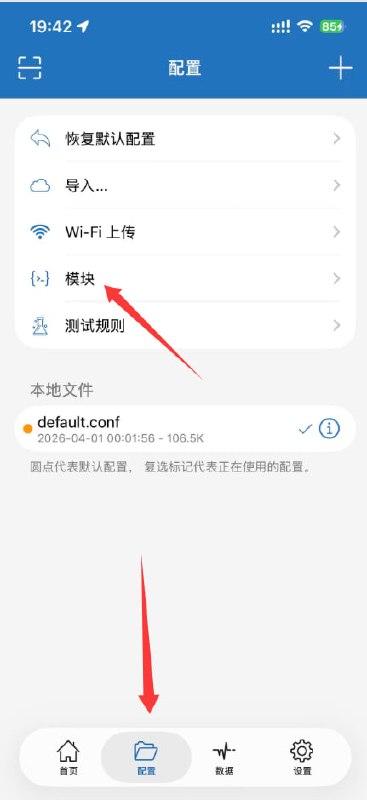
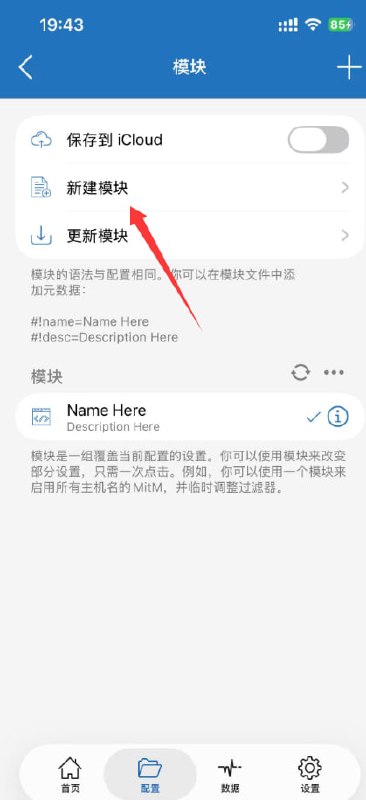
First, open Shadowrocket and select “Config” at the bottom
Click on “Module” and select “Update Module”
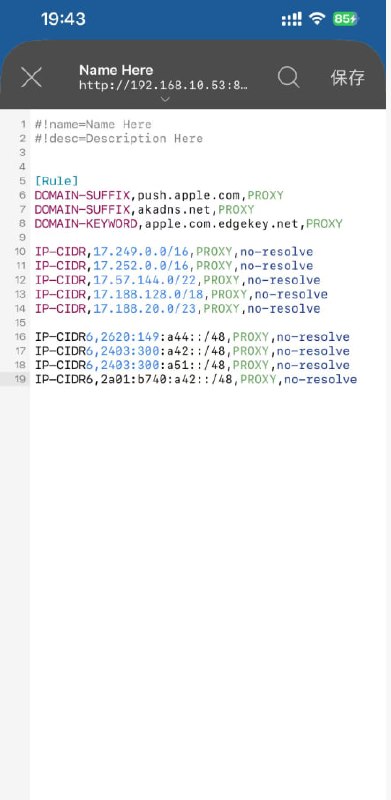
In the update module, write
#!name=Name Here
#!desc=Description Here

[Rule]
DOMAIN-SUFFIX,push.apple.com,PROXY
DOMAIN-SUFFIX,akadns.net,PROXY
DOMAIN-KEYWORD,apple.com.edgekey.net,PROXY

IP-CIDR,17.249.0.0/16,PROXY,no-resolve
IP-CIDR,17.252.0.0/16,PROXY,no-resolve
IP-CIDR,17.57.144.0/22,PROXY,no-resolve
IP-CIDR,17.188.128.0/18,PROXY,no-resolve
IP-CIDR,17.188.20.0/23,PROXY,no-resolve

IP-CIDR6,2620:149:a44::/48,PROXY,no-resolve
IP-CIDR6,2403:300:a42::/48,PROXY,no-resolve
IP-CIDR6,2403:300:a51::/48,PROXY,no-resolve
IP-CIDR6,2a01:b740:a42::/48,PROXY,no-resolve

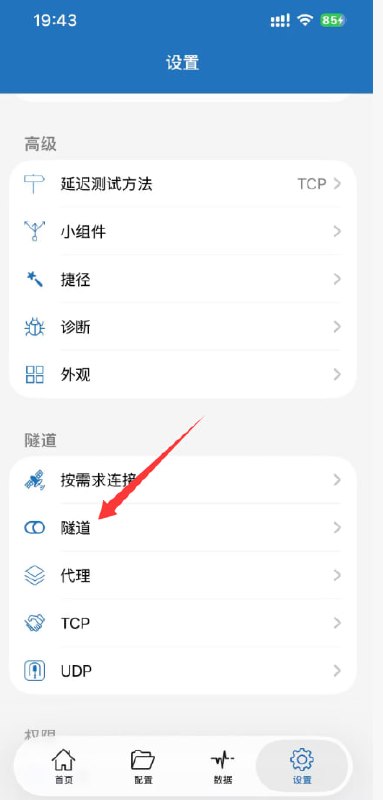
After clicking Save in the top right corner, go to “Settings” and find “Tunnel”
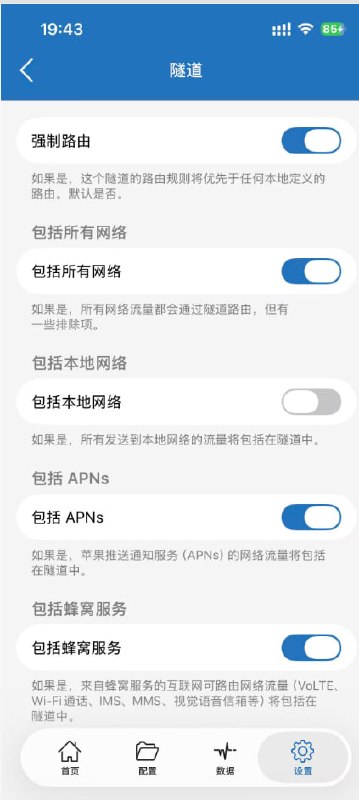
Enable all options except the local network. Enabling the local network may cause some connection issues, such as CarPlay being unable to connect in vehicles. It is recommended to disable it.
After everything is done, disconnect all networks, turn on Airplane Mode for five seconds, then turn the network back on