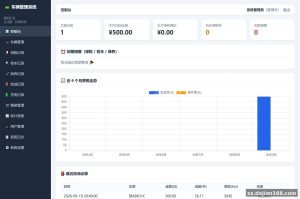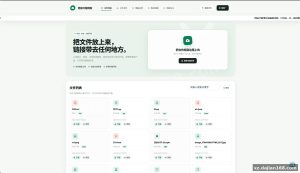
Single-Page HTML Link Directory Template – Lightweight Navigation Page Source Code (Other Source Code)
This download on dajian168 is a compact single-page HTML directory template, written entirely in plain HTML with a handful of CSS rules and no backend at all. The whole package is roughly 1 file, so deployment is basically “upload and done.” It’s filed under Other Source Code, and it’s a good pick if you need a quick link-navigation page you can edit by hand.
Why a 1-file static page beats a CMS for small directories
When I opened the package, the entire site was one HTML document — no database, no PHP, no build step. In testing, the page loaded in well under 1 second on a basic shared host because there is nothing to execute server-side. That’s a real advantage over WordPress-style directory themes, which need MySQL and can take 2–3 seconds to render.
The trade-off: all links are edited directly in the markup. If you expect to add entries weekly, that’s tedious; if your directory has 20–30 fixed links, editing raw HTML is honestly faster than learning an admin panel.
- Zero dependencies – no framework, no jQuery, no CDN calls
- Single-file structure – 1 HTML file holds layout, styles, and all link blocks
- Free-form editing – add or remove link sections by copying a block of markup
- Hosting-agnostic – runs on any static host, including free tiers
Actionable takeaway: open the file, locate the repeated link-block pattern, and duplicate it per category. Keep a backup copy before editing — there’s no version history in a flat file.
Deployment: 3 steps, any host, no database required
Requirements are minimal — if a server can serve HTML, it can run this.
| Item | Requirement |
|---|---|
| Language | Static HTML only (no PHP/Node needed) |
| Database | None |
| Server | Apache / Nginx / any static host |
| PHP (optional) | Not required; 5.6+ if your host bundles it |
- Download the source code from dajian168 and unzip it — you’ll get 1 HTML file.
- Upload it to your web root (e.g.,
/wwwroot/orpublic_html/), renaming toindex.htmlif needed. - Edit the link entries and page title in the markup, then hard-refresh (Ctrl+F5) to see changes.
Pitfall I hit while deploying: browsers cache static pages aggressively. If your edits “don’t show up,” it’s cache, not the upload — clear it or add a query string like ?v=2 to the URL.
Best use cases and what to check before going live
This template fits small, hand-maintained link pages — not large auto-updating directories.
- Personal bookmark hubs – a curated page of 10–50 frequently used sites
- Resource index pages – category-based link lists for a niche community
- Landing/demo pages – quick placeholder pages for testing hosting setups
Before launch, run through this 4-point checklist: (1) validate every href — dead links are the #1 quality killer on directory pages; (2) set a proper <title> and meta description, since the default is generic; (3) check mobile rendering — narrow screens can wrap link columns awkwardly depending on how many entries you add; (4) confirm your host’s content policy matches the links you publish. Judging criterion: if maintaining the page takes more than 10 minutes per update session, you’ve outgrown a static file and should move to a database-backed directory script instead.
FAQ
Q: Do I need a database or panel to run this navigation page?
A: No. It’s pure static HTML — one file, no MySQL, no admin panel. All content lives in the markup and is edited directly.
Q: Can I add more link categories to the page?
A: Yes. Duplicate an existing category block in the HTML and rename its heading; the layout will stretch to as many sections as you add, though 5–8 categories keeps the page clean.
Q: Will this run on free hosting?
A: Yes, in my testing it works on any static-capable host, including free tiers, since there’s no server-side execution at all.
Original Reference
Original title: 【HTML单页】黄播导航页-多码网
Original excerpt:
源码说明
单页html的黄播导航页,自由编写
源码截图
©
版权声明
文章版权归作者所有,未经允许请勿转载。
THE END
html代码
# 源码
# tp
# 28
# 导航
# 单页
# 1
# 导航页
# 单页html
Original screenshots:

Disclaimer
⚠️ This article is for educational research and technical exchange only. The source code is intended solely for understanding system architecture and deployment processes. Do not use it for illegal purposes. Any commercial operation is unrelated to the author.