Building a Probability Simulation Demo System with Qiyou Source Code: Vue Multi-Language Template + USDT Channel Deployment Notes
Building a Probability Simulation Demo System with Qiyou Source Code: Vue Multi-Language Template + USDT Channel Deployment Notes
Disclaimer: This article is for technical education and demonstration only. It is not professional or financial advice. Any real-world deployment must comply with applicable laws and regulations.
Recently I helped a client who needed a technical demo deploy a probability simulation demo platform built on the Qiyou live-interface source code. It’s a Vue framework project, multi-language edition, and it ships with a USDT top-up channel (we used a test chain for the demo environment). The whole thing took about two days of back-and-forth, so I’m writing down the pitfalls I hit to save some time for anyone planning to set up this source code.
Hands-On Review: What This Template Actually Offers
Short version: the source code is reasonably complete, not one of those half-broken versions. I focused on testing a few modules:
1. Frontend Experience
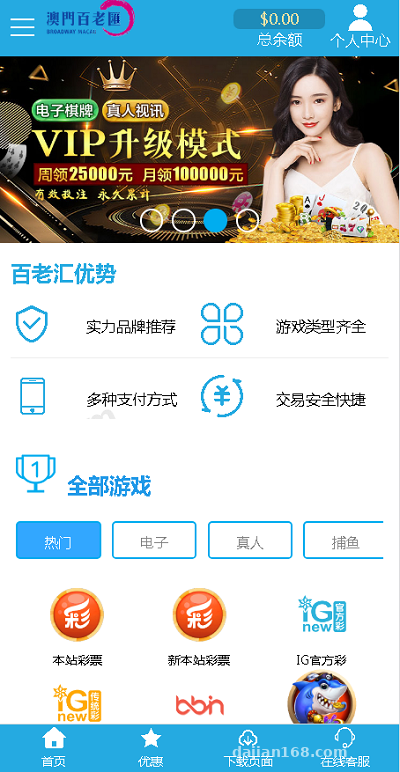
It’s a Vue single-page application, so page switching feels seamless with no reloads, and load speed was solid on my 4-core 8GB test machine. Multi-language switching is driven by frontend config files — it ships with Simplified Chinese, English, and Traditional Chinese by default, and adding a new language only requires adding a JSON term file without touching core code. Very friendly for customization.
2. Live Interface Integration
The so-called live interface is actually the platform pulling demo data sources through an API. During deployment you need to fill in the API endpoint, secret key, and callback URL in the backend. My first run failed, and after a long debugging session it turned out the server’s outbound IP wasn’t whitelisted — once I added it, everything connected immediately. My advice: confirm your server’s outbound network before deploying, so you don’t waste an afternoon like I did.
3. USDT Top-Up Channel
The highlight of this version is the newly added USDT channel, running on TRC20. For the demo environment I ran it directly on the testnet. The backend lets you configure the wallet address and minimum top-up amount (I set 10 USDT). The callback signature verification logic lives in the payment module, and the signature algorithm is MD5 concatenation. The official docs are extremely brief — I only confirmed the parameter order by capturing packets and comparing. One warning here: parameters must be concatenated in alphabetical order before hashing. Get the order wrong and the callback verification will keep failing.
Deployment Essentials: Environment and Configuration
My environment: CentOS 7.9 + Nginx 1.22 + PHP 7.4 + MySQL 5.7 + Redis 6. It’s a front-end/back-end separated structure; the built frontend goes into the public directory.
A Few Easy Places to Trip Up
First, PHP needs the fileinfo and redis extensions — without them the backend login page just shows a blank screen. Second, don’t casually change the database prefix in .env; after changing it, the migration scripts can’t find the tables. Third, you need to set up a crontab job that handles market data simulation and settlement refreshes. I forgot this at first, the backend data stayed frozen, and I wrongly assumed the source code was broken.
Backend Console
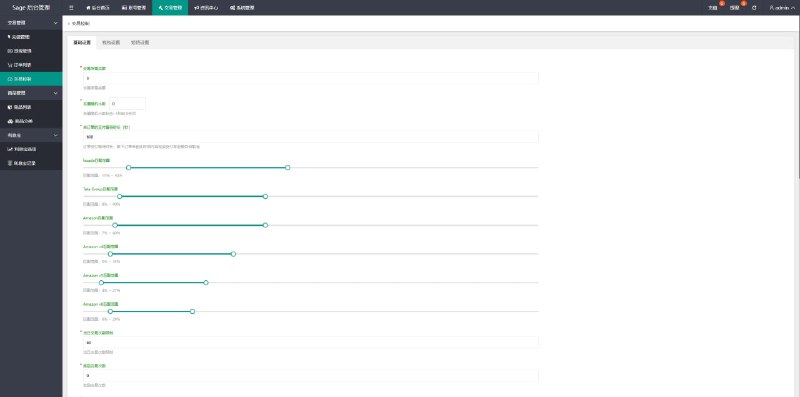
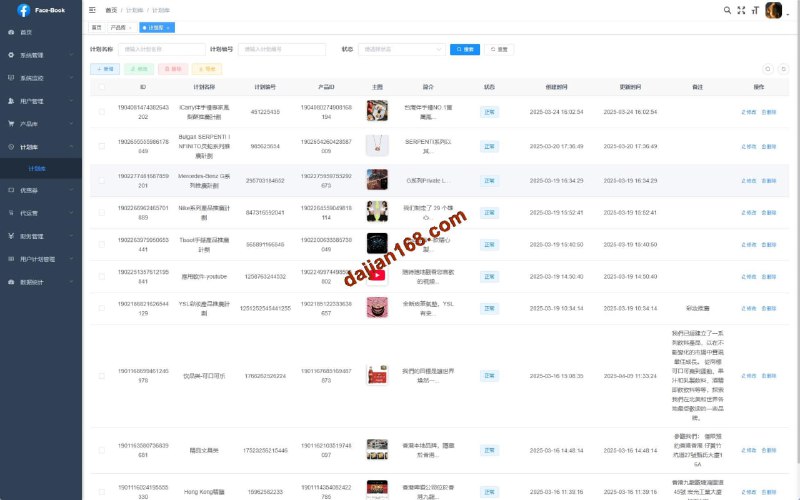
The backend is fairly complete: member management, balance change details, agent tiers, announcements, and language pack management are all there. The probability parameters and random number demo settings live in a separate module, letting you adjust simulation parameters per scenario — very convenient for numerical demos. I’d recommend cleaning the log tables regularly; after one week of demo data we had accumulated over 400,000 rows, and queries noticeably slowed down without cleanup.
Customization Advice
If you want to customize this source code, frontend styling changes are concentrated in the theme files under src/assets — not hard to modify. The backend business logic is layered fairly cleanly: the Controller layer is thin, with the main logic in Services. I added a simple task distribution demo module myself and finished it in two days, which shows the code structure is workable. My only complaint is the sparse comments — for key functions you have to read and guess as you go. I’d suggest setting up a local copy to practice on before any real customization.
Highlight tip: the multi-language support plus USDT channel are the biggest selling points of this source code. Combined with the responsive Vue frontend, it makes for a highly polished technical demo project. Before deploying, make sure to verify your server’s outbound network and PHP extensions — that alone avoids 90% of the pitfalls.
Who It’s For
This source code suits three groups: development teams that need a multi-language demo platform; technical teams working on digital asset demos or market simulation projects; and independent developers with some Vue and PHP fundamentals looking to take on freelance work. Complete beginners should steer clear — multi-language configuration and on-chain channel debugging will be painful without a foundation.
FAQ
Q: Are the server requirements high?
A: A demo environment runs fine on 2 cores and 4GB RAM. For a production-grade demo, start with 4 cores and 8GB, plus at least 5M bandwidth — the frontend assets are fairly large, and low bandwidth makes the first screen slow.
Q: Does the USDT channel require a real wallet?
A: For the demo environment, a test chain address is enough, and the address is configurable in the backend. Any production use must comply with applicable laws and regulations; illegal or non-compliant uses are prohibited, and it is limited to lawful, compliant technical demonstration scenarios only.
Q: Where do I edit the multi-language terms?
A: Edit them directly in the backend’s language pack management, or modify the JSON files in the frontend’s lang directory. Rebuild the frontend or clear the cache afterward and the changes take effect.
Q: Is the source code encrypted?
A: Some core files are encrypted, but the main business logic is in plain text, so routine customization is unaffected.
Overall, this source code offers good value for money — the multi-language support and USDT channel save a lot of integration work. If you have questions, feel free to discuss deployment details in the comments.
Disclaimer: This article is for technical education and demonstration only. It is not professional or financial advice. Any real-world deployment must comply with applicable laws and regulations.
#Source Code Setup #Vue Development #USDT Channel #Multi-Language System #Deployment Notes
-
 Alipay QR Code Scan
-
 WeChat Scan Pay