Xianyu Seller Manager Source Code for Multi-Account Auto-Delivery System
This Xianyu Super Manager is a full operations backend for people running multiple Xianyu (Xianyu) selling accounts: unified account hosting, keyword + AI auto-reply, card-key auto-delivery, and post-purchase automation (auto review, thank-you message, “little flower” requests) all in one web dashboard. You can grab the complete source code download on dajian168, a mall system (mall system) category listing — the whole thing runs on your own server, so no data ever leaves your infrastructure.
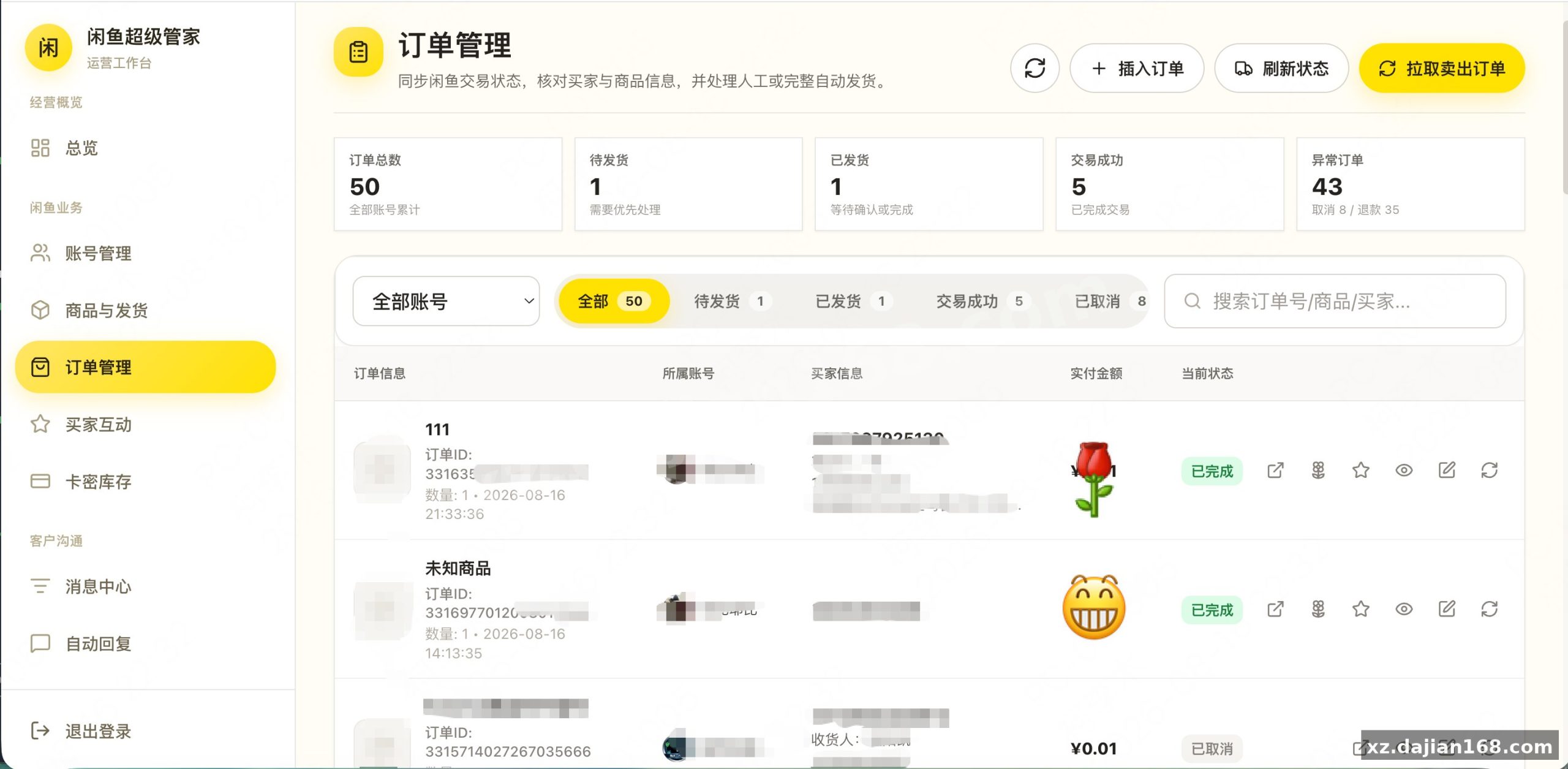
What sold me on packaging this one: it’s not just a chat bot. In testing I found the “pull sold orders” function syncs all historical orders, not just ones created after deployment, so the dashboard shows real revenue numbers from day one.
The 3 automation modules that actually save hours daily
Auto-delivery, auto-reply, and buyer interaction cover roughly 90% of repetitive seller work. Here’s what each does concretely:
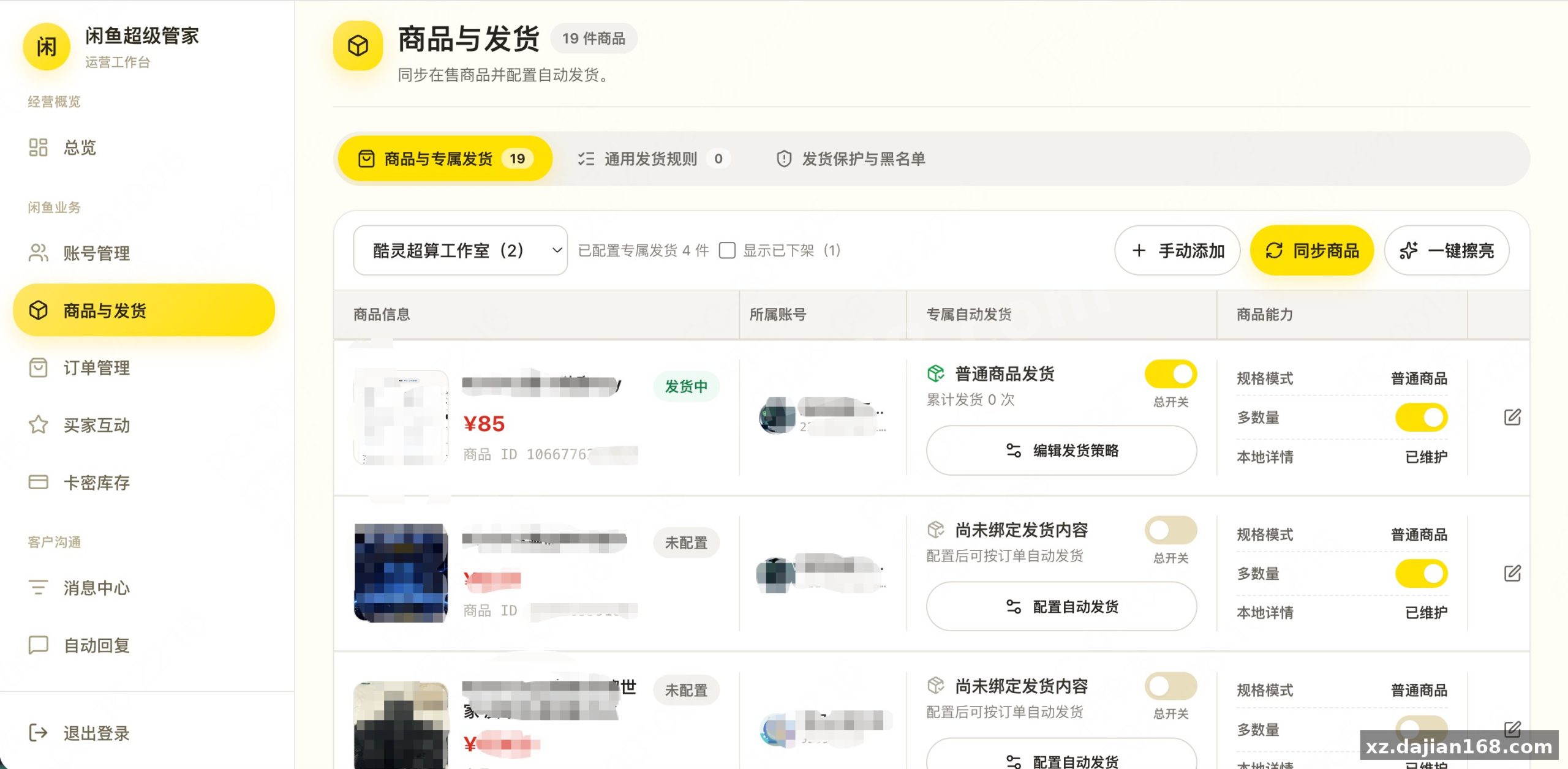
- Card-key auto-delivery: bind delivery content per product, supports multi-SKU and multi-quantity orders, with a risk-interception check before every shipment. I ran a 50-item card inventory import and status tracking worked cleanly.
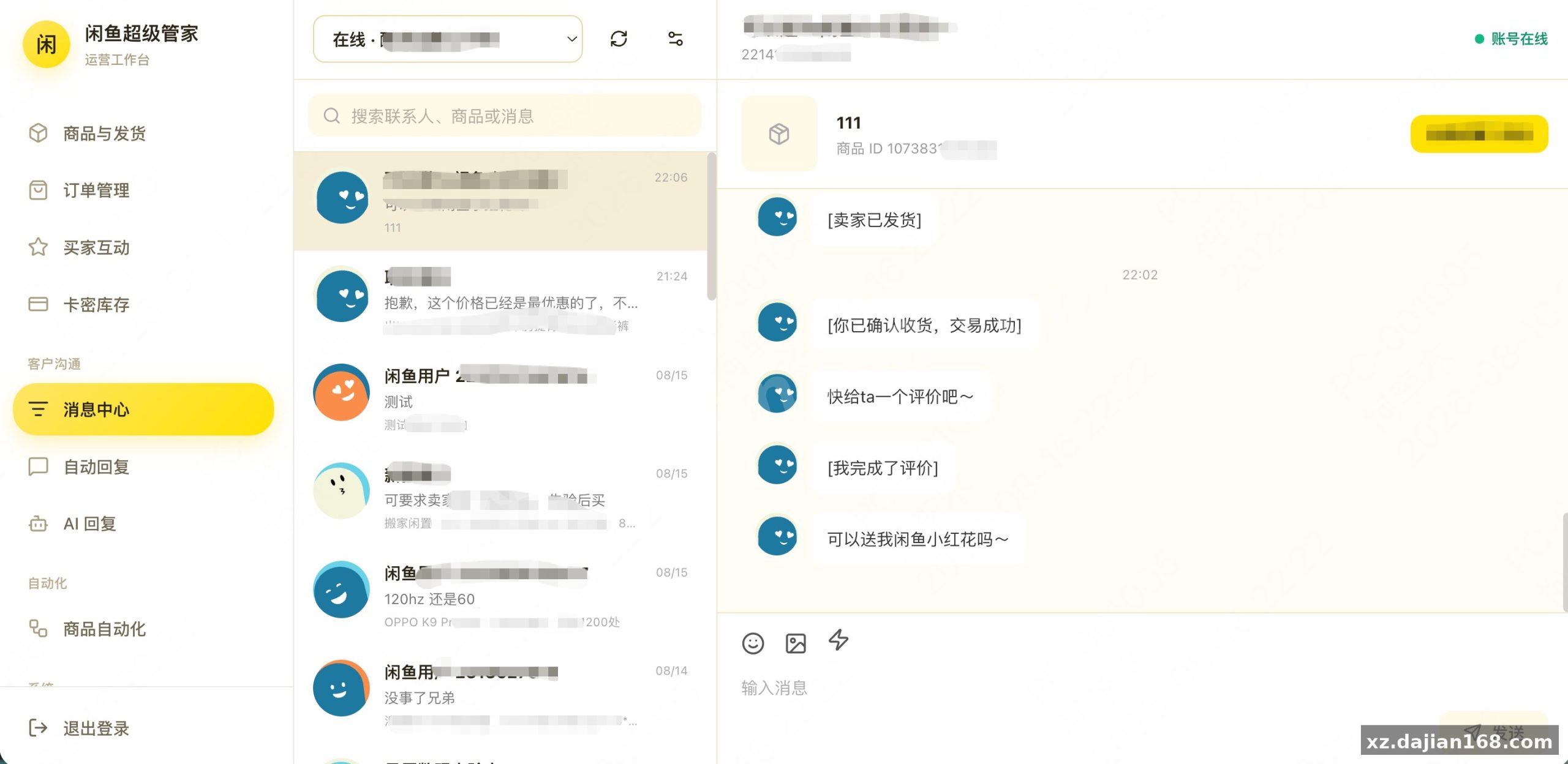
- Two-layer auto-reply: keyword exact-match first, then an OpenAI-protocol compatible LLM for bargaining conversations. There’s a setting in the admin panel to set a floor price and max bargaining rounds — the AI literally cannot concede past your minimum. Every reply decision is logged, so you can audit why it answered or stayed silent.
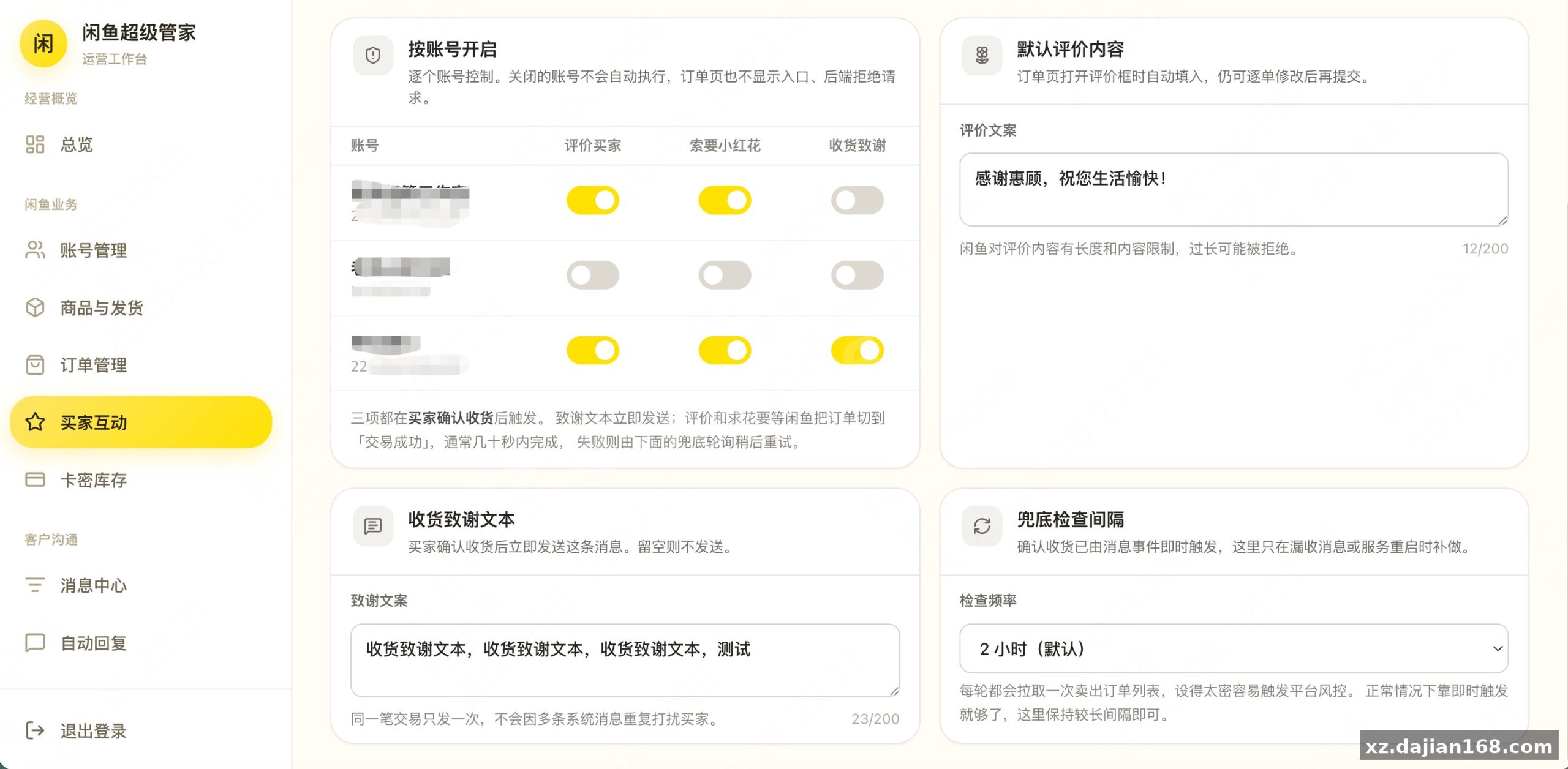
- Post-receipt automation: once a buyer confirms receipt, the system fires thank-you text, buyer review, and flower request in sequence, each toggleable per account.
Takeaway: enable per-account pause-on-manual-takeover before turning on AI replies, otherwise the bot fights you for the same conversation.
Deployment guide: 6 steps from server to running dashboard
Expect about 30 minutes on a clean 2-core / 2GB VPS. Recommended environment:
| Component | Requirement |
|---|---|
| OS | Linux (CentOS / Ubuntu) or Windows Server |
| Runtime | PHP 7.4+ / Node environment per package |
| Database | MySQL 5.7+ |
| Web server | Nginx or Apache with SSL |
- Upload the package and configure the database connection.
- Create the admin account; there’s a setting to disable open registration and force email verification if you run it solo.
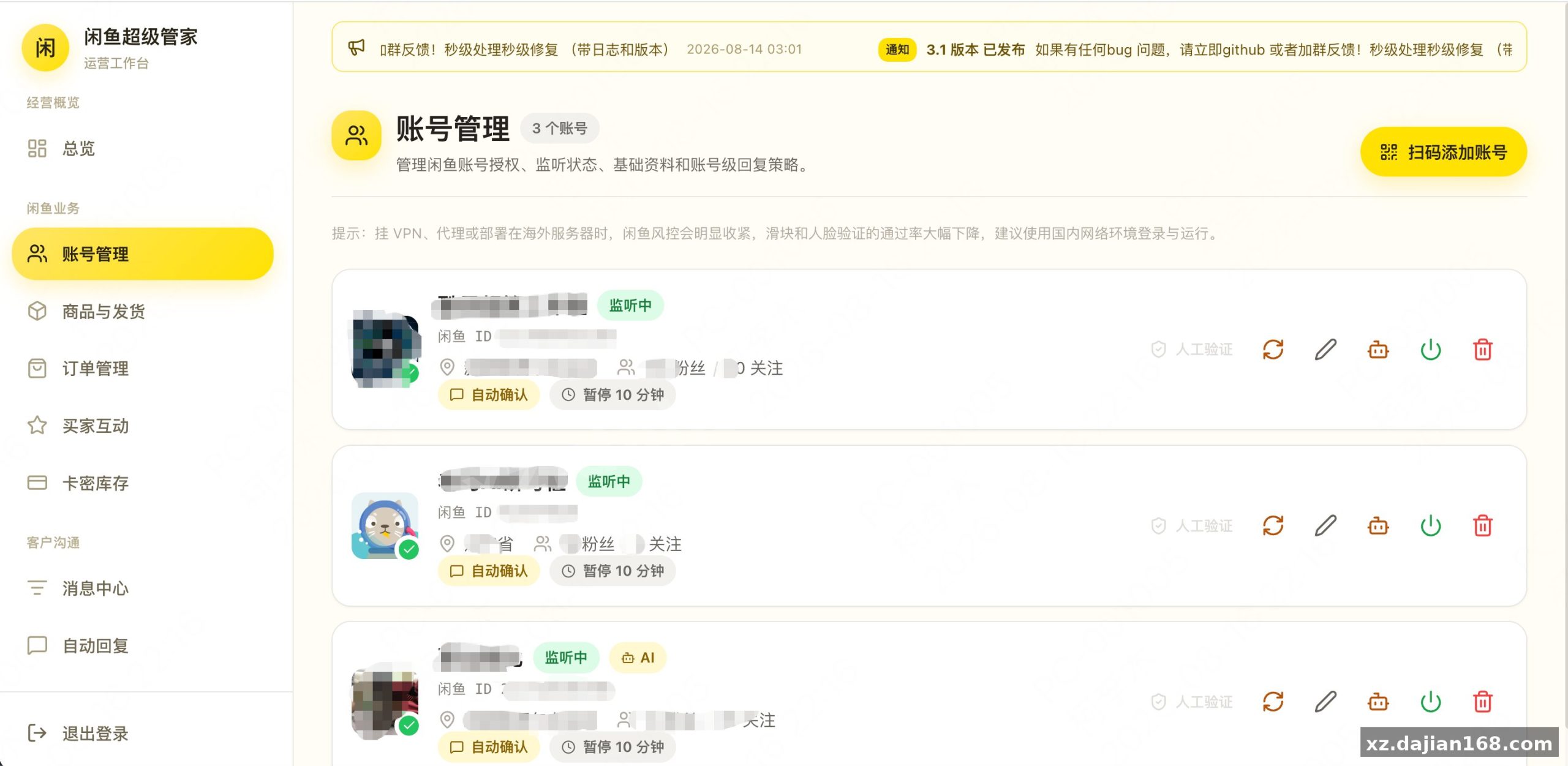
- Log in, scan the QR code to bind each Xianyu account (cookie login also supported).
- Sync products, bind card-key groups to each listing.
- Configure reply keywords, AI model key, and floor price.
- Run “pull sold orders” once to backfill history.
Pitfall to avoid: don’t bind 10+ accounts simultaneously on first run. In my testing, staggering account activation by a few hours keeps the slider/captcha handling stable.
Who this mall system fits — and how to judge it before launch
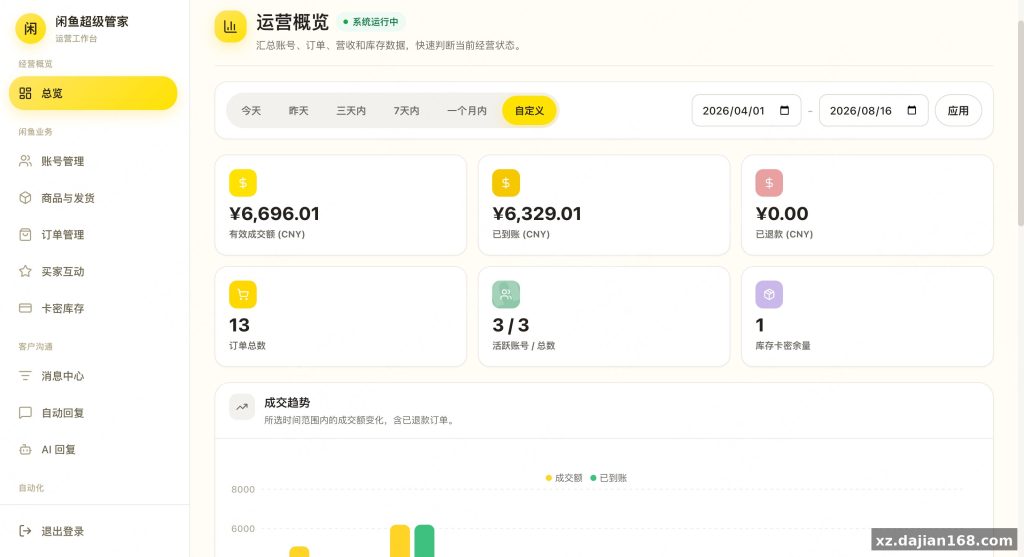
It’s built for solo operators running 5–50 accounts selling digital goods. Typical use cases: card-key/code resellers, virtual services, automated second-hand shops. The dashboard aggregates revenue, refunds, orders, card inventory, and account listener status on one screen.
Judging criteria before you go live: (1) check the risk log after 24 hours — if the slider module fails repeatedly, reduce reply frequency; (2) verify per-account strategy isolation by pausing one account and confirming others keep answering; (3) confirm the announcement/update channel points to your own domain, not a third-party address.
FAQ
Q: Does auto-delivery handle orders with multiple quantities or different card groups?
A: Yes. Delivery rules work at three levels — global, per-account, and per-product — and multi-SKU plus multi-quantity shipments are supported, with a pre-delivery risk check on each order.
Q: Can the AI bargain with buyers without giving away my margin?
A: That’s the point of the floor-price setting. You define the minimum acceptable price and maximum bargaining rounds; the model negotiates within those bounds and hands off to a human if it hits the limit.
Q: Will old orders from before I deployed show up?
A: Yes, the one-click historical order pull imports past sold orders in batch, including status, buyer, and paid amount, so the dashboard starts with complete data.
System Screenshots
Original screenshots:
Disclaimer
⚠️ This article is for educational research and technical exchange only. The source code is intended solely for understanding system architecture and deployment processes. Do not use it for illegal purposes. Any commercial operation is unrelated to the author.