Multilingual E-commerce System Setup: Source Code Secondary Development vs Payment & Logistics Integration Cost Breakdown
Multilingual E-commerce System Setup: Source Code Secondary Development vs Payment & Logistics Integration Cost Breakdown
Disclaimer: This article is for technical education and demonstration only. It is not professional or financial advice. Any real-world deployment must comply with applicable laws and regulations.
Last month I helped a cross-border clothing client launch their online store. Their first instinct was to go with a SaaS platform like Shopify, but after running the numbers, I talked them out of it. Monthly subscription fees plus paid plugins one by one easily add up to twenty or thirty thousand RMB a year, and your data stays in someone else’s hands. In the end, we picked an open-source e-commerce codebase, customized it, and deployed it ourselves. This article breaks down the real cost difference between the two approaches and documents the pitfalls we hit along the way.
SaaS Subscription vs Self-Hosted Source Code: What’s the Actual Difference
Here’s the short version first, details in the table:
| Comparison Item | SaaS Platform Subscription | Self-Hosted Source Code (Secondary Development) |
|---|---|---|
| First-Year Cost | Roughly 20,000–50,000 RMB (subscription + plugins + transaction fees) | Server + domain around 3,000 RMB, source code is a one-time cost |
| Data Ownership | Hosted by the platform, exports are restricted | Database lives on your own server, migrate freely |
| Customization Freedom | Limited by templates and APIs | Full source access, modify anything you want |
| Launch Timeline | 1–3 days | 1 day for deployment, 1–2 weeks for customization and debugging |
| Long-Term Maintenance | Renewals never stop, price hikes leave you no choice | Just renew the server, zero transaction fees |
The client’s order volume wasn’t huge, but they had over 800 SKUs and needed three languages. Long term, self-hosting was clearly the better deal. The only catch is you need someone with technical skills on hand, or you’re willing to pay someone to set it up once.
One heads-up: don’t judge source code by a pretty demo site alone. Always get backend access and actually test the permission configuration. Plenty of codebases look gorgeous on the frontend but have a chaotic permission system behind the scenes.
Environment Setup: The First Pitfall Was the PHP Version
This system was built on an older framework. I went with the BaoTa panel plus LNMP stack. During deployment I jumped straight to PHP 8.1, and the admin login immediately threw a 500 error. The logs showed Call to undefined function mysql_connect() — a classic sign of legacy code still relying on the old mysql function family. Dropping back to PHP 7.4 fixed it instantly. Later, some async tasks started throwing cURL error 60: SSL certificate problem under 7.4. The fix was pointing the curl.cainfo setting in php.ini to the cacert.pem certificate path inside BaoTa, then restarting PHP-FPM.
Pseudo-Static Rules and Entry File Pitfalls
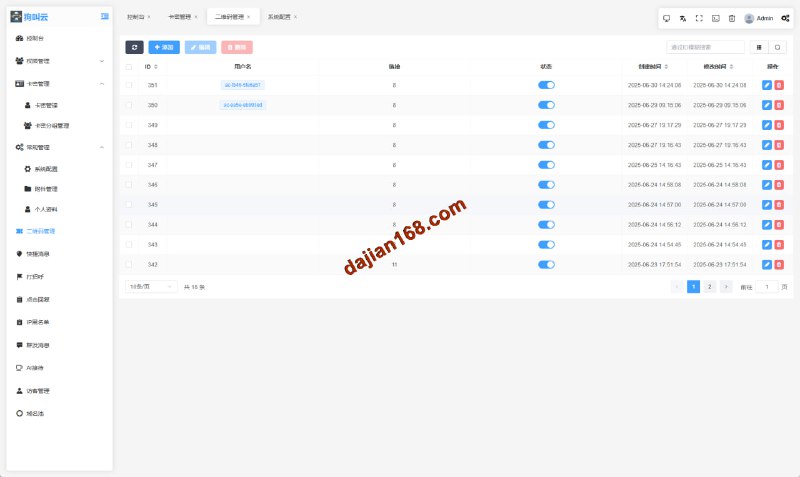
The admin routes simply refused to load. After half a day of troubleshooting, it turned out the Nginx rewrite rules for pseudo-static URLs were never configured. Adding the rewrite rules from the docs brought everything back. On top of that, the previous developer had renamed the admin entry file, so it wasn’t at the default path. The deployment docs described this vaguely at best — I only found it by searching globally for the admin keyword. My advice: rename the entry file again right after setup finishes, and add an IP whitelist while you’re at it.
Multilingual Setup and Payment Integration Took the Most Time
The codebase shipped with a bilingual language pack structure (Chinese and English) using language files in a dedicated lang directory. I just copied en.php, translated the key-value pairs, and added a third language — that part took roughly two and a half workdays. One thing to watch: rich text content inside product details is stored in the database, which language packs can’t touch. The operations team has to re-enter that content for every language, so make sure the client understands this workload upfront.
Payment Gateway Debugging Notes
Payments went through a third-party cross-border payment collection API, and the callback signature verification kept failing. Comparing against their documentation, I found the issue was signature parameter ordering — they required parameters sorted by ASCII in ascending order, while the source code concatenated them in join order. One line with ksort() fixed it. The logistics integration went smoothly by comparison. The provider offered a standard express tracking API format; I just filled in the merchant ID and secret key, and shipment tracking worked. Shipping fee templates were configured in the backend under “Logistics Management” by weight brackets.
Security Hardening and Secondary Development Advice
Before launch, I did three things: locked the database account down to permissions on its own database only, enabled Google two-factor authentication for admin logins, and set up a daily crontab job at 3 AM to back up the database to object storage. As for secondary development, keep every modification in separate modules or plugins — never edit core files directly, or the next source code upgrade becomes a nightmare. I once modified an activity countdown logic directly in the original file, and merging the diffs during a version upgrade kept me up past midnight. Lesson learned the hard way.

Frequently Asked Questions
Q: Can I deploy this source code myself without a technical team?
A: With the BaoTa panel, following a tutorial, environment setup plus deployment takes about half a day. But when things go wrong with payment callbacks or multilingual content entry, you’ll need to read logs. I’d recommend having at least one person who knows PHP review it once.
Q: What usually causes payment callback signature verification failures?
A: In my experience, 90% of the time it’s parameter ordering or encoding. Print both sides’ pre-sign strings and compare them, and pay attention to the sorting rules in their documentation and whether values need urlencoding.
Q: Is it difficult to add new languages or currencies later?
A: The language pack mechanism is ready to go — copy and edit the key-value pairs. For currencies, you need to add an exchange rate source under “Finance Settings” in the backend. I’d suggest integrating an automatic exchange rate API, since manual maintenance is error-prone.
Q: How do I keep self-hosted data secure?
A: Minimum setup: daily automated backups + off-site storage + an admin IP whitelist. I use a 3 AM crontab backup to object storage, keeping 30 days of snapshots — it costs under ten RMB a month.
In total, the client’s first-year costs came in under 5,000 RMB, saving roughly 80% compared to the SaaS option. The catch is doing the technical math upfront — don’t save pennies and step into a massive pit later. This system is provided for lawful, compliant technical learning and demonstration purposes only. Users must comply with applicable laws and regulations, and any illegal or non-compliant use is strictly prohibited.
Disclaimer: This article is for technical education and demonstration only. It is not professional or financial advice. Any real-world deployment must comply with applicable laws and regulations.
#e-commerce source code deployment #cross-border online store #payment gateway integration #secondary development notes #deployment walkthrough
-
 Alipay QR Code Scan
-
 WeChat Scan Pay