Cross-Border E-Commerce Mall System Setup: Multi-language Java Store + PayPal Payment + Vendor Onboarding Deployment Notes
Cross-Border E-Commerce Mall System Setup: Multi-language Java Store + PayPal Payment + Vendor Onboarding Deployment Notes
Disclaimer: This article is for technical education and demonstration only. It is not professional or financial advice. Any real-world deployment must comply with applicable laws and regulations.
I recently helped a client in cross-border commerce deploy a multi-language Java mall system. It’s a front-end/back-end separated architecture — Vue on the front, Java on the back, fully open source code. The client sells small home goods to European and American markets, so they needed PayPal payment and multi-vendor onboarding. It took me a couple of days, and I’m writing down every pitfall I hit for anyone planning to set up the same system.
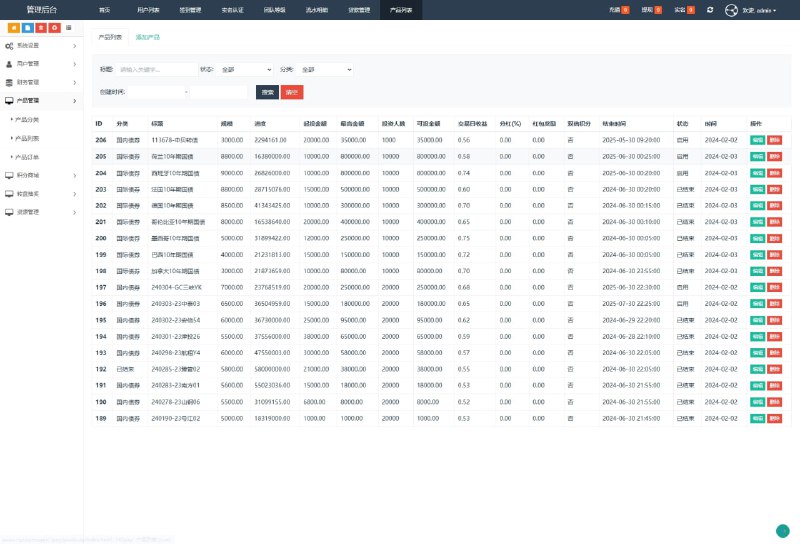
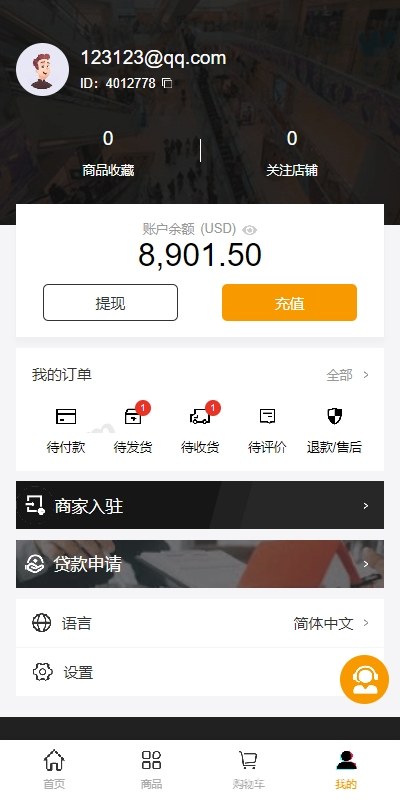
This system has quite a few clients: buyer side, seller side, agent side, admin panel, and customer service side — five separate deployments. It looks overwhelming at first glance, but once it’s running the logic is actually pretty clear, with each client having a well-defined role.

Feature Testing: Going Through the Core Modules
Payment Integration
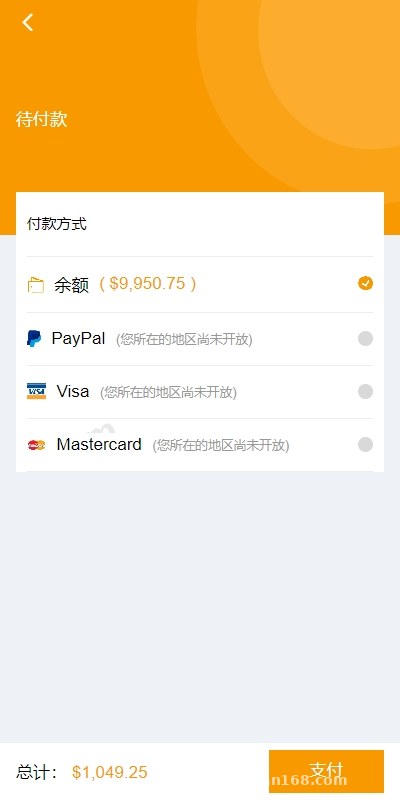
The system natively integrates PayPal international payment, which was the client’s top priority. I ran the full flow in the sandbox environment: place order → redirect to PayPal → callback → order status update. The whole chain works. One thing to watch: the callback signature verification. The default certificate path has to be changed to your own server’s, otherwise callback verification keeps failing and orders get stuck in pending payment. This pitfall took me over an hour to track down — the logs only showed a signature verification exception, and it turned out the curl CA certificate wasn’t configured.
The system also includes a wallet module supporting deposits and withdrawals, with bank card withdrawals going through admin review. Wallet details and withdrawal records each have their own list, which makes reconciliation easy. If you plan to customize it, I’d suggest making the withdrawal fee a configurable option — in the original version it’s hardcoded.
Multi-language Implementation
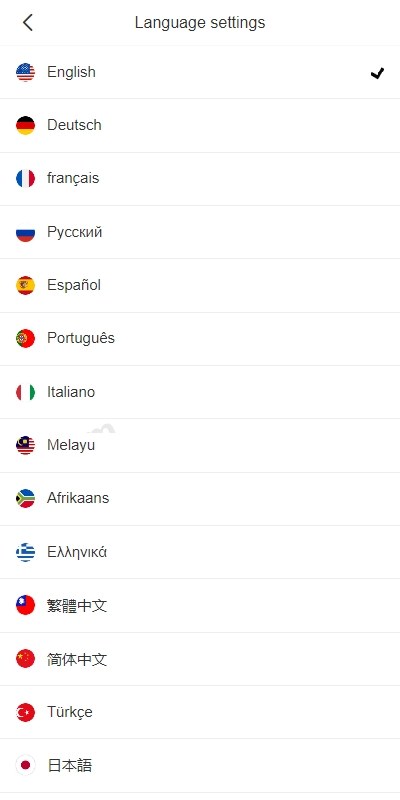
Multi-language support is one of this system’s selling points. Language packs live in the front-end resources directory; English, Chinese, Thai, and a few others are built in. Adding a new language just means copying a language pack and translating it entry by entry. I tested adding Spanish — roughly two hundred-plus entries, done in a day. Note that the front-end language switcher component needs its dropdown options updated in sync, otherwise the front end won’t recognize the new language pack.
Vendor Onboarding and Bulk Product Listing
The seller side supports vendor onboarding applications; once the admin approves, vendors can start listing products. The bulk listing feature is quite practical for sellers working across multiple platforms — product data can be imported and exported in batches, and combined with a collection API you can fill up the product catalog quickly. The client imported over two thousand SKUs and batch listing went through without errors. The only hiccup: when transferring images to local OSS storage, high concurrency slows things down, so I’d recommend processing in batches through a queue.
Basic Shopping Flow
Standard features like shopping cart, address management, and profile editing are all complete. Shipping addresses support saving multiple entries, and buyers can add, delete, and edit them. The address fields are adapted for cross-border scenarios — postal code and country are required fields, which is more thoughtful than your typical domestic mall system.
Deployment Essentials: Environment and Pitfalls
My server was 4 cores / 8 GB RAM, CentOS, with JDK 1.8 + MySQL 5.7 + Redis + Nginx. This system leans on Redis heavily — the shopping cart and part of the caching all go through Redis, and it simply won’t start without it.
A Few Key Configuration Points
1. In the back-end config file, the database, Redis, and OSS settings all need to be filled in correctly — especially OSS, since all product images go through object storage.
2. Nginx needs to handle reverse proxying for the separated front and back ends: one server block for the front-end dist static directory, one location for the back-end API. Solving CORS at the Nginx layer is much easier than configuring it in back-end code.
3. The customer service client uses an independent WebSocket long connection — remember to open the corresponding port in the firewall. I forgot this at first and customer service messages just wouldn’t send.
Recommended deployment order: get the back-end API running first, then walk through the login, product, and order endpoints with Postman, and only then start the front end. If you debug front and back ends together from the start, you’ll never figure out which layer is at fault when something breaks.
Customization Advice and Who It’s For
The code structure is reasonably clean. The Java side follows the standard Spring Boot layering — Controller-Service-Mapper, understandable at a glance — and the Vue front end uses conventional component-based patterns. It suits developers with a Java background who want to customize it, for example adding a logistics tracking API, integrating local payment channels, or adjusting commission-splitting logic.
Who it’s for: teams in cross-border e-commerce, operators who need a multi-vendor onboarding model, and programmers looking for a solid codebase to build a mall-type project on. If you have zero coding experience, get technical help with the deployment — five clients plus environment configuration is a lot, and complete beginners tend to get stuck at the environment setup step.
FAQ
Q: What’s the minimum server configuration?
A: In my testing, 2 cores / 4 GB can run it, but with five clients plus MySQL and Redis, I’d recommend starting at 4 cores / 8 GB with 3 Mbps+ bandwidth. For cross-border access, consider adding a CDN layer.
Q: Does PayPal payment require a business account?
A: For testing, a sandbox account is enough. For live payment collection you need a business account to apply for API credentials — personal accounts have restricted permissions, and callback access may not be approved.
Q: How much work is adding a new language?
A: A language pack has around two hundred-plus entries; translation plus front-end adaptation takes about a day. If the admin panel also needs multi-language support, the workload doubles — I’d prioritize the buyer side first.
Q: Is the source code fully open? Can it be customized?
A: Both the Vue front end and Java back end come with complete source code, no encrypted files, so normal customization is no problem. Back up the original code before making changes so you can roll back if needed.
Disclaimer: This article is for technical education only, sharing deployment experience. Any use of the system must comply with applicable laws and regulations, and unlawful purposes are prohibited.
Disclaimer: This article is for technical education and demonstration only. It is not professional or financial advice. Any real-world deployment must comply with applicable laws and regulations.
#Cross-Border E-Commerce #Java Mall System #Source Code Deployment #PayPal Payment #Multi-language System
-
 Alipay QR Code Scan
-
 WeChat Scan Pay