AI Voice Cloning MockingBird – Text-to-Speech Amazing Tool! With Latest Installation and Usage Tutorial!
1. Install Python, choose version 3.8 or higher 【Official Link】 Welcome to Python.org
2. Install PyTorch, download directly from the official website 【Official Link】 Start Locally | PyTorch, if your GPU doesn’t support CUDA, please choose the default option. If you don’t have a graphics card, choose CPU.
3. Install ffmpeg 【Download Link】 Download FFmpeg, after downloading, add the bin directory path to the system variable. See video tutorial.
4. Download MockingBird 【Open Source Project】 babysor/MockingBird:
5. Install the remaining required environment packages in the terminal:
python -m pip install –upgrade pip
pip install -r requirements.txt
pip install webrtcvad-wheels
6. Download the language model, or use a model you trained yourself
Author download link Effect preview
Author https://pan.baidu.com/s/1iONvRxmkI-t1nHqxKytY3g Baidu Cloud link 4j5d75k steps Trained using 3 open-source datasets mixed together
Author https://pan.baidu.com/s/1fMh9IlgKJlL2PIiRTYDUvw Baidu Cloud link Extraction code: om7f25k steps Trained using 3 open-source datasets mixed together, switch to tag v0.0.1 to use
@FawenYo https://drive.google.com/file/d/1H-YGOUHpmqKxJ9FRc6vAjPuqQki24UbC/view?usp=sharing Baidu Cloud link Extraction code: 1024 input output 200k steps Taiwanese accent, need to switch to tag v0.0.1 to use
@Miven https://pan.baidu.com/s/1PI-hM3sn5wbeChRryX-RCQ Extraction code: 2021 150k steps Note: Fix according to issue and switch to tag v0.0.1 to use
7. After downloading the model, make sure the file in xxx.pt format is placed in the synthesizer\saved_models folder. Create the saved_models folder if it doesn’t exist.
8. Finally, execute the run command to start the program!
Start the web program (v2)
python web.py
After running successfully, open the address in the browser, default is http://localhost:8080
Training dataset download【Click】
GUI startup command:
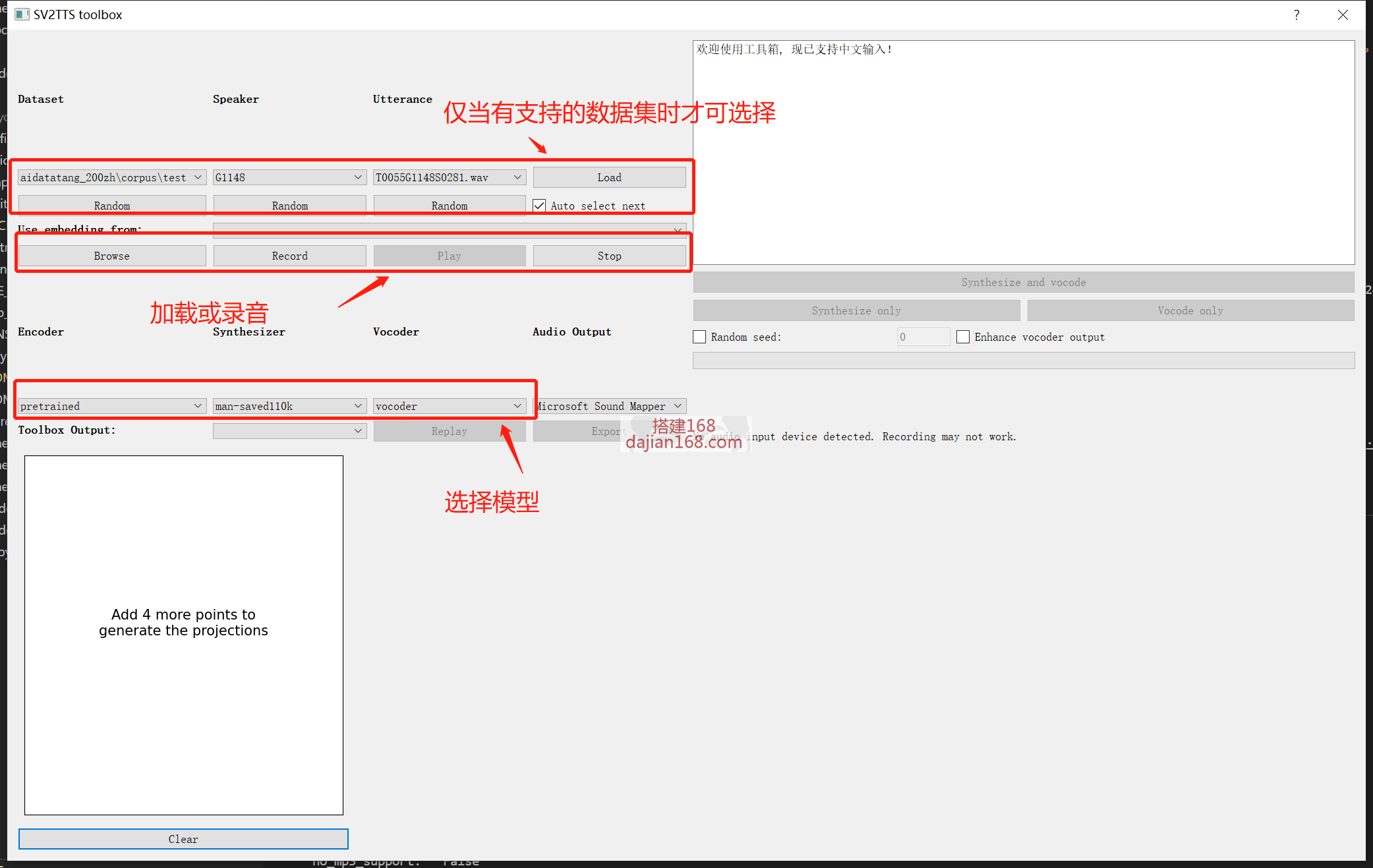
Start the toolbox: python demo_toolbox.py -vc -d
If the dataset path is C:\data\aidatatang_200zh, then it is C:\data
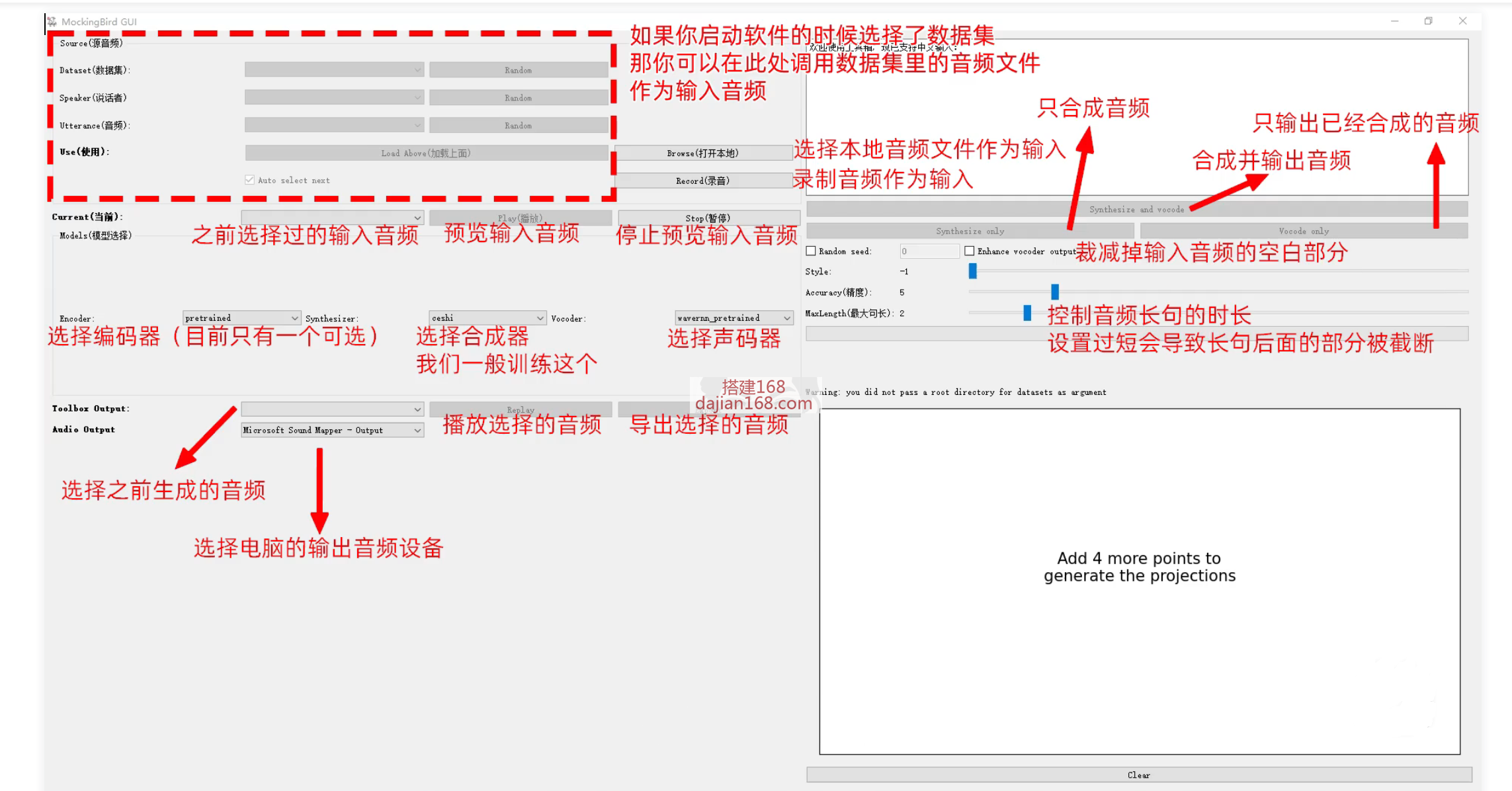
Program interface function description:
-
 Alipay QR Code Scan
-
 WeChat Scan Pay