Java Sports Points Simulation Platform: World Cup Event Data System Deployment with Spring Boot
Java Sports Points Simulation Platform: World Cup Event Data System Deployment with Spring Boot
Disclaimer: This article is for technical education and demonstration only. It is not professional or financial advice. Any real-world deployment must comply with applicable laws and regulations.
Recently helped a client deploy a Java-based sports points simulation platform, primarily intended for displaying World Cup and other football event data and for probability simulation teaching. The source code is a Spring Boot + MyBatis-Plus + Vue2 frontend-backend separated project, backed by MySQL 5.7 with Redis 6.x as the caching layer. Here’s a write-up of the gotchas I ran into, from environment prep to going live—hopefully useful for anyone else trying to spin up a similar sports event data system.
1. Feature Walkthrough: More Than Event Display — The Backend Is Fully Configurable
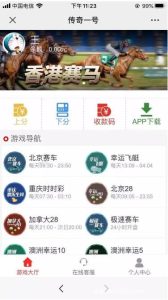
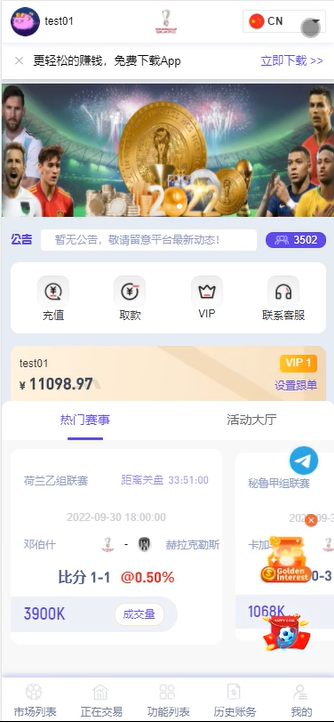
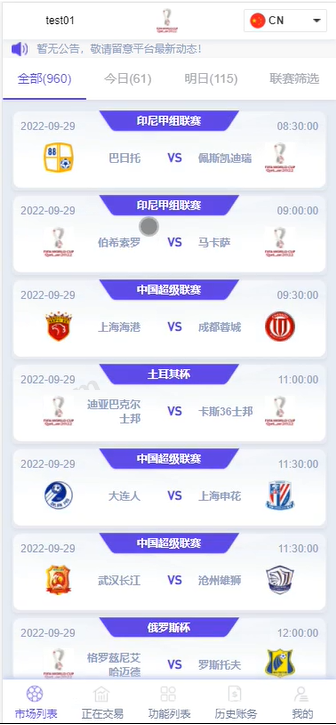
Once it was running, the first thing I checked was the frontend. World Cup schedules, standings, and team profiles all rendered cleanly. The source code drives event data through local SQL initialization plus scheduled tasks that simulate updates—no third-party API calls—so it’s perfectly fine for demo purposes.
1.1 Points Differential and Win/Loss Probability Simulation
The core module is a differential simulation engine: configure home team advantage, away team differential, and win/draw/loss weights in the backend, and the frontend produces simulation results using a randomized algorithm. Under the hood, it uses Java’s built-in SecureRandom for weighted sampling, and every parameter can be tweaked live from the admin panel—ideal for probability teaching demos. When I tested by raising the home team weight from 0.5 to 0.7 and running a thousand trials, the simulated win rate curve came out roughly in line with what you’d expect.
1.2 Admin Panel and Multi-Language Support
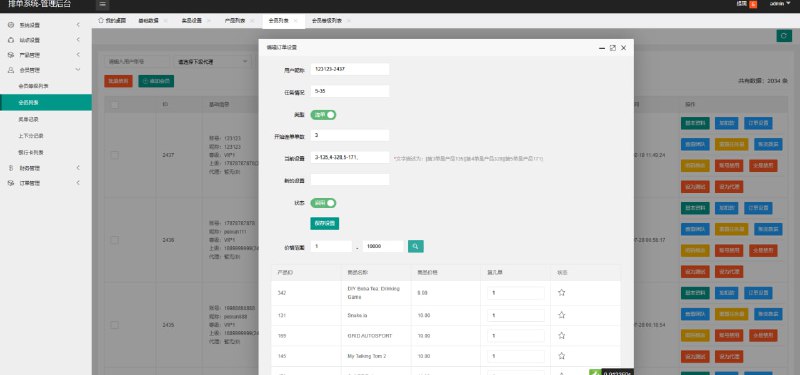
The admin panel lets you configure events, teams, scoring rules, announcements, and banners. Multi-language support is handled through Vue-i18n, defaulting to Chinese, with English and Vietnamese bundles included. Language files live in frontend/src/lang, and you can add more by extending the JSON key-value pairs. One thing to watch out for is the timezone field: match times default to UTC+8, so when demonstrating to overseas clients you need to change spring.jackson.time-zone in application.yml.
2. Deployment Essentials: Environment, Database, and API Integration
2.1 Basic Environment Setup
The server I used runs CentOS 7.9, JDK 1.8, and Nginx 1.20 acting as the frontend reverse proxy. The backend is packaged with Maven: mvn clean package -DskipTests produces a jar of roughly 45MB. On the frontend side, run npm install followed by npm run build:prod, then drop the generated dist directory into Nginx’s html folder.

2.2 Database and Redis Configuration
Import sql/init.sql into MySQL—it contains tables for events, teams, users, and points transaction records. Make sure the charset is set to utf8mb4, otherwise foreign team names come out as garbled characters. Redis is mainly used for storing tokens and hot-event cache, defaulting to database 0, with the password configured in application-prod.yml. The first startup threw a “Table doesn’t exist” error—turned out to be a case-sensitivity issue in the SQL filename, since Linux MySQL is case-sensitive by default. Setting lower_case_table_names=1 in the MySQL config sorted it out.
2.3 Payment Sandbox and Callback Debugging
The system reserves payment callback endpoints for demo credit top-ups. Before going live, I’d recommend running through the payment provider’s sandbox environment to validate /api/pay/notify, paying close attention to signature verification and idempotency. The source’s order table already includes out_trade_no, pay_status, and notify_count fields, which are enough for basic reconciliation. For customization, extract the payment channel SDK into the com.xxx.pay.strategy package—adding a new channel only requires implementing one interface.
3. Target Audience and Customization Tips
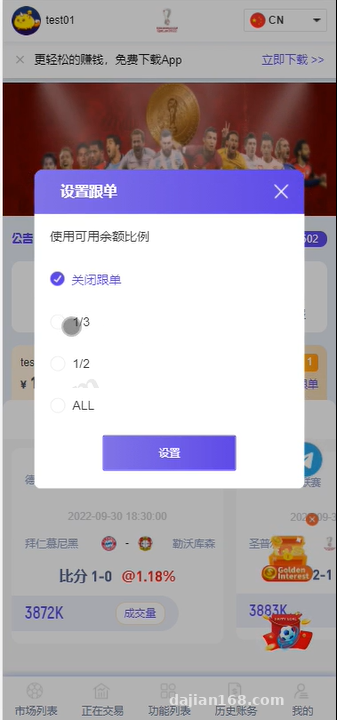
This codebase is well-suited for projects that need a sports event data demo, a teaching prototype, or an internal enterprise simulation training tool. The frontend uses Vue2 + Element UI, and the backend follows a clear layered structure—controller, service, mapper, and entity are all partitioned by module. If you’re planning to extend it, I’d recommend getting familiar with the configuration entries in the sys_config table first: things like event toggles, simulation probability ranges, and default registration credits. Also worth adding are logging hooks inside the differential simulation engine—they make later data analysis much easier.
Highlight: The source retains the event-data scheduled tasks and randomized demo endpoints. During customization you can plug in a real sports data API, swap simulated results for live data analysis, and fairly easily repurpose the whole thing into a sports event analytics dashboard.
4. Frequently Asked Questions
Q: The backend fails to start with a Redis connection error. What should I check?
A: First verify that the host, port, and password in application-prod.yml are correct. If Redis doesn’t have a password set, you need to either delete the password field or leave it blank—don’t write an empty string there. Also confirm that the server firewall allows traffic on port 6379.
Q: The frontend page returns 404 after a refresh.
A: Classic Vue history-mode routing issue. Add try_files $uri $uri/ /index.html; in the Nginx config and make sure the location block points to the dist directory.
Q: Match times are 8 hours off from local time.
A: Time returned by the backend defaults to UTC+8, but if the frontend parses it as UTC you’ll see the 8-hour gap. Set spring.jackson.time-zone=GMT+8 in application.yml and have the frontend format moment/dayjs with +08:00 as well.
Disclaimer: This technical build record is provided solely for educational and development reference. Please observe all applicable laws and regulations and do not use it for any unauthorized or illegal purpose.
Disclaimer: This article is for technical education and demonstration only. It is not professional or financial advice. Any real-world deployment must comply with applicable laws and regulations.
#Java source code #sports event system #Spring Boot #probability simulation #deployment notes
-
 Alipay QR Code Scan
-
 WeChat Scan Pay