Vietnam Random Number Demo System Deployment: Red-Yellow-Blue Probability Simulation Platform Setup Notes
Vietnam Random Number Demo System Deployment: Red-Yellow-Blue Probability Simulation Platform Setup Notes
Disclaimer: This article is for technical education and demonstration only. It is not professional or financial advice. Any real-world deployment must comply with applicable laws and regulations.
Recently helped a client targeting the Southeast Asian market deploy a random number demo system, primarily featuring a Vietnamese language interface. The front-end design was genuinely well-crafted, with red-yellow-blue color schemes that align well with local user preferences. The system includes four different probability simulation modes, with adjustable backend parameters. The deployment process involved several challenges, so here’s a comprehensive walkthrough of the complete setup.

Core System Features Testing
After receiving the source code, I first ran it in a test environment. The overall architecture is fairly straightforward. The front-end uses responsive layout, operating smoothly on mobile devices without any lag. The four probability simulation modes correspond to different algorithmic logic, each configurable independently in the backend:
Front-End User Experience
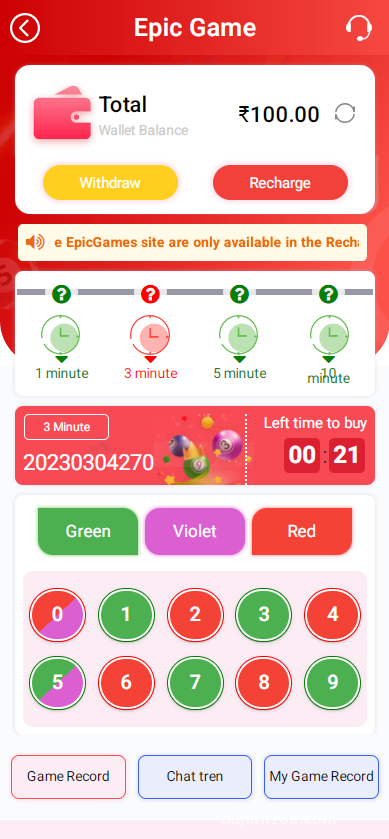
The UI design follows a flat design philosophy with natural animation transitions. The user workflow is simplified to three steps: select mode, set parameters, start demonstration. Each demonstration result includes animated feedback, which provides a noticeably better experience than typical demo systems. It supports bilingual switching between Vietnamese and English, with solid localization that even adapts currency symbols to display both Vietnamese dong and USDT.
Backend Control Panel
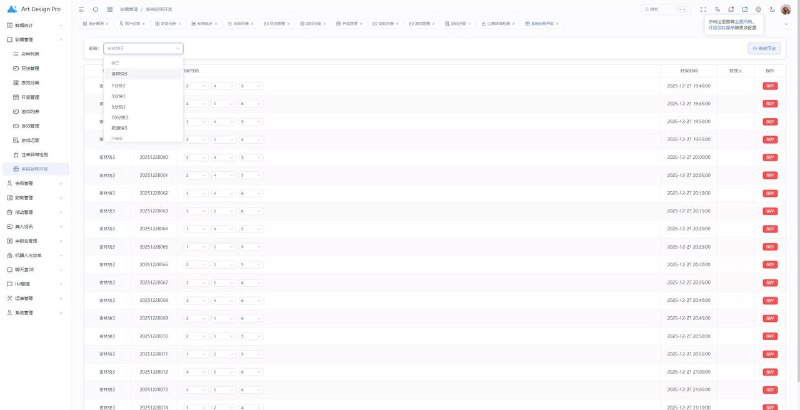
The management backend offers comprehensive functionality. I focused testing on several modules:
Probability Parameter Configuration: Each mode can have its probability distribution set individually, supporting precision to two decimal places. This feature is critical for adjusting demonstration effects, allowing clients to flexibly control based on actual needs.
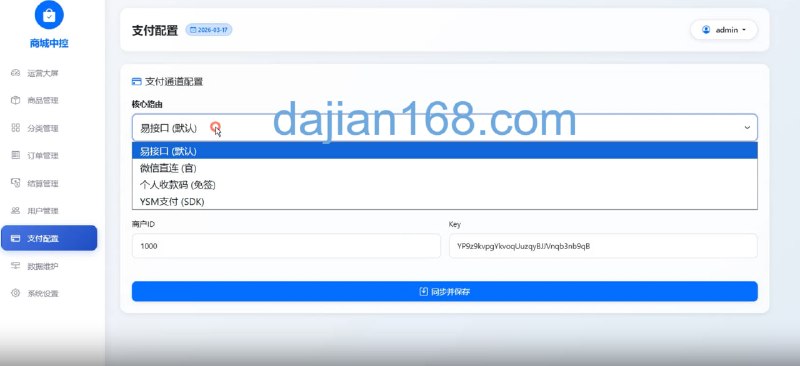
Recharge Interface Integration: The system provides a USDT recharge channel. I integrated the TRC20 protocol, and testing showed arrival times of 1-3 minutes. The API documentation is reasonably clear, though the callback verification requires attention to the signature algorithm. During my initial integration, I spent half an hour stuck on timestamp format issues.
Data Statistics Dashboard: Displays real-time user demonstration counts, recharge amounts, system profit metrics, with support for filtering and exporting reports by date. This feature is quite useful for operational analysis.
Key Deployment Process Notes
Server Environment Configuration
I used a 2-core 4GB cloud server running Ubuntu 20.04. The base environment requires installing Nginx 1.18, PHP 7.4, and MySQL 5.7. Remember to set the database character set to utf8mb4, otherwise Vietnamese special characters will display incorrectly.
PHP extensions needed include fileinfo, redis, and mysqli. The source code uses Redis for caching, and without it page loading becomes significantly slower. The Nginx configuration file needs URL rewrite rules added. The source package includes ready-made configuration examples—just copy them over and modify the domain name.
Database Import
The SQL file is over 60MB. I recommend using command-line import, as phpMyAdmin tends to timeout with large files. Before importing, modify the max_allowed_packet parameter—I set mine to 64M. Several data tables require manual index optimization, particularly the user records table and demonstration log table, where query speed differences become obvious as data volume grows.
Secondary Development Adjustments
The client requested adding an agent commission feature, which required custom coding. I added an upstream ID field to the user table, then calculated commission percentages in the recharge success callback. The code logic isn’t complex, but it’s important to handle hierarchical relationships properly to avoid circular references.
Highlight: The system supports multi-language pack extensions. If expanding to other Southeast Asian markets, simply add corresponding language files for rapid localization. Language packs use JSON format, making modifications very convenient.
Suitable Application Scenarios
From a technical perspective, this system is well-suited for probability algorithm demonstrations and random number generation logic presentations in educational contexts. The front-end interaction is well-executed, allowing intuitive visualization of how different parameters affect probability distributions. The backend data statistics functionality can also be used for algorithm performance analysis.
For commercial demonstration projects, the recharge interface and agent system are ready-made, saving considerable development time. However, note that any application involving financial transactions must strictly comply with local laws and regulations. Compliance is paramount.
Common Questions
Q: Is USDT recharge interface integration difficult?
A: Not particularly. The main requirement is understanding TRC20’s callback mechanism. The system provides API documentation—just configure the node address and callback URL according to the docs. Remember to use testnet for testing environments; don’t debug directly on mainnet.
Q: How granular is backend control?
A: Probability parameters can be precise to one percent, and payout rates for each mode can be set independently. You can also configure minimum and maximum amounts per demonstration, as well as user demonstration frequency limits. Essentially all necessary control parameters are exposed.
Q: How many concurrent users does the system support?
A: My test environment with 2-core 4GB configuration handled 500 concurrent users stably using JMeter stress testing. For larger user volumes, I recommend 4-core 8GB configuration, combined with Redis clustering and database read-write separation, which should handle several thousand concurrent users without issues.
Q: Can the front-end UI be customized?
A: Yes, the front-end code structure is quite clear, using standard HTML+CSS+JS. If you know Vue it’s even faster to modify, but even without framework knowledge, directly editing template files allows layout and style adjustments.
Post-Deployment Optimization Recommendations
After getting the system running, I implemented several optimizations. First, enabling Redis caching for hot data improved page response speed by approximately 30%. Second, configuring CDN acceleration for static resources—since Vietnam-to-China server latency is relatively high, CDN significantly improved loading speeds.
For the database, I created partitions for several large tables. After implementing monthly partitioning, historical data query speed improved noticeably. Scheduled tasks also need attention—I set a daily 3 AM cleanup of expired demonstration records to prevent database bloat.
For security, remember to change the default backend path and administrator password, enable SQL injection and XSS filtering protections. Configure firewall rules on the server, opening only necessary ports. If possible, implement an SSL certificate—Let’s Encrypt free certificates are easy to obtain nowadays.
Disclaimer: This article shares system deployment experience from a technical education perspective only. Anyone using related technologies must strictly comply with local laws and regulations, and such technologies must not be used for any illegal purposes. Developers and users bear full responsibility for compliance.
Disclaimer: This article is for technical education and demonstration only. It is not professional or financial advice. Any real-world deployment must comply with applicable laws and regulations.
#Random Number Demo #System Deployment #Vietnam Localization #Probability Simulation #PHP Development
-
 Alipay QR Code Scan
-
 WeChat Scan Pay




![? The repair and optimization process for the [Meisheng] program’s point-theft BUG. Date: 2026.7.25](https://dajian168.com/wp-content/uploads/2026/07/telegram-img-2026-07-25-6a650358579c2.jpg)