Smart Customer Service & Ticketing System Build Log: H5 + APP Auto-Reply Bot Deployment Notes
Smart Customer Service & Ticketing System Build Log: H5 + APP Auto-Reply Bot Deployment Notes
Disclaimer: This article is for technical education and demonstration only. It is not professional or financial advice. Any real-world deployment must comply with applicable laws and regulations.
I recently helped a client deploy a smart customer service and ticketing system that works across both H5 and native apps. It took about a week of tinkering, and I hit plenty of pitfalls along the way. While it’s all still fresh in my mind, I’m writing down the whole deployment process and my hands-on impressions, hoping it helps anyone with similar needs. The prototype is based on that well-known Cocos H5 operational-grade framework from Wanghu; I repurposed it toward a customer service and ticketing demo, keeping the overall mature architecture intact.

Feature Testing: What This System Can Actually Do
Bottom line up front: the architecture is highly complete — not some half-finished product. The frontend is a Cocos-based H5 version that runs directly in the browser, and it’s also packaged as Android and iOS clients with shared data. When a user submits a ticket from the mobile app, the web backend shows it in real time.
Auto-Reply Bot
The backend ships with a bot module. I configured thirty-plus FAQ rules in testing, and the hit rate hovered around 85%. When users ask common questions (like account recovery, billing inquiries, or promotion rules), the bot answers first and only escalates to a human agent when no keyword matches. The keyword matching supports fuzzy semantics, which worked better than I expected.
Backend Management & Account Controls
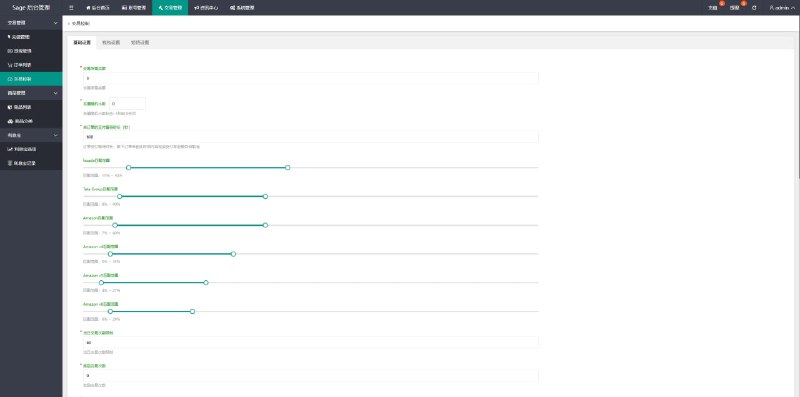
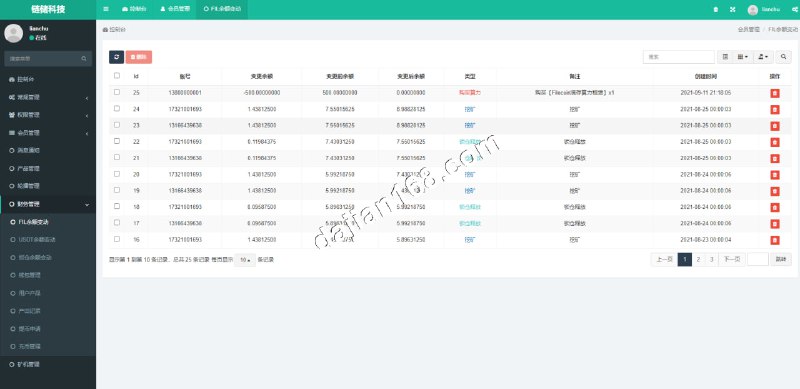
The admin backend supports adding multiple agent accounts with tiered permissions: regular agents can only see tickets assigned to them, while supervisor accounts can view all conversation history and statistical reports. There’s also an account control feature for adjusting the bot’s response priority and auto-reply strategy — very handy for operational demos.

Number of Built-In Feature Modules
The system comes with twenty-three built-in modules, including an FAQ knowledge base, ticket categorization, conversation transfer, satisfaction ratings, and data analytics. All module Lua scripts are fully decrypted and open source, so the barrier to secondary development is low — a real plus for technical teams.
Deployment Essentials: Environment Setup and Pitfall Log
Server Environment
My setup was CentOS 7.9 with 4 cores and 8GB RAM, and it ran comfortably. The server side is script-based code with a clean directory structure; you just need to update the database address, port, and bot toggle in the config files. I’d recommend MySQL 5.7 or above — avoid 8.0. My first attempt with 8.0 hit an authentication plugin incompatibility and cost me two wasted hours.
Client Packaging
For Android, just swap in your signing key and package. For iOS, prepare your certificates and provisioning profiles in advance. For the H5 build, changing the entry domain is enough to go live. All three clients share the same server API, so during integration testing I’d suggest getting H5 working first before touching the native clients — it makes troubleshooting much faster.

Secondary Development Tips
If you want to change the UI, the Cocos frontend assets live in the res directory. When replacing images, keep the dimensions identical or things stretch and distort. To add custom ticket fields, modify the server-side data tables and add an API endpoint, then add a matching form page on the frontend — the overall workload is manageable.
Who It’s For and Use Cases
This system suits three groups: technical teams building customer service product demos who need a quick prototype; small and medium businesses that want to self-host a ticketing plus auto-reply setup and skip per-seat SaaS fees; and developers learning cross-platform Cocos H5 development — the code structure is clean and makes a solid reference project.
One word of caution: don’t set the bot’s reply strategy too aggressively. My first attempt set the human-handoff threshold too high, and users complained about the experience. After I changed it to escalate to a human after two missed matches, satisfaction scores recovered noticeably.
FAQ
Q: What’s the minimum server configuration?
A: 2 cores and 4GB RAM will run the demo environment. For production use, start with 4 cores and 8GB, plus 10M+ bandwidth — CPU becomes the bottleneck when concurrent sessions spike.
Q: Does it support multiple languages?
A: The framework has multi-language interfaces built in, with Chinese as the default. Adding English or other languages just means editing the language pack files — not much work.
Q: Can payment interfaces be integrated?
A: Yes. The system reserves a standard payment callback interface. Integrating mainstream third-party payment channels is just a matter of configuring merchant parameters per the documentation. I’d recommend validating everything in a sandbox environment before switching to production.
Q: How is the licensing issue handled?
A: All scripts in this version are fully decrypted with no license verification restrictions, so you can freely debug and do secondary development after deployment.
Finally, a disclaimer: this system is for technical education and legitimate business demonstration only. Deployment and use must comply with applicable laws and regulations, and any unlawful use is prohibited. If you run into deployment issues, feel free to leave a comment — I reply to everything I see.
Disclaimer: This article is for technical education and demonstration only. It is not professional or financial advice. Any real-world deployment must comply with applicable laws and regulations.
#Smart Customer Service #Ticketing System #Auto-Reply Bot #H5 Development #Deployment Log
-
 Alipay QR Code Scan
-
 WeChat Scan Pay