Smart Customer Service & Ticketing System Setup: Live Deployment Notes for Auto-Reply Bots
Smart Customer Service & Ticketing System Setup: Live Deployment Notes for Auto-Reply Bots
Disclaimer: This article is for technical education and demonstration only. It is not professional or financial advice. Any real-world deployment must comply with applicable laws and regulations.
Last month I helped a friend who runs an online store deploy a smart customer service system. He used to rely on two human agents to handle every message, and during big sales events they simply couldn’t keep up. After about a week of tinkering, I finally got all the modules running — auto-reply, FAQ knowledge base, and ticket routing. This post documents the deployment process, hands-on test results, and the mistakes I made, so anyone planning to build something similar can use it as a reference.

1. Feature Testing: What This System Can Actually Do
Bottom line first: it’s not simple keyword matching — the admin panel is more complete than I expected. A few things stood out during testing.
Auto-Reply Bot
The bot works through two channels: intent recognition and FAQ matching. I entered over thirty frequently asked customer questions into the knowledge base, things like “when will my order ship” and “how do I return or exchange an item.” The hit rate came out above eighty percent. Questions the bot can’t recognize are automatically handed off to a human agent, so there’s no risk of it making up nonsense answers. Keyword trigger rules are fully customizable in the admin panel, with priority settings to prevent multiple rules from firing against each other.
Ticket Routing System
Once a conversation is handed off, the ticket workflow takes over. Tickets support category tags (pre-sales / after-sales / logistics), priority levels, and timeout alerts. I set a rule: if a ticket goes unanswered for more than 30 minutes, it automatically escalates to the supervisor account, with both email and in-app notifications. I ran a test, and the timeout escalation triggered right on schedule.
Admin Panel and Dashboard
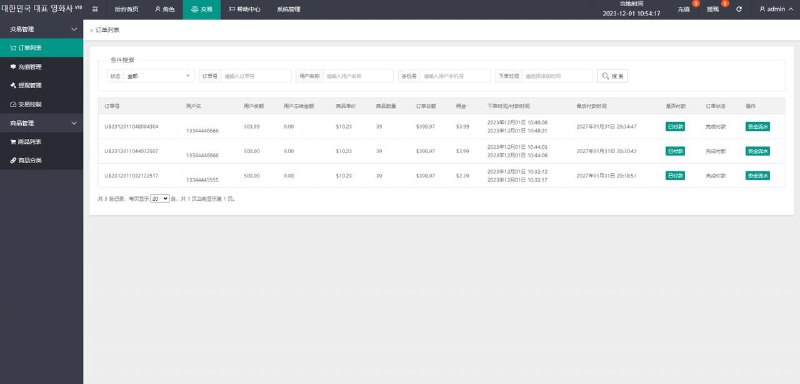
The dashboard shows conversation volume, resolution rate, average response time, and a bot fallback rate stat — handy for figuring out which FAQs need more entries. Permissions are split into three tiers: admin, support supervisor, and regular agent. Regular agents can only see tickets assigned to themselves.

2. Deployment Notes: Environment, Configuration, and Pitfalls
The system runs on the classic PHP + MySQL stack and is not demanding at all — a 2-core, 2 GB server handles it fine. Below are the key points I recorded during my actual deployment.
Environment Requirements
PHP 7.4 or higher, MySQL 5.7+, and Nginx with rewrite rules configured. After uploading the source code, import the database file first, then update the database connection parameters in the config file. The whole installation takes under ten minutes and I didn’t hit any errors.
Messaging Channel Integration
The hardest part was actually integrating the messaging channels. For the WeChat ecosystem, the callback interface requires proper token verification, and in a test environment you need to point the callback URL at a temporary domain through an intranet tunneling tool. I got stuck here for half a day before realizing Nginx simply wasn’t allowing the callback path through — two hours of debugging wasted on a single config line.
Pitfalls I Hit
Pitfall number one: when bulk-importing FAQs from Excel, line breaks inside cells will cause the import to fail, so clean your data beforehand. Pitfall number two: timeout alerts depend on a cron job, and some hosting providers disable cron by default. Check your control panel to make sure the scheduled task is actually running, otherwise ticket escalation on timeout is just for show.
Worth noting: the “bot confidence threshold” setting is critical. I set mine to 0.75 — above that, the bot answers directly; below it, the conversation goes to a human agent. Raising the threshold reduces wrong answers but increases handoffs, so just tune it to match your support team’s capacity.
3. Custom Development and Extensibility
The codebase is reasonably well organized, with clear controller and model layers, so I could adjust page styling without touching business logic. I did two customizations for my friend: one connected the bot to his store’s order lookup API so it can pull up tracking numbers directly, and the other made the reply templates multilingual to support his future cross-border store. The front-end chat window is a standalone JS plugin — embedding it into any page takes just two lines of code, and both compatibility and load speed tested well.

4. Who Is This For
It fits small teams handling anywhere from a few hundred to a few thousand inquiries a day with limited support staff — especially e-commerce and local service businesses where questions are highly repetitive. If you’re a developer wanting to learn how auto-reply matching and ticket state machines work, the FAQ matching logic and ticket workflow in this codebase are worth studying. For scenarios above ten thousand daily inquiries, I’d recommend an established enterprise-grade solution instead — this lightweight system will strain under high concurrency and large-scale analytics.
FAQ
Q: Does it require a powerful server?
A: Not at all. In my tests, a 2-core, 2 GB machine with 5 Mbps bandwidth handled 2,000–3,000 daily conversations steadily. The bottleneck usually lies in the messaging channel’s callback concurrency, not the system itself.
Q: What happens when the bot can’t answer a question?
A: The admin panel has an “unmatched questions” list that automatically collects everything the bot failed to answer. Just add the high-frequency ones to the knowledge base on a regular schedule, and the hit rate will climb noticeably over time.
Q: Can it connect to multiple channels?
A: Yes. Both the web plugin and the official account callback are supported, with all conversations managed centrally in the admin panel. Note that each channel requires its own API credentials configured on the respective platform — and never commit your secret keys to a public repository.
Q: How secure is the data?
A: All data lives on your own server. I’d recommend changing the default admin path and account credentials immediately after deployment and backing up the database regularly. Any customer data must be handled in compliance with applicable laws and regulations, and the system must never be used for unlawful purposes.
Disclaimer: This article is for technical education and demonstration only. It is not professional or financial advice. Any real-world deployment must comply with applicable laws and regulations.
#smart customer service #ticketing system #auto-reply bot #deployment notes #source code setup
-
 Alipay QR Code Scan
-
 WeChat Scan Pay