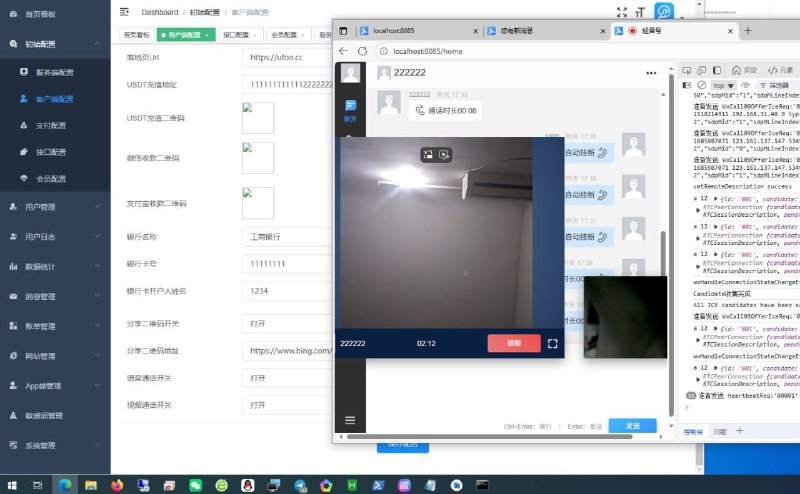
Third-Party Customer Service Software Registration Tutorial – MoLin
Third-Party Customer Service Software Registration Tutorial:
1. Open the official website: zxkefu.com
2. Register an account (need to prepare a phone number to receive verification code)
3. Download the software (here taking the computer version as an example, as shown in the picture)
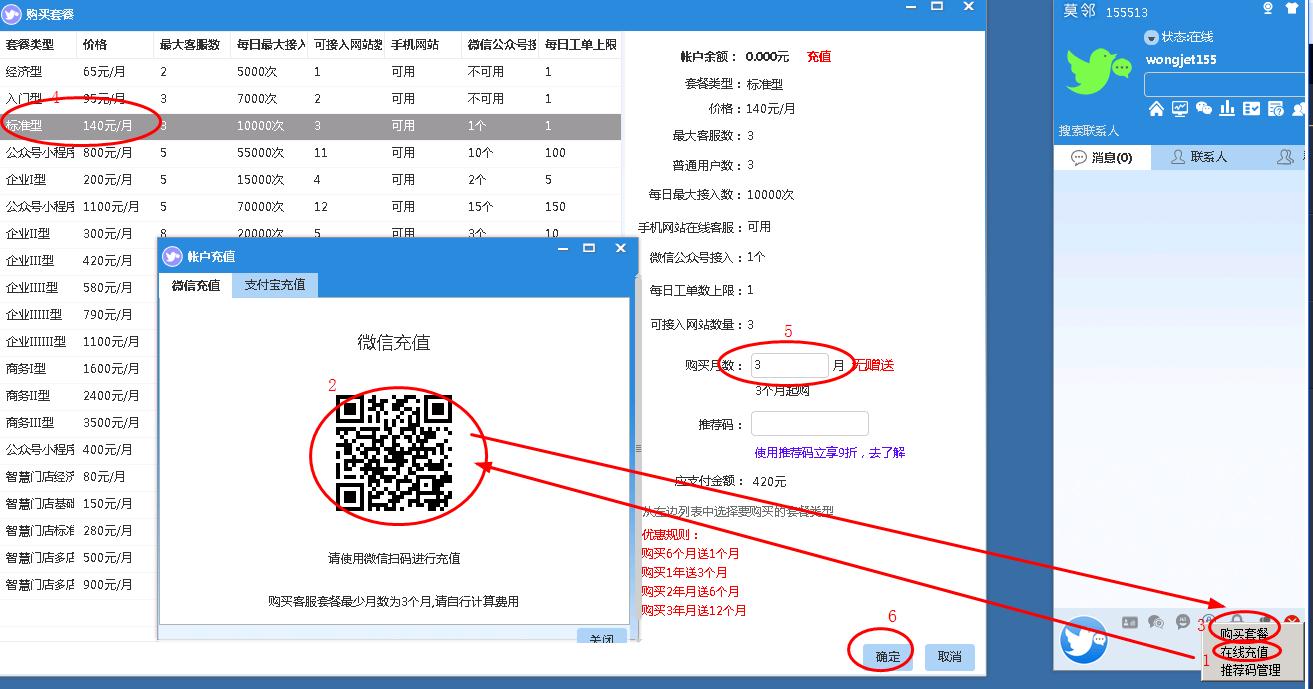
4. Log in to account — Click at bottom right — Online Recharge
5. Scan to recharge – 420 yuan (this is for 3 months, must recharge for at least 3 months, can continue using afterward)
6. Click at bottom right — Purchase Package — Select Standard Type 140/month – Fill in purchase months: 3 months — Confirm
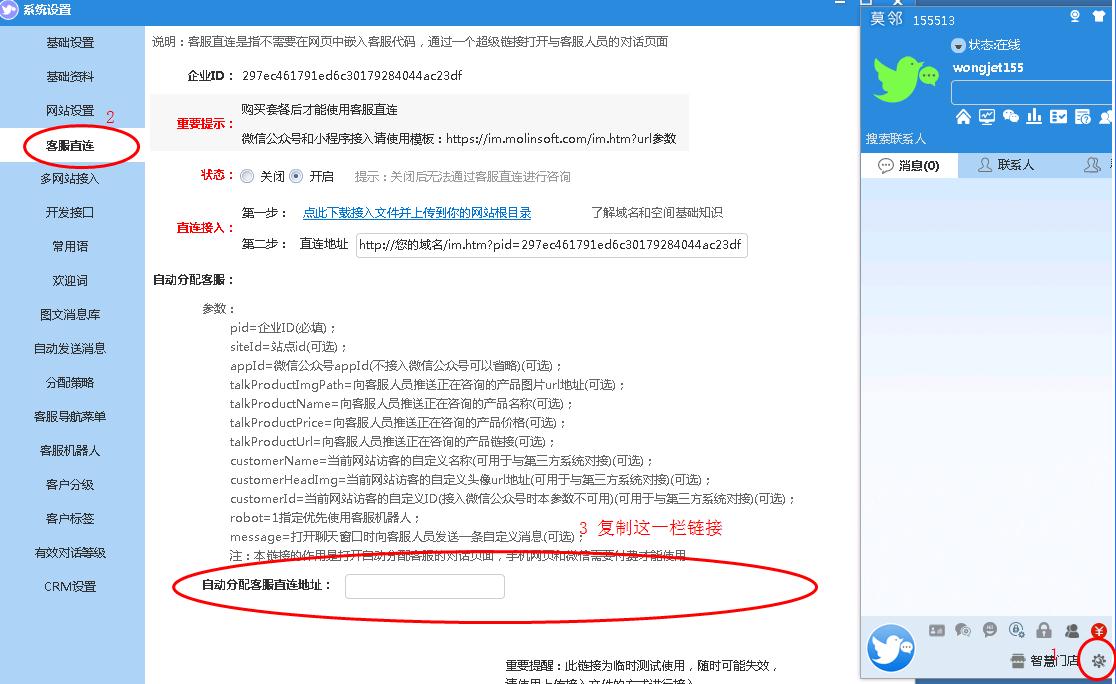
7. Click Settings at bottom right — Customer Service Direct Line — Copy the auto-assign customer service direct line address
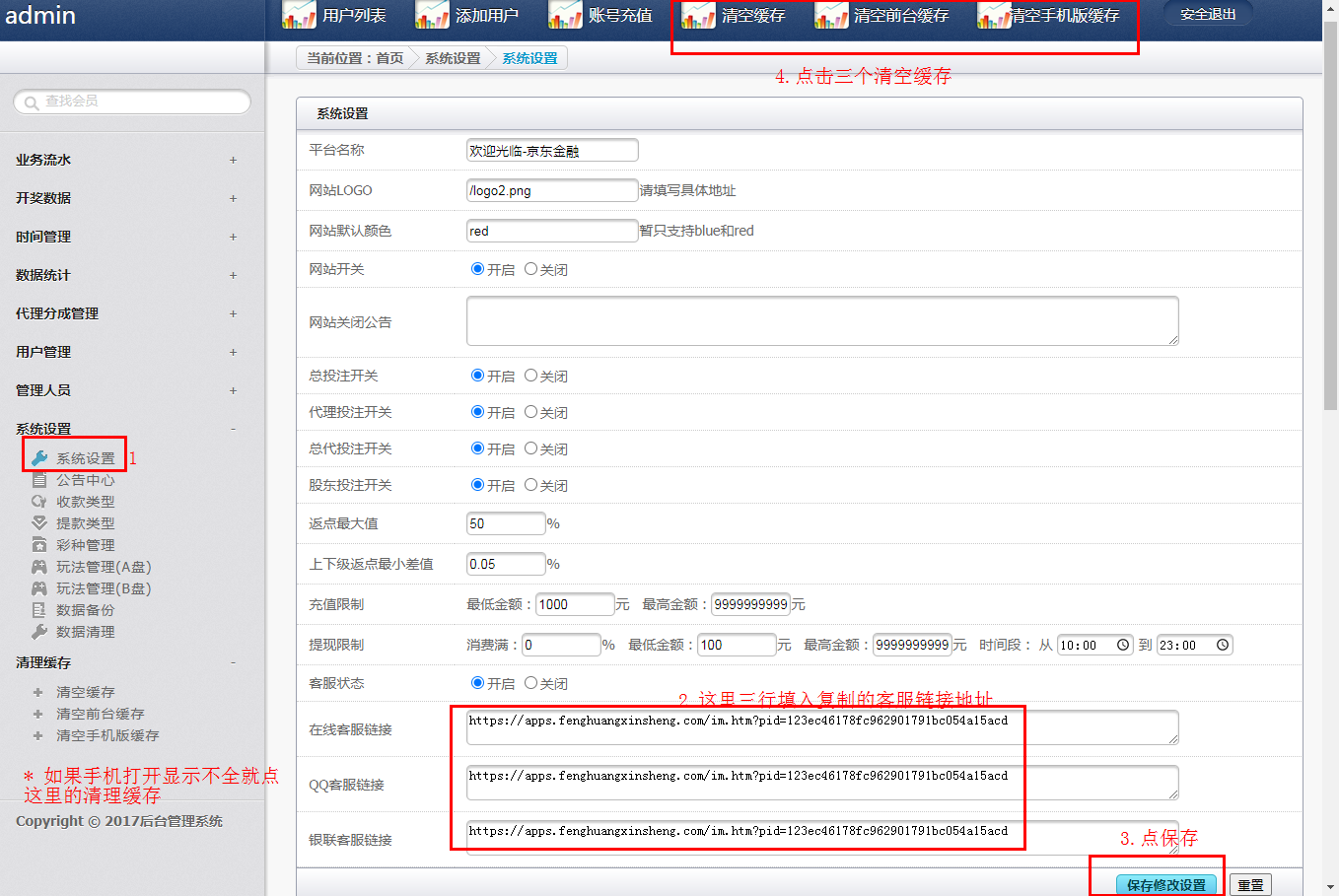
8. Copy to website backend – System Settings — Customer Service Box — Confirm — Click to clear cache three times
-
 Alipay QR Code Scan
-
 WeChat Scan Pay