Financial Data Visualization System with uniapp and FastAdmin: Multi-Asset Market Simulation and Admin Dashboard
Financial Data Visualization System with uniapp and FastAdmin: Multi-Asset Market Simulation and Admin Dashboard
Disclaimer: This article is for technical education and demonstration only. It is not professional or financial advice. Any real-world deployment must comply with applicable laws and regulations.
Recently I helped a friend who runs a financial education platform deploy a market data demo system. The frontend is built with uniapp and the backend uses the FastAdmin PHP framework. It works well for teaching students how to read market data and for internal operations dashboards. Here is a breakdown of the deployment process and a few pitfalls I ran into.
The system does not send or execute any real trading instructions. It simply displays market data as charts, paired with routine backend features like user management, role-based access control, and content configuration. I will cover the main parts below.
What the system can do
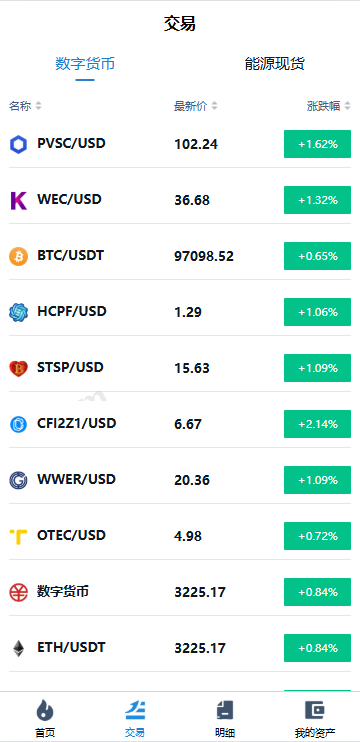
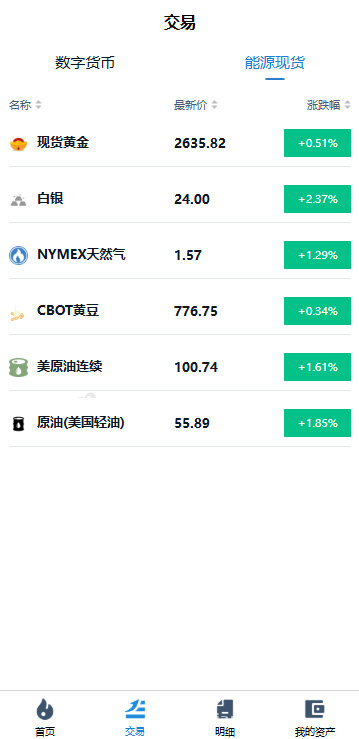
The core value of this demo is to simulate a realistic market-viewing environment so users can familiarize themselves with price trends and chart patterns of different financial products without touching a real account. Key capabilities include:
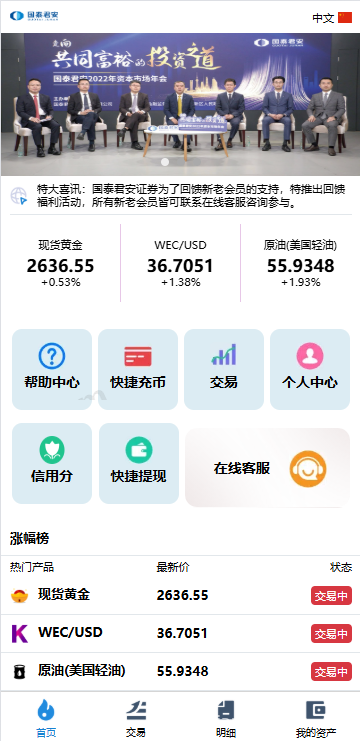
Multi-asset market display
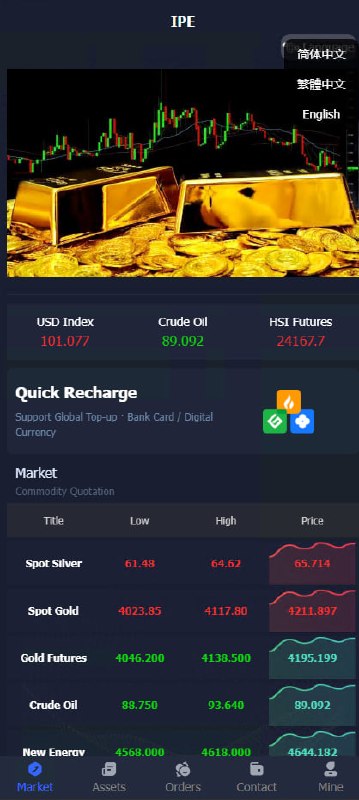
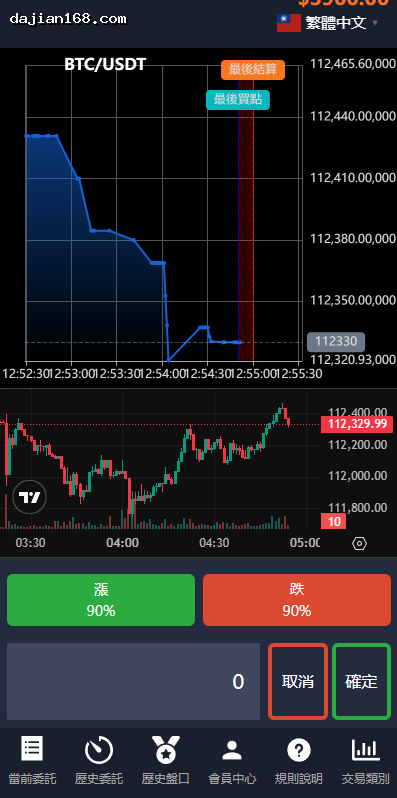
The system ships with templates for several major asset classes, such as digital asset demo data, precious metals demo data, and index demo data. Each product has its own detail page with a candlestick chart, intraday chart, and depth data display. The charts are built with an open-source charting library and support 1-minute, 5-minute, 15-minute, 30-minute, 1-hour, daily, weekly, and monthly timeframes.
User identity verification
The frontend integrates an identity verification flow. Users must submit basic information to enter the demo environment. Verification status is synced to the backend, where administrators can review each user’s status in the user list. The backend extends FastAdmin’s built-in membership plugin with a few custom fields.
Multi-language switching
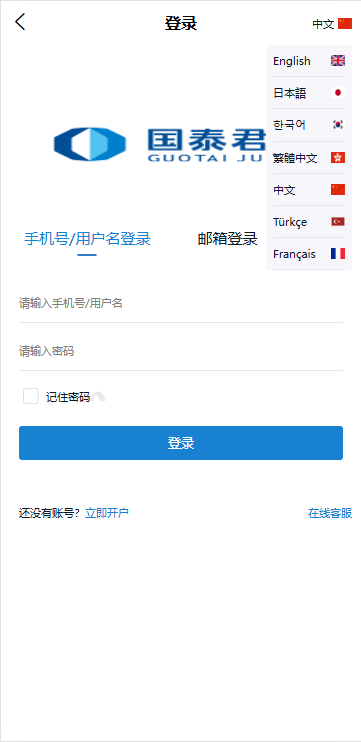
The language pack supports switching among a dozen languages, including Simplified Chinese, Traditional Chinese, English, Japanese, and Korean. Language files are stored in the frontend’s lang directory and switched via vue-i18n. The translations are machine-generated and then manually reviewed, so the main interfaces are well covered. Some professional terms may need the client to polish them further.
Backend configuration panel
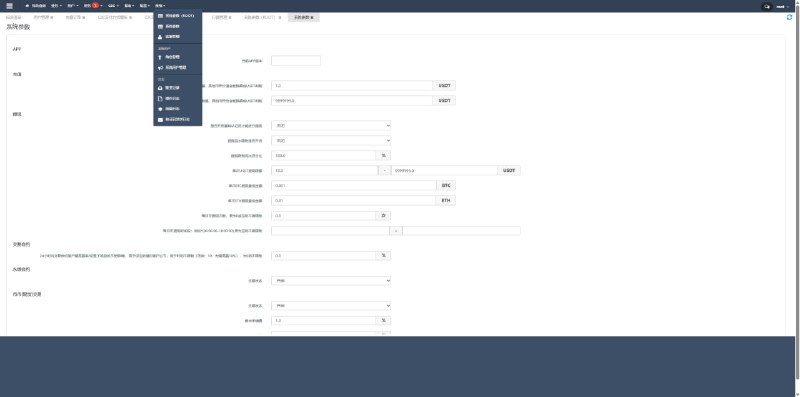
The best part of FastAdmin is its backend generator, which makes CRUD operations almost code-free. Administrators can:
- Manage demo product categories and add or edit product information
- Configure candlestick chart parameters such as color theme, default timeframe, and display items
- View the user list and handle identity verification reviews
- Configure frontend banners, announcement text, and footer information
- Export user data and access logs
Key deployment points
The system is not extremely hard to deploy, but there are a few places that can trip you up:
Environment requirements
The backend requires PHP 7.4 or higher. MySQL 5.7 or 8.0 works, but I recommend 8.0. Redis is used for caching and sessions; without it some functions will feel slower. The server can start as low as 2 cores and 4 GB of RAM. If traffic is high, bump it to 4 cores and 8 GB.
Packaging the uniapp frontend
After you receive the frontend source, run npm install to install dependencies, then edit the API address in the config directory. Remember to change H5, APP, and mini-program configs separately, or you may confuse them when publishing. I made this mistake once: I packed the test environment URL into the production build.
Tip: In uniapp’s manifest.json, set the h5 router mode to history. Otherwise, refreshing a page will return a 404. For the APP build, you also need to apply for the relevant SDK configurations.
Connecting market data
The system does not include a live data source by default, so you need to connect a third-party market API. Mock data is enough for development. For production, I recommend a paid market data provider for stability and accuracy. The integration point is in the backend app/common/library directory, in the MarketData class. Replace the logic there with your own data source.
Do not skip security
Even though it is a demo system, security still matters:
- Change the default admin backend path
- Keep database passwords and API keys in the .env file, never hard-code them
- Enable FastAdmin’s CAPTCHA and anti-CSRF settings
- Add rate limiting to interfaces to prevent data abuse
- Serve static assets through a CDN to reduce origin load
Who this system is for
A few use cases that fit well:
First, financial education and training institutions. When teaching technical analysis and chart patterns, this system is much more intuitive than static screenshots. Students can switch timeframes and draw lines themselves.
Second, financial software companies doing product demos. When showing clients what the product can do, you cannot use a real account. This system looks professional and carries no risk.
Third, teams building custom data visualization platforms. FastAdmin is extensible, and CRUD can be scaffolded. You can turn this skeleton into a market analysis tool, quantitative strategy backtesting platform, and similar.
Fourth, multilingual products for cross-border business. The language pack covers a wide range of languages, saving translation work when building overseas display pages.
Common questions
Q: Is the data in this system real?
A: No. The system does not include a data source, and third-party APIs also separate demo and live environments. It is enough for demonstration, but it should not be used as a basis for financial decisions.
Q: Can the uniapp frontend be compiled into a mini program?
A: In theory, yes, but the official recommendation is mainly H5 and APP. The mini-program version requires component adjustments, and the charting library’s compatibility in the mini-program environment needs separate testing.
Q: Can the FastAdmin backend be customized?
A: Yes. FastAdmin is an open-source admin framework based on ThinkPHP. The code structure is clear and the secondary development documentation is reasonably complete. I recommend first getting familiar with ThinkPHP’s directory structure and FastAdmin’s plugin mechanism.
Q: Do I need to register the website after deployment?
A: If the server is in mainland China, the domain needs ICP filing. The system does not involve financial trading functionality; it is a normal website system, so follow the standard filing process. Please use it in compliance with laws and regulations, and avoid any illegal or improper use.
Disclaimer: This article is for technical education only. The system described is a demo environment and does not process real transactions or connect to live accounts.
Disclaimer: This article is for technical education and demonstration only. It is not professional or financial advice. Any real-world deployment must comply with applicable laws and regulations.
#financial data visualization #FastAdmin #uniapp #market simulation #deployment notes
-
 Alipay QR Code Scan
-
 WeChat Scan Pay