Short Video Content Distribution Platform Setup: uniapp + ThinkPHP + Multi-language Deployment
Short Video Content Distribution Platform Setup: uniapp + ThinkPHP + Multi-language Deployment
Disclaimer: This article is for technical education and demonstration only. It is not professional or financial advice. Any real-world deployment must comply with applicable laws and regulations.
Recently I helped a client deploy a short video content distribution platform targeting overseas markets. The frontend was built with uniapp, and the backend runs on ThinkPHP, a PHP framework. The source code structure was fairly clean when it arrived, but some configuration items were buried deep. I hit a few potholes before everything ran smoothly. This article organizes the deployment process and feature set for site owners planning to build similar platforms.
Part 1: Feature Review — What This Platform Can Do
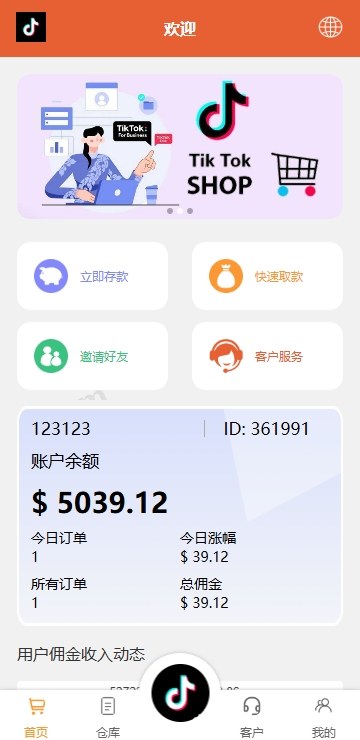
After deployment, I went through the admin panel first. The core purpose is short video content distribution scheduling: admins publish content tasks, and the platform assigns them to creators or distributors according to rules. It supports task grouping, group management, permission delegation, and multi-language switching.
1. Content Scheduling and Queue Control
The admin panel can create task templates, setting task type, unit price, quantity, and execution requirements. After publication, tasks enter a pool and are distributed by group or delegation level. The queue control is practical: you can set a concurrency cap to prevent too many requests from hitting the API at once. During testing, I set concurrency to 50 and MySQL CPU stayed below 30%.
2. Multi-language Configuration
The uniapp frontend has full internationalization. Language packs live under /static/lang/ in JSON format. The admin panel can toggle languages and add new ones. I added Vietnamese and Thai for the client by copying en.json and translating the values. Note: don’t enable right-to-left languages yet, because uniapp layout will break.
3. Permission Delegation and Grouping
Backend roles are granular: super admin, agent, group leader, regular user. Each level sees different menus and data scopes. Agents can manage members under them but cannot view cross-group data. This logic is implemented in ThinkPHP controllers via middleware, so customization isn’t difficult.
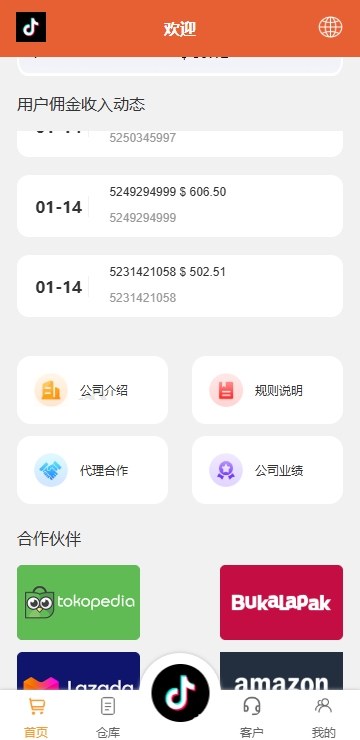
4. Data Jitter (Traffic Simulation)
The admin panel has a “data jitter” module, which applies randomized data fluctuations and simulated traffic for testing system behavior under high concurrency. You can set fluctuation ranges, generate test data, and simulate task claim behavior. I recommend turning this off before going live to avoid mixing test data with real business data.
Highlight: The queue control and concurrency limits on this platform are solid. In my tests on a 2-core 4GB server, a single API endpoint reached about 800 QPS. For production use, I suggest adding Redis for caching and queues to push performance higher.
Part 2: Deployment Notes — From Source Code to Go-live
My test environment was CentOS 7.9, Nginx 1.24, PHP 7.4, and MySQL 5.7. The source structure separates the uniapp frontend and ThinkPHP backend into different directories for independent deployment.
1. Backend Deployment
The ThinkPHP entry point is in the public directory, so Nginx root must point to public. Use the official recommended rewrite rules, and make sure pathinfo is enabled. The database config is at /config/database.php; import the .sql file and update credentials.
I ran into one issue: the admin captcha wasn’t showing. After some digging, I found that the PHP GD library wasn’t installed. Running yum install php-gd and restarting PHP-FPM fixed it. The default SMS gateway is configured for domestic channels; for overseas business, switch to an international SMS provider in /config/sms.php.
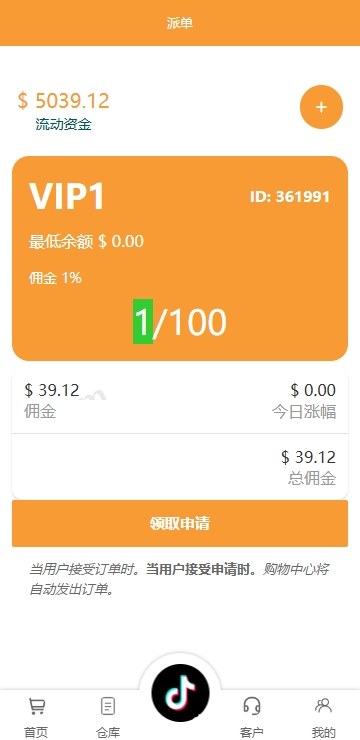
2. Frontend Deployment
Import the uniapp source into HBuilderX, update the API address in /config/index.js, and then publish to H5, Android, or mini-program. For H5, I recommend deploying to a separate subdomain with Nginx as a reverse proxy. When packaging Android, generate your own keystore — don’t use the test signature bundled with the source.
3. Payment Gateway Configuration
The admin panel supports multiple payment channels, found under “System Settings – Payment Config.” Overseas projects typically use PayPal, Stripe, or local e-wallets. Use sandbox mode for testing. Before going live, double-check keys and callback URLs; callbacks must be reachable from the public internet, or async notifications will fail.
Part 3: Who It’s For and Customization Tips
This platform is a good base for companies with technical teams building short video distribution platforms, content scheduling systems, or internal task management tools. Individual site owners who only know how to use templates may get stuck on multi-language setup, payment integration, and permission customization.
For customization, ThinkPHP 6 has comprehensive documentation, and the admin frontend uses layui — just find the corresponding view files. For new pages in uniapp, register routes in pages.json. I recommend understanding the RBAC permission model first before extending features; otherwise things get messy as roles multiply.
FAQ
Q: Can this platform support both iOS and Android at the same time?
A: The frontend is uniapp, so in theory it can be packaged as H5, Android app, iOS app, and mini-program. iOS listing requires an Apple Developer account and stricter review. I suggest testing market response with H5 or Android first.
Q: How do I add a new language?
A: Copy /static/lang/en.json to a new file like th.json, then translate the values. Enable the language in the admin “Language Management” panel. Make sure all frontend text uses the $t() method, or language switching won’t work.
Q: Will the data jitter feature affect real data?
A: Data jitter is a testing and simulation module, and by default it tags data as test data. Just disable it in the admin panel before going live. As a safeguard, keep production and test databases separate to avoid accidental operations.
Q: What are the minimum server requirements?
A: For testing, a 2-core 4GB server with 5 Mbps bandwidth is enough. For production, start with 4-core 8GB and estimate bandwidth by concurrent users. If task volume is large, deploy Redis and MySQL separately, and use OSS for file storage.
Q: How do I troubleshoot payment callback failures?
A: First check Nginx access logs for incoming POST requests. Then verify the callback URL and check keys and signature algorithms. Many issues come from firewalls or HTTPS certificate configuration. I suggest manually testing the callback URL with curl.
This article is for technical education only. Please use the source code in compliance with applicable laws and regulations.
Disclaimer: This article is for technical education and demonstration only. It is not professional or financial advice. Any real-world deployment must comply with applicable laws and regulations.
#short video distribution #uniapp #ThinkPHP #multi-language #deployment notes
-
 Alipay QR Code Scan
-
 WeChat Scan Pay