Smart Customer Service Ticket System Setup: Auto-Reply Bot Development and Backend Control
Smart Customer Service Ticket System Setup: Auto-Reply Bot Development and Backend Control
Disclaimer: This article is for technical education and demonstration only. It is not professional or financial advice. Any real-world deployment must comply with applicable laws and regulations.
Recently I helped a friend running a cross-border e-commerce SaaS deploy a smart customer service ticket system. The requirements were straightforward: heavy daytime inquiries, no live agents at night, so an auto-reply bot needed to handle initial conversations and escalate complex issues to humans. After getting the source code, I spent one weekend setting it up. Here is what I learned from the actual test.
1. Deployment Environment and Architecture Highlights
The system runs the main site on PHP and MySQL, uses Redis for message queues and online status caching, and relies on WebSocket for real-time session push. I used a 2-core 4 GB CentOS server with 5 Mbps bandwidth. With over 200 concurrent sessions, CPU usage stayed around 30%.
1. Environment Configuration
PHP 8.1, MySQL 5.7, Redis 6.x, Nginx 1.24. One pitfall during extension installation: the Swoole Loader extension must strictly match the PHP version, or the auto-reply bot will throw a 502 error on startup. I recommend using the aaPanel one-click LNMP stack, then manually adding Redis and Swoole.
2. Directory Permissions
The runtime and uploads directories must be set to 777, otherwise uploading FAQ documents and robot training data in the backend will fail. Database config is edited in .env, and remember to turn off debug mode before going live.

2. Feature Testing: Bot Reception and Human Handover
The most useful part of the backend is the “bot + human” dual mode. You can allocate by time reel simulation, keyword, or user tier. For example, between 10 PM and 8 AM everything goes through auto-reply; during the day high-tier customers go straight to live agents.
1. FAQ Knowledge Base and Similar Question Matching
The bot maintains an FAQ library in the backend and supports Excel import. The matching algorithm defaults to TF-IDF, but you can switch to a word vector model. In practice, when the same question was phrased differently, a similarity score above 0.82 would hit. If no match is found, it escalates to a human or returns a fallback response.
2. Bot Accuracy Tuning
The backend has a “Bot Response Strategy” panel where you can adjust the “auto-reply confidence threshold” and “human handover trigger conditions”. A lower confidence makes the bot more eager to answer; a higher value pushes more questions to humans. During testing I set it to 0.75, and the error rate dropped noticeably.
Note: the auto-reply bot is not a replacement for humans. It filters out 80% of repetitive questions first, so live agents can focus on after-sales issues and complaints.

3. Backend Control and Custom Development
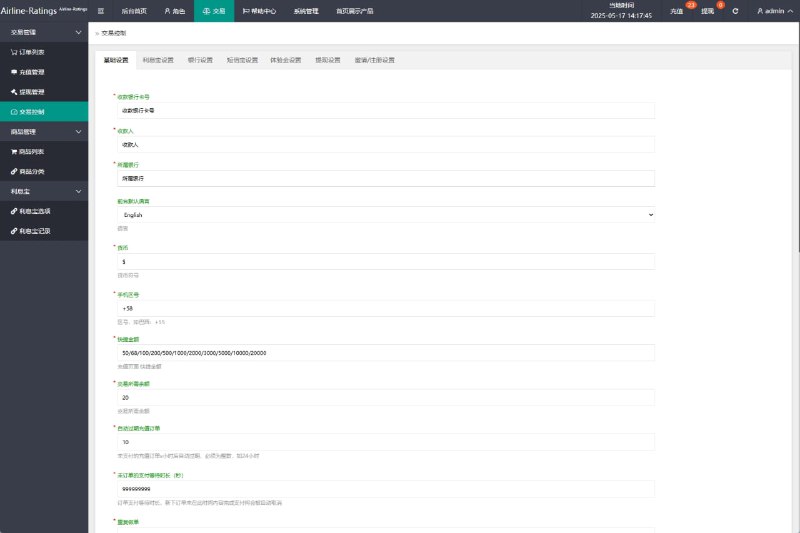
The admin backend is fairly complete: agent management, ticket routing, tag classification, data statistics, and blocklist. What surprised me most was multilingual support; en, zh, and jp can all be switched in the backend, which is great for foreign trade sites.
1. Payment and SMS Webhooks
The system reserves payment callback and SMS notification interfaces. When connecting Alibaba Cloud SMS, just fill the template CODE and secret key under “System Settings -> Message Gateway”. Test SMS arrived within about a minute, and ticket status changes are automatically pushed to customers.
2. Custom Development Tips
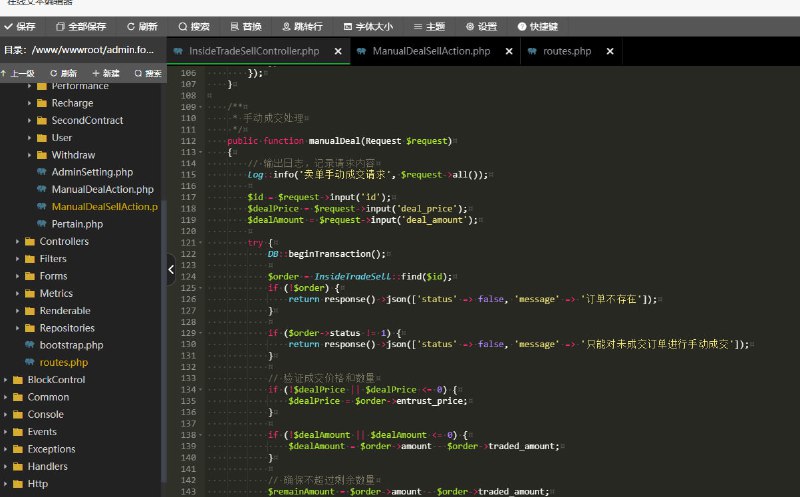
The frontend is Vue 3 + Element Plus, and API docs are in the doc folder at the project root. If you want to integrate with WeCom or Lark, I recommend adding a channel adapter under app/service/robot, inheriting the base class and overriding the sendMessage method. Remember to clear the Redis cache after changes, or the config will not take effect.
4. Frequently Asked Questions
Q: Will the auto-reply bot keep repeating the same answer?
A: Turn on multi-round session memory in “Conversation Context”. The system records the last 5 rounds; when the same question is asked repeatedly it returns a different response or transfers to a human.
Q: Can I let the bot handle only simple questions and force complex tickets to humans?
A: Yes. The backend “Routing Rules” support judgment by keyword, sentiment word, or question length. When a rule is hit, it is directly assigned to the designated agent group and the bot no longer intervenes.
Q: Will multiple people logging into the admin backend at the same time conflict?
A: No. The system supports multiple agents online at the same time, but I recommend keeping only one super-admin account active to avoid cache inconsistencies caused by simultaneous changes to bot strategy.
This source code is generally mature and the deployment difficulty is moderate. It is suitable for teams that want to launch a smart customer service ticket system quickly. This article is for technical education only; please comply with applicable laws and regulations and do not use it for any illegal or unauthorized purpose.
Disclaimer: This article is for technical education and demonstration only. It is not professional or financial advice. Any real-world deployment must comply with applicable laws and regulations.
#smart customer service #ticket system #auto-reply bot #source code deployment #customer service system
-
 Alipay QR Code Scan
-
 WeChat Scan Pay