PHP Product Website System with Admin Panel + 7 Industry Templates — Source Code Download
This is a zero-dependency PHP product landing-page system with a visual content admin panel: PHP 7.2+ (full regression run on PHP 8.2), native HTML/CSS/JS, no framework, no Composer, no MySQL — content lives in PHP array files under data/. It suits freelancers and small teams who need a multi-industry product site an editor can update without touching code, and it ships as one ready-to-upload source code download on dajian168. The same field-driven engine also fits product pages for a communication system or hardware line, where specs and feature blocks change often.
The install footprint is small: 1 front controller (index.php), 1 core engine (functions.php), 1 field schema file, and 2 data files. Upload, log in, edit, publish.
7 Templates That Swap Layout, Not Just Colors
Each template is a folder with 3 files — index.php, meta.json, preset.json — so switching industry replaces page skeleton, block order and sample copy, not a palette.
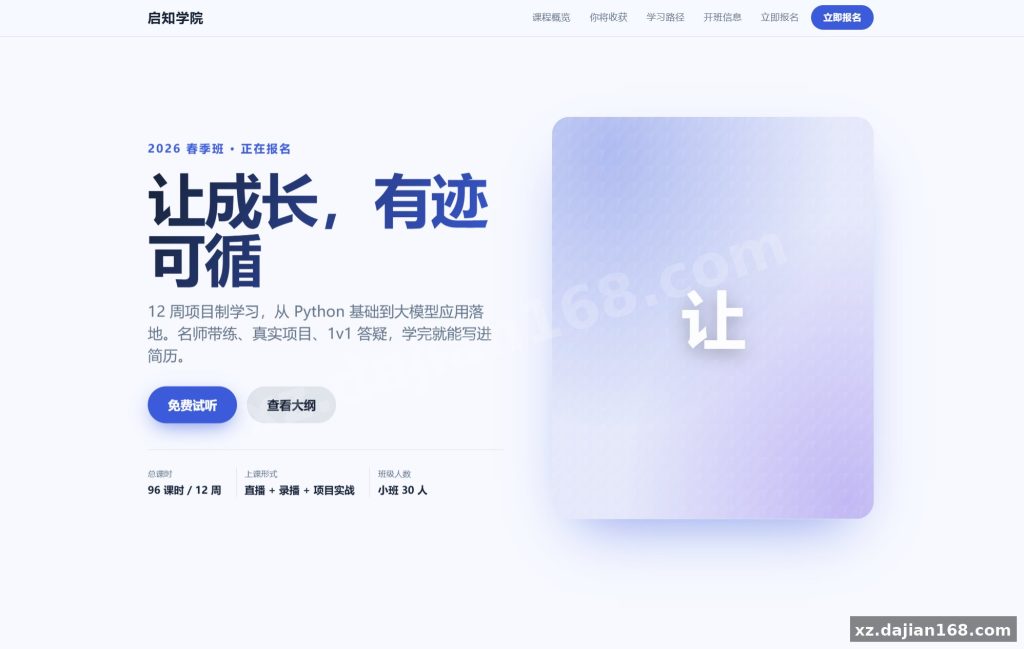
When I flipped from the tech preset to the education one in the admin panel, the hero changed from a dark grid with two-column spec tables to a badge hero with a vertical timeline. The markup is genuinely different. The other five cover beverage, beauty, auto, medical and real estate, each with its own hero type and gallery rhythm.
Takeaway: open templates/<id>/preset.json before choosing a template — it tells you which content blocks the layout expects, so you write copy that fits instead of stuffing text into fields the layout ignores.
Five Deployment Steps on a Stock Nginx/Baota Stack
From ZIP to live in 5 steps, roughly 10 minutes, with no build step and no database import.
- Upload the package to your web root and unzip.
- Make
data/anduploads/writable by the PHP-FPM user (0755 on directories is enough). - Open
/admin/login.php, sign in with the default account, and immediately change the password. - Edit brand, hero, features, specs and FAQ, then click Save All — Preview alone does not publish.
- Pick a template in the admin panel and reload the front page.
One pitfall worth knowing: after step 2 a direct browser request to data/site.php returns 403 or an empty body. That is the built-in guard working, not a permissions bug — don’t “fix” it by loosening the directory. Also confirm the front page sends no-cache headers; if your CDN overrides them, editors will report “my changes didn’t save” when they actually did.
Admin Panel Auto-Builds Its Form From One Schema File
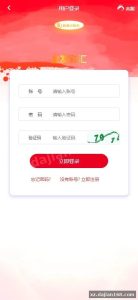
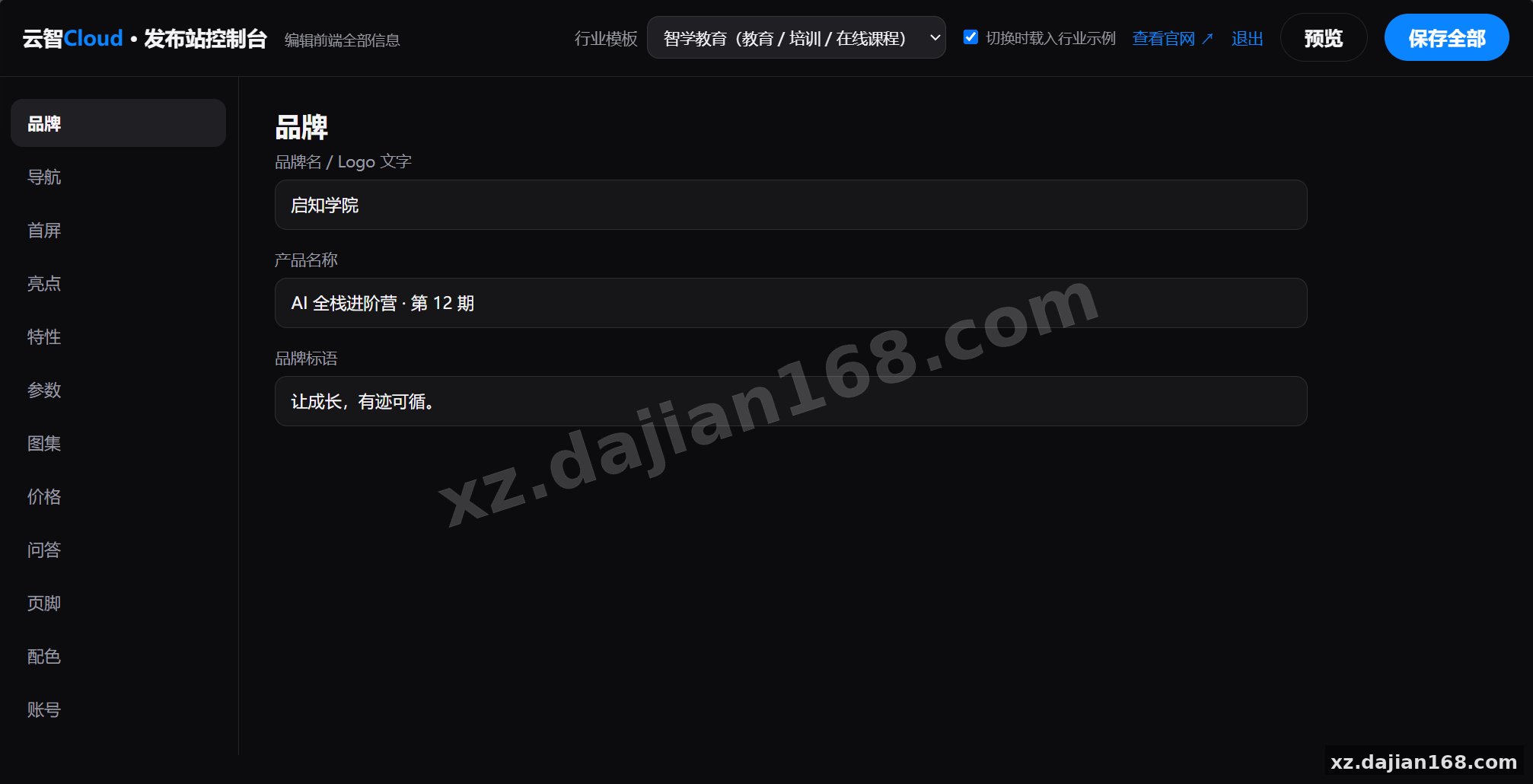
Every editable field is declared in inc/schema.php, and the admin form is generated from it — adding a new field is a one-file edit, no template surgery.
Five guards are wired in and I checked each during testing: session login, CSRF token on save, bcrypt password hashing, a template whitelist built by directory scan (blocks path traversal), plus upload type and real-image validation. Colors and link protocols pass a whitelist too, which shuts down CSS and javascript: injection through the editor.
Takeaway for editors: leave an image field empty and the system renders a gradient placeholder with the first character — no broken image icons. Upload real images later; nothing needs to be rebuilt.
Runtime Requirements and the 5 Project Types It Fits
Any host running PHP 7.2+ with the core session/json extensions will run this — no GD, no mbstring, no database server.
| Item | Requirement |
|---|---|
| PHP | 7.2 minimum, 8.0–8.3 recommended, verified on 8.2 |
| Extensions | session, json, password_hash, random_bytes, getimagesize (all core) |
| Web server | Nginx (Baota default) or Apache, no rewrite rules needed |
| Storage | 2 flat PHP files: data/site.php, data/users.php |
| Build | None — no npm, no Composer |
Good fits: 3C and gadget launches, tea and beverage brands, cosmetics lines, clinic and education sites, and property or interior portfolios. The shared design system (glassmorphism nav, scroll reveal, spring easing) adapts on mobile and respects the OS “reduce motion” setting.
FAQ
Q: Do I need MySQL or any database at all?
A: No. Content is stored in data/site.php as a PHP array, so backup means copying one folder. If your host blocks file writes, the Save All action fails silently — test one save right after install.
Q: How hard is adding an eighth template?
A: Create a folder under templates/ with index.php, meta.json and preset.json. The whitelist rebuilds itself from a directory scan, so no other code changes are required.
Q: What happens if an uploaded image is deleted later?
A: The front end falls back to the gradient initial placeholder, so cards stay intact. Swap in a real file from the admin panel whenever you like.
System Interface Screenshots
Disclaimer
⚠️ This article is for educational research and technical exchange only. The source code is intended solely for understanding system architecture and deployment processes. Do not use it for illegal purposes. Any commercial operation is unrelated to the author.