Multilingual Live Chat System Deployment Guide: 20-Language Packs and Multi-Tenant Agent Setup Notes
Multilingual Live Chat System Deployment Guide: 20-Language Packs and Multi-Tenant Agent Setup Notes
Disclaimer: This article is for technical education and demonstration only. It is not professional or financial advice. Any real-world deployment must comply with applicable laws and regulations.
I recently helped a friend who runs a foreign trade business deploy a multi-tenant online customer service system. The requirements were pretty clear: 20 languages, bot auto-replies, real-time translation, no limits on agent seats, and all data stored on their own server. It took two days of tinkering, so I’m writing down the whole process for anyone with similar needs.
Hands-On Review: What This System Can Actually Do
Bottom line up front: all the core features work, and a few highlights deserve a closer look.
Multi-Language and Translation
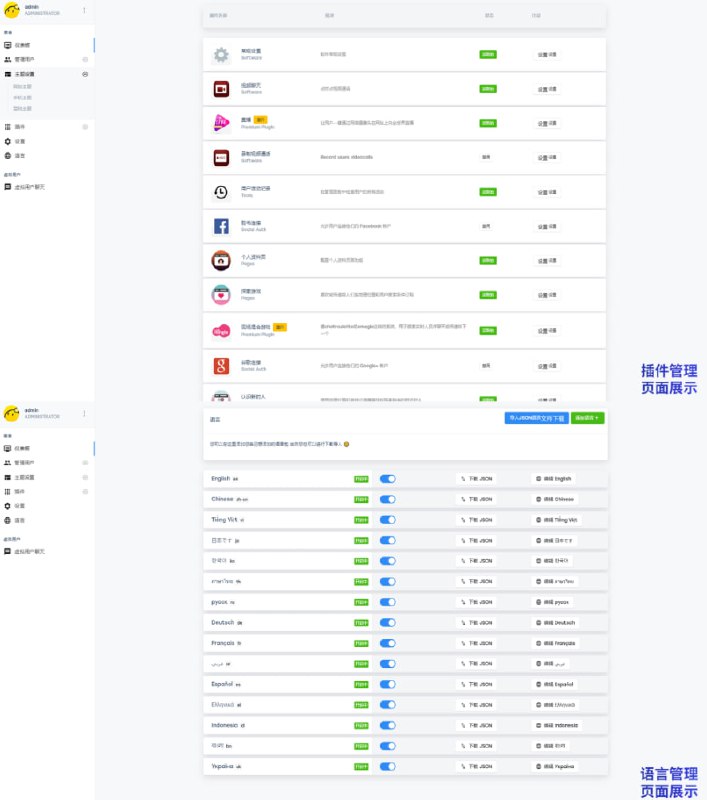
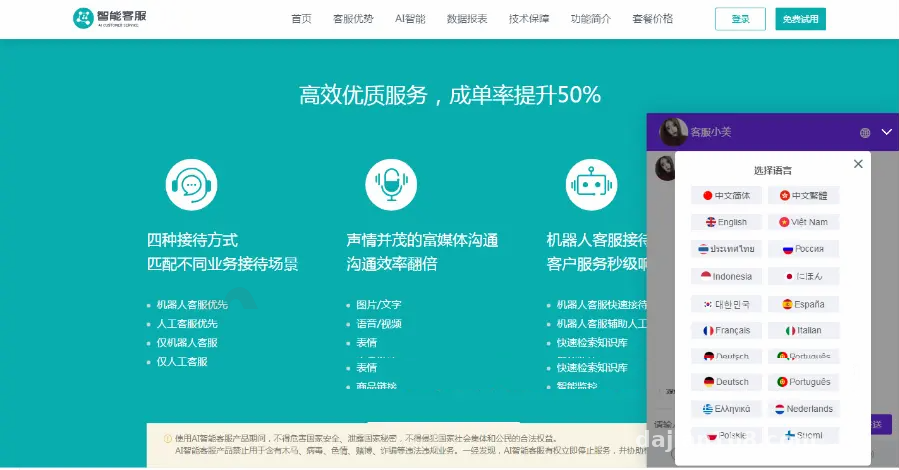
The frontend language packs cover Simplified and Traditional Chinese, English, Japanese, Korean, Russian, Thai, Vietnamese, Indonesian, Spanish, French, German, Italian, Arabic, Portuguese, Danish, Greek, Dutch, Polish, and Finnish — twenty languages in total. Testing is simple: switch the language in the browser and the frontend text changes accordingly, no code edits needed. The translation module connects to a third-party API. When a customer sends a message in Thai, the agent side automatically shows it in Chinese, and replies get translated back. In my tests the latency was around 1 second, which is perfectly fine for cross-border communication.
Bot and Offline Conversations
The bot supports a configurable FAQ knowledge base. I entered about twenty FAQ entries in the admin panel and the hit rate was decent. Messages left by visitors outside working hours go into an offline conversation queue, which agents process together when they start their shift. This matters a lot for customers in different time zones — European and American customers message in the middle of the night, and everything is waiting first thing in the morning.
Multi-Tenant and Agent Seats
The multi-tenant architecture gives each tenant its own admin panel and fully isolated data, with no cap on agent seats. I set up three test tenants, each with its own brand logo, company profile, and FAQ entries, and they never interfered with each other. All data stays on your own server — a hard requirement for foreign trade companies that care about privacy.
Deployment Tips and Pitfalls
My environment was LNMP, PHP 7.4 + MySQL 5.7, with the BaoTa panel to keep things easy. A few pitfalls worth mentioning:
SSL Is a Must
The system supports SSL, and I strongly recommend enabling it. The chat runs over WebSocket, and without a certificate an HTTPS site will throw mixed-content errors and messages simply won’t send. I got lazy at first and skipped it — the frontend could chat but the backend kept dropping offline. After a long debugging session, that was exactly the cause.
Blocked Words and Message Screening
The admin panel has a blocked-word setting that filters messages containing specified terms, plus built-in message screening and risk alerts. Anyone in foreign trade knows chat inboxes fill up with all kinds of odd links. This filtering layer shields agents from a lot of junk, making it a genuinely useful little feature.
Interface Customization
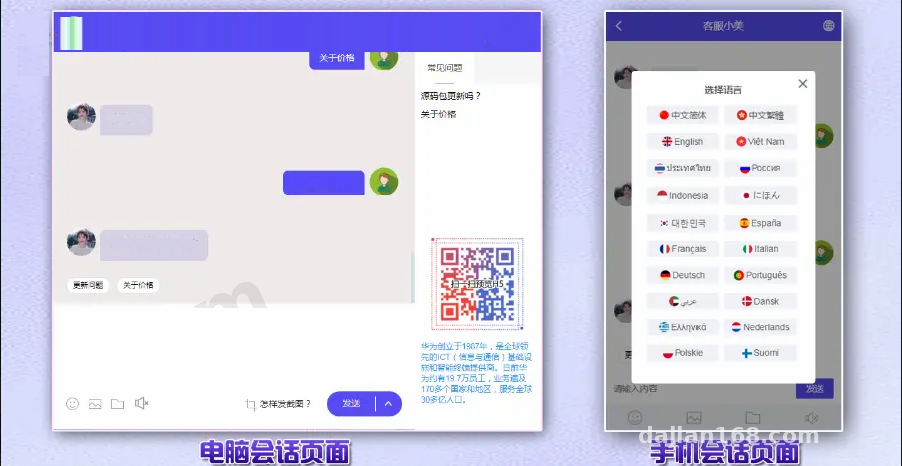
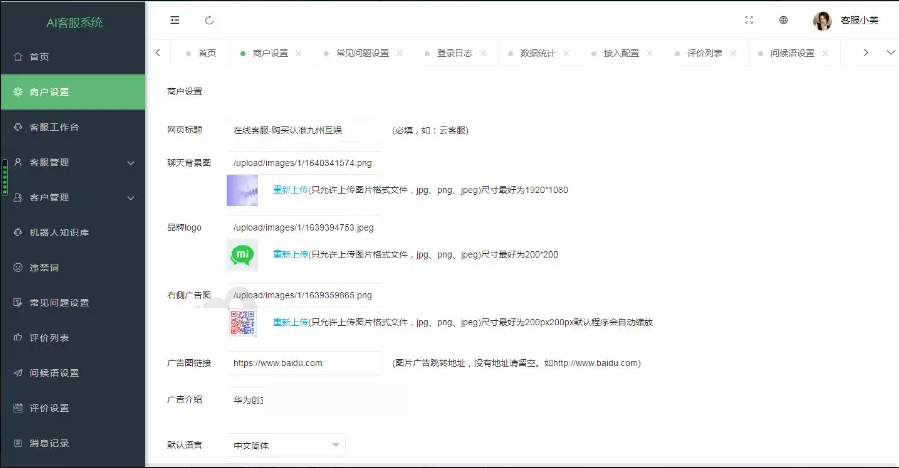
The chat page background image, banner images, and redirect links can all be uploaded and configured from the admin panel, and the chat window can display your brand logo and company profile. If you plan to customize the code, the rich text editor supports HTML, which makes template changes easy. The emoji set has been swapped for Twitter Emoji, so display stays consistent across all languages.
Who Is This For
Three groups come to mind: cross-border e-commerce site owners, for whom multi-language plus translation is a must-have; SaaS teams, who can use the multi-tenant architecture to onboard tenants and sell the service directly; and freelance developers taking on client work, where clients demand private deployment and data that never leaves their servers — this architecture fits perfectly. If you just run a small personal site, a free chat plugin is enough; there’s no need for something this heavy.
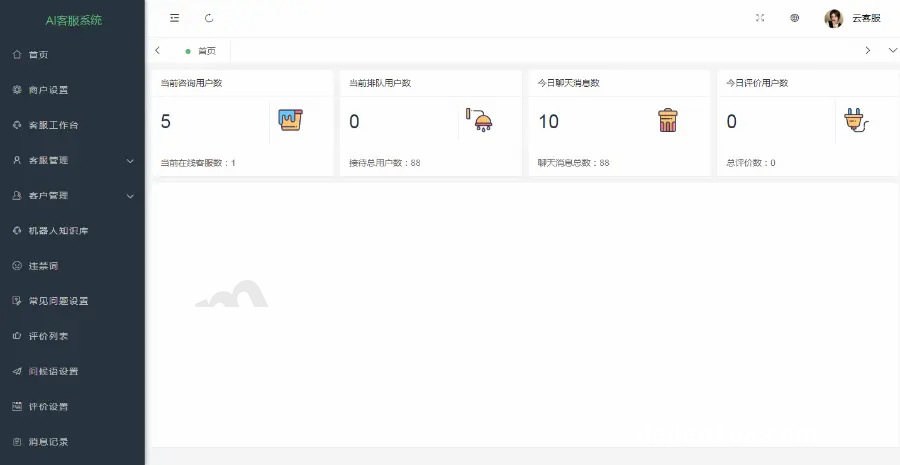
Key takeaway: unlimited agent seats + self-hosted data + twenty language packs — this combination offers great value among similar codebases, with plenty of room for customization. The tenant system, translation API, and bot knowledge base can all be extended independently.
FAQ
Q: Does the translation feature cost extra?
A: Translation goes through a third-party API, so you need to apply for your own API key and enter it in the admin panel. The API provider charges by usage; the system itself doesn’t take a cut. For low-traffic sites, a few dollars a month is enough.
Q: Does it work on mobile?
A: Yes. The frontend ships with separate PC and mobile templates that adapt automatically. It also supports a floating button style, so it sits in a corner of your site without disrupting the layout.
Q: Can I register and try it myself?
A: The system includes a self-service trial registration feature. Visitors can open a demo tenant directly, and when the trial expires it can be manually renewed or shut down — very low maintenance to run.
Q: How hard is secondary development?
A: The code structure is clean with frontend and backend separated, and language packs are standalone files — adding a new language is just copying and translating one JSON file. Teams with PHP basics will get up to speed quickly.
Disclaimer: This article is for technical education only, sharing deployment experience. Anyone using such a system should comply with applicable laws and regulations and must not use it for any unlawful purposes.
Disclaimer: This article is for technical education and demonstration only. It is not professional or financial advice. Any real-world deployment must comply with applicable laws and regulations.
#live chat software #multilingual support #cross-border e-commerce #source code deployment #multi-tenant system
-
 Alipay QR Code Scan
-
 WeChat Scan Pay