New UI Overseas Order-Grabbing System Setup: Card Orders and Auto-Matching Guide
New UI Overseas Order-Grabbing System Setup: Card Orders and Auto-Matching Guide
A recent overseas order-grabbing project required a completely redesigned interface rather than another reused template. The client also asked for three specific capabilities: card orders, order clearing and automatic order matching. The build took a little over a week from source-code review to launch. These notes reorganize the original Chinese deployment record into a practical English guide.
1. What Makes This System Different
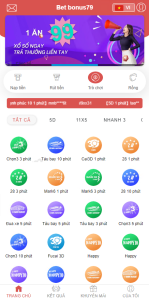
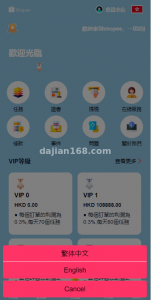
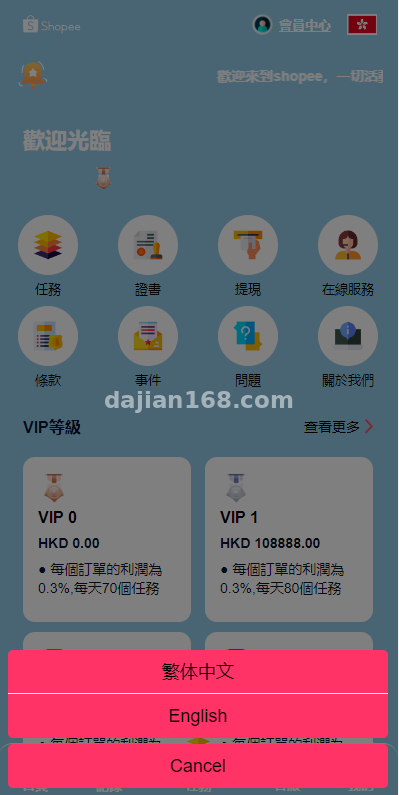
Compared with a traditional order-grabbing platform, this version focuses on a cleaner mobile UI and stricter order-state control. The front end currently supports English and Traditional Chinese, and additional languages can be added through independent JSON files.
- New UI design: the interface uses shorter operation paths. A user can move from registration to the first order in about three steps.
- Card-order function: after a user receives a marked order, the system locks a follow-up order and requires the current card order to be completed before continuing.
- Automatic matching: the backend pushes suitable orders based on user level, balance and activity history, reducing manual selection.
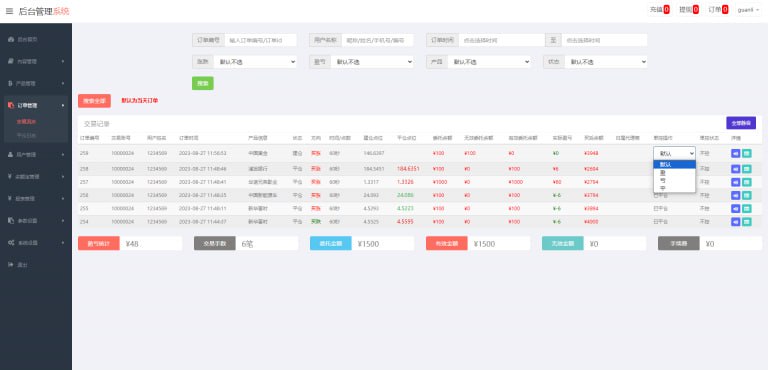
- Order clearing: the order pool can be cleared by rule, such as after a member completes a fixed number of orders or when a campaign ends.
- Agent commission structure: multi-level agents can view downline order activity and commission data in real time.
2. Environment Preparation
Because matching and card-order checks are real-time operations, do not start with an undersized server. A 4-core/8 GB VPS is a safer baseline for formal use. Prepare PHP 7.4+, MySQL 5.7+, Nginx and Redis. Redis is required for order queues and card-order state caching. Configure HTTPS before any wallet-related testing, and prepare the payment callback address in advance.
3. Problems Encountered During Deployment
3.1 Card orders created a loop
The initial logic allowed one card order to lock another card order. In a bad configuration, the user could never finish the chain. The fix was to add a maximum card-order depth. A depth of two is usually enough for campaigns, and anything deeper should require manual review.
3.2 Order clearing removed historical records
There are two ways to clear orders: mark them as cleared or physically delete them. Physical deletion caused finance reports to mismatch because historical wallet records remained while order records disappeared. The safer implementation is mark-clearing: remove orders from the active pool but preserve the historical ledger.
3.3 Auto-matching favored only high-balance users
The first version matched orders mainly by balance, so a small group of accounts received most high-value orders. A better weighting formula is balance 40%, activity 30% and level 30%. That gives smaller users a chance while still respecting account value.
3.4 Traditional Chinese broke button layout
Some buttons overflowed after switching from English to Traditional Chinese. Fixed-width CSS was the cause. Replace fixed widths with min-width and max-width, then add overflow handling for long labels.
4. Extension Directions
Useful upgrades include smarter order recommendation, device-fingerprint risk control, Cordova or Capacitor app wrapping, point-based rewards and campaign analytics. If the platform grows, separate the order-matching worker from the web process so a traffic spike on the front page does not delay order locks.
Operational note: keep the rules transparent. Card orders, automatic matching and order clearing should be visible in user rules and backed by server-side logs.
FAQ
Q1: Why does the system need Redis?
Redis stores hot order state and queue data. Without it, every order grab would hit MySQL directly, making the platform slower and increasing lock conflicts.
Q2: Can order clearing be scheduled?
Yes. A scheduled task can clear expired campaign orders or reset the active pool at a fixed time. It should always write a clearing log.
Q3: What is the safest way to test card orders?
Use test users, test balances and a separate order pool. Trigger one-level and two-level card orders, then verify the front-end state, backend order table and wallet log together.
#Overseas Order-Grabbing System #New UI #Card Orders #Auto Matching #Order Clearing
-
 Alipay QR Code Scan
-
 WeChat Scan Pay