Indian Stock System Build Log: Full-Source Deployment Notes with uniapp + fastadmin
Indian Stock System Build Log: Full-Source Deployment Notes with uniapp + fastadmin
Recently I helped a friend who runs an overseas financial business deploy an Indian stock system — a fully open-source version with a uniapp front end and a fastadmin back end. From receiving the package to getting market data running smoothly took about half a day. I ran into a few pitfalls along the way, so I’ve organized the entire process here as a reference for anyone planning to get started.
I. System Feature Walkthrough
The front end of this source code is a standard uniapp project, which can be compiled to simultaneously generate H5, mini-programs, and APP versions. I used the H5 version for a complete functional review, mainly covering several areas:
1. Market Data Module
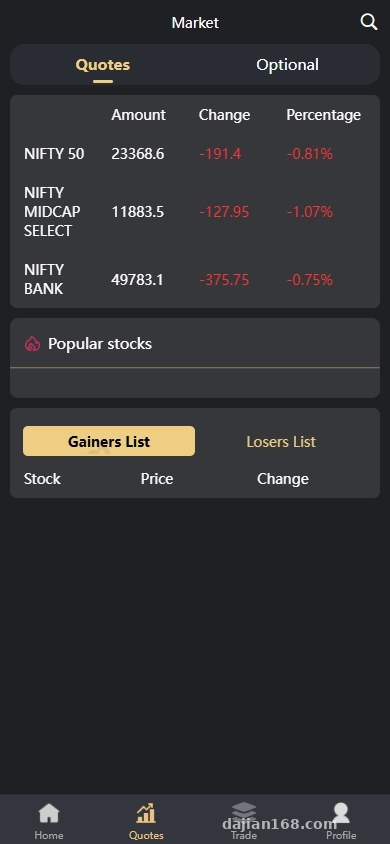
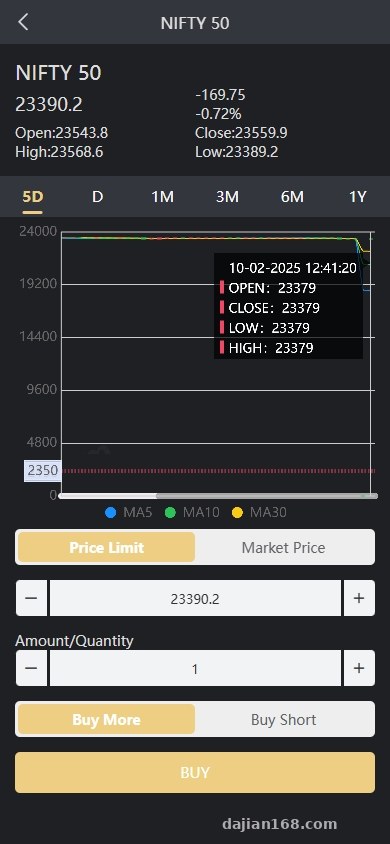
The market data is scraped from the data packets of a local Indian stock website. Basic data such as the market list, K-line charts, and time-sharing charts all work normally. On the homepage you can see Indian major indices and hot stock recommendations. After entering a stock’s detail page, you can view daily, weekly, and monthly K-lines, with conventional fields like trading volume and turnover rate all included. The data is transmitted via WebSocket long connections, refreshing fairly promptly without noticeable lag.
2. IPO Subscription Module
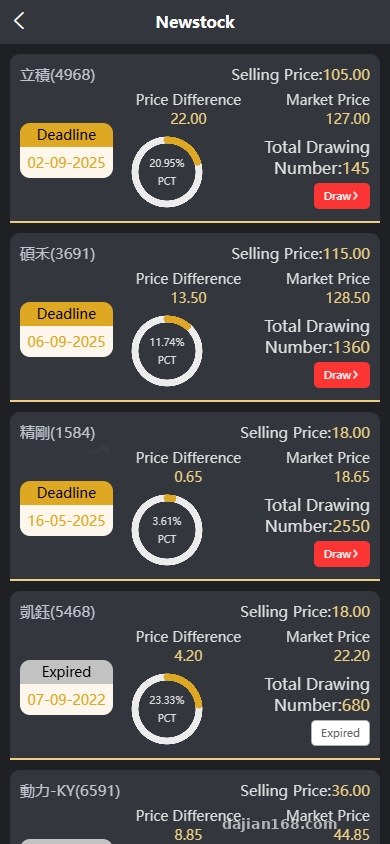
This is one of the standout features of the system. The interface looks similar to Hong Kong IPO subscriptions, showing a list of currently available IPOs, with each entry displaying the issue price, market cap, industry, and subscription deadline. Users can click in to see detailed information, including company fundamentals, price range, and sponsors. The subscription process is standardized: select quantity → confirm → submit, with backend review status synced to the front end.
3. Trading and Holdings
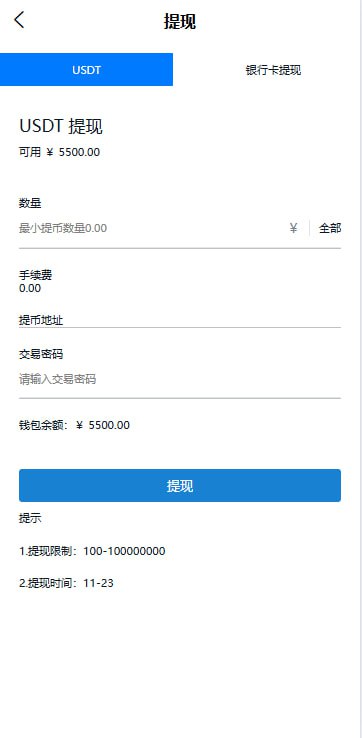
The simulated trading is fairly complete, with order types supporting limit orders, market orders, and stop-loss orders. The holdings page shows current shares, cost basis, floating profit/loss, and historical transaction records. There’s also a fund flow section that records every transaction from deposit to withdrawal.
4. Multilingual Switching
The system comes with built-in English and Hindi switching. Although I deployed a Chinese version, the underlying language packs are ready-made, making secondary development very convenient. Language files are placed in a fixed directory — to add a new language, you only need to copy a language pack and modify the translations.
II. Deployment Key Points and Pitfalls Logged
1. Backend Environment Setup
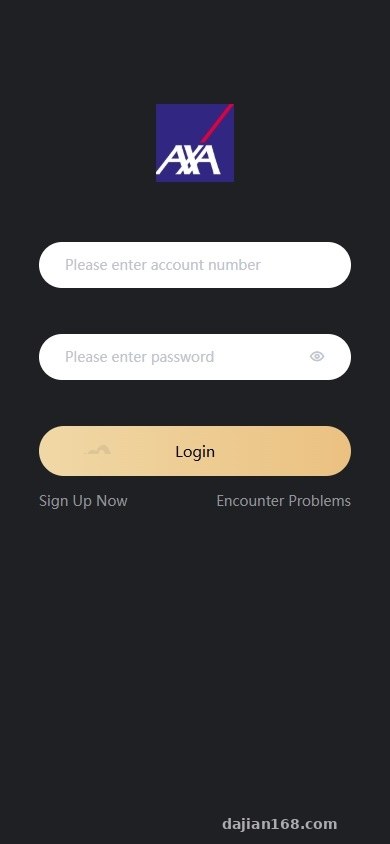
The backend uses the fastadmin framework, requiring PHP version 7.2 or above; I used PHP 7.4. MySQL version 5.7 was used. After importing the SQL file, remember to change the database prefix to avoid conflicts with other projects. The default backend entry is /admin.php, with login credentials noted in the source code. The first thing to do after logging in is change the password and delete the demo data.
2. Market Data API Configuration
The market data comes pre-scraped, so you don’t need to interface with an exchange yourself. The configuration items are in application/extra/site.php — just fill in the corresponding API address and token. One pitfall I encountered: the default API address points to a demo server, so after deploying on your own server you must change it to the API path on your own server, otherwise the market data will keep failing to load.
3. Payment and Deposit Channels
The backend has reserved interfaces for payments, supporting Alipay, WeChat, and bank card deposits (simulated environment). To integrate real third-party payments, you need to configure the corresponding payment plugin in the addons/epay directory, filling in the merchant ID and secret key. For local Indian users, it’s recommended to integrate UPI or Paytm — this requires custom development, writing an independent payment plugin and hooking it up.
4. Front-end Compilation
The front end is compiled using HBuilderX. Open manifest.json, configure your API domain, and package the H5 build directly to the website directory. To create an APP, you need to configure the APP signature and certificate — the process isn’t complicated, just follow HBuilder’s official documentation. Note that the H5 version requires CORS configuration, otherwise API requests will be blocked.
Important reminder: Before deployment, be sure to confirm whether the server is overseas, because the data API of the Indian stock website may have geographic restrictions, and domestic servers may experience unstable access or even fail to connect. It’s recommended to use servers in Hong Kong or Singapore for low latency and smooth network connectivity.
III. Secondary Development Suggestions and Target Audience
The overall structure of this source code is clear, and the fastadmin backend’s code organization is friendly to PHP developers, with low secondary development costs. Common areas requiring customization: integrating real Indian broker APIs, connecting to local Indian payments (UPI/Paytm), adding risk control modules (KYC verification, fund limits), and optimizing market display (adding technical indicators, order book data).
Who This Is For
The first category is teams with existing overseas financial business experience who want to quickly set up an Indian stock demo system — they can use this source code directly as a product prototype. The second category is friends doing technical learning; the uniapp + fastadmin combination is very common in financial projects, and the business logic of this system is complete enough for learning purposes. The third category is overseas Chinese entrepreneurs who want to build Indian stock information services or trading tools — they can get started quickly based on this source code.
Who This Is Not For
Business-side personnel with no coding experience at all are not recommended to take this on directly; at minimum you need basic knowledge of PHP and uniapp. Additionally, for serious Indian securities business, you must integrate real broker licenses and compliance systems — this source code can only serve as a reference for front-end display and business logic.
Frequently Asked Questions
Q: Is this source code for simulated trading or live trading?
A: By default it’s a simulated trading environment. The market data is real (scraped from a local Indian website), but order matching and fund settlement are locally simulated. For live trading, you need to integrate Indian broker APIs yourself.
Q: Can the uniapp front end generate both H5 and mini-programs?
A: Yes, uniapp itself supports multi-platform compilation from a single codebase. I tested compiling both H5 and WeChat mini-program simultaneously — H5 works perfectly; for the mini-program, since it falls under financial categories, you need the corresponding category qualifications to publish.
Q: Can the fastadmin backend’s permission management be customized?
A: Yes. Fastadmin comes with a complete RBAC permission system, where roles, menus, and nodes can all be visually configured in the backend. Agent tier management requires extending the database tables and menus yourself — the source code already includes reference examples.
Q: What are the server configuration requirements for deployment?
A: Recommended starting configuration is 2 cores / 4GB RAM, PHP 7.2-7.4, MySQL 5.7+. If user volume is high, it’s better to run market data push through Redis cache. Bandwidth is recommended at 5M or above, as real-time market data push has certain bandwidth requirements.
My overall impression after running through the entire system is this: the source code quality is above average among similar projects, the front-end UI design is nice, and the backend fastadmin code organization is standardized. If you just want to build an Indian stock display platform or a learning project, this source code is more than sufficient. But to push it to a production environment, there’s still plenty of work to do on compliance and payments.
#Indian stock system #uniapp source code #overseas stocks #fastadmin #deployment notes
-
 Alipay QR Code Scan
-
 WeChat Scan Pay