Building a Short Video Distribution Platform: Vue Frontend with Configurable Recommendation Algorithm Backend
Building a Short Video Distribution Platform: Vue Frontend with Configurable Recommendation Algorithm Backend
Disclaimer: This article is for technical education and demonstration only. It is not professional or financial advice. Any real-world deployment must comply with applicable laws and regulations.
Last week I spent some time helping a friend who runs a local-lifestyle social project set up a short video content distribution system. The frontend uses the Vue 3 ecosystem, the backend runs on Java and Redis, and the standout feature is a recommendation algorithm dashboard where you can visually configure weights. It took me roughly four days to get everything running end to end, and I hit a few pitfalls along the way. Writing it up while it’s still fresh, so anyone planning a similar technical demo project has something to reference.
The biggest highlight of this codebase, in my view, isn’t the polished UI. It’s that the core content distribution logic is exposed as backend configuration. In past projects, the algorithm was either hard-coded into the source or handed off to algorithm engineers as a black box that operations teams couldn’t touch. This system actually breaks out recommendation weights, geographic tags, and interest tags as parameters you can tune from the admin panel.

Feature Walkthrough: What This System Actually Does
After getting the source code, I ran through the full flow. The Vue frontend uses Vue 3, Vite, and Pinia, with route lazy loading done properly. First-screen load clocked in around 1.2 seconds in my tests, noticeably faster than some older-framework projects I’ve worked on. The mobile H5 app and the admin panel are split into two separate projects sharing the same API.
Core Mechanics of the Short Video Feed
The user-facing side supports same-city content recommendations based on geolocation, which I found genuinely useful. Location precision is tunable from the backend, anywhere from 500 meters to 50 kilometers. Video upload uses chunked transfer. I pushed an 80MB test file and the progress bar tracked accurately. Resume-after-interruption also worked as expected.
The basics are all there: likes, comments, follows, direct messages. The DM feature uses WebSocket long connections, and message delivery felt essentially instant. Emoji and image messages are supported out of the box. Voice messages require additional storage bucket configuration.
The Configurable Recommendation Backend
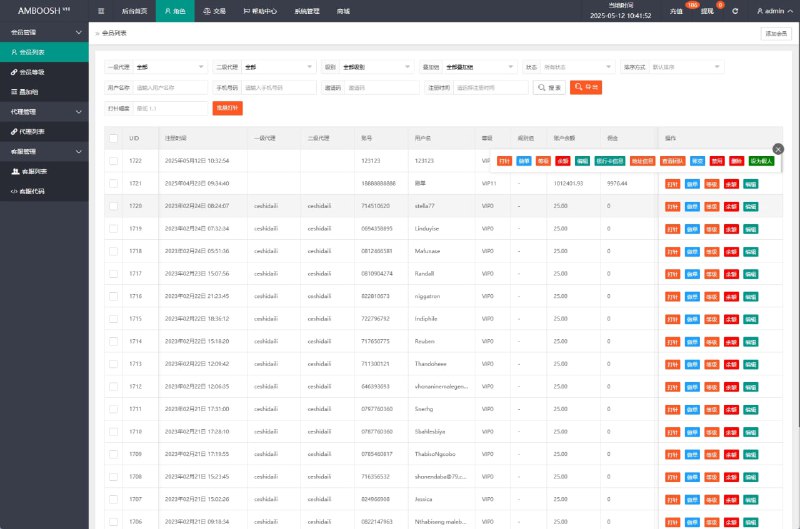
This was my main focus during testing. The admin panel has a Content Distribution Strategy module where you can set weight coefficients for different video categories. For example, if you want food-related content to get a 20% weight boost during lunch hours, you just drag a slider. No code changes needed.
There’s also a Cold Start Pool design. Newly published videos first enter a small traffic pool where their engagement rate gets measured. Only after hitting the threshold do they get pushed to a wider audience. The logic is essentially a simplified version of the traffic pool approach used by major short video apps, and the source code comments explain it clearly.
Pitfall alert: the default Redis config only allocates 256MB of memory. Once the video trending list grows, you’ll hit OOM. For production, bump it to at least 2GB. On day two I got burned by this and had to restart the service three times.
Deployment Notes: Environment and Key Configurations
The official documentation is on the sparse side, so here are the key deployment points I pulled together. Should save you some time.
Server Environment Prep
I used Ubuntu 22.04 with the BT Panel for admin. JDK needs to be 17 or higher, and Node 18.x is enough. Database is MySQL 8.0, cache is Redis 7.x. For object storage I connected Alibaba Cloud OSS. Video files all route through CDN, and the local server only holds metadata.
If budget is tight, a 4-core 8GB machine can handle a test environment. But for video transcoding, I’d recommend spinning up a separate box dedicated to FFmpeg. Transcoding is genuinely CPU-hungry.
Multi-language Configuration Pitfalls
The frontend i18n uses vue-i18n, with language packs living under src/locales. Chinese and English come pre-configured. I added a Japanese pack for testing and discovered some hard-coded Chinese strings hiding inside components that had to be swapped manually. Popup prompts were the worst offenders. The original author probably ran out of time before finishing i18n coverage.
Backend multi-language content is read from the database. Adding a new language is as simple as creating one under Language Configuration in the admin panel. Field translations support batch import from Excel, which is a nice touch.
Payment Interface Integration
The system leaves slots for Alipay and WeChat Pay. You fill in your own merchant ID and certificates. Important note: callback URLs must use HTTPS. On my first attempt I used HTTP and callbacks just never arrived. Digging through the logs revealed they were being blocked.
Both virtual goods and membership subscriptions are supported, and membership tiers are fully customizable from the backend. I created a Trial Member tier for testing and the config took effect almost instantly, no service restart required.

Secondary Development: How Extensible Is It
The claim that the source is fully open really does hold up. The Java backend has clean structure with clear separation between Controller, Service, and Mapper layers. No sign of the everything-crammed-into-a-utility-class mess you sometimes inherit.
Adding Custom Modules
I tried adding a Topic Challenge module. From creating the tables to wiring up frontend and backend endpoints took roughly six hours. The API uses a unified response structure, and the frontend has a pre-wrapped request utility. Adding new endpoints is mostly a copy-and-adapt exercise.
On the Vue side, the admin panel uses element-plus. Adding a menu item is just a single entry in the route config, and the permission system hooks in automatically. The user-side component library is custom-built with drawers, popups, pull-to-refresh, and other patterns already implemented. Styling is Tailwind-based.
Performance Optimization Points
For the video list endpoint, I added local Redis caching with a 5-minute TTL on trending videos. Average response time dropped from about 180ms to around 30ms. On the database side, make sure to add a composite index on video_status, user_id, and create_time. Without it, performance degrades noticeably once you cross 100k rows.
Who Is This Codebase For
Honestly, this source is best suited for teams with existing Java and Vue experience who want to do technical demos or internal system revamps. A total beginner would probably need a week to get comfortable with it. If you just want to spin up a demo to see the effect, following the docs step by step gets you there in two days.
For teams building localized social apps, content communities, or interest-sharing products who need technical validation, this skeleton is more than adequate. Tweak the UI, rewrite the core business modules to match your requirements, and you can easily save two months of development time.
Frequently Asked Questions
Q: Video transcoding stalls at 30%. What’s wrong?
A: 99% of the time it’s FFmpeg missing or the wrong version. The apt-installed version is usually too old. Grab the statically compiled build from the official site, and remember to update the ffmpeg path in your config file after installation.
Q: Backend recommendation weight changes aren’t taking effect. Why?
A: Check whether the strategy cache in Redis has been refreshed. Default TTL is 10 minutes. You can hit Apply Now in the admin panel to force a refresh, or manually flushdb the test environment cache.
Q: The Vue frontend shows a white screen after building. What now?
A: Most likely the publicPath doesn’t match the actual deployment path. If you’re deploying under a subdirectory, update the base field in vite.config.js accordingly, and make sure nginx try_files is set up to match.
Q: Can this codebase be used commercially?
A: Technically it fully supports secondary development and commercial use. This article is for technical education only. Before going live, make sure to comply with all applicable laws and regulations, particularly around user data handling and content moderation.
Disclaimer: This article is for technical education and demonstration only. It is not professional or financial advice. Any real-world deployment must comply with applicable laws and regulations.
#short video system #Vue 3 source code #content distribution #social platform #secondary development
-
 Alipay QR Code Scan
-
 WeChat Scan Pay

![? [New UI NFT Blockchain Trading System] NFT Minting + Blind Box Synthesis + NFT Marketplace + Digital Art Collectibles](https://dajian168.com/wp-content/uploads/2025/07/telegram-img-2025-07-08-686ce28de969c.jpg)