Building a Board Game Simulation Platform from Source: Golang + Cocos2d-js Deployment Notes
Building a Board Game Simulation Platform from Source: Golang + Cocos2d-js Deployment Notes
Disclaimer: This article is for technical education and demonstration only. It is not professional or financial advice. Any real-world deployment must comply with applicable laws and regulations.
I recently helped a client deploy a board game simulation platform built from source code. The whole thing took about three days, and I hit plenty of pitfalls along the way. While the details are still fresh, I’m writing down the full process and key points to save some time for anyone who wants to set this up themselves. The codebase has a pretty typical structure: a Golang server, a Cocos2d-js client, and a PHP website — three separate components, which is much cleaner than the all-in-one packages out there.
Architecture and Hands-On Feature Review
The first thing I did after getting the source was map out the directory structure. The server is written in Go and compiles into a single binary that runs with just over 200MB of memory — no problem at all on a 2-core, 4GB machine. The Cocos2d-js client is H5-based, so it opens right in a browser with no app install required, which is great for onboarding users.
Going Through the Admin Panel Features
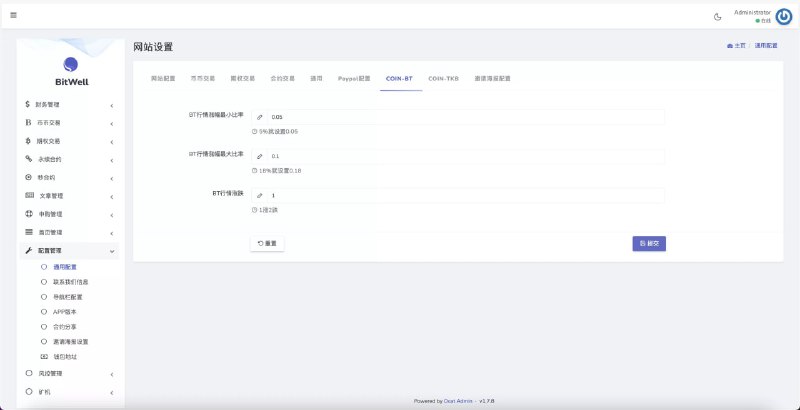
The admin panel is PHP-based and fairly complete:
1. User management: registration, login logs, and online status at a glance, with a live curve of concurrent users;
2. Room configuration: base scores, player limits, and item toggles for each game room can be set individually, and changes take effect immediately without restarting the service;
3. Data simulation module: built-in market data simulation and random number demo features, handy for algorithm validation, with all parameters adjustable from the backend;
4. Agent commission system: a multi-level agent structure with commission rates configured per tier, and reports settled automatically each day.
Payment Interface Integration
The payment side comes with a generic third-party interface — you just update the keys and callback URL in the config file. I tested a channel using the EPay protocol; the callback signature verification logic is reasonably well written. My advice: always run the asynchronous notifications through a sandbox environment before going live, and never point it straight at production. Also remember to set up the callback IP whitelist, otherwise you’ll get flooded with spoofed notifications.
Deployment Essentials — Read This Part Carefully
Environment Preparation
My setup: CentOS 7.9 + Golang 1.18 + PHP 7.4 + MySQL 5.7 + Nginx 1.20. Don’t use an old Go version — anything below 1.16 throws module errors during compilation. For MySQL, 5.7 or newer is recommended; 8.0 has some default charset differences, so watch out for utf8mb4 when importing the SQL.
The Three-Step Process
Step one, import the database. The SQL files are in the doc directory; a full import takes about two minutes. A few tables have foreign keys, so don’t mess up the import order.
Step two, compile the server. Go into the server directory and run go mod tidy to pull dependencies. If your machine is in mainland China, set a GOPROXY mirror first, otherwise downloads are painfully slow. The build produces a single binary — host it with nohup or supervisor. I recommend supervisor so it auto-restarts after a crash.
Step three, configure the client. On the Cocos2d-js side, edit the server address and port in main.js. The WebSocket default port is 9101, which I enabled in the config file — remember to open it in the firewall. Host the frontend assets statically with Nginx and turn on gzip; it noticeably speeds up the first load.
Pitfall warning: if the client can’t connect to the server, it’s almost always the WebSocket port not being open, or Nginx missing the Upgrade header. For Nginx to reverse-proxy WebSocket, you must add proxy_set_header Upgrade $http_upgrade and Connection “upgrade”. That one cost me two hours.
Multilanguage and Customization Potential
The client ships with Simplified Chinese, Traditional Chinese, and English language packs in the resources/lang directory — adding a new language is just a matter of dropping in another JSON file. For customization, the Go server has clean module separation, with game logic nicely decoupled from the framework layer. Adding a new game mode mostly means touching the games module plus a new scene on the frontend. The PHP admin uses ThinkPHP, so templates are easy to modify. Overall I’d rate its customization friendliness a 7 out of 10, with the deduction going to some rather sloppy comments in the code.
Who Is This Suited For?
First, developers who want to study a Go + Cocos front-end/back-end separated architecture — the codebase is a moderate size and works well as a learning project. Second, teams that need board game simulation or arcade demo products and want to quickly build a prototype. Third, operators running lightweight H5 platforms, where browser-based instant play keeps the barrier to entry low. Complete beginners shouldn’t jump straight in — you’ll need at least basic Linux command-line skills and fundamental web ops knowledge.
Frequently Asked Questions
Q: What’s the minimum server spec?
A: In my testing, 2 cores / 4GB with 5Mbps bandwidth handled around 500 concurrent users stably. Beyond that, upgrade to 4 cores / 8GB — the bottleneck is bandwidth, not CPU.
Q: The Go build fails on dependency downloads. What should I do?
A: Set GOPROXY=https://goproxy.cn,direct and run go mod tidy again — that solves it in most cases. For private dependencies, check that the paths in the replace directives in go.mod are correct.
Q: The admin panel shows a blank page after login?
A: Nine times out of ten it’s a PHP version incompatibility or the session directory lacking write permissions. Confirm PHP is between 7.2 and 7.4, give the runtime directory 777 permissions, and clear your browser cache.
Q: Can I rebrand it as my own?
A: Yes — the client logo, name, and admin panel title are all configurable. Just edit the resource files and settings. For commercial use, verify the source code licensing yourself, comply with all applicable laws and regulations, and never use it for any unlawful purposes.
All in all, this platform’s source code sits in the upper-middle tier of its category: clean architecture, a deployment process that isn’t overly complicated, and a good fit for developers with some experience who want to study it or build a demo project. If you have questions, drop a comment below — I reply to everything I see.
Disclaimer: This article is for technical education and demonstration only. It is not professional or financial advice. Any real-world deployment must comply with applicable laws and regulations.
#Source Code Deployment #Golang #Cocos2d-js #H5 Games #Deployment Notes
-
 Alipay QR Code Scan
-
 WeChat Scan Pay