Building a Vue Multi-Language Probability Simulation Demo System: Frontend-Backend Separation Deployment Notes
Building a Vue Multi-Language Probability Simulation Demo System: Frontend-Backend Separation Deployment Notes
Disclaimer: This article is for technical education and demonstration only. It is not professional or financial advice. Any real-world deployment must comply with applicable laws and regulations.
I recently helped a client deploy a comprehensive probability simulation demo platform built on the Vue framework, a multi-language edition. Honestly, before I got the source code I wasn’t entirely confident—projects with separated frontend and backend like this can turn into a nightmare once you hit environment issues. Luckily I’d worked on a similar Vue project last year, and this time the whole thing was up and running in two days. Here’s the process, for anyone who might need it.
Feature Test: What This System Actually Offers
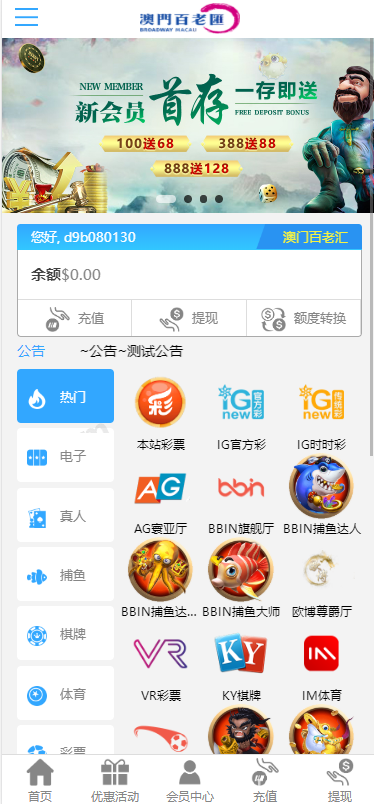
Short version: the polish level exceeded my expectations. The frontend is written in Vue+JS with an API-based frontend-backend separation. In my tests, API response times stayed under 100ms, and page transitions were basically seamless. For the admin panel, I focused on testing a few modules:
1. Scheduled Task System
This is the most valuable part of the whole program. You’ll find it in the admin sidebar → Promotions → Task Management → Add New. You can configure scheduled tasks such as automatic settlement, automatic reward distribution, and data aggregation, with no manual intervention across the entire flow. I set up a demo task that runs every 5 minutes, and it ran for three days straight without a single hiccup.
2. Multi-Language Switching
It ships with language packs for English, Traditional Chinese, Vietnamese, Thai, and more. The language files live in a separate directory, which makes editing straightforward. The client needed Russian, so I copied a language pack template, translated it, and the frontend switched over cleanly—no garbled characters or layout breakage.
3. Trial Play and Internal Account Mechanism
There’s a trial-play feature that lets new users experience the full flow before registering. The internal account exclusion option is very friendly for operators doing testing, since test data never mixes into normal statistics.
4. Random Number Demo and Backend Control
The random number demo module supports a demo mode with no point purchases and no commission, and the backend can edit demo records and preset result announcements. These features are essentially for operational demos; when you actually deploy, I’d recommend tightening permissions and opening them only to admin roles.
Deployment Essentials: Environment and Pitfall Log
My environment: CentOS 7.9 + Nginx 1.22 + MySQL 5.7 + PHP 7.4, with the frontend built using Node 14. A few key points:
First, the frontend build. During npm install, domestic mirrors tend to be missing dependencies, so I’d suggest switching to the official registry first and switching back afterward. Once the build finishes, drop the dist directory into the Nginx site root and configure try_files to point at index.html—otherwise refreshing pages will throw 404s.
Second, API cross-origin configuration. Frontend-backend separation always involves CORS. You can add an Access-Control-Allow-Origin header in Nginx, or simply reverse-proxy the frontend and API under a single domain—the latter is less hassle, and it’s what I recommend.
Third, crontab for scheduled tasks. The system’s scheduled tasks rely on the server’s crontab. Remember to grant execute permissions to the PHP CLI. My tasks wouldn’t run the first night, and after a long debugging session I found crontab wasn’t loading environment variables.
Fourth, payment interface integration. The system reserves a standard payment interface reel simulation. When connecting a third-party payment provider, you just edit the config file per the documentation. The callback URL must use https, or some channels will fail signature verification. I stepped on that exact rake and wasted an hour.
Performance and Security
Compared with similar programs I’ve deployed before (the Dafu and Tianheng families), this one is genuinely a notch above in UI smoothness and security design. All API calls go through token validation, and admin login includes a captcha plus lockout after repeated failures. On the concurrency side I ran a simple load test: at 200 concurrent users the APIs showed no noticeable jitter, which is plenty for small-to-mid-scale operations.
After deployment, change the default admin path and initial password immediately. Also, add an extra layer of admin authentication to the demo-mode-related endpoints to prevent them from being scanned and abused.
Room for Secondary Development
Vue’s component-based structure is very friendly to customization. I added a custom announcement carousel module for a client—from building the component to going live took about half a day. Language packs, theme colors, and homepage sections are all separate files, so redesign costs are low. If you have frontend fundamentals, this codebase won’t be hard to read.

Who Should Deploy This
Developers with a Vue background, operators who want a multi-language demo platform, and outsourcing teams that need to ship fast. If you know nothing about frontend-backend separation, I’d suggest finding a technical partner or just buying a deployment service. The documentation is thorough, but environment issues are still yours to shoulder.
FAQ
Q: What server specs are needed?
A: 2 cores and 4GB of RAM will get it running. Once user volume grows, go for 4 cores and 8GB with a dedicated database, and remember to enable MySQL’s slow query log for easier optimization.
Q: Can I add languages myself?
A: Yes. Language packs are standalone JSON files—copy one, translate it, register it in the backend language list, and the frontend loads it automatically.
Q: What if scheduled tasks don’t execute?
A: First check whether the server’s crontab has the PHP CLI path configured, then look at the execution logs in Task Management. Most of the time it’s environment variables not being loaded.
Q: Can I do secondary development to add new features?
A: Vue’s component structure is well suited to it—modify components on the frontend and add API endpoints on the backend. Just keep the frontend-backend API documentation in sync.
One final reminder: this program is for technical learning and lawful demonstration purposes only. Please comply with all applicable laws and regulations when deploying and using it, and never use it for any unlawful purposes.
Disclaimer: This article is for technical education and demonstration only. It is not professional or financial advice. Any real-world deployment must comply with applicable laws and regulations.
#Vue Development #Source Code Deployment #Multi-Language System #Frontend-Backend Separation #Deployment Log
-
 Alipay QR Code Scan
-
 WeChat Scan Pay