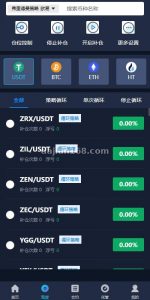
Cross-border E-commerce Source Code Deployment: Multi-language Storefront with Payment & Logistics API Integration
Cross-border E-commerce Source Code Deployment: Multi-language Storefront with Payment & Logistics API Integration
Disclaimer: This article is for technical education and demonstration only. It is not professional or financial advice. Any real-world deployment must comply with applicable laws and regulations.
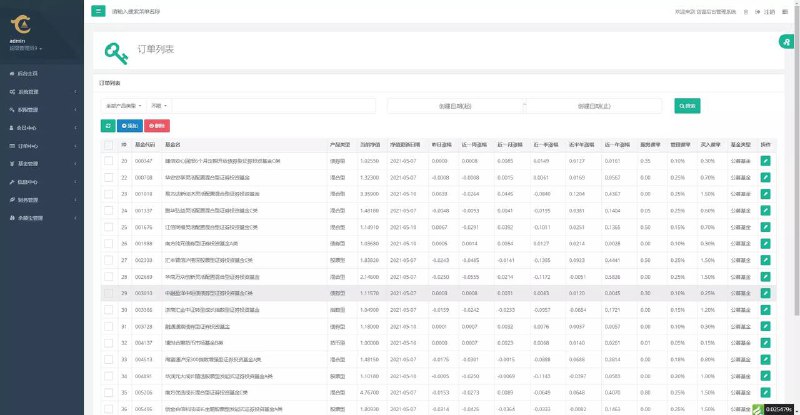
A friend running an export business asked me to deploy a cross-border ecommerce storefront recently, and the whole thing took almost two weeks from start to finish. I’ve written up the gotchas and the key configurations here for anyone else searching for a usable source code package. The system is written in PHP, with the merchant portal and mobile side built in Vue, while the backend sits on the FastAdmin framework (which is essentially a wrapped layer over ThinkPHP). The overall architecture is reasonably clean, and the barrier to custom development isn’t very high.
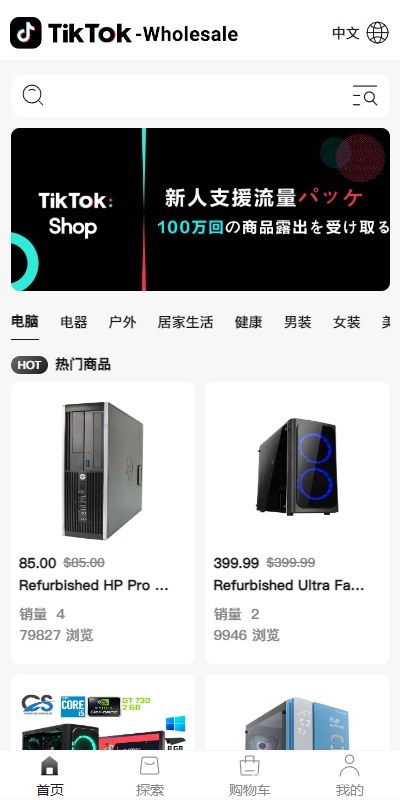
The biggest selling points are the multi-language storefront combined with a complete payment and logistics integration pipeline. I’ll break it down module by module below.
1. System Architecture and Real-world Tech Stack
Let me lay out the tech stack first so anyone doing custom dev can find their bearings quickly:
- Backend: FastAdmin framework (ThinkPHP 5.x core). PHP 7.2-7.4 has the best compatibility; some functions need minor tweaks on PHP 8.
- Merchant portal: Vue 2 + Element UI. Compiles to pure static files, deploy directly under Nginx.
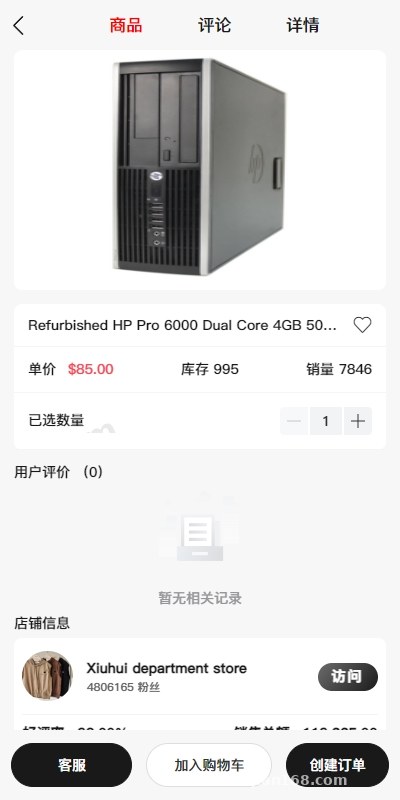
- Mobile side: Vue + Vant UI. Supports H5 bundling and mini-program adaptation.
- Database: MySQL 5.7+. Make sure to use utf8mb4 for the character set, otherwise multi-language fields will break.
- Customer service subsystem: Standalone ThinkPHP app, integrated inside the merchant admin.
For deployment, I’d recommend running through it once with the BaoTa panel first. Pick PHP 7.4, and in the disabled functions list keep putenv, proc_open, and similar ones enabled (FastAdmin’s composer dependencies need them). Don’t just disable everything in one go, or composer install will throw errors immediately.
Merchant Portal and Customer Service Binding Logic
The system design is this: once a merchant registers, the system automatically provisions an independent customer service workspace for that merchant. The binding relationship lives in the customer_service_id field on the merchant table. When a buyer clicks “Contact Support” on the frontend, the backend routes them to the right workspace URL based on the current store’s merchant_id, and messages from support staff go through in-site mail plus websocket push.
In my real-world test, a single machine with 2 cores and 4GB of RAM handled about 200-300 merchants chatting simultaneously. Once you go above 500 merchants, I’d suggest putting load balancing in front and splitting the merchant portal and customer service endpoints into two separate sites.
2. Multi-language and Cross-border Payment Integration
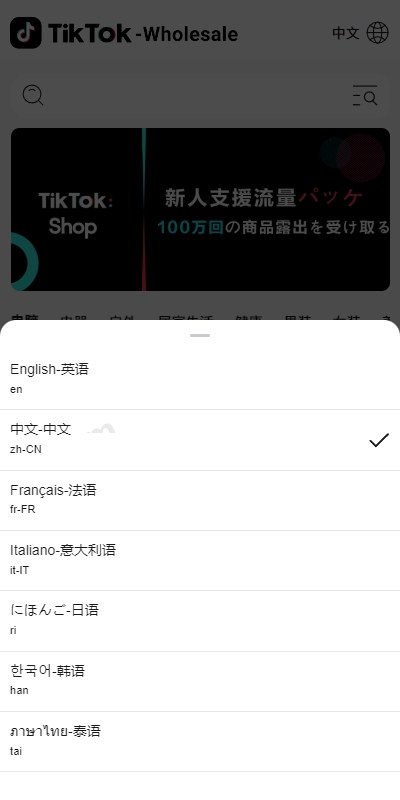
For multi-language, the system uses the classic resource file approach, not the heavier database-driven dynamic switching. Language packs live in application/lang/, one PHP file per language returning a key-value array. On the Vue side, vue-i18n handles the switching, the route carries a lang parameter, and the backend loads the matching language pack based on that parameter.
Out of the box you get Simplified Chinese, Traditional Chinese, English, Arabic, and Spanish. Arabic RTL layout needs separate CSS handling for the direction property. I’d suggest adding an [dir="rtl"] selector directly in main.css to override margin and padding directions.
Payment Gateway Integration Tips
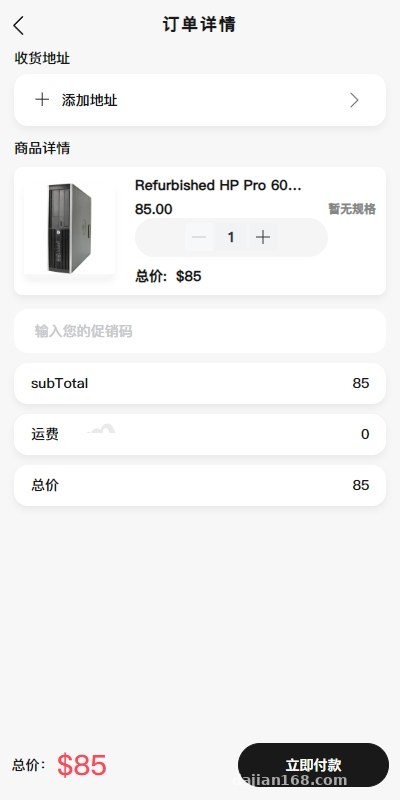
The payment module is the highlight of this system, and it supports a wide range of channels:
- PayPal (international version, business account required)
- Stripe (credit card acceptance, covers Europe and North America)
- Alipay International
- WeChat Pay Cross-border
- Local payment methods (e.g., TrueMoney in Thailand, MoMo in Vietnam)
When integrating Stripe, the callback URL must go through HTTPS. FastAdmin’s payment callback controller lives at application/api/controller/Pay.php, and signature verification uses Stripe’s official SDK WebhookSecret. Don’t write your own signature logic, you’ll likely miss the retry mechanism and end up with orders stuck in the wrong state.
⚠️ Heads-up from the trenches: PayPal sandbox and production domains can’t be mixed. Plenty of beginners trip on this one. After you configure the callback URL in the PayPal backend, you can use ngrok for local debugging, but always log callbacks to the database, otherwise troubleshooting order state mismatches becomes a nightmare.
Logistics Module Integration Approach
The logistics piece reserves three hook points in the system: tracking lookup, shipment creation, and electronic waybill. It talks to aggregated APIs (such as Kuaidiniao or AfterShip). Once a merchant configures the API Key in the backend, the order detail page on the frontend automatically calls the tracking endpoint and returns the shipment trajectory.
If the customer is targeting Southeast Asia, I’d recommend AfterShip, it covers more carriers. For Europe and North America, you can go straight to ShipStation’s API, but that requires the merchant to have their own overseas warehouse account.
3. Building the In-store Content Module
The system also ships with a short video / feed module, kind of like the store’s own content community. Merchants can publish product videos or marketing clips, and buyers can scroll through videos to see product demos while they shop. Under the hood, it uses video.js for the player, uploads go through OSS or Qiniu Cloud object storage, and CDN acceleration saves a meaningful chunk on bandwidth costs.
The content module ties into the product catalog. Videos can carry product cards, and clicking one drops the user straight on the product detail page. The conversion path is pretty smooth. When deploying, remember to set a longer CDN cache time for video thumbnails; the default 304 expiration is too short and slows down the feed page.
4. Common Custom Development Requests
Here are a few custom dev directions based on actual client requests I’ve handled:
- Add a membership tier system: extend the
userstable with alevelfield. FastAdmin’s model generator handles CRUD in one click. - Connect to an ERP system: create a new
ErpClientclass underapplication/common/library/and fire HTTP requests through Guzzle. Pay attention to timeout settings. - Custom shipping templates: edit the
calculateFreightmethod inapplication/api/controller/Cart.php. - Plug in SMS notifications: both Alibaba Cloud SMS and Tencent Cloud SMS work fine. Get signatures and templates pre-approved.
For code-level customization, FastAdmin itself has a one-click CRUD generator. Pick the table name in the backend’s “Code Generator” and it auto-spawns the controller, model, view, menu entry, and permissions. After the changes, remember to tick the new menu under “Role Permissions,” otherwise the entry won’t show up in the admin panel.
5. Who It’s For and Deployment Recommendations
This system fits the following user groups:
- Small and mid-size cross-border merchants who want their own independent site and escape platform commissions
- Service providers building multi-language storefronts for clients with customized deployments
- PHP developers who want a ready-made framework to fork into their own product
- Solo exporters and freelancers who need a lightweight system for listing products and receiving orders
I wouldn’t recommend this for absolute beginners. You should at least be comfortable with basic Linux commands and Nginx configuration. If you’ve never touched PHP, find an introductory FastAdmin tutorial and work through it before deploying, otherwise you’ll waste a full day just trying to get composer dependencies installed.
Minimum server spec I’d suggest is 2 cores and 4GB RAM with 5Mbps bandwidth to start. If you’re running the video module, go with 10Mbps or pair with a CDN. Run the database on a separate instance, don’t squeeze it onto the same box as the web server, MySQL is a memory hog.
Frequently Asked Questions
Q: Does the system support PHP 8?
A: PHP 8.0 runs fine in my testing, but some underlying ThinkPHP functions that FastAdmin depends on have compatibility issues on 8.1+. Stick with PHP 7.4 for a stable run during development, and consider upgrading later once your custom features are stable.
Q: Is multi-language switching handled on the frontend or the backend?
A: It’s a frontend-backend cooperation. The frontend switches the route parameter, the backend loads the matching language pack based on that parameter. Dynamic content like product descriptions and category names uses database multi-language fields, the system has already reserved the related structure on the lang table.
Q: How do I configure the API base URL in the merchant Vue project?
A: Edit the baseURL in src/utils/request.js. For the build, run npm run build:prod to generate the dist directory, then drop those files into your Nginx site root. Don’t forget to set try_files $uri $uri/ /index.html; in your Nginx config, otherwise refreshing the page returns 404.
Q: Can the customer service system be deployed separately?
A: Yes. The customer service subsystem is itself a standalone ThinkPHP app. Once you configure the database connection, you can run it as a separate site. By default it’s integrated inside the merchant admin and accessible at /merchant/chat.
Q: What materials do I need for logistics API integration?
A: Aggregated API providers like Kuaidiniao require a business license and an API Key application, typically approved within 1-3 business days. Overseas logistics APIs require either an overseas warehouse account or a contract with a freight forwarder before you can get interface credentials.
Disclaimer: This article is provided for technical setup demonstration purposes only. Please comply with applicable laws and regulations. Any unauthorized or illegal use is prohibited.
Disclaimer: This article is for technical education and demonstration only. It is not professional or financial advice. Any real-world deployment must comply with applicable laws and regulations.
#cross-border e-commerce #source code deployment #FastAdmin #multi-language storefront #payment integration
-
 Alipay QR Code Scan
-
 WeChat Scan Pay