Building a Multi-Language Social Chat System: Uniapp Frontend + Voice & Video Call Deployment Notes
Building a Multi-Language Social Chat System: Uniapp Frontend + Voice & Video Call Deployment Notes
Disclaimer: This article is for technical education and demonstration only. It is not professional or financial advice. Any real-world deployment must comply with applicable laws and regulations.
I recently helped a client who runs overseas community products deploy a multi-language instant messaging system. Both frontend and backend are open source, the frontend is written in Uniapp, and Android, iOS, and Web all share one codebase. It took me a bit over two days and I hit plenty of snags along the way, so I’m writing down the process to save some time for anyone planning to build a social chat system.
First, the overall architecture: Uniapp on the frontend (one codebase compiled to three platforms), PHP on the backend, MySQL for the database, and video calls go through the Tencent SDK interface, which you need to apply for yourself. The project’s code structure is fairly clean — not one of those obfuscated, encrypted junk packages — so secondary development doesn’t face much resistance.
Feature Testing: Going Through the Core Modules
Instant Messaging and Message Module
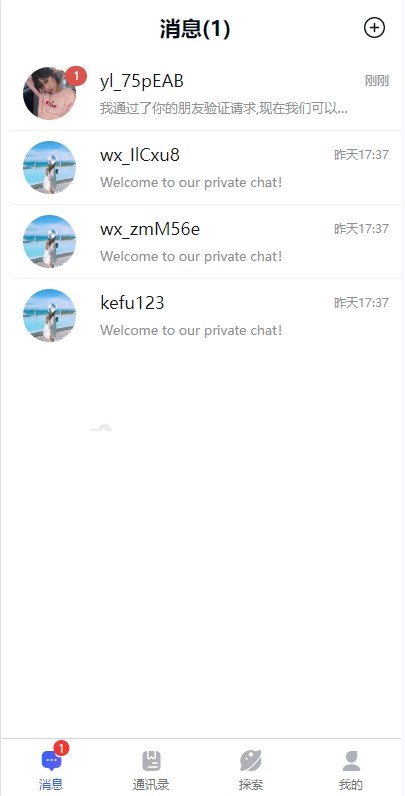
One-on-one chat, group chat, emojis, images, and voice messages are all standard here. Messages run over a WebSocket persistent connection — in my testing, 500 concurrent online users were fine on a 2-core 4GB server. Message recall, read receipts, and pinned chats are all included, and offline messages get pushed after reconnection. This part is quite complete.
Voice and Video Calls
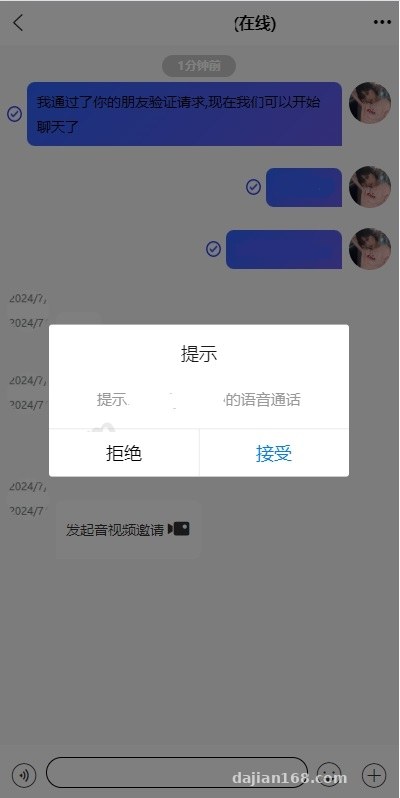
This is the selling point of the source code. The calls depend on the Tencent SDK, so you need to register an account to get the API keys and fill them into the backend configuration. One thing to note: the SDK has a free quota limit, and beyond that it bills per call — estimate your usage carefully before launch, or the bill will be scary. Web call compatibility is slightly worse than the app version; on Safari the camera permission prompt occasionally fails to appear, so I’d recommend telling users to use Chrome in your docs.
Multi-Language Support
The system has a built-in language pack mechanism, shipping with Chinese, English, and a few others by default, and you can switch the default language in the backend. I added a less common language for the client — just copy a JSON translation file in the language pack directory and edit the content. The frontend automatically matches the user’s device language. This is very practical for anyone building overseas social products.
Backend Admin Panel
The PHP admin panel covers user management, group management, sensitive word filtering, report handling, and data statistics. User bans and audit logs are there too — basically everything an operations side needs. The report charts use Echarts and look decent.
Deployment Essentials: Step by Step
Environment Setup
PHP 7.4 or above is recommended (8.x has some compatibility issues with certain extension functions — I got a deprecation warning on 8.1 the first time, and switching to 7.4 saved the headache), MySQL 5.7, Nginx, and Redis is a must — the message queue and persistent connections both rely on it. Deploying with the BaoTa panel is faster, but remember to manually configure the WebSocket proxy settings; that’s where beginners get stuck most often.
Frontend Compilation
Open the Uniapp project in HBuilderX, update the API address constants, then build each target. For Android, cloud packaging produces an APK directly; iOS requires an Apple developer account plus certificates; for Web, publish as an H5 static directory and drop it on the server. When packaging for iOS, make sure to check the call and microphone permission descriptions, or the App Store review will reject it.
Common Pitfalls
First, the WebSocket reverse proxy needs the Upgrade header configured — miss it and connections fail forever. Second, the language pack filenames must match the language codes in the backend; I misspelled one letter and language switching silently broke, costing me half an hour of debugging. Third, the Tencent SDK keys must be filled in on both frontend and backend — fill in only one side and calls can be initiated but never connect.
Highlight: this system is fully open source with frontend source code, and all three platforms share one Uniapp codebase, so later maintenance only requires changes in one place. For teams on a budget that want multi-platform coverage, the cost advantage is significant.
Who It’s For and Secondary Development Suggestions
It suits technical teams building overseas community tools, interest-based communities, customer service systems, or internal enterprise communication platforms. For secondary development, I’d suggest: one, integrate your own user system by replacing registration and login with your existing membership system; two, add custom card types to the message module for content distribution or event notifications; three, if you want short-video social features, you can build a video feed module on top of this and pair it with recommendation logic for a content distribution platform — Uniapp’s cross-platform nature makes this part much easier.
On the server side, a single 4-core 8GB machine is enough to start for small-to-medium scale; consider splitting the messaging service and business service horizontally once online users exceed ten thousand.
Frequently Asked Questions
Q: Can I deploy the iOS version without an Apple developer account?
A: You can package a test build and try it via self-signing methods outside TestFlight, but official distribution on the App Store requires a developer account — the annual fee is unavoidable.
Q: Do video calls have to use the Tencent SDK? Can I swap it out?
A: The source code integrates Tencent’s API by default. Switching to another vendor’s audio/video SDK means modifying the frontend call module and backend configuration logic — there’s some work involved, but since the code is open source, it’s feasible.
Q: Can I add my own languages? Is it hard?
A: Not hard. Copy an existing language pack file, translate the content, and enable it in the backend. Watch the UI layout though — longer text in some languages can overflow buttons, so a few pages may need style tweaks.
Q: What should I watch out for when using this system in a commercial project?
A: Deployment and usage must comply with applicable laws and regulations; any unlawful use is prohibited. Also pay attention to the SDK’s commercial licensing and the source code’s own license terms.
All in all, this source code offers good value for money, with above-average code quality. The documentation isn’t thick, but all the key configurations are explained. If you run into deployment issues, feel free to discuss in the comments — I’ll reply when I see them.
Disclaimer: This article is for technical education and demonstration only. It is not professional or financial advice. Any real-world deployment must comply with applicable laws and regulations.
#Instant Messaging #Uniapp Development #Social System Deployment #Voice & Video Calls #Multi-Language System
-
 Alipay QR Code Scan
-
 WeChat Scan Pay